
Skip to content Skip to sidebar

This thread is resolved. Here is a description of the problem and solution.

Problem:
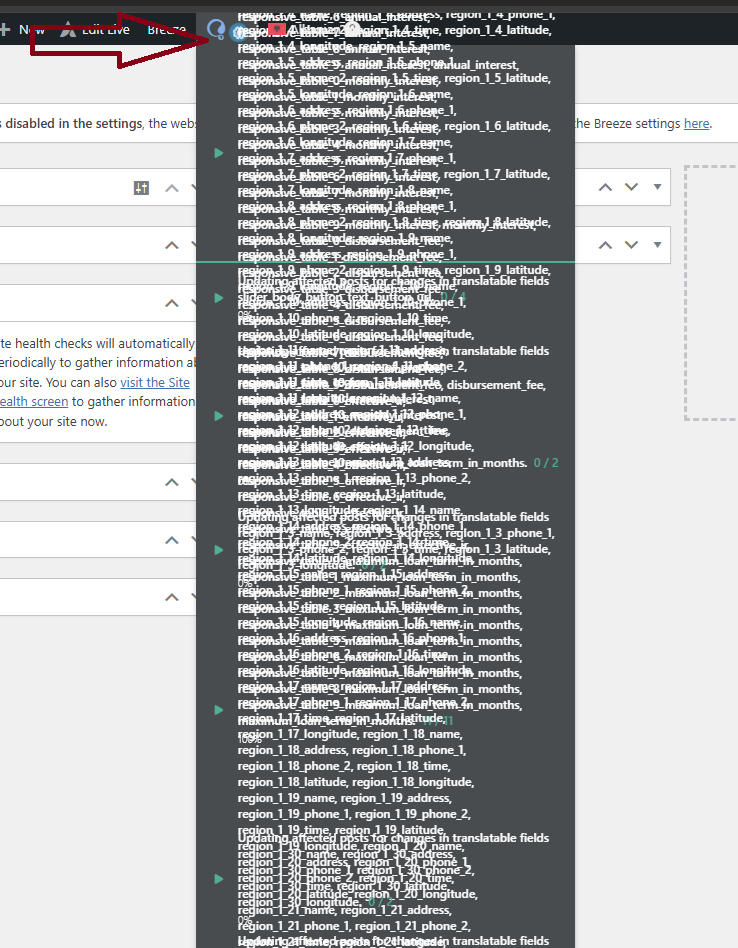
If you're experiencing continuous loading of the WPML status bar icon after updating WPML to version 4.8, it might be due to residual data in your database.
Solution:
We recommend following these steps to resolve the issue:
1. Install the Adminer plugin (or use phpMyAdmin if your hosting provider gives you access to it).
2. Open the Adminer plugin.
3. Locate the

icl_background_task

table in your database.
4. Click on it and choose "Select" data.
5. Select all the entries and delete them.
Alternatively, you can run the following SQL query directly in Adminer:

DELETE FROM `wp_icl_background_task` LIMIT 50;

(Replace

wp_

with your database prefix if it’s different from the default.)

This solution might be irrelevant if it's outdated or not applicable to your case. We highly recommend checking related known issues at https://wpml.org/known-issues/, verifying the version of the permanent fix, and confirming that you have installed the latest versions of themes and plugins. If the issue persists, please open a new support ticket at WPML support forum.

This is the technical support forum for WPML - the multilingual WordPress plugin.

Everyone can read, but only WPML clients can post here. WPML team is replying on the forum 6 days per week, 22 hours per day.

Tagged: 

This topic contains 6 replies, has 1 voice.

Last updated by Andrey 1 month ago.

Assisted by: Andrey.

Author Posts
October 28, 2025 at 5:54 pm #17527289

Finca Development Team

Background of the issue:
I am using WPML 4.8 on my site hidden link. After updating to the new version, I noticed an issue.

Symptoms:
The WPML status bar icon is continuously loading.

Questions:
Why is the WPML status bar icon continuously loading after the update?

October 28, 2025 at 5:57 pm #17527306

Finca Development Team

What is this I need disable something ?

October 28, 2025 at 9:05 pm #17527652

Andrey
WPML Supporter since 06/2013

Languages: English (English ) Russian (Русский )

Timezone: Europe/Kyiv (GMT+02:00)

Thank you for contacting WPML support.

These are background tasks responsible for updating the affected content in your posts or pages. They could appear due to recent changes in the content or related custom fields.

To clear those entries, you will need to access your database and truncate the icl_background_task table.

Before proceeding, please ensure that you have a complete backup of your site.

October 29, 2025 at 7:18 am #17527947

Finca Development Team

Hiu

""To clear those entries, you will need to access your database and truncate the icl_background_task table.""

how i can dot his

October 29, 2025 at 9:16 am #17528408

Andrey
WPML Supporter since 06/2013

Languages: English (English ) Russian (Русский )

Timezone: Europe/Kyiv (GMT+02:00)

Thank you for your feedback.

Here’s a step-by-step outline of what to do:
1. Install the Adminer plugin (or use phpMyAdmin if your hosting provider gives you access to it).
2. Open the Adminer plugin.
3. Locate the icl_background_task table in your database.
4. Click on it and choose “Select” data.
5. Select all the entries and delete them.

Alternatively, you can run the following SQL query directly in Adminer:

DELETE FROM `wp_icl_background_task`
LIMIT 50;

(Replace wp_ with your database prefix if it’s different from the default.)

Please let me know if you’d like me to help you with this process.

October 29, 2025 at 9:46 am #17528682

Finca Development Team

If I don’t delete it and wait until this process finishes, can it cause any issues on the website?

October 29, 2025 at 1:44 pm #17529689

Andrey
WPML Supporter since 06/2013

Languages: English (English ) Russian (Русский )

Timezone: Europe/Kyiv (GMT+02:00)

It won’t cause any issues since the process runs in batches. What you’re seeing (like in the screenshot you shared) is more of a visual effect rather than an actual problem.