[Resolved] Houzez theme permalinks slug not updated
This thread is resolved. Here is a description of the problem and solution.
Problem:
The client was trying to translate permalinks slugs for the custom taxonomies set from the Houzez theme but encountered issues where the expected translated slugs were not appearing, and instead, the original language slug was still being used. Additionally, the client faced 404 errors on the translated pages.
Solution:
Note: While using the theme Houzez, make sure that you translate the custom taxonomies that come with the theme only from the page: WPML -> Settings -> Taxonomies Translation section (all the taxonomies that come with the theme are set here). You shouldn't add the strings that end in "_rewrite_base" for translation in the WPML -> String Translation, as it will give error 404 on the translation pages.
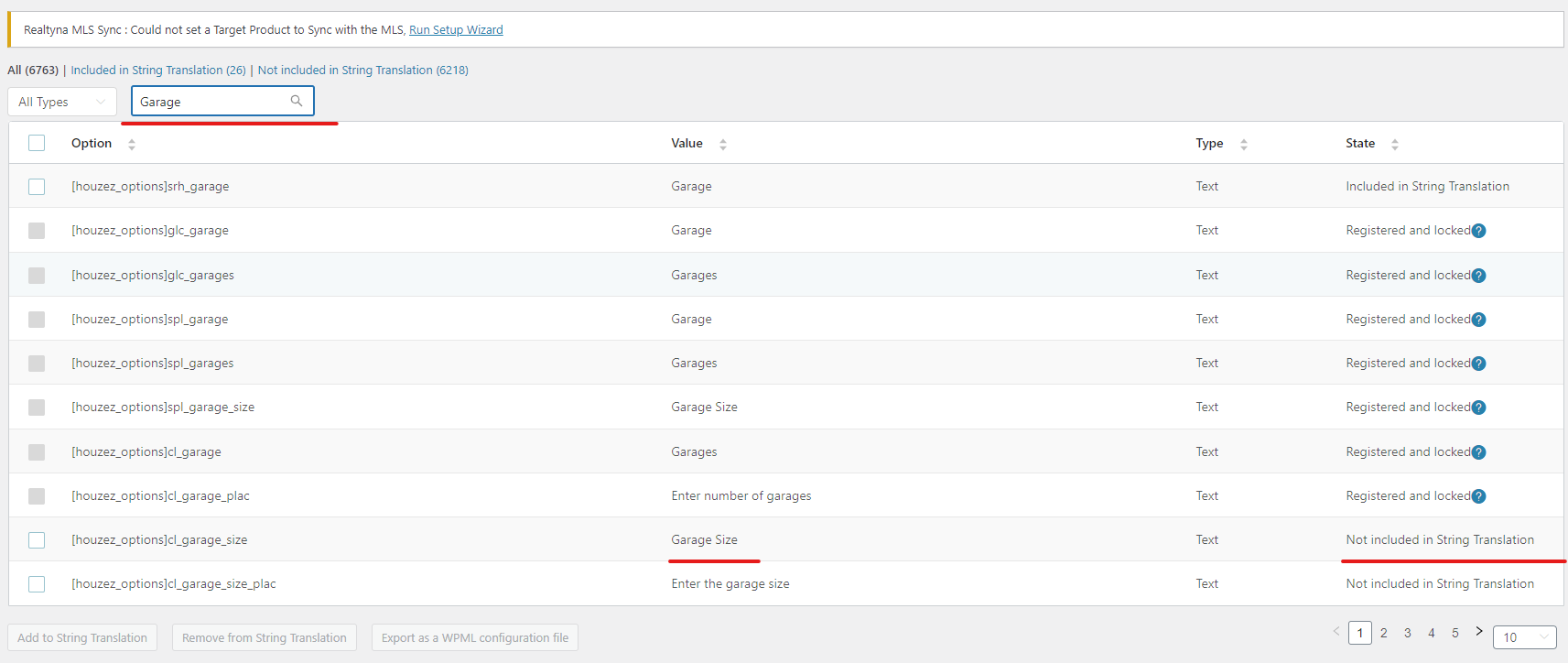
For the strings that show on the property page (ex: "Garage size" or "Description"), you should check on WPML -> String Translation and translate those strings from there.
1. We recommended flushing the website's cache and then navigating to WP Admin -> Settings -> Permalinks to click the "Save" button, which flushes the permalinks.
2. We advised checking the documentation for using the Houzez theme with WPML, specifically for translating taxonomies:
3. We instructed the client to add strings for translation from WPML -> String Translations -> Translate texts in admin screens, and to change the string language to "BG" as they are set to English by default.
4. We clarified that the string "features" from the domain "houzez_settings]property_feature_rewrite_base" should not be translated in WPML -> String Translation, as it is should be translated in WPML -> Settings -> Taxonomies Translation section.
5. For the author page translation, we explained that the bio/description found on the author's page in the backend is translatable using WPML -> String Translation -> More options. Also, the theme Houzez has a custom post type "Agents" and offers the possibility to translate it as any other default post type.
If this solution does not seem relevant to your situation, please open a new support ticket with us.
This is the technical support forum for WPML - the multilingual WordPress plugin.
Everyone can read, but only WPML clients can post here. WPML team is replying on the forum 6 days per week, 22 hours per day.
If any cache plugin were activated it was by mistake as I obviously don't use any, nor any cache server side, as I'm building the website. I actually went along and even removed the Total cache plugin, even as it was disabled anyway.
I went and edited all Taxonomies Translations. The issue still persists:
hidden link
should be
hidden link (return 404)
I've been able to translate the Home breadcrumb by translation the "Home" I found in sting translaltions and it works well. 🙂
Also, I went to translate all strings from the Property page, example: hidden link
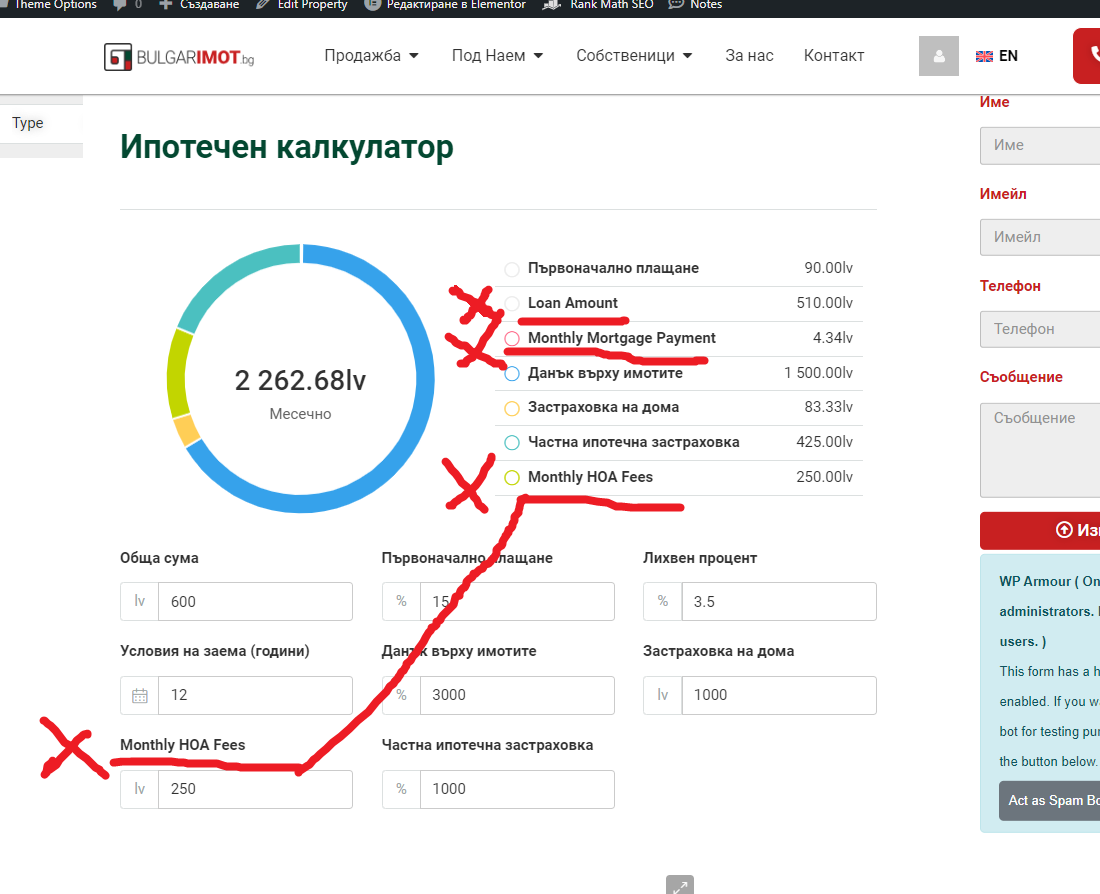
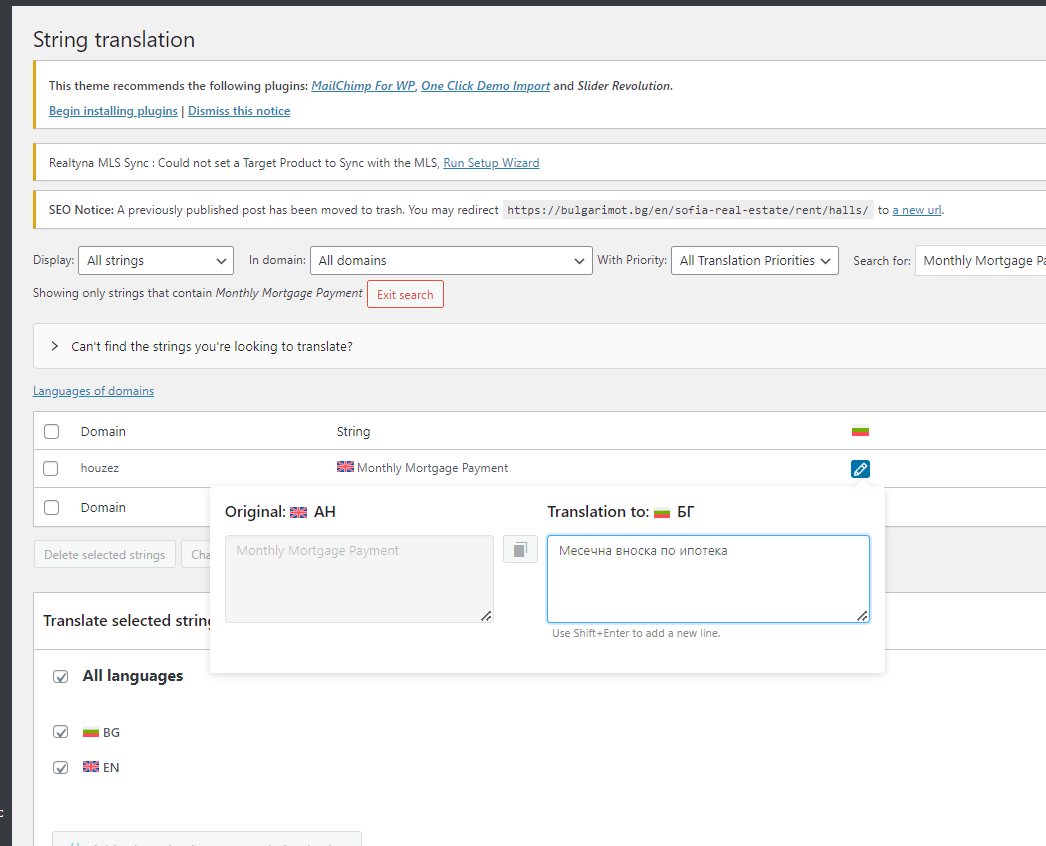
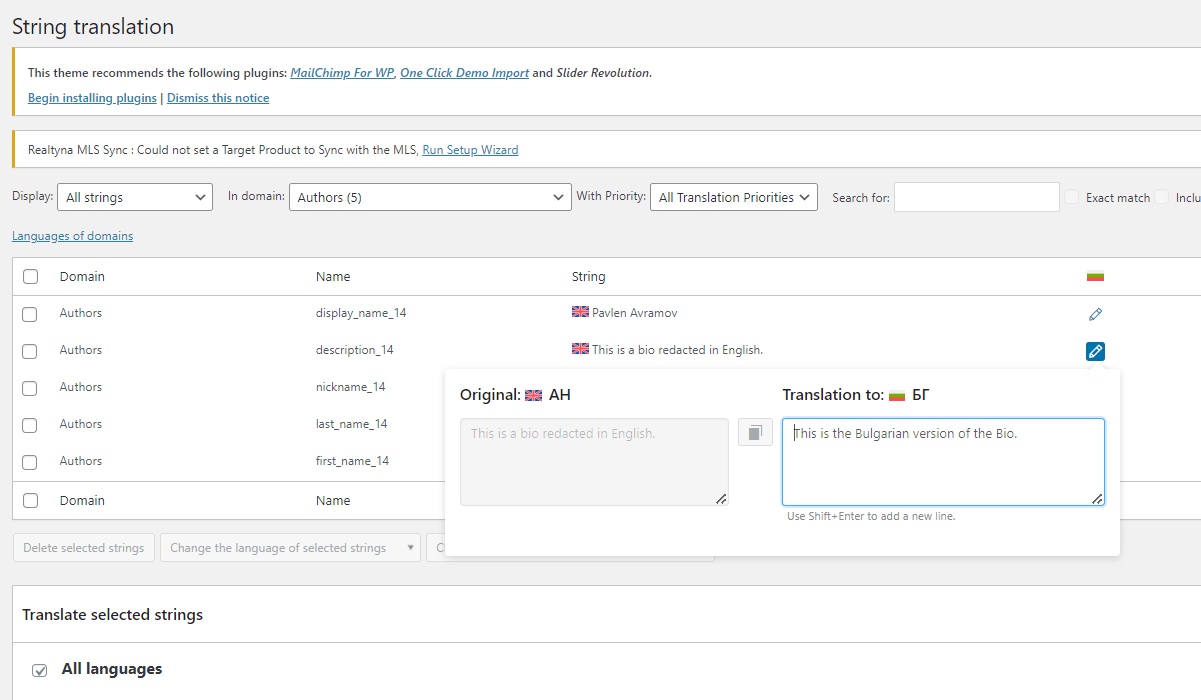
Even though I've been able to find all strings and edit them in the Strings Translation (see example.png attached) they aren't being translated front-end. Ofc I tried with a cache-free tab, Incognito and VPN.
Sorry for the late reply due to Christmas holidays.
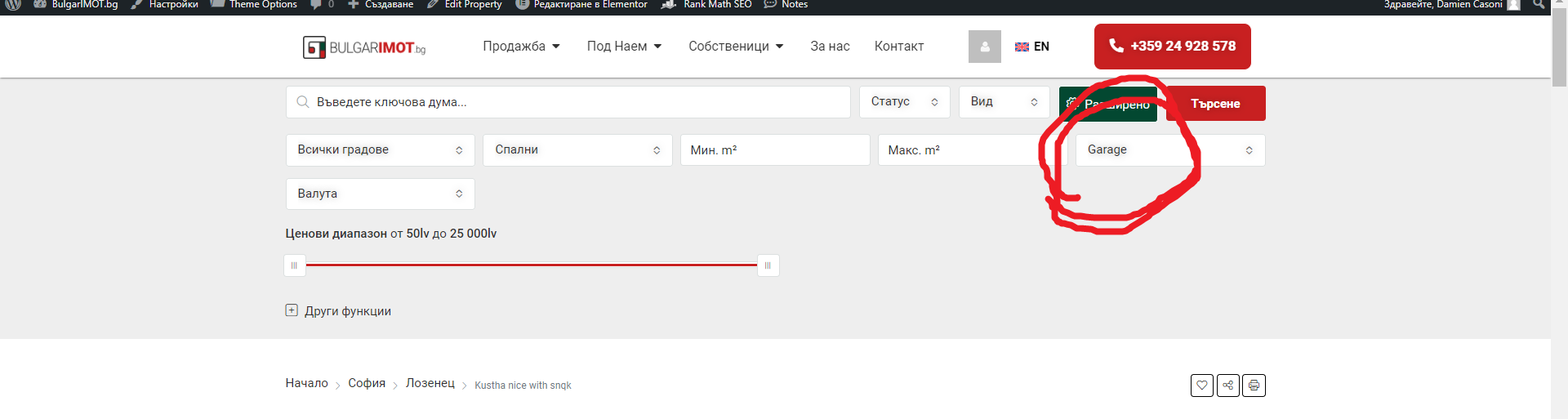
1) I was able to check and the strings for related to the "Garage" and the the Property page could be found on the WPML -> String Translation-> Translate texts in admin screens » section. I already added those strings and they should be already translated I think.
* I noticed that there might be some other similar strings that you need to translate so please check on the page I mentioned above by checking on that page for the string you want to translate (check screenshot attached: ex. You want to translate the string "Garage size", when you search on that page you'll see that on the right column it says "Not included in String Translation" and by adding it you'll be able to translate it).
2) Related to the taxonomy slug that it's not being translated, could you please create a new testing property with the same details in both languages and check if there is any difference?
* Does the same issue happen with different feature term?
Thank you for your help, no worries for the delay I'm not expecting everybody to work everyday during holiday season. 🙂
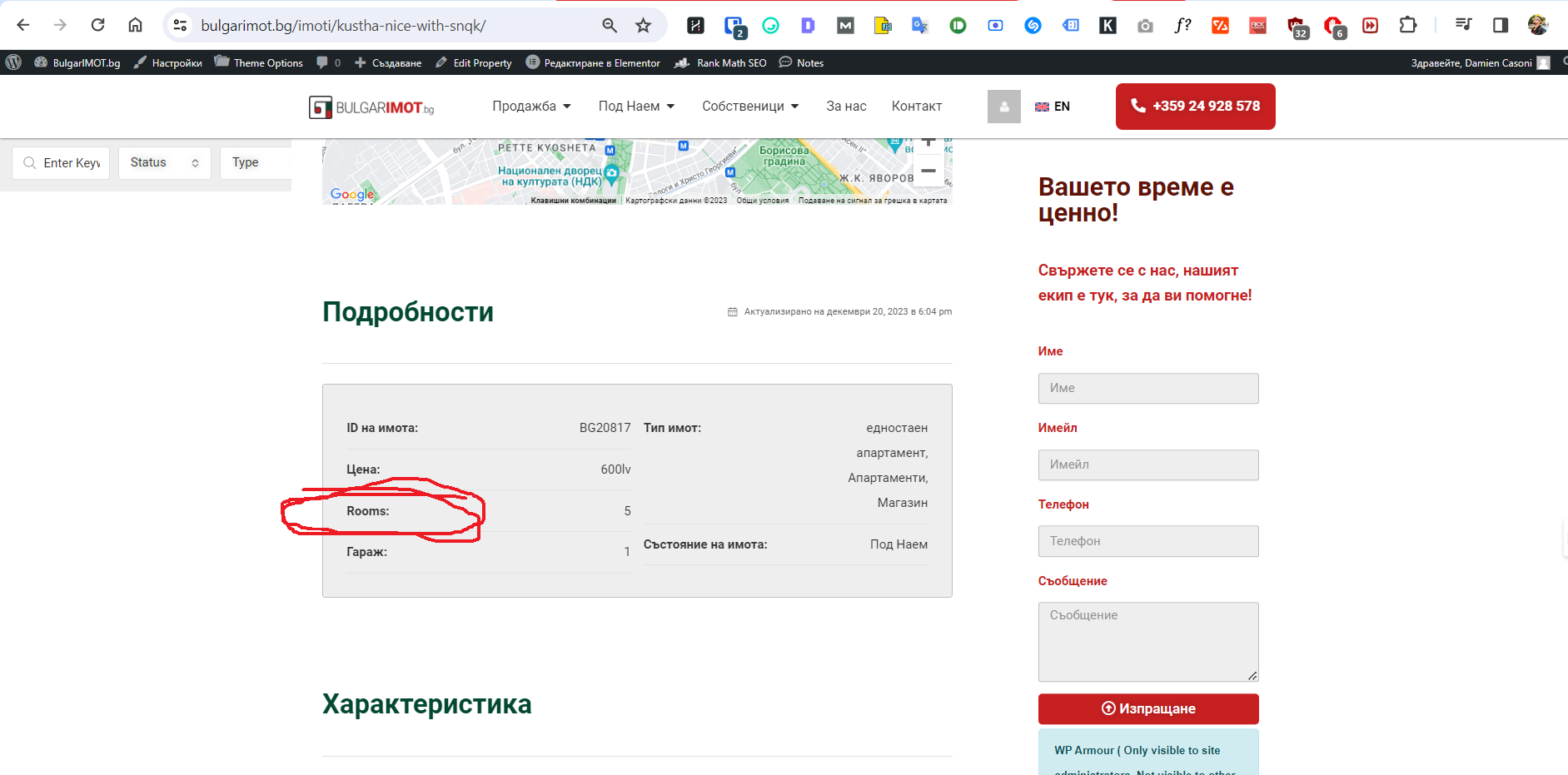
OK great I understand I should also check in the "Translate texts in admin screens". I found 3 occurences of the string "Rooms" and it fixed the last word that was still being displayed in English.
That seems all good here for now, thank you.
The slug's issue is not related to any property in particular.
It's more a "category" for example this page here lists all properties which have a backyard:
Here: hidden link
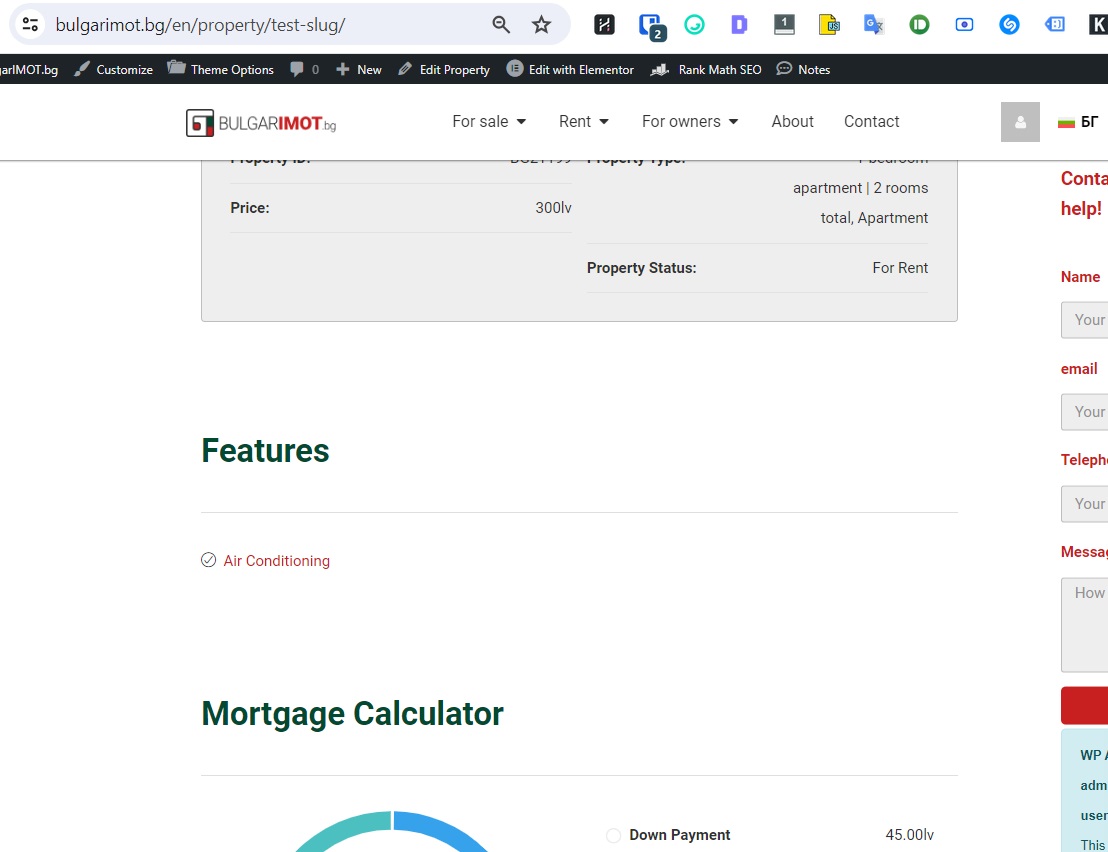
Anyway, I went along and created a new property to experiment with the "air conditioning" feature:
hidden link
When you click on the "Air conditioning" feature (see screenshot) it leads to:
hidden link
Which return a 404. If I change "features" by "harakteristika" however the page exists:
hidden link
But because this is the /en/ English version it should be "features" in the URL, not "harakteristika".
OK so I've installed the very bare minimum, so the properties don't even appear actually, but we recognize a 404 error by the "Back to Homepage" link as well as the language switcher in the bottom being displayed.
A "working" page or property just gives a blank page, because I didn't even installed Elementor.
Now, I've created this feature:
English: hidden link
Italian: hidden link
From Admin Texts Translation I've added "features" and translated it to "testslug"
It doesn't work, as the following url returns a 404 :
hidden link
And that previous one, with "features" instead of "testslug", is still working but shouldn't:
Thanks for the update and for setting up the sandbox.
I was able to find what the issue was, apparently you shouldn't translate the string "features' from the domain "[houzez_settings]property_feature_rewrite_base" in the WPML-> String Translation, as it is already translated on from WPML -> Settings -> Taxonomies Translation section.
I created a new property and created two features on the sandbox and you can check it by switching languages from the language switcher on these links: hidden link hidden link
I also corrected it on your website, you can check the links below:
hidden link hidden link
Please check and let me know if the issue is resolved on your end as well,
Marsel
Thanks for the update and for setting up the sandbox.
I was able to find what the issue was, apparently you shouldn't translate the string "features' from the domain "[houzez_settings]property_feature_rewrite_base" in the WPML-> String Translation, as it is already translated on from WPML -> Settings -> Taxonomies Translation section.
I created a new property and created two features on the sandbox and you can check it by switching languages from the language switcher on these links: hidden link hidden link
I also corrected it on your website, you can check the links below:
hidden link hidden link
Please check and let me know if the issue is resolved on your end as well,
Marsel
Glad to hear that the issue with the slug/s is resolved.
Related to the author page, that page is not translatable by default, meaning that you won't find a custom post type or a taxonomy called like that anywhere.
However, the bio/description found on the author's page (in the back-end, on the user's profile) is the one that can be translated, using the option that you mentioned here: hidden link
Not sure what is the situation or the need related to the translation of the author page, but if you need that for the agents who manage the properties, your theme already has an option called "Agents", which can be found on WP-Admin -> Real Estate -> Agents, you can translate the agents information in that section same as you do with the properties.
Thank you. I've ticked boxes in that option for "author" "agent" and even "agency".
What I'm doing here is that I wanted our main real estate agent to be the author of the website's content (for EEAT's SEO purposes). The Houzez dev team told me to create an Author and then turn it into an Agent, which I did, and it works, I can attribute properties to that Author/Agent.
So now because we're multinlingual I need to have a Bulgarian and an English version for this Author.
If there's a more efficient or elegant way to achieve this, I'm open to any suggestion. 🙂
Otherwise, now that I've added a short test Bio in the backend for that Agent where do I manage the translation of it please?
I understand the situation, and I see that the agent fields are added as well on the author page in the backend (which I am guessing is already implemented to show up on the theme itself).
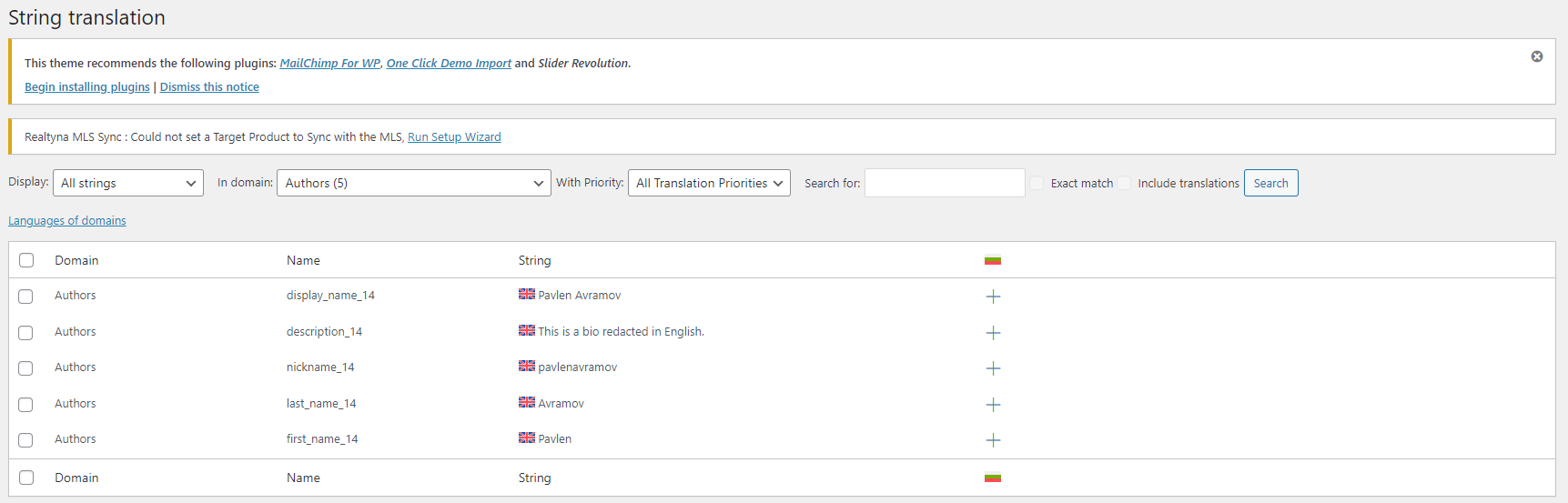
Now that you checked the boxes in the WPML-> String Translation -> More options, you can find the strings for translation on the WPML -> String Translation under the domain "Author" (please check attached image).
It would suggest checking what other plugin could work better with the theme you are using to to manage the website authors in order to get a better result.
Maybe checking again with the theme dev team could be a start, in case the solution they already gave won't work out as you desire.
This is the page for the Bulgarian version, yet the strings used are the English one.
This is quite confusing, and when I want to access the English version of the same page, by clicking on the langage switcher, the page doesn't exist so I'm being redirected to the homepage instead of the translated version of the page.
I am not sure how that user was created, as I see that user is also under the WP-Admin -> Real Estate -> Agents, I checked the user you created for me and another user as well:
hidden link hidden link
They do switch languages correctly (even the translations are not completed yet).
I tried editing my account but I don't think I have permissions to switch to Agent in order to translate it.
About the text like "About", "Send email", you can find them on the WPML -> String Translation under the domain 'houzez" or "houzez-theme-functionality".
Try creating a new user and set it properly as instructed from the theme dev.