Skip to content Skip to sidebar

This thread is resolved. Here is a description of the problem and solution.

Problem:
The client was trying to translate permalinks slugs for the custom taxonomies set from the Houzez theme but encountered issues where the expected translated slugs were not appearing, and instead, the original language slug was still being used. Additionally, the client faced 404 errors on the translated pages.

Solution:

Note: While using the theme Houzez, make sure that you translate the custom taxonomies that come with the theme only from the page: WPML -> Settings -> Taxonomies Translation section (all the taxonomies that come with the theme are set here). You shouldn't add the strings that end in "_rewrite_base" for translation in the WPML -> String Translation, as it will give error 404 on the translation pages.

For the strings that show on the property page (ex: "Garage size" or "Description"), you should check on WPML -> String Translation and translate those strings from there.

1. We recommended flushing the website's cache and then navigating to WP Admin -> Settings -> Permalinks to click the "Save" button, which flushes the permalinks.

2. We advised checking the documentation for using the Houzez theme with WPML, specifically for translating taxonomies:

3. We instructed the client to add strings for translation from WPML -> String Translations -> Translate texts in admin screens, and to change the string language to "BG" as they are set to English by default.

4. We clarified that the string "features" from the domain "houzez_settings]property_feature_rewrite_base" should not be translated in WPML -> String Translation, as it is should be translated in WPML -> Settings -> Taxonomies Translation section.

5. For the author page translation, we explained that the bio/description found on the author's page in the backend is translatable using WPML -> String Translation -> More options. Also, the theme Houzez has a custom post type "Agents" and offers the possibility to translate it as any other default post type.

If this solution does not seem relevant to your situation, please open a new support ticket with us.

This is the technical support forum for WPML - the multilingual WordPress plugin.

Everyone can read, but only WPML clients can post here. WPML team is replying on the forum 6 days per week, 22 hours per day.

This topic contains 34 replies, has 2 voices.

Last updated by damienC-18 1 year, 11 months ago.

Assisted by: Marsel Nikolli.

Author Posts
January 3, 2024 at 1:04 pm #15146644

damienC-18

Hi Marsel,

Happy New Year and all the best!

I'm still facing issues with this.

I've recreated the user and broker from scratch but there are issues with translation again.

The page in BG is hidden link

Issues:

1. The EN version : hidden link returns a 404

2. When I want to fix that url in order to remove "-2" at the end of the slug to only have "pavlen-avramov" each time I update it it still adds "-2" for some reason. Other slugs don't do that, they accept without problem the "same" element of slug as long as the full url is different, which is the case here.

Edit from WP for you to check: hidden link

Thanks for your help.

January 3, 2024 at 1:49 pm #15147029

Marsel Nikolli

Hi Damien,

Thank you, I wish you a great New Year!

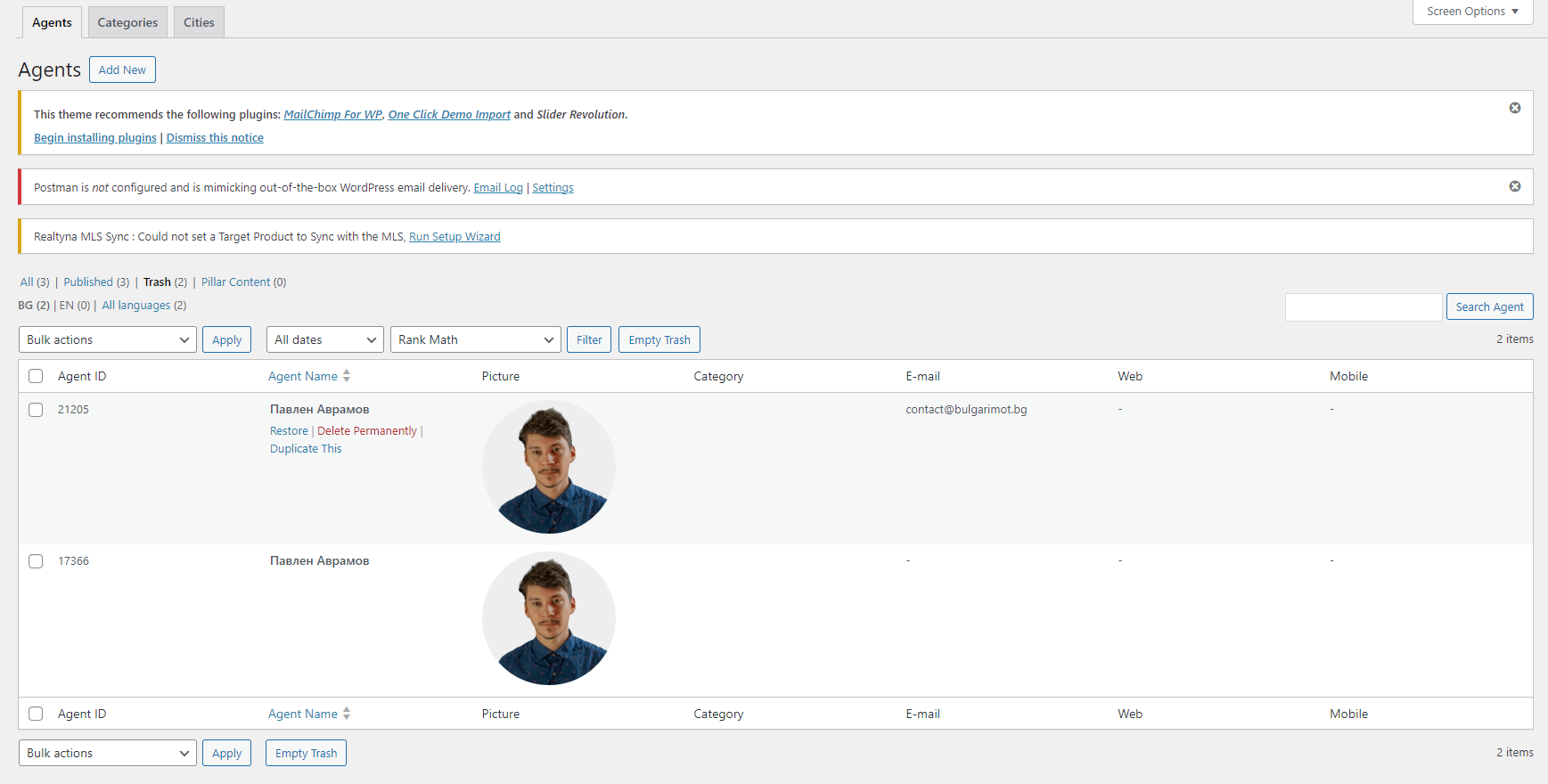
I've checked and I notice that you have two deleted agent profiles with the same name (as showing on the attached image - deleted-agents.png), that should be the reason why the slug adds the "-2" at the end because the agent already exists on the database even though it is on the trash.

Please try to empty the trash from both languages (for the agents), and then try changing the slug again to the version without the "-2".

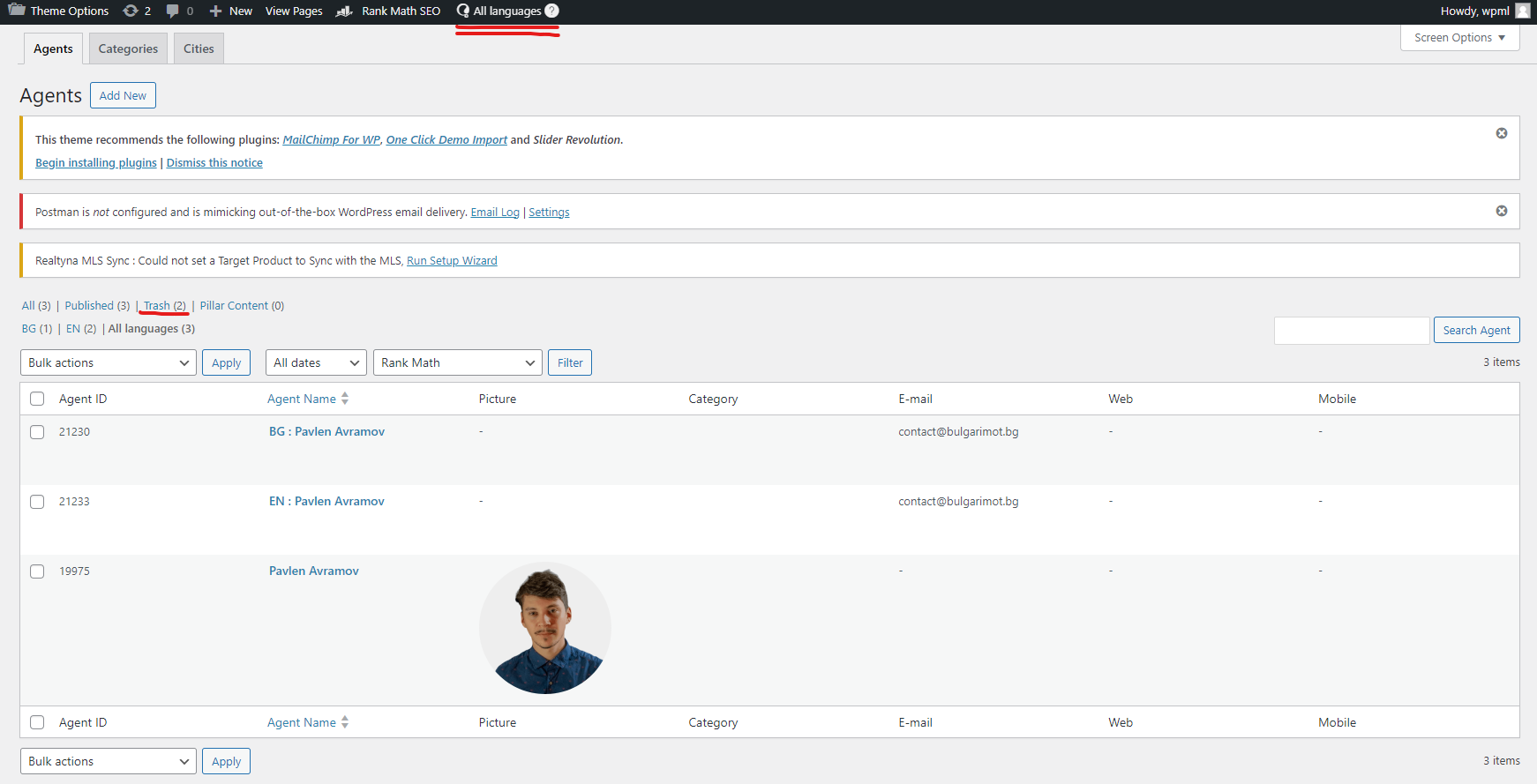
Also, if you switch to "All languages" from the wp-admin top bar I noticed that there is an extra agent apart the ones with EN/BG.

I would suggest you follow these steps:

- delete all profiles of the agent you created
- empty the trash after you deleted them
- clear the website cache from the server side as the LiteSpeed server you are using has some cache mechanism which might be causing the 404 error.

After, create a new agent and translate it as it should normally be.

After you try that, let me know if the issue still persists.

Regards,
Marsel

all-languages-agents.png
deleted-agents.png
January 3, 2024 at 2:14 pm #15147169

damienC-18

Thank you for pointing to the Litespeed cache, that's something that should have not been enabled, I deactivated it once more.

I also asked my hoster to optimize the database to clean it.

The issue persists:

hidden link returns a 404 still

The original BG page works well however: hidden link

January 3, 2024 at 2:39 pm #15147323

Marsel Nikolli

Thanks for the update.

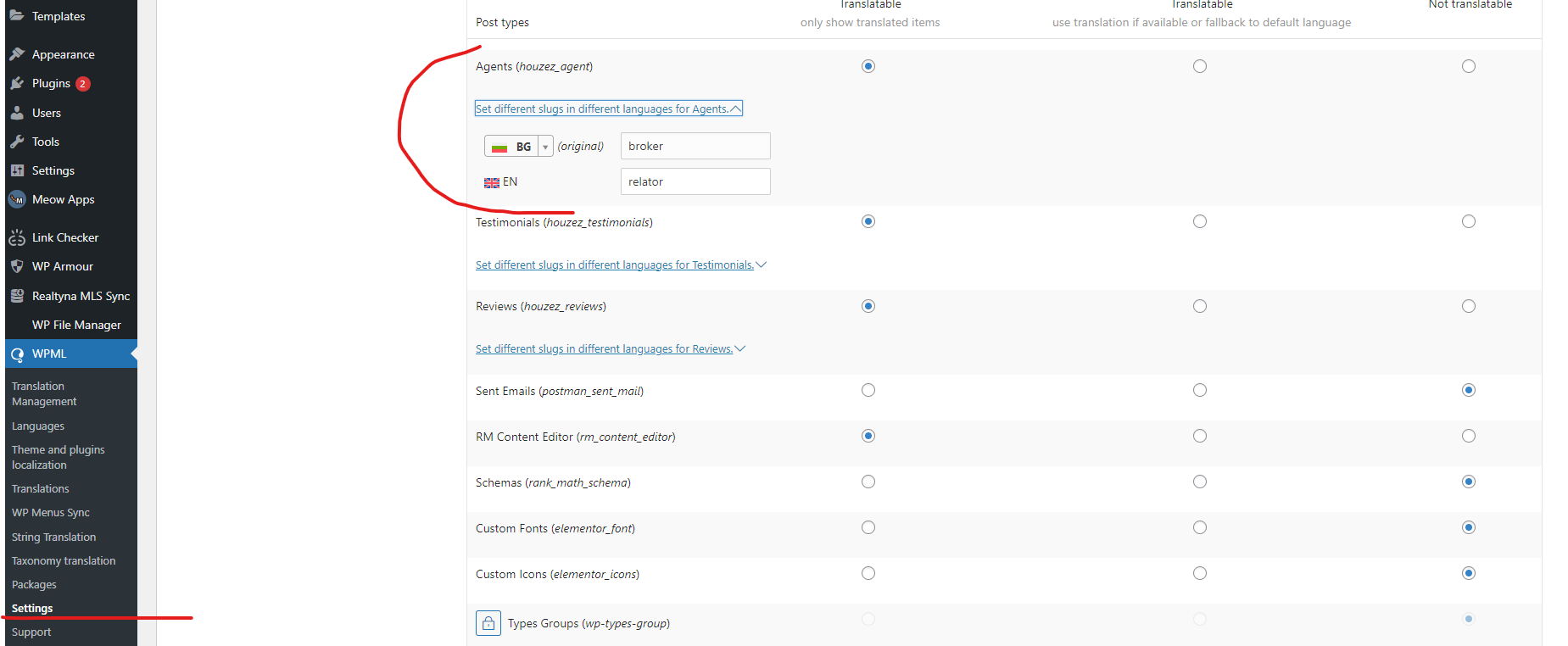
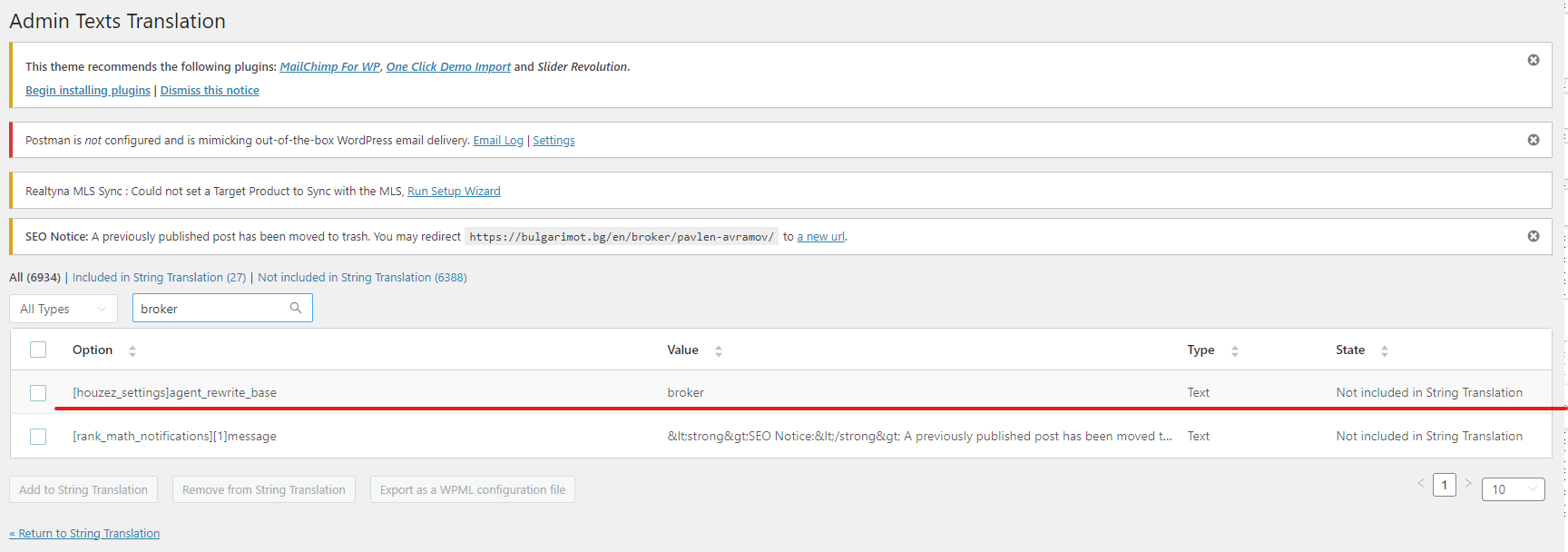
I removed the string "broker" that is used for the "agent_rewrite_base" from the WPML-> String Translation as it should be translated on the page WPML -> Settings -> Post Types Translation, section "(Agents (houzez_agent)", as shown in the attached image.

It should be working correctly now, please check and let me know,
Marsel

wpml-settings-custom-posts.png
broker-admin-strings.png
January 3, 2024 at 4:39 pm #15148058

damienC-18

Marsel, your help is invaluable! Thank you so much, it's working well now.
You can close the ticket, I think I've learned enough so as to translate the rest myself, hopefully. 🙂
Have a good one!

January 3, 2024 at 4:40 pm #15148059

damienC-18

Thank you so much!