[Resolved] Kadence theme element (sidebar) does not show tranlated
This thread is resolved. Here is a description of the problem and solution.
Problem: The client was experiencing an issue where the sidebar created with Kadence elements was not displaying in the translated language on their website, despite having translated the content with WPML.
Solution: 1. We recommended checking our documentation on How to Translate Widgets. 2. We requested temporary access to the client's site to investigate the issue further. 3. After debugging, we found that Kadence Elements can only be translated using the "manual translation method" and not through the WPML editor. 4. We provided links to other support tickets where similar issues were resolved:
5. We advised the client to follow the steps outlined in the provided tickets and to let us know if the issue persists. 6. For the separate issue regarding the slider, we created a new ticket to maintain a one issue per ticket policy.
Please note that the solution provided might be outdated or not applicable to your case. If the issue persists, we highly recommend checking related known issues at https://wpml.org/known-issues/, verifying the version of the permanent fix, and confirming that you have installed the latest versions of themes and plugins. If you still need assistance, please open a new support ticket and we will be happy to help. For further assistance, you can reach out to us on our support forum.
This is the technical support forum for WPML - the multilingual WordPress plugin.
Everyone can read, but only WPML clients can post here. WPML team is replying on the forum 6 days per week, 22 hours per day.
Hi there,
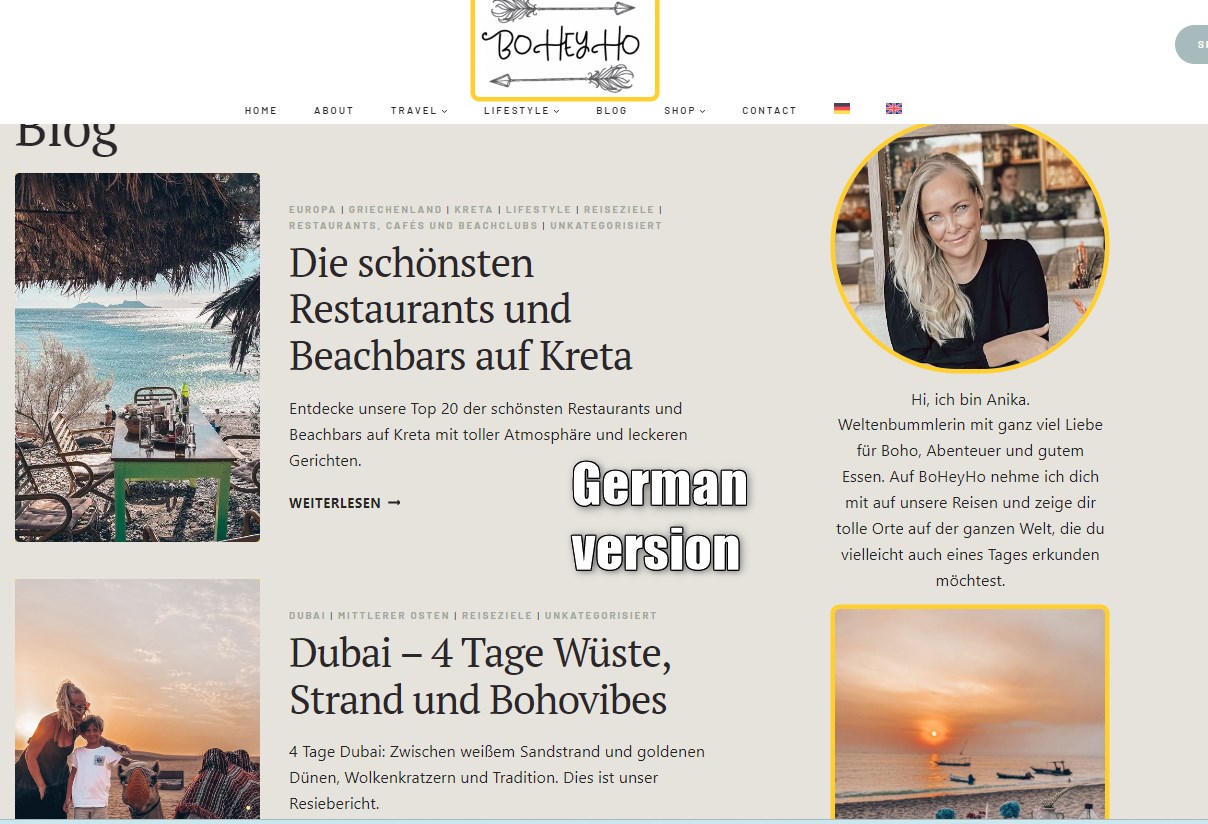
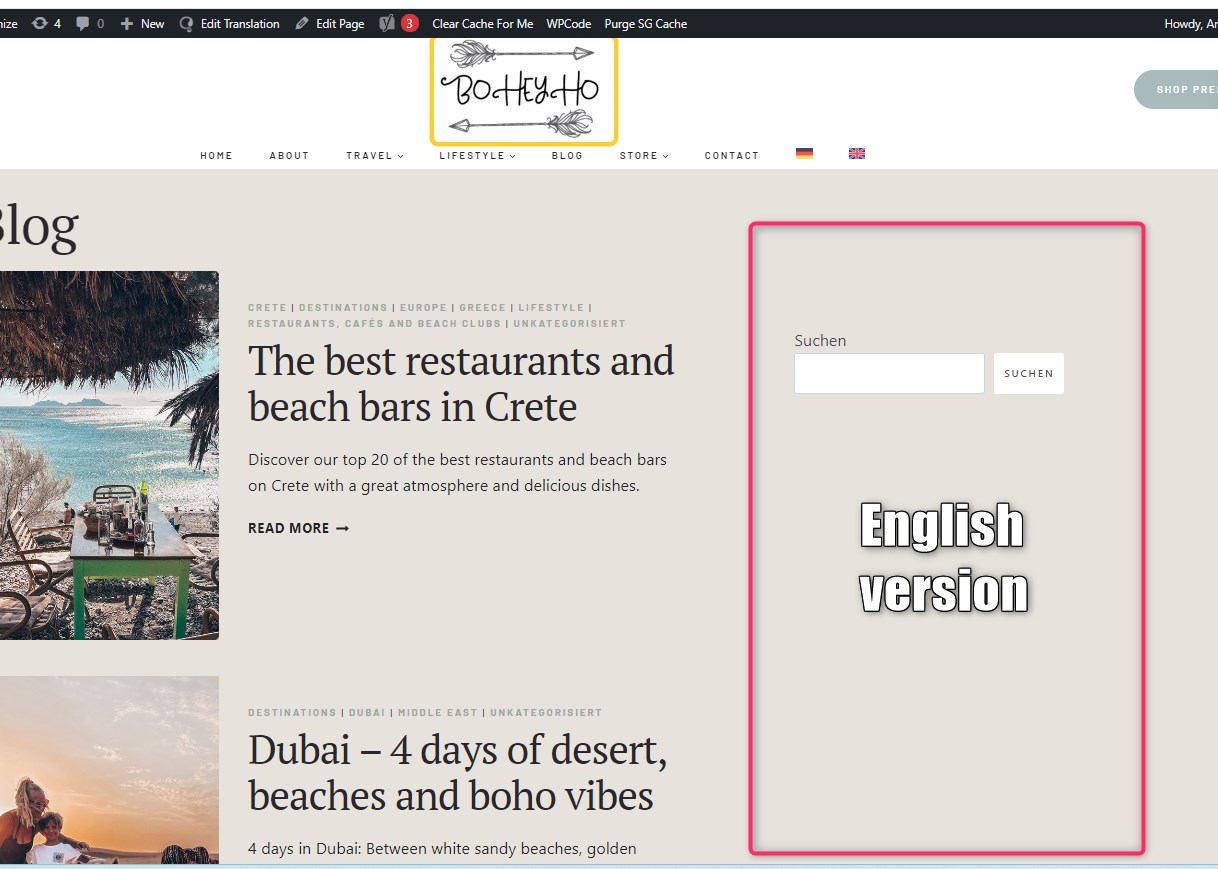
I built my sidebar with Kadence elements. I have managed to translate the content with WPML and saved the translatinon. However, it doesn't display on my website. When I use the language switcher, the content of my blog posts show in English but the side bar remains in German. hidden link
What do I need to do to display the sidebar translation on my website?
Many thanks
Anika
Hi, thanks for your help. The promblem I have is not the translation itsself, my problem is that the Kadence element is not being displayed in the English (translated) version of my website, what ever I try. Can you help with this matter?
Thank you, Anika, for the extra information and for making things clearer.
I would like to request temporary access (wp-admin and FTP) to your site to take a better look at the issue. You will find the needed fields for this below the comment area when you log in to leave your next reply. The information you will enter is private which means only you and I can see and have access to it.
Our Debugging Procedures
I will be checking various settings in the backend to see if the issue can be resolved. Although I won't be making changes that affect the live site, it is still good practice to backup the site before providing us access. In the event that we do need to debug the site further, I will duplicate the site and work in a separate, local development environment to avoid affecting the live site.
- Please make a backup of the site files and database before providing us access.
- If you do not see the wp-admin/FTP fields this means your post & website login details will be made PUBLIC. DO NOT post your website details unless you see the required wp-admin/FTP fields. If you do not, please ask me to enable the private box.
I think I am super close to figure out why this happens. The credentials that you shared worked correctly so I will get back to you today, in a couple of hours, hopefully with a positive update. 🙂
Thank you for the amazing patience that you showed. Just be aware that this type of issue is a bit more difficult to figure out compared to other issues that can be fixed in just a couple of minutes.
No matter how much I was trying to find a way to get this fixed, there is NO WAY to get this fixed WHILE USING THE WPML EDITOR.
The Kandence Support Team confirms that the Kadence Elements can only be translated with the "manual translation method".
So, all you did until now was correct (and that's how things should normally work with WPML) but, regarding this specific plugin, the only way you can translate the content is manually.
I am also sharing 2 existing tickets below where you will see the exact steps that need to be taken to accomplish this:
I will have a look at the other tickets and will see if I find a solution for the missing Kadence elements.
Did you have a look at my other question regarding the broken sliders in the English translated hotel sections? e.g. hidden link
Pictures don't come up in a slider but in a row underneath each other. In the German version it works fine.
Thanks
Anika
New threads created by Mihai Apetrei and linked to this one are listed below:
Per our Support Policy, we can handle only one issue per ticket.
Continuing with one issue per ticket helps not only the supporters to focus on one issue at once but also enables other users to find solutions to their questions faster.