
This is the technical support forum for WPML - the multilingual WordPress plugin.
Everyone can read, but only WPML clients can post here. WPML team is replying on the forum 6 days per week, 22 hours per day.
| Sun | Mon | Tue | Wed | Thu | Fri | Sat |
|---|---|---|---|---|---|---|
| 12:00 – 20:00 | 12:00 – 20:00 | 12:00 – 20:00 | 12:00 – 20:00 | 12:00 – 20:00 | - | - |
| - | - | - | - | - | - | - |
Supporter timezone: Asia/Karachi (GMT+05:00)
Tagged: Credits
This topic contains 13 replies, has 0 voices.
Last updated by Noman 8 hours, 58 minutes ago.
Assisted by: Noman.
| Author | Posts |
|---|---|
| November 19, 2025 at 2:24 pm #17592245 | |
 alexZ-17 |
Background of the issue: Symptoms: Questions:  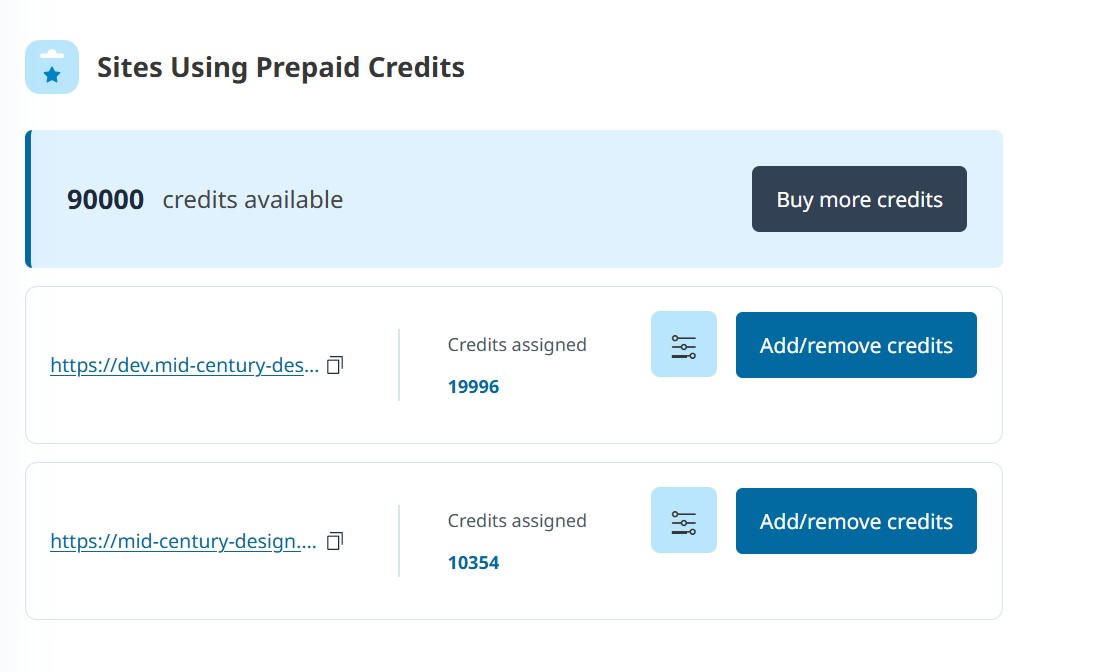 |
| November 19, 2025 at 6:18 pm #17593144 | |
 Noman WPML Supporter since 06/2016 Languages: English (English ) Timezone: Asia/Karachi (GMT+05:00) |
This type of issue usually happens when the WPML is not registered properly on that site or credits are stuck on site migration somehow. Can you please try to follow these steps and see if this resolves the issue: 1. Please login to your wpml.org account and go to the Sites page: 2. Delete the hidden link site key by pressing the little trash icon and it will return the assigned credits to your WPML.org account as mentioned in this doc: https://wpml.org/documentation/automatic-translation/why-credits-may-be-missing-and-how-to-fix-it/#removing-a-sites-registration-from-wpml-org 3. Login to hidden link site and go to the Plugins >> Add new > Commercial tab and click the ‘Unregister WPML from this site’ link if that link exists. 4. Please click the ‘Register WPML’ link. 5. Click the ‘Get a key for this site’ link. 6 It will generate the Key for your site and you can also assign the credits using that popup, you may confirm the assigned credits from WPML >> Translation Dashboard > Translation Tools. 7. Copy the key and paste it back to the input box and press the Register button. Please let me know the results, 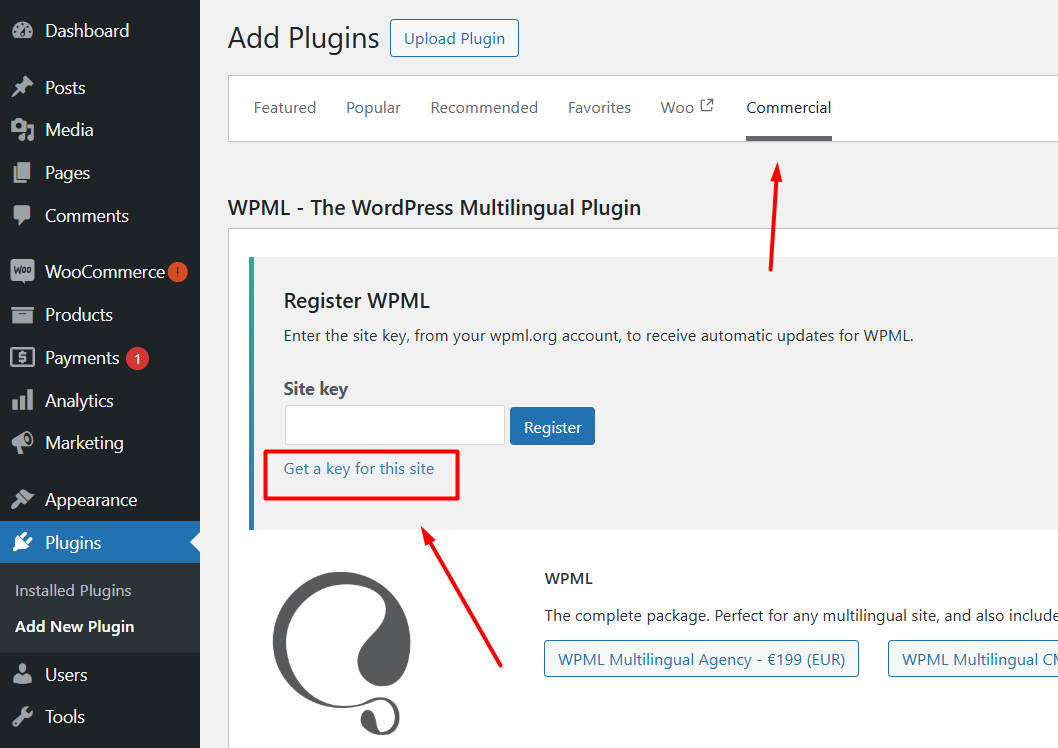 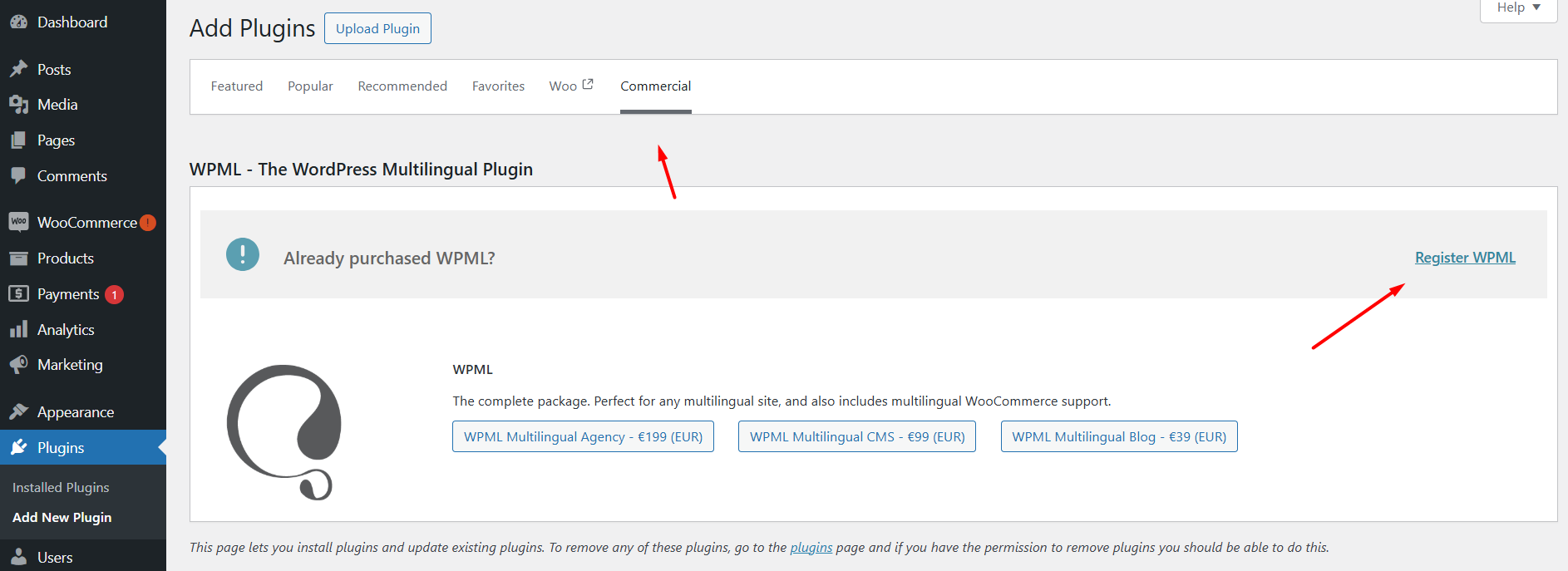 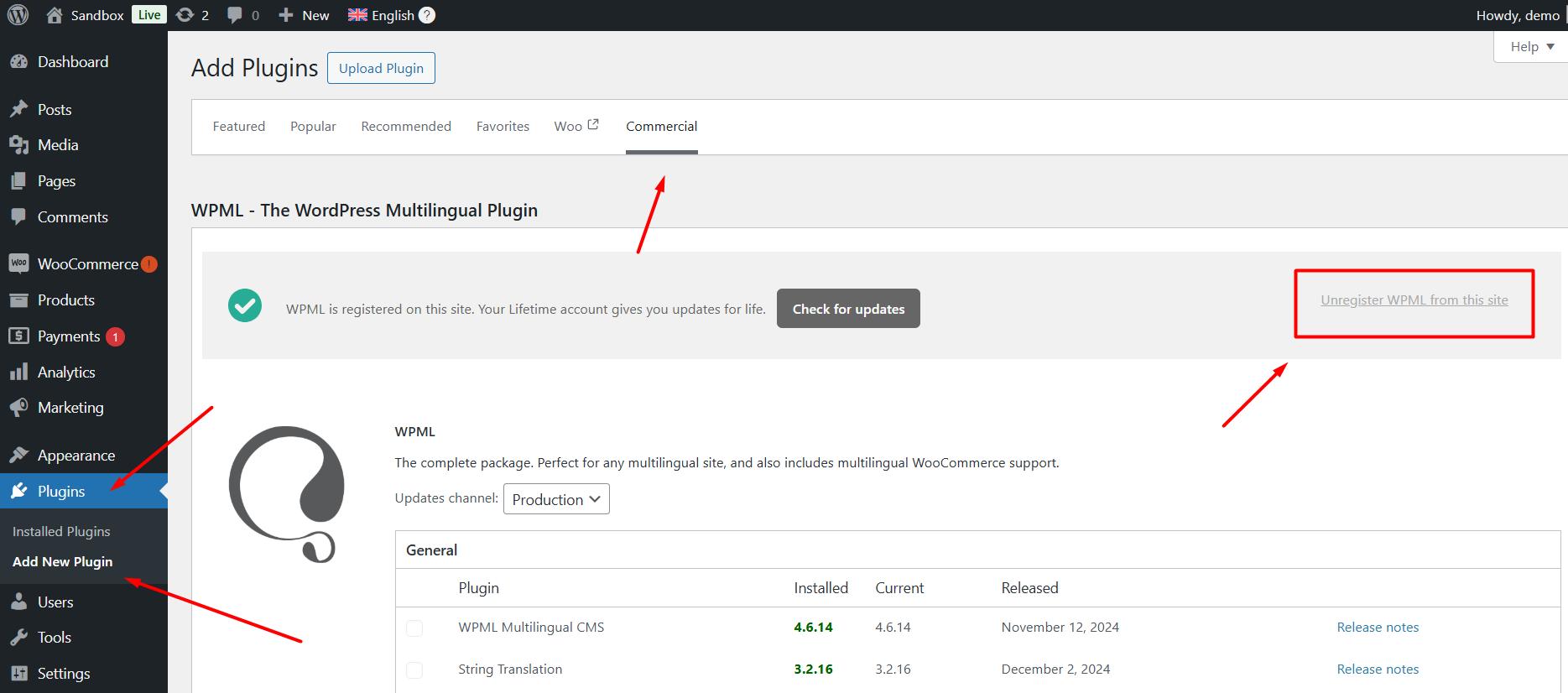 |
| November 20, 2025 at 10:46 am #17594999 | |
|
alexZ-17 |
1. Either you can not read the comminication with your chat bot or you ignore it. |
| November 20, 2025 at 1:53 pm #17595927 | |
|
alexZ-17 |
1. Please check the automatic translation connection - same doc. |
| November 20, 2025 at 7:12 pm #17596973 | |
|
Noman WPML Supporter since 06/2016 Languages: English (English ) Timezone: Asia/Karachi (GMT+05:00) |
- I suggested removing the key only because your credits were stuck and the site wasn’t syncing properly with WPML’s servers. Re-registering forces a fresh connection and usually clears this issue. It’s safe to do as long as you re-add the key right after. We don’t recommend deleting keys in normal cases, only when something is not syncing correctly, like in your situation. - I assigned the stuck 19996 credits to hidden link site from here. You may confirm it from WPML >> Translation Dashboard > Translations Tools page. -.Your 90,000 credits are the refill that comes with the renewal. WPML only tops your balance back up to the plan limit. So if you had unused credits from before, they were simply counted toward that limit. For example, if you already had some credits left, the system only adds the remaining amount needed to reach 90,000, not an additional 90,000 on top. Here is a doc for more details: https://wpml.org/purchase/wpml-renewal/#:~:text=renew%20WPML%2C%20we-,refill,-your%20translation%20credit Please let me know if no credits issue is solved or if you need further assistance with this issue. Thank you for your cooperation and patience |
| November 21, 2025 at 10:42 am #17598371 | |
|
alexZ-17 |
1. Re credits stuck with WPML’s servers: Thank you - now I can automatically translate in DEV and the message "Your site has no credits for Al translation." has disappeared. 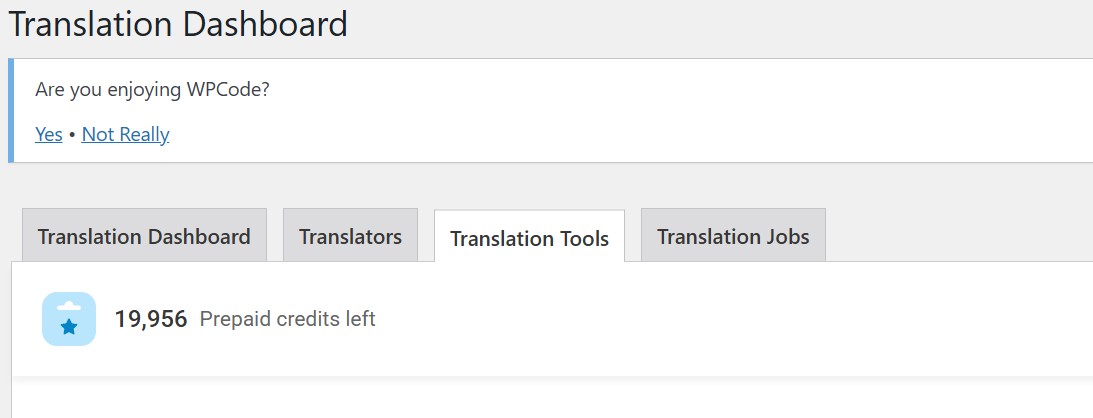 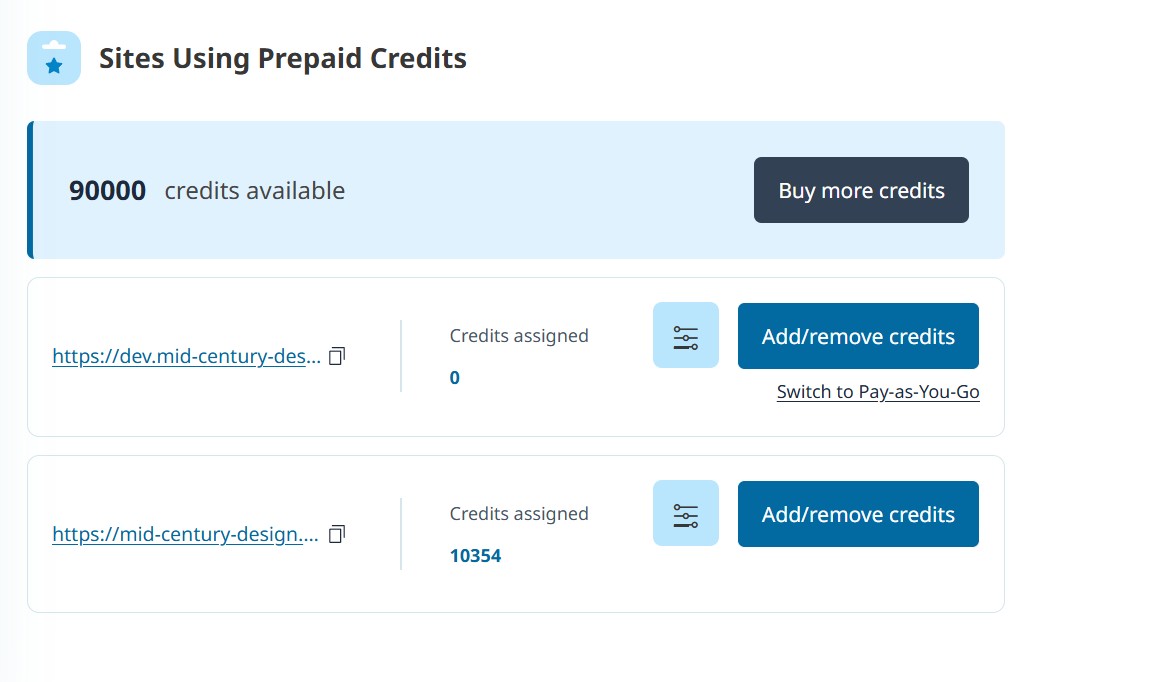 |
| November 23, 2025 at 1:38 pm #17602155 | |
|
Noman WPML Supporter since 06/2016 Languages: English (English ) Timezone: Asia/Karachi (GMT+05:00) |
1. Great to hear the translation credits are working again on the DEV site. 2. About the credits display, it will sync once you remove the old dev site key and register it again with a new one. I manually assigned the credits so you can keep working without interruption. 3. Regarding the lost credits, unassigned credits don’t carry over after renewal as mentioned in our doc, that’s how the system is designed, and it’s not something I can override. Only the credits already assigned to a site are kept. That’s why we recommend assigning any remaining credits before renewing. Thank you for your cooperation and understanding |
| November 24, 2025 at 9:03 am #17603482 | |
|
alexZ-17 |
I want to have the correct number of credits at Sites Using Prepaid Credits. |
| November 24, 2025 at 4:28 pm #17605695 | |
|
Noman WPML Supporter since 06/2016 Languages: English (English ) Timezone: Asia/Karachi (GMT+05:00) |
If the credits don’t return to your WPML.org account automatically, you will not lose them. I can move them back to your WPML.org account manually, and then you can safely assign them to any registered site by following this doc: https://wpml.org/faq/what-are-credits/#prepaid-credits. This happens because the credits are still linked to your account, they just need to be synced correctly. Thank you |
| November 26, 2025 at 8:20 am #17610331 | |
|
alexZ-17 |
I have followed your advice: 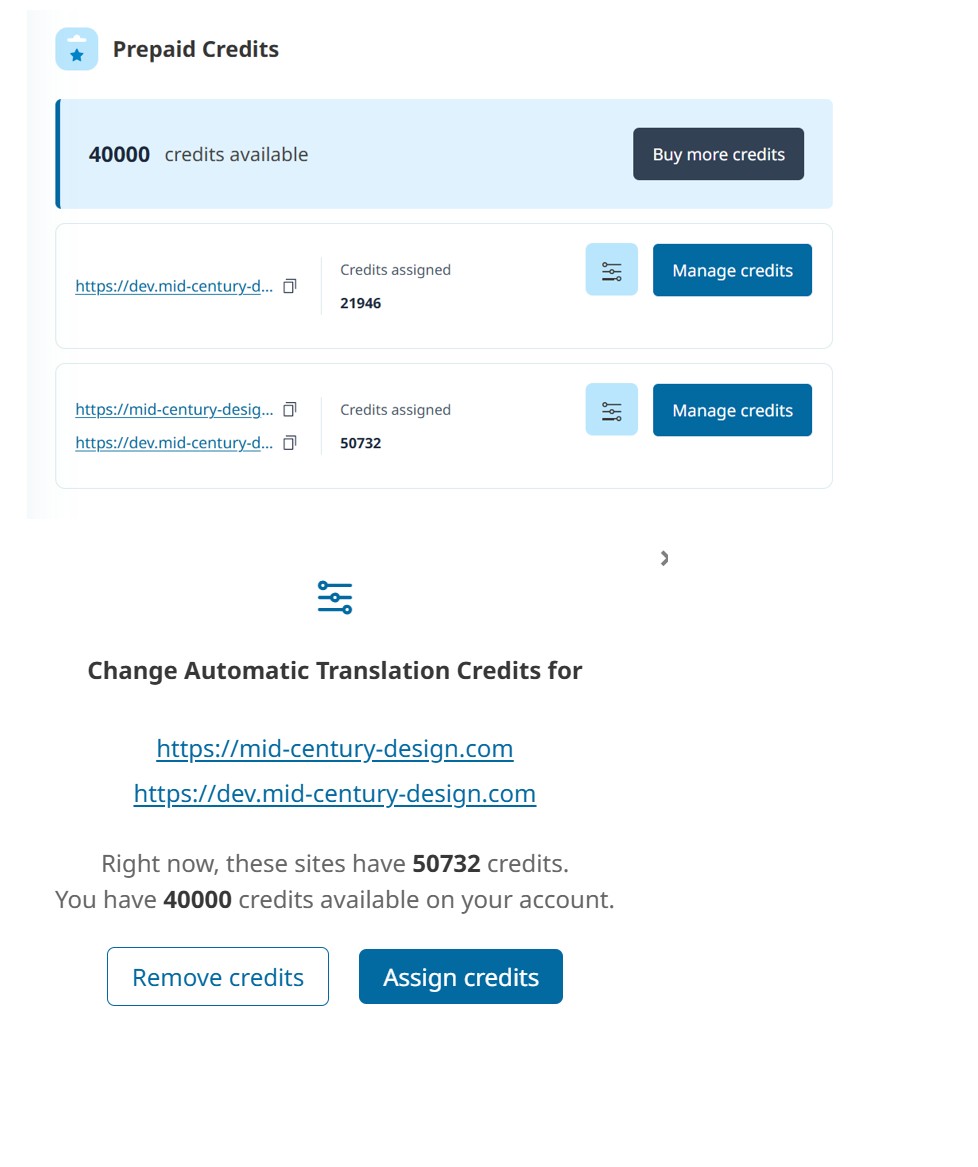 |
| November 27, 2025 at 6:41 pm #17616399 | |
|
Noman WPML Supporter since 06/2016 Languages: English (English ) Timezone: Asia/Karachi (GMT+05:00) |
1. The reason you see 50,732 credits showing for both PROD and DEV is most likely because the system still thinks both domains belong to the same site. This usually happens after migrations or when the “I just logged in from a secondary domain” option was clicked. You can confirm this under WPML >> Support, if “Alias domains” are listed there, that means the two domains are linked. 2. About the 2,000 complimentary credits, these are free credits automatically added when you register a new site and complete the setup. They’re just to help you start translating right away. More info: Please let me know if this resolves the issue or if you need further assistance with this issue. Thank you for your cooperation and patience 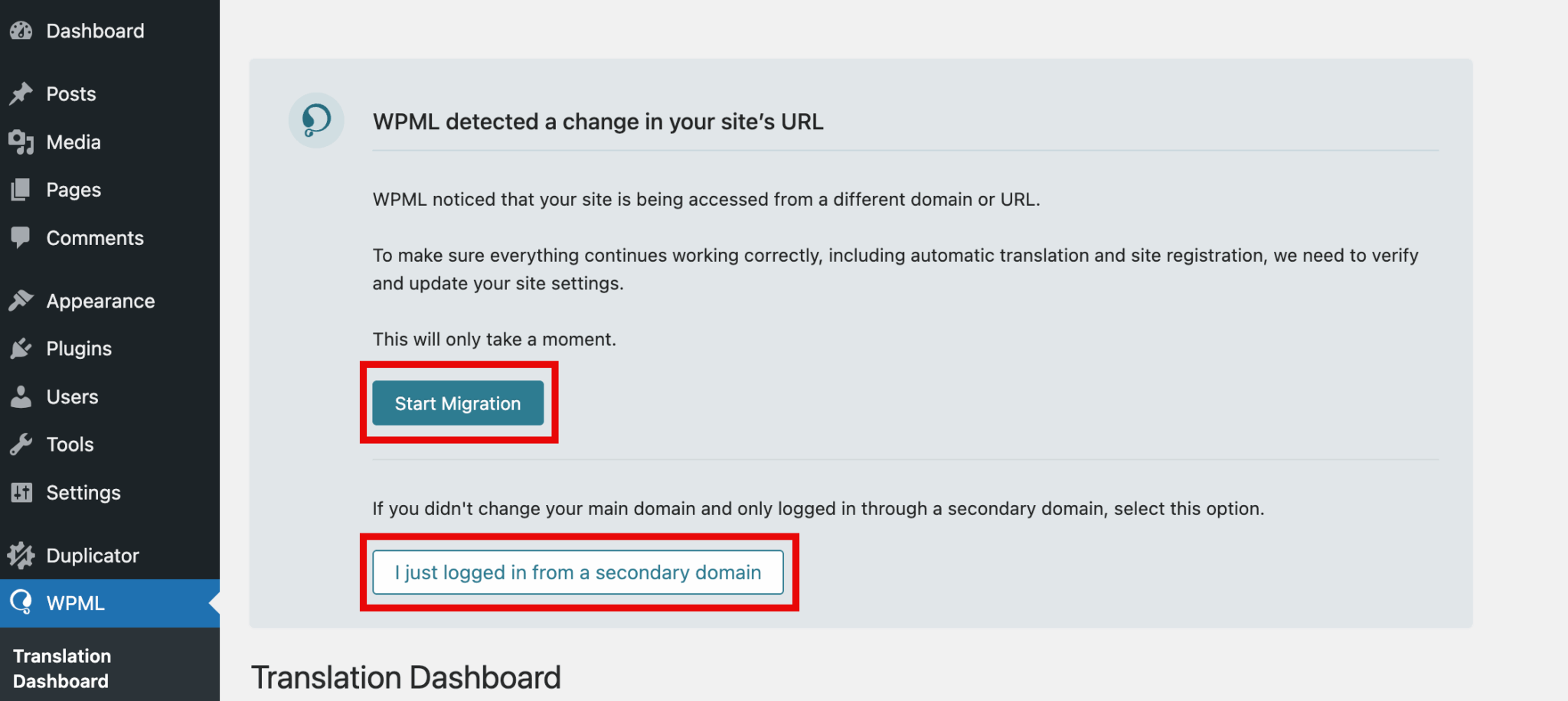 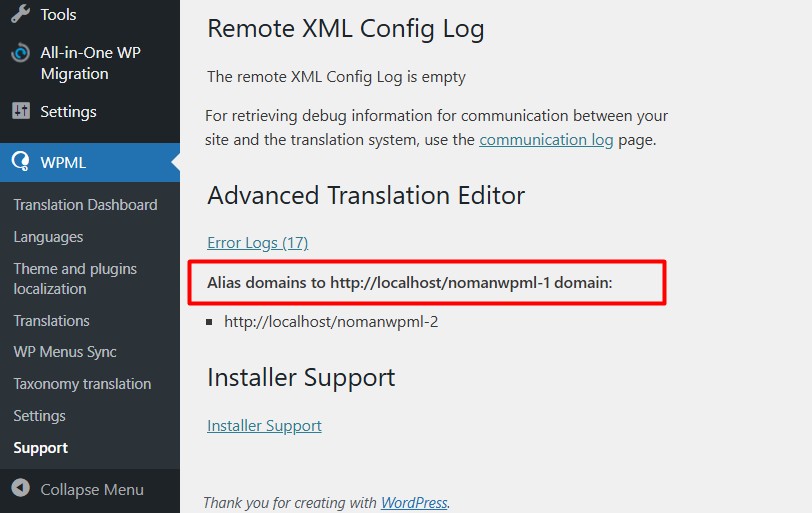 |
| November 28, 2025 at 11:00 am #17617822 | |
|
alexZ-17 |
1. I have not done any migration 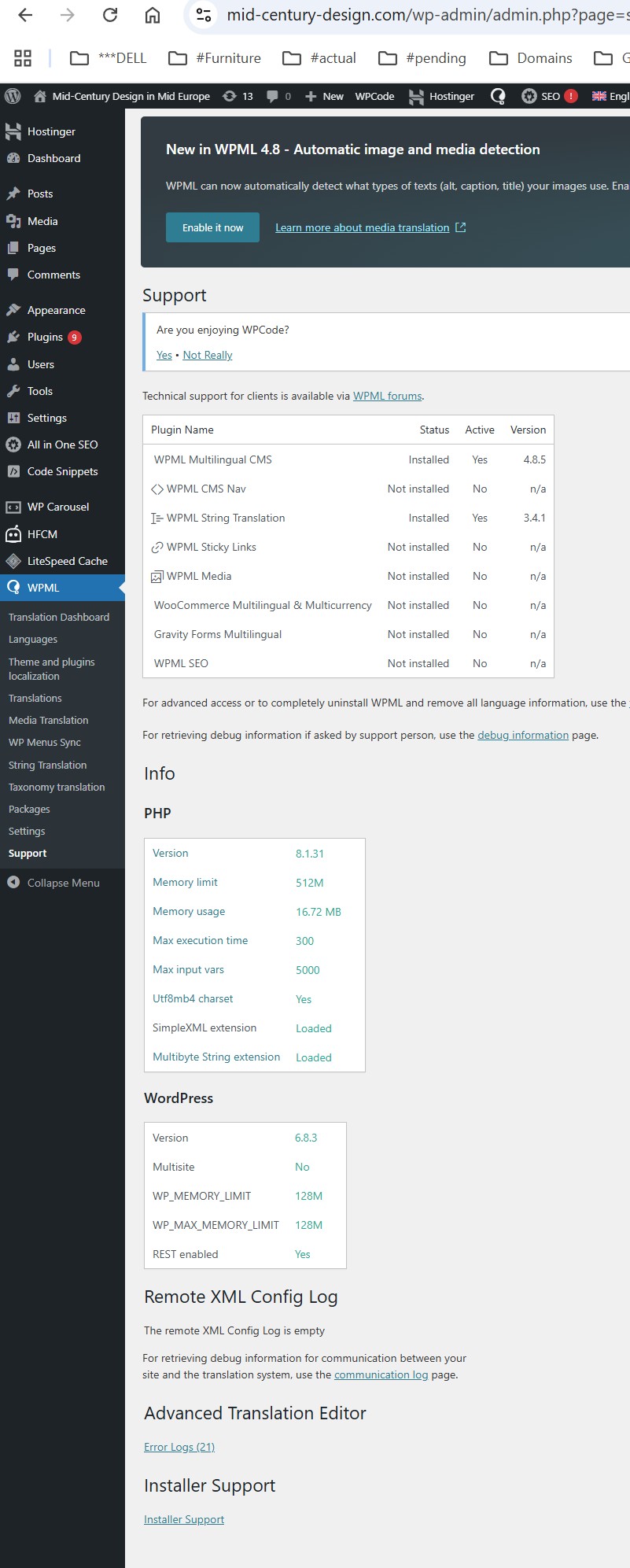 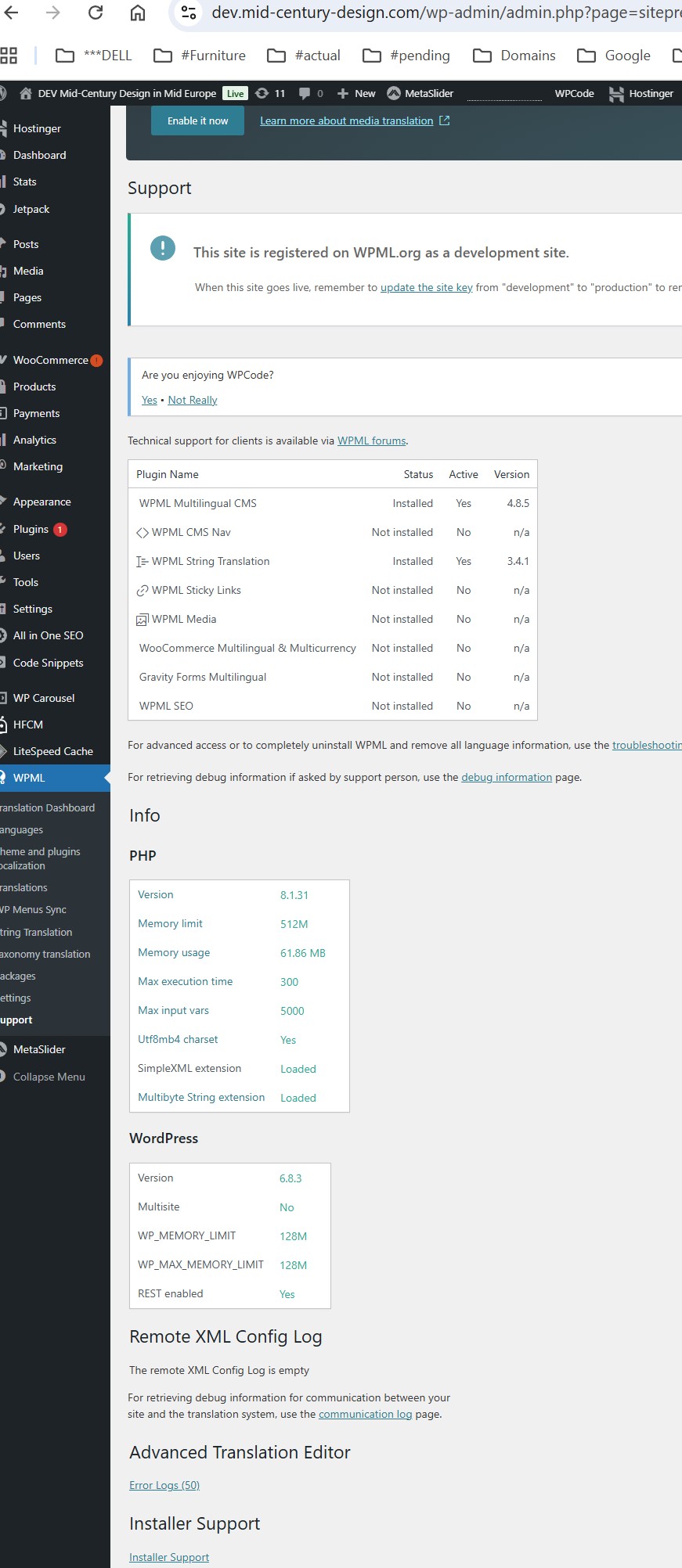 |
| November 30, 2025 at 4:28 pm #17620698 | |
|
Noman WPML Supporter since 06/2016 Languages: English (English ) Timezone: Asia/Karachi (GMT+05:00) |
Sorry for the delay, I was off during the weekend (Friday-Saturday). Thanks for the update, I’m going to escalate this issue to our 2nd tier support and get back to you with an update soon. Thank you for your cooperation and patience |
| November 30, 2025 at 5:41 pm #17620837 | |
|
Noman WPML Supporter since 06/2016 Languages: English (English ) Timezone: Asia/Karachi (GMT+05:00) |
I escalated this issue to our 2nd tier support and will get back to you once I hear back about it. Thank you |






