
This is the technical support forum for WPML - the multilingual WordPress plugin.
Everyone can read, but only WPML clients can post here. WPML team is replying on the forum 6 days per week, 22 hours per day.
This topic is split from https://wpml.org/forums/topic/domain-not-getting-validated-even-the-de-domain-is-setup-as-parked-and-working-fine/
| Sun | Mon | Tue | Wed | Thu | Fri | Sat |
|---|---|---|---|---|---|---|
| 10:00 – 14:00 | 10:00 – 14:00 | 10:00 – 14:00 | 10:00 – 14:00 | 10:00 – 14:00 | - | - |
| 16:00 – 20:00 | 16:00 – 20:00 | 16:00 – 20:00 | 16:00 – 20:00 | 16:00 – 20:00 | - | - |
Supporter timezone: Asia/Jerusalem (GMT+02:00)
Tagged: Compatibility
This topic contains 15 replies, has 0 voices.
Last updated by Itamar 2 days, 1 hour ago.
Assisted by: Itamar.
| Author | Posts |
|---|---|
| November 16, 2025 at 7:08 pm #17581961 | |
 Harry Best |
Great as it is working now but not all strings are getting translated and when i try to update the translation it doesn't show me for example: 2. Headers also have same issue and not showing on german version, BTW I'm using automatic translation and i think i should be able to edit the translation using normal elementor version like the polylang plugin allows? |
| November 17, 2025 at 1:37 pm #17584355 | |
|
Harry Best |
Yes please share some updates? |
| November 18, 2025 at 10:51 am #17587536 | |
 Itamar WPML Supporter since 02/2016 Languages: English (English ) Timezone: Asia/Jerusalem (GMT+02:00) |
Hi, 1. It appears that the problem with untranslated text is with text added by the Animation Addons plugin for Elementor. Please see the attached screenshot. Can you please confirm that this problem is indeed related to elements of the Animation Addons plugin? 2. Can you please elaborate on the problem with the header and tell me how you have created the header of your site? Please share your site's Debug information if you need further help with this issue. You can read about it here: http://wpml.org/faq/provide-debug-information-faster-support/ Regards, 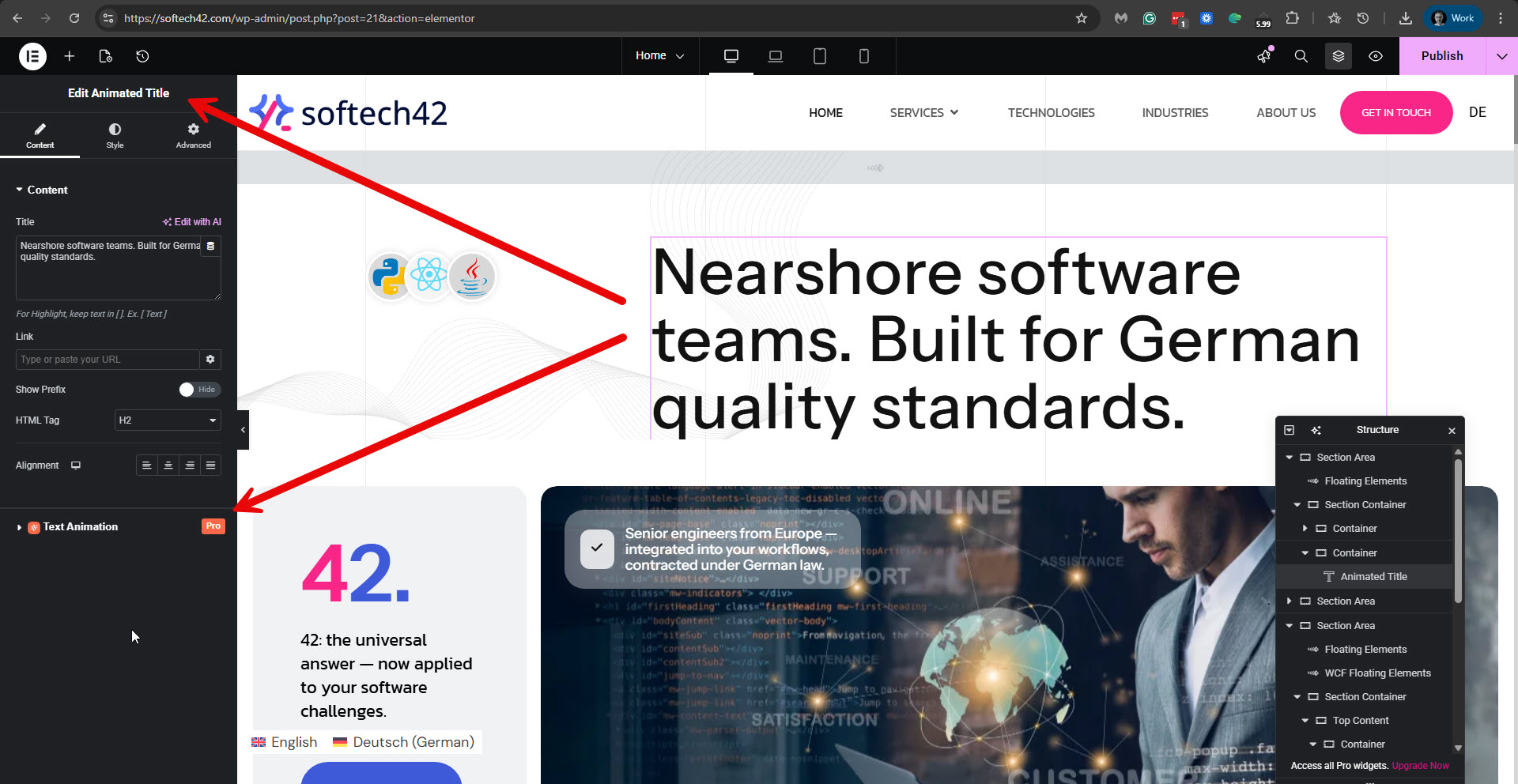 |
| November 18, 2025 at 5:48 pm #17589066 | |
|
Harry Best |
So i clearly write above, how to resolve such issue and also write the translated DE website not translating the header of the website. and your response is putting blame on plugin where it is clearly related to animation only or it's mean wpml can't translate the animated headings or text? and it took around 2 weeks just to inform me that wpml can't translate, very bad support never going to recommend anyone again wpml ever. |
| November 18, 2025 at 7:07 pm #17589435 | |
|
Itamar WPML Supporter since 02/2016 Languages: English (English ) Timezone: Asia/Jerusalem (GMT+02:00) |
Hi, I am sorry for any inconvenience you may have experienced. I'm unsure why you jumped to the conclusion that we won't help you with this issue. If I wasn't clear enough, here are some further explanations. I'm trying to separate the two issues you brought up in this ticket, as it will be easier for us to handle them this way. Issue number 1 - some strings are not getting translated. For example, this string: "Nearshore software teams. Built for German quality standards." I asked for confirmation that those strings were added by the Animation Addons plugin, which extends Elementor and adds new elements. As in our example, the Animated Title. I just waited to hear from you to see if this is indeed the case. Now, let me explain: the Animation Addons plugin is unknown to us and likely does not support translations. We explain how to add translation support for Elementor custom elements in this guide: https://wpml.org/documentation/support/multilingual-tools/registering-custom-elementor-widgets-for-translation/. We will gladly help with adding translation support for the Animation Addons plugin. For this, we want to ask you to install this plugin on a test site we created for this purpose. You can access the test site here: Can you install the Animation Addons plugin on our test site? Issue number 2 - the header in German does not look like the header in English. I tried to log in to your site again, but the access details you provided no longer work. So if you need further help, please share the access details again. For this, I'm enabling a private message for the following reply. Thanks, |
| November 27, 2025 at 3:42 pm #17615736 | |
|
Itamar WPML Supporter since 02/2016 Languages: English (English ) Timezone: Asia/Jerusalem (GMT+02:00) |
Hi, and thanks for the access details. Currently, I can see that the test "Nearshore-Softwareteams. Entwickelt nach deutschen Qualitätsstandards." is translated into English here: hidden link. Please see the attached screenshot nearshore.jpg. You mentioned that you can't translate the headers of your site. I also recorded a video while checking your site. Please watch it here: If you find that you can not translate elements of the Animation Addons plugin, the best way to proceed will be to install it on the sandbox site I created for this: I can also suggest, if it is possible to you, that you try translating the pages with the Animation Addons plugin using the manual translation method that we explain here: https://wpml.org/documentation/translating-your-contents/using-different-translation-editors-for-different-pages/ Regards, 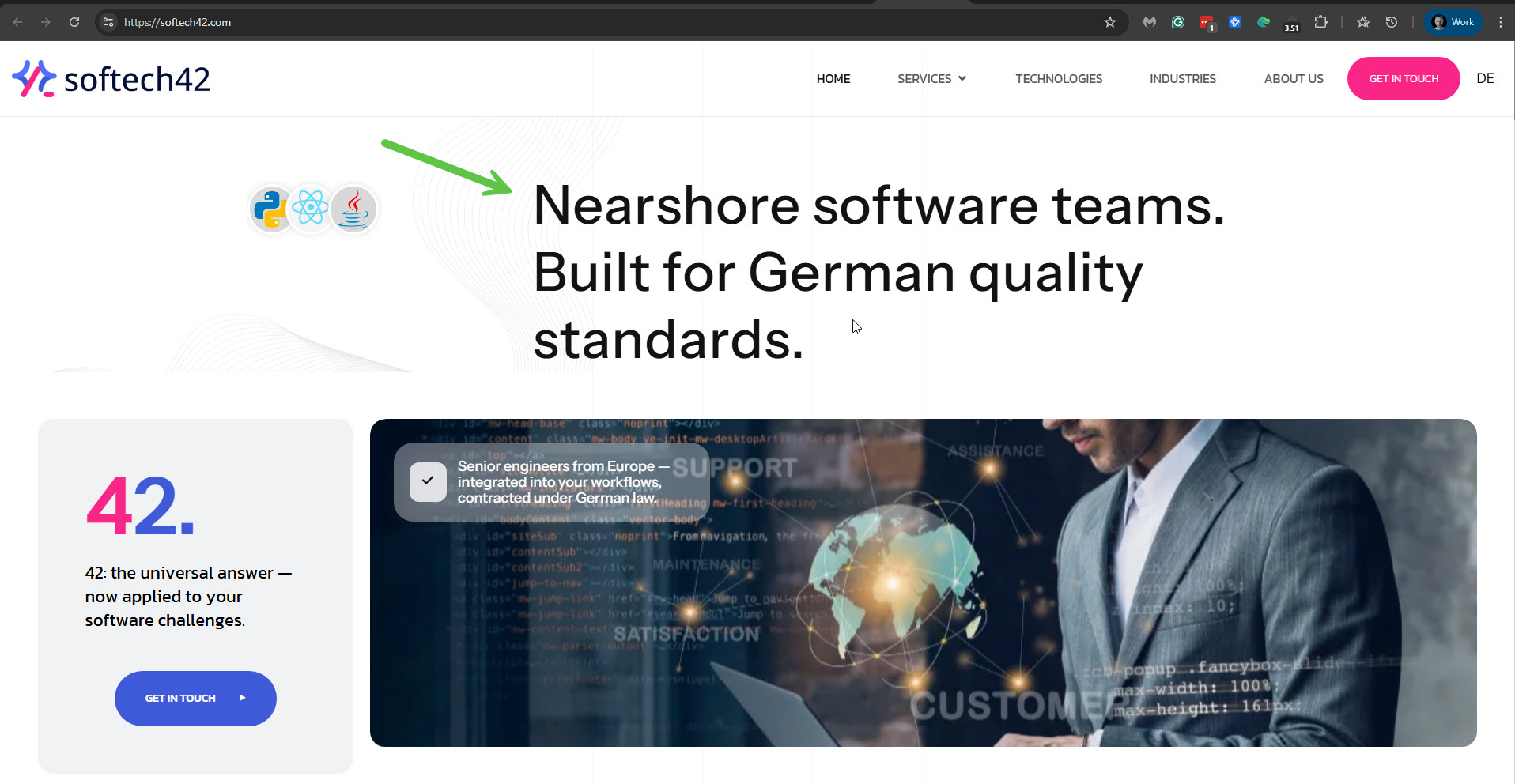 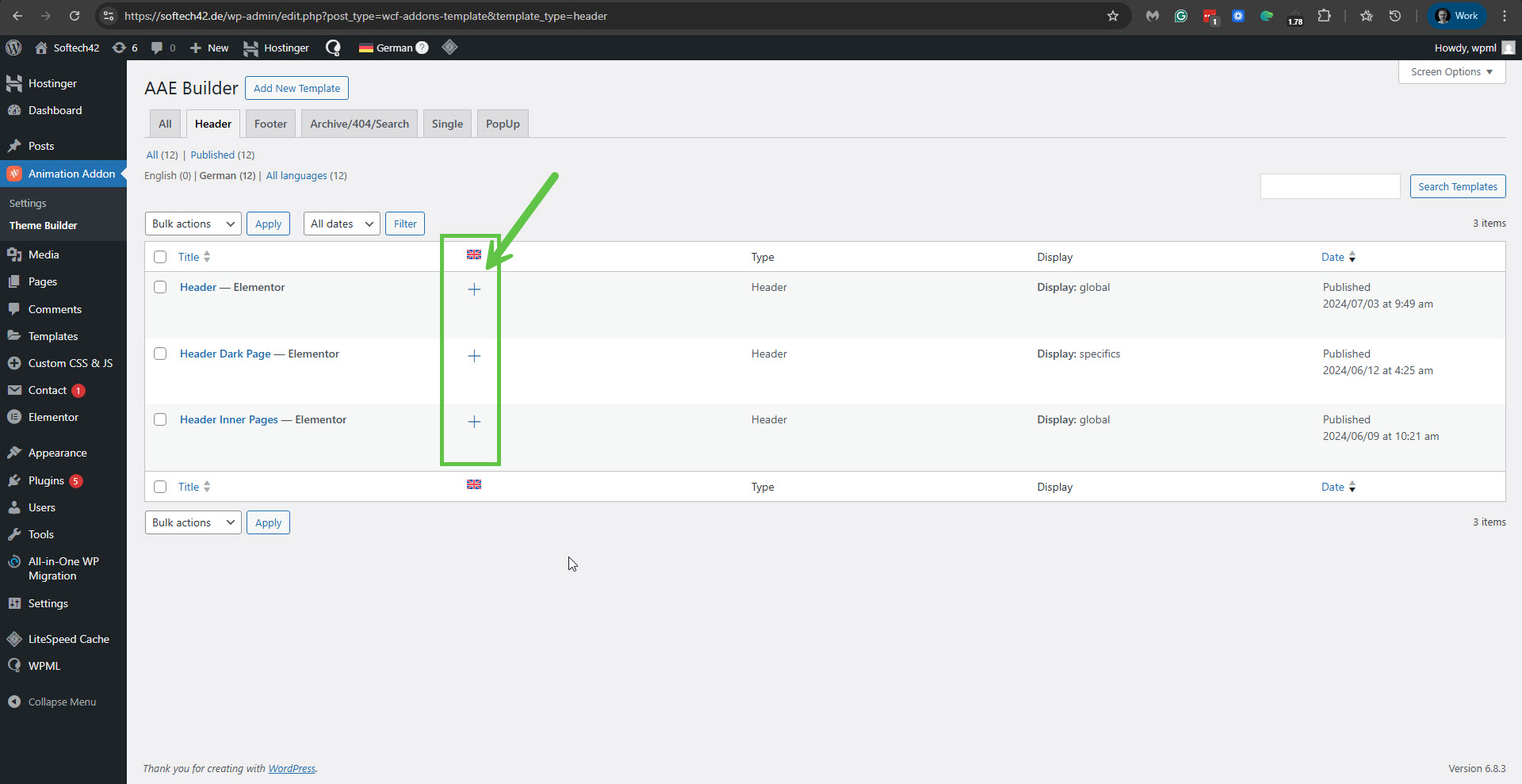 |
| November 28, 2025 at 6:44 am #17617219 | |
|
Harry Best |
Hi, I deleted the headers earlier in case you wanted to set them up and test, but I have now added the header again. The translated URL is still showing the old URL, and the .com version is displaying a cached version from the previous WordPress setup, which hasn't been fully removed yet. To see the updated version, please check this URL: In the header edit area, nothing is showing, and it’s also not detecting the main logo or the menu. Please check the attached screenshot. Home Page: 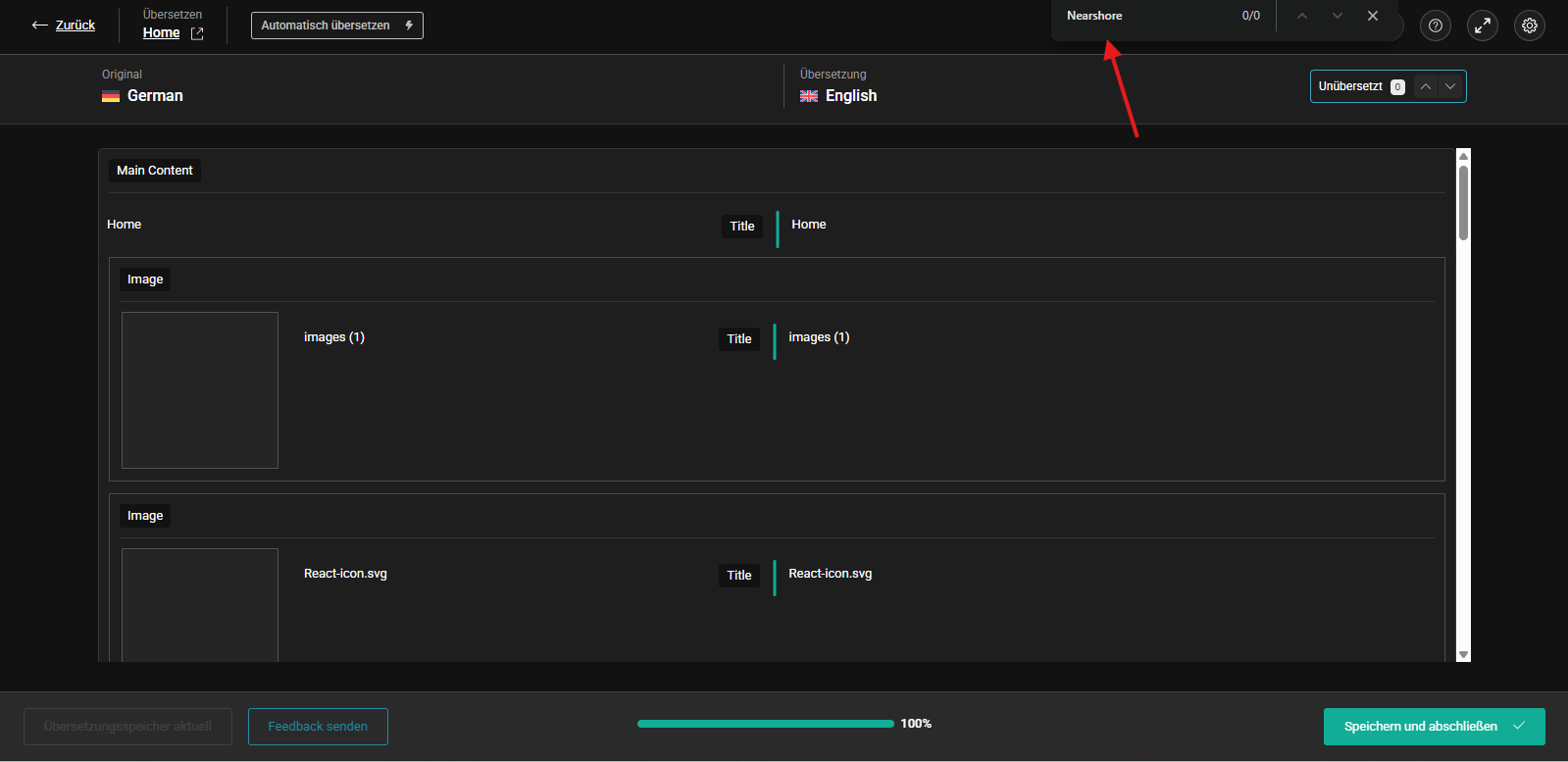 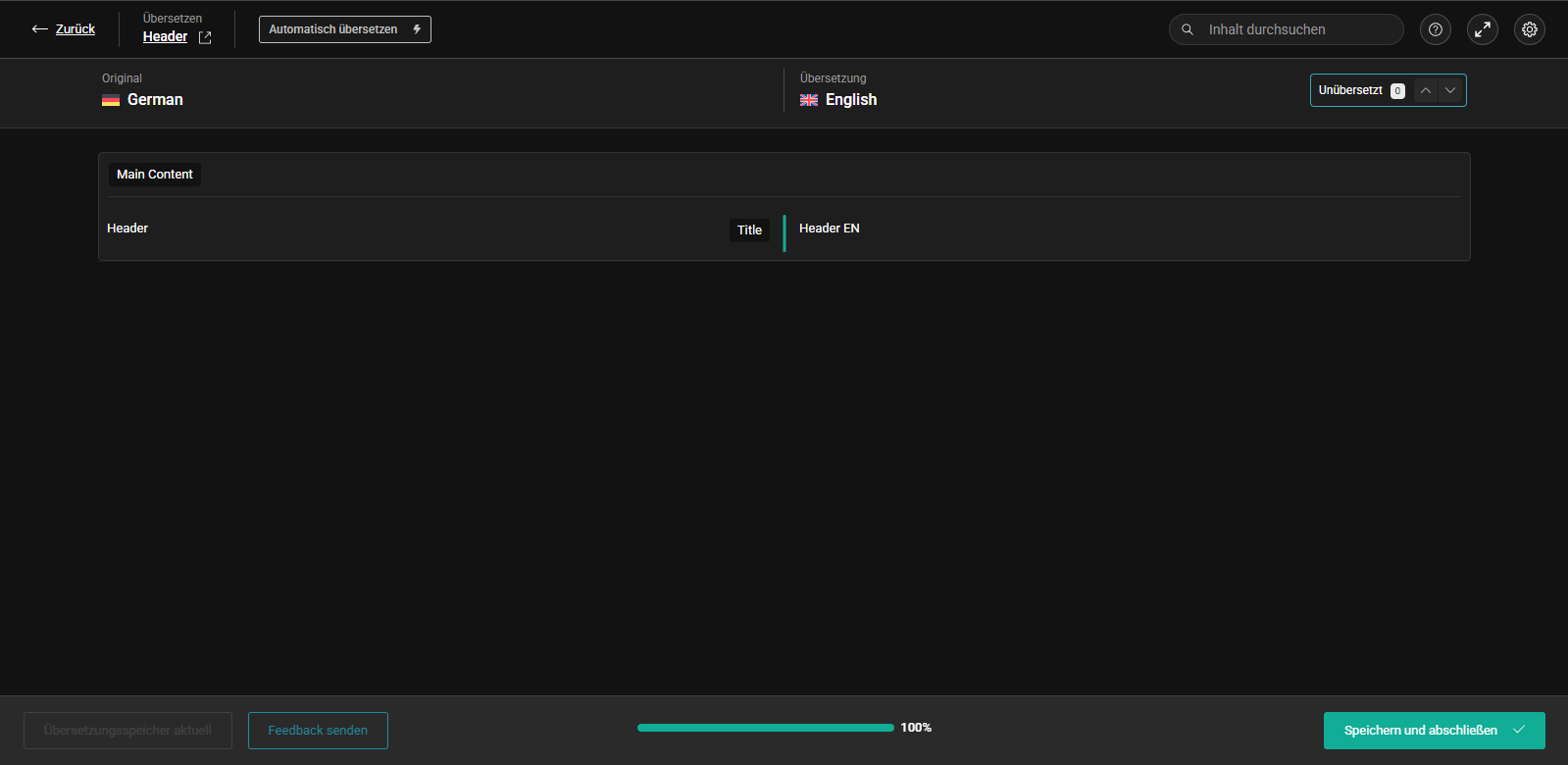 |
| November 30, 2025 at 4:42 pm #17620713 | |
|
Itamar WPML Supporter since 02/2016 Languages: English (English ) Timezone: Asia/Jerusalem (GMT+02:00) |
Hi, Thanks for explaining the situation and why I could not see the problem. I was able to correct the header in English by using the manual translation method described in this guide, which I already shared here: https://wpml.org/documentation/translating-your-contents/using-different-translation-editors-for-different-pages/. Here are the steps I took. 1. I deleted the misfunctioning English header (HEADER EN) you translated with the Advanced Translation Editor. I also deleted it permanently from the trash section. 2. I edited the German header, set the WordPress editor, and duplicated it into English. Please see the attached screenshot dup-header.jpg. I selected only to use it for the 'aae buidler'. Please see the attached screenshot aae-builder.jpg. 3. Then I edited the English header with the Elementor editor, changed the button text, and published it. Please note that I could not change the button link since you have not yet translated the hidden link page into English. Please see the attached screenshot header-edit.jpg. 4. Now, on the frontend, the header is shown correctly in English. Please see the attached screenshot header-en-ok.jpg. Please note that the English menu is missing many items because not all pages are translated, and the primary menu is not translated either. Please read about WP Menu translations in our guide at the following link: https://wpml.org/documentation/getting-started-guide/translating-menus/. Regarding the “Nearshore-Softwareteams. Entwickelt nach deutschen Qualitätsstandards.” text. The animated title element with which it was added is separating each letter into its own div to make the animation. Please see the attached screenshot, separate-letters.jpg. This might be hard for WPML to translate. We will need to check whether we can add translation support for such an element. For this, please install the Animation Addons plugin on our test site here: Regards, 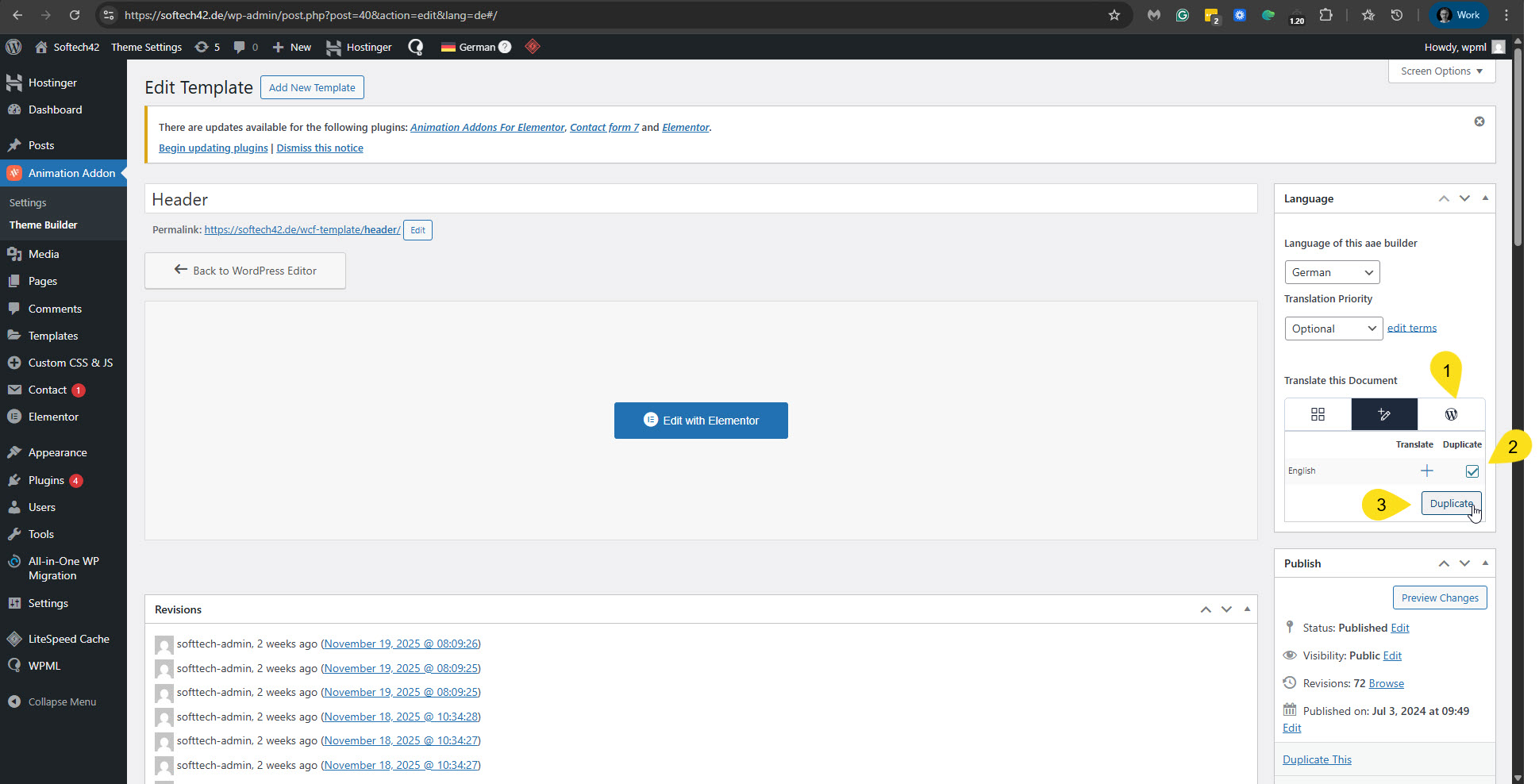 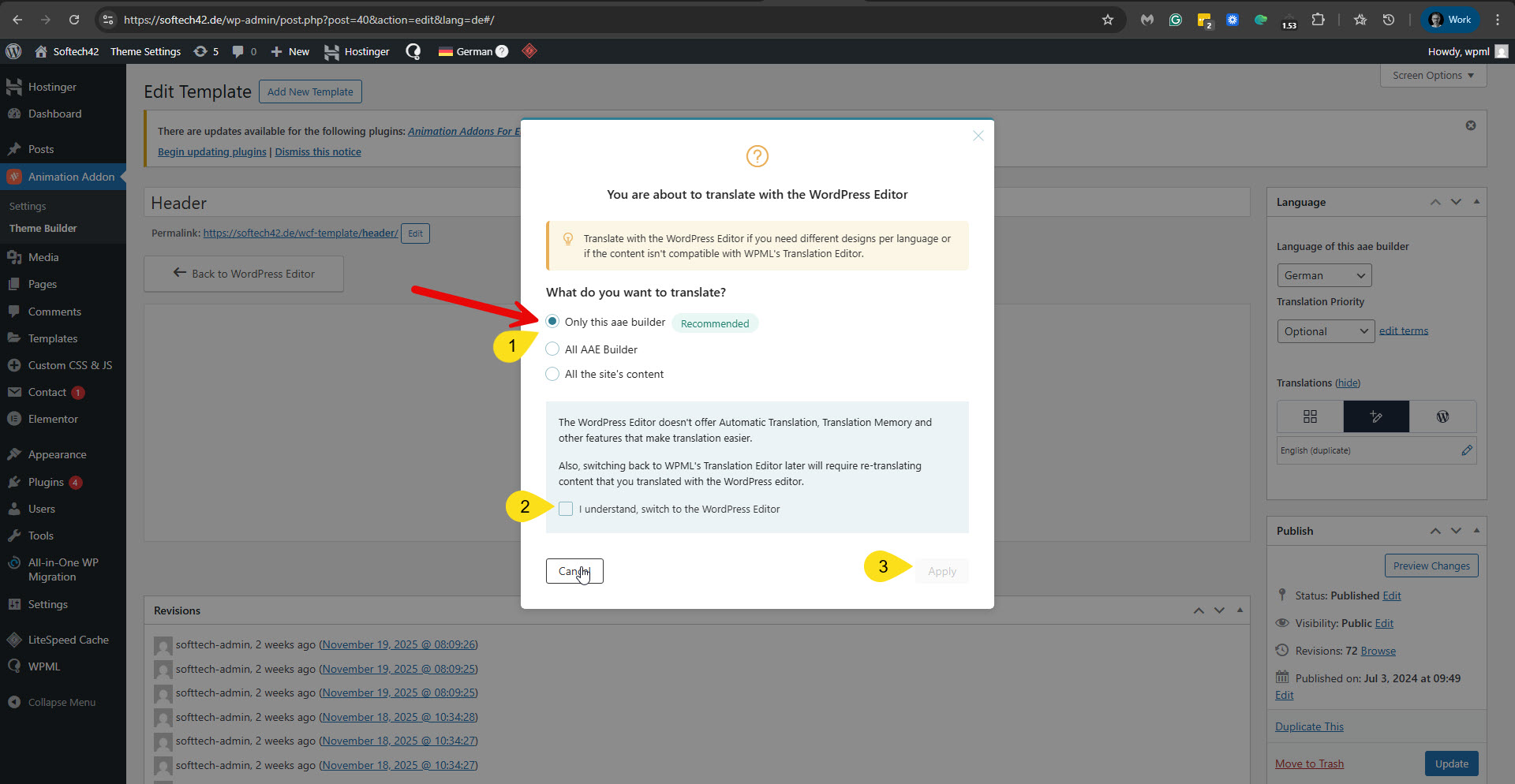 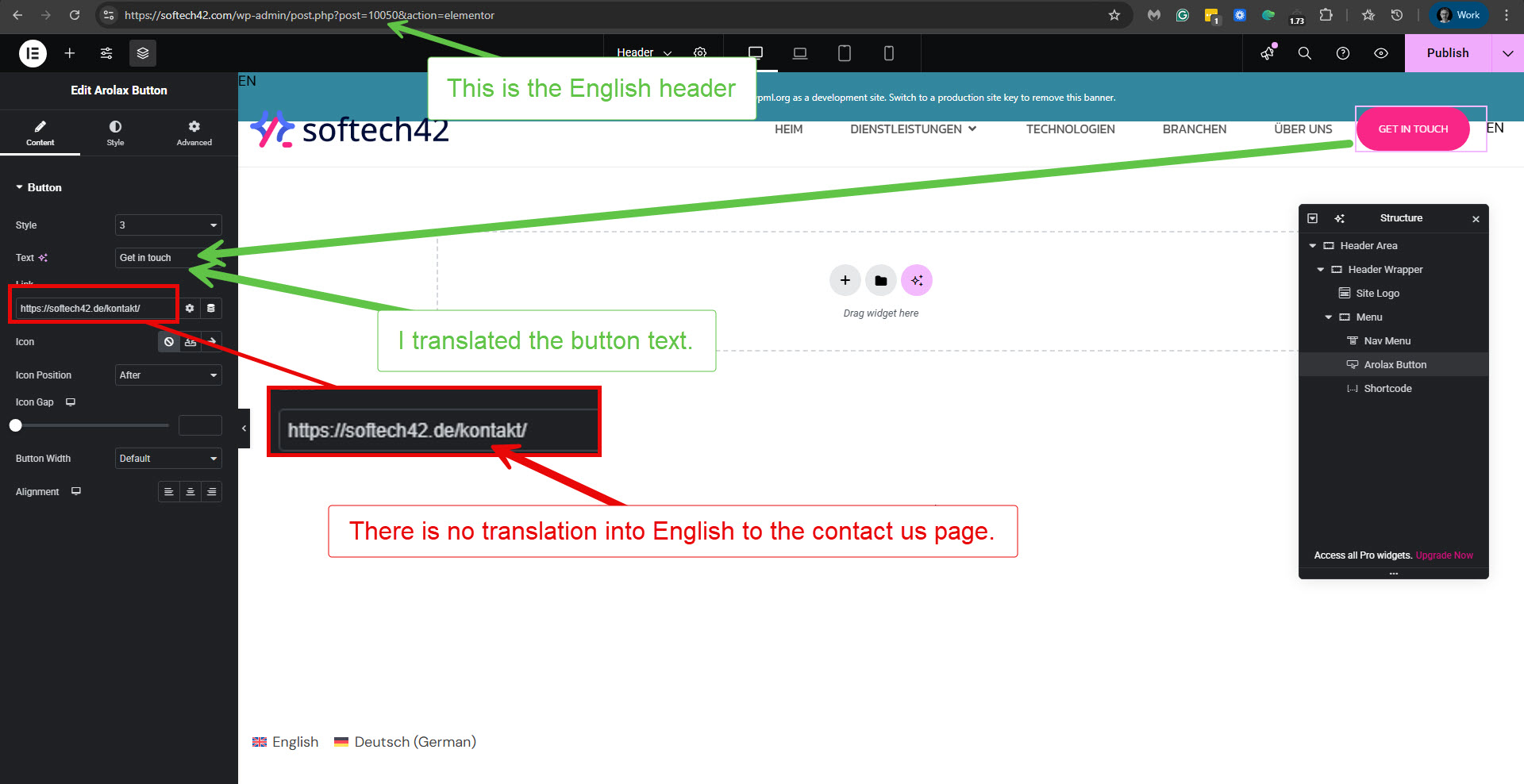 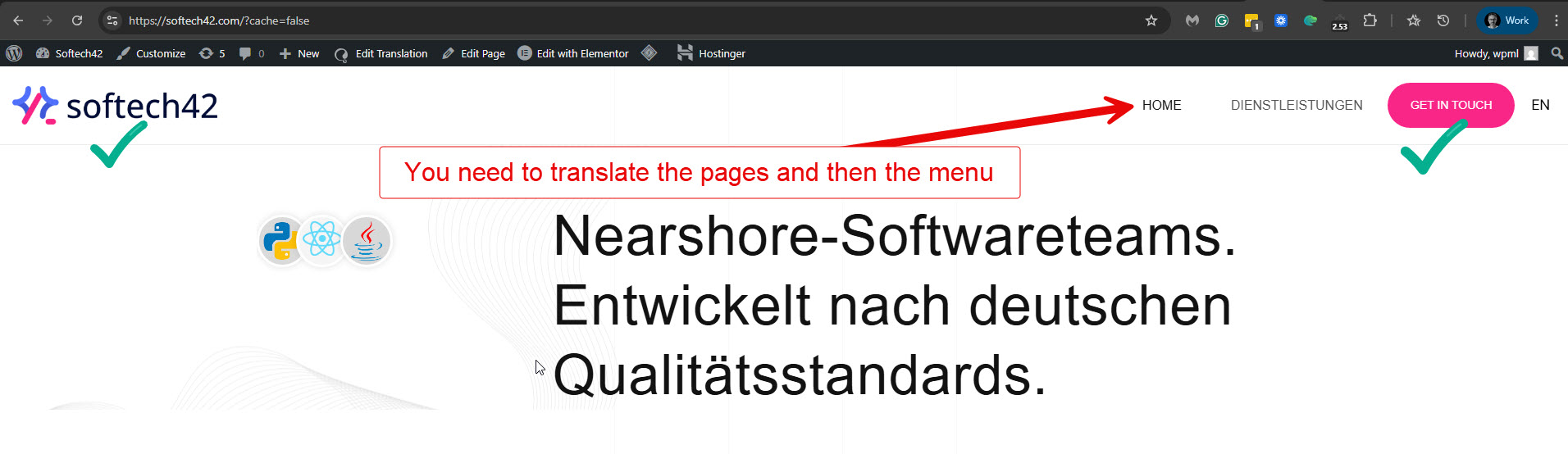 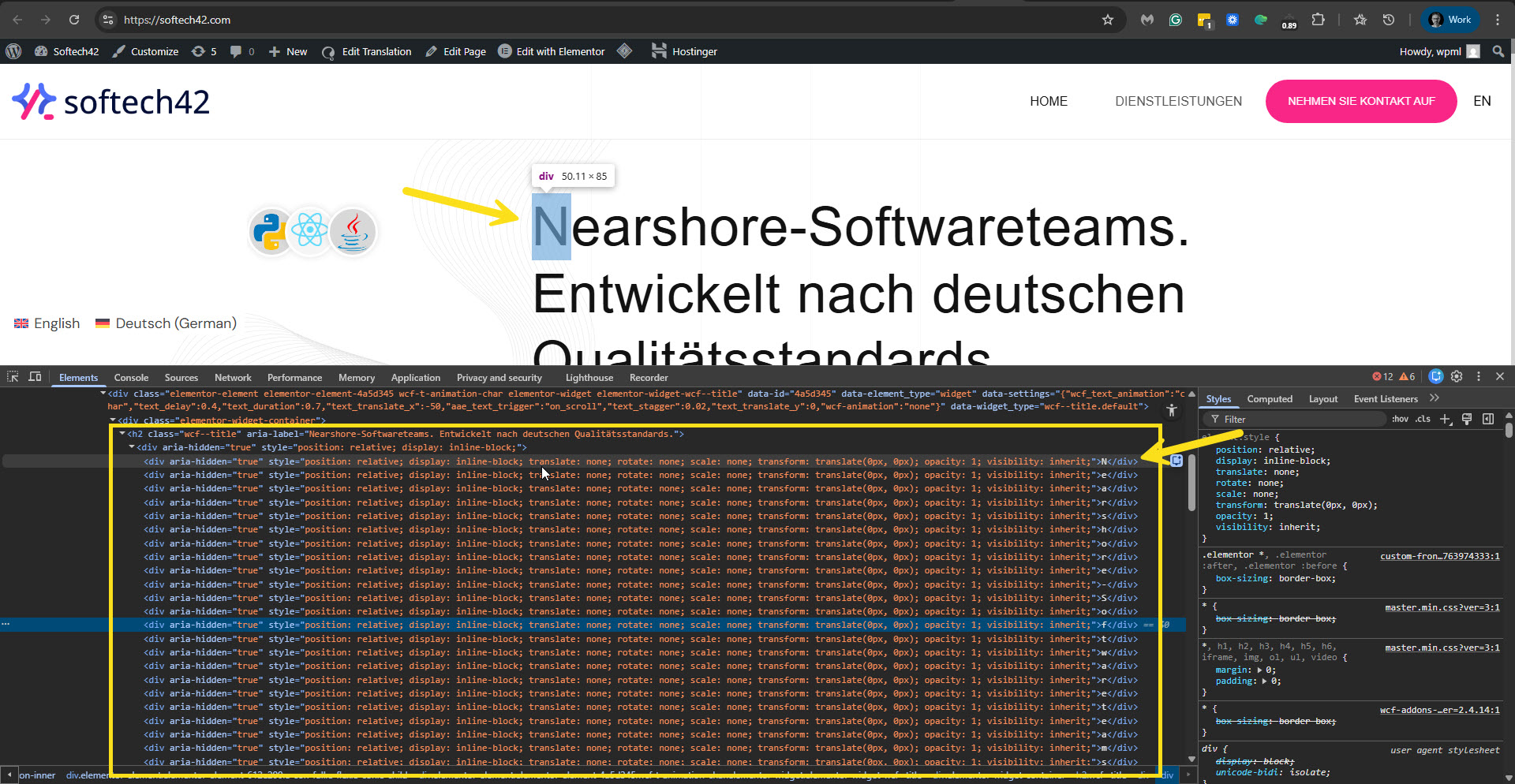 |
| December 1, 2025 at 7:38 am #17621495 | |
|
Harry Best |
Thanks I just figured out you can also translate the pages manually but regarding pages my main requirement is to setup the automatic translation to English that's why i need that animation heading to be translated and i also just installed the plugins in your website hidden link but let me know if you need FTP details for debugging purpose. Thanks |
| December 1, 2025 at 2:57 pm #17623039 | |
|
Itamar WPML Supporter since 02/2016 Languages: English (English ) Timezone: Asia/Jerusalem (GMT+02:00) |
Hi, Thanks for installing the plugin on the sandbox site. Regards, |
| December 2, 2025 at 7:22 pm #17628315 | |
|
Itamar WPML Supporter since 02/2016 Languages: English (English ) Timezone: Asia/Jerusalem (GMT+02:00) |
Hi, I was trying to replicate the issue on the sandbox site. I added the Animation Title element, but I don't see the Text Animation options as I do on your site. Please see the attached screenshots, text-animation.jpg and no-text-animation.jpg. Can you please tell us how to enable those animation options? Can you help us replicate the problem on the sandbox site so we can see if we can add translation support for this element? Thanks, 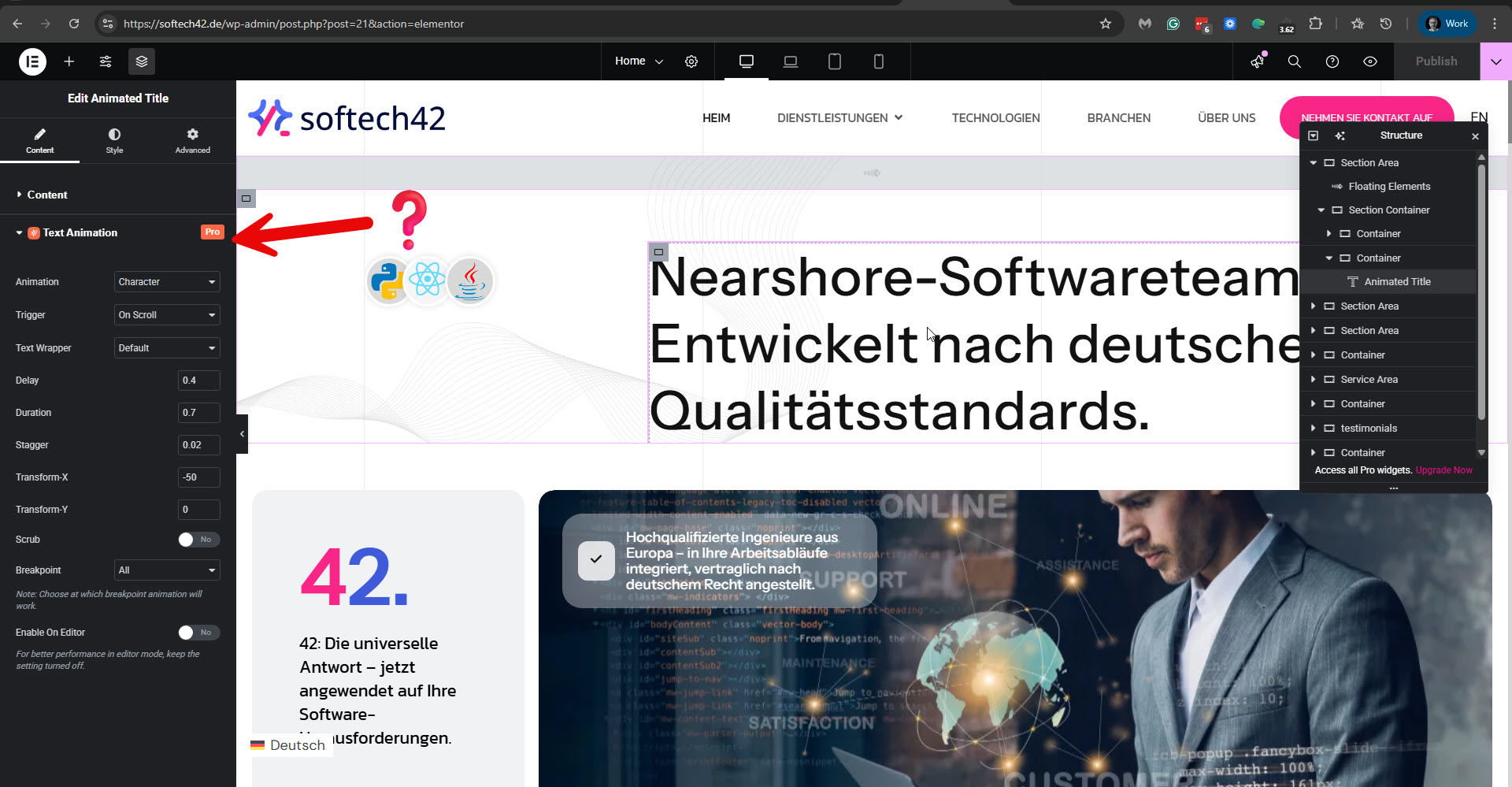 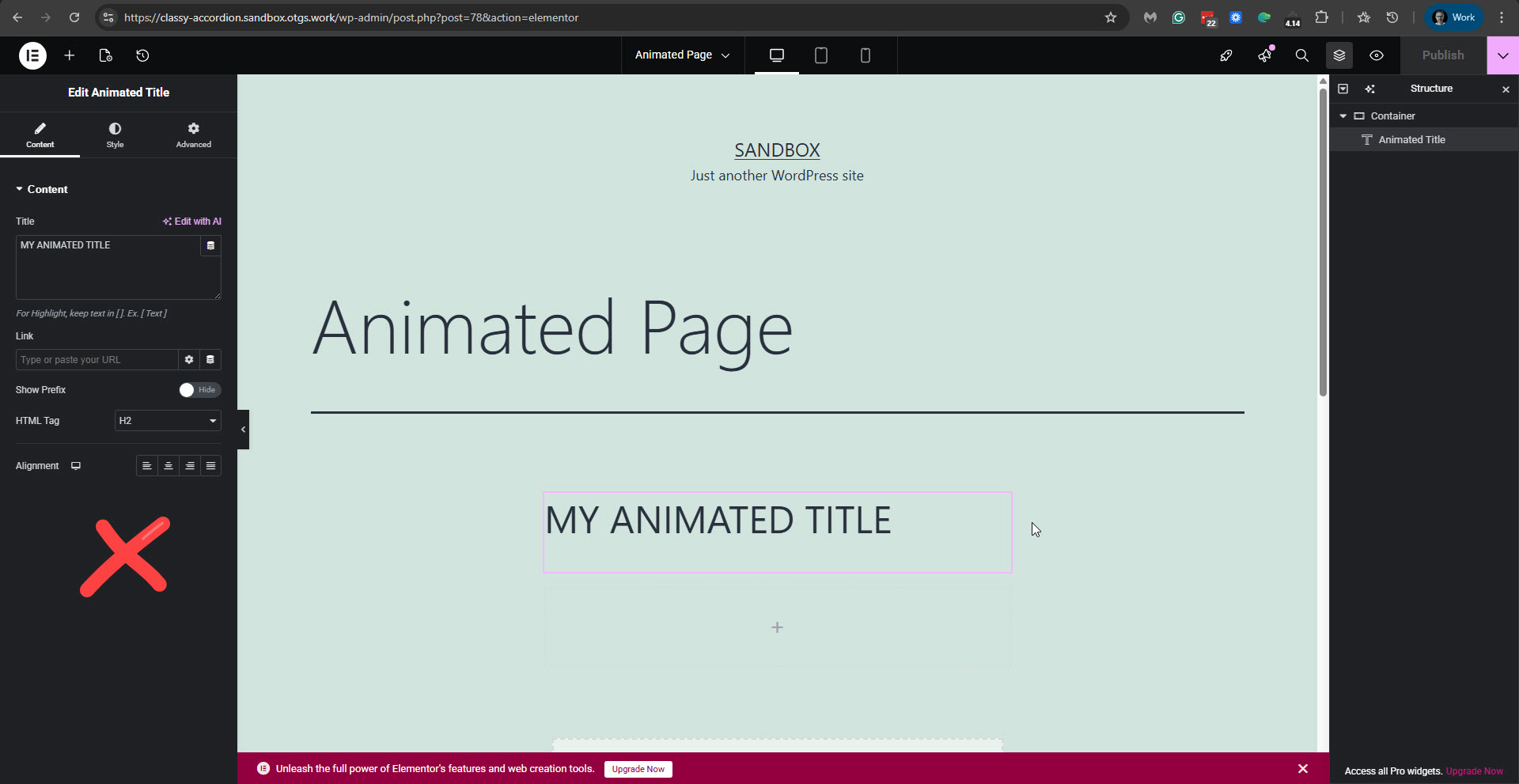 |
| December 3, 2025 at 9:03 am #17629645 | |
|
Harry Best |
Yes actually this theme needs license which i have already active on my domain and it's not allowing me to activate for other domain, but i can create a directory for testing purpose for you on my domain and also share the FTP, let me know if it will work for you. |
| December 3, 2025 at 11:43 am #17630535 | |
|
Itamar WPML Supporter since 02/2016 Languages: English (English ) Timezone: Asia/Jerusalem (GMT+02:00) |
Sure. Please make this directory a fresh WordPress installation and not a copy of your site. I'm enabling a private message for the following reply. Regards, |
| December 4, 2025 at 3:04 pm #17635034 | |
|
Itamar WPML Supporter since 02/2016 Languages: English (English ) Timezone: Asia/Jerusalem (GMT+02:00) |
Hi, Thanks for providing a test site on your server. When I first accessed the test site, I noticed that the Animation Addons and Elementor plugins needed updates, so I updated them. Then I continued as follows. 1. I added the Animated Title element to the 'test' page and published it. I used the same animation settings as on your main site. Please see the attached screenshot animated-title-settings.jpg. 2. In WPML -> Translation Dashboard, I sent the 'test' page for translation and assigned it to myself. 3. I went to WPML -> Translations, and translated the 'test' page using the Advanced Translation Editor. 4. The text from the Animated Title element appeared in the Advanced Translation Editor. I used automatic translation to fill in the translations. Please see the attached screenshot animted-title-in-ate.jpg. I completed the translation. 5. I checked the translated page, and the animated title showed there. Please see the attached screenshot animated-title-in-de.jpg. You can check my translated page here: hidden link. I can't replicate this problem on your site. It might be that the problem is solved with the latest versions of the related plugins. Can you please confirm that things work now? Thanks, 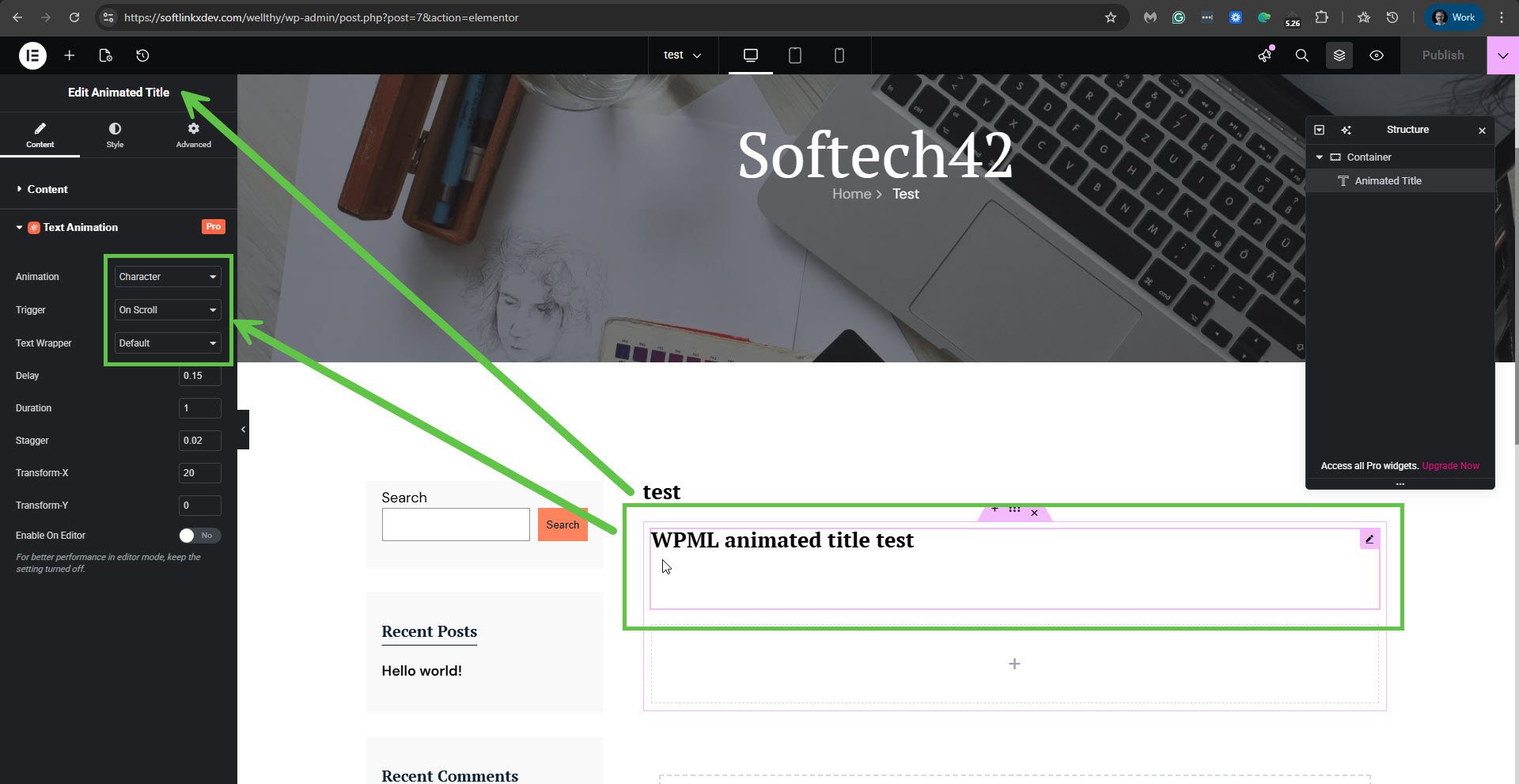 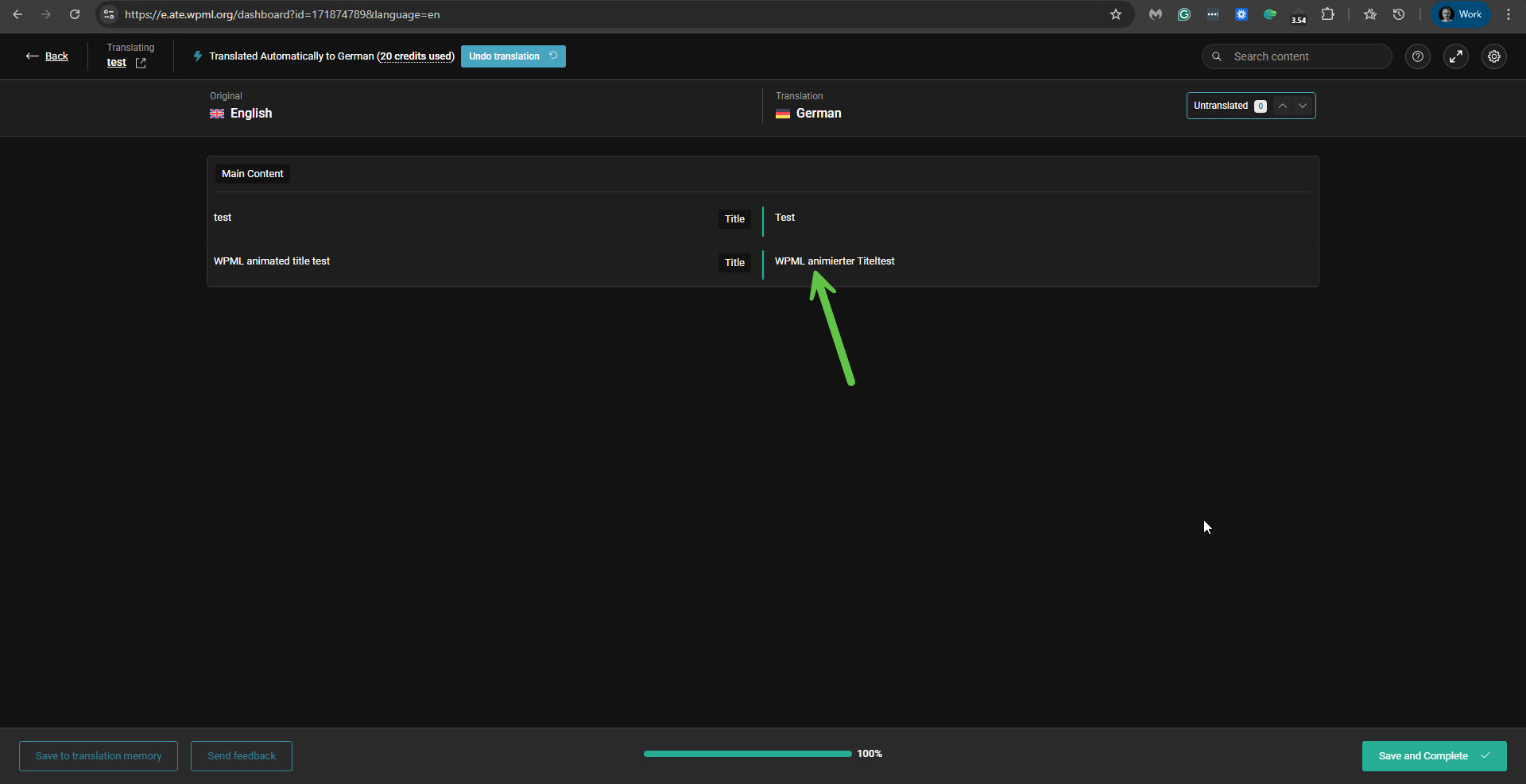 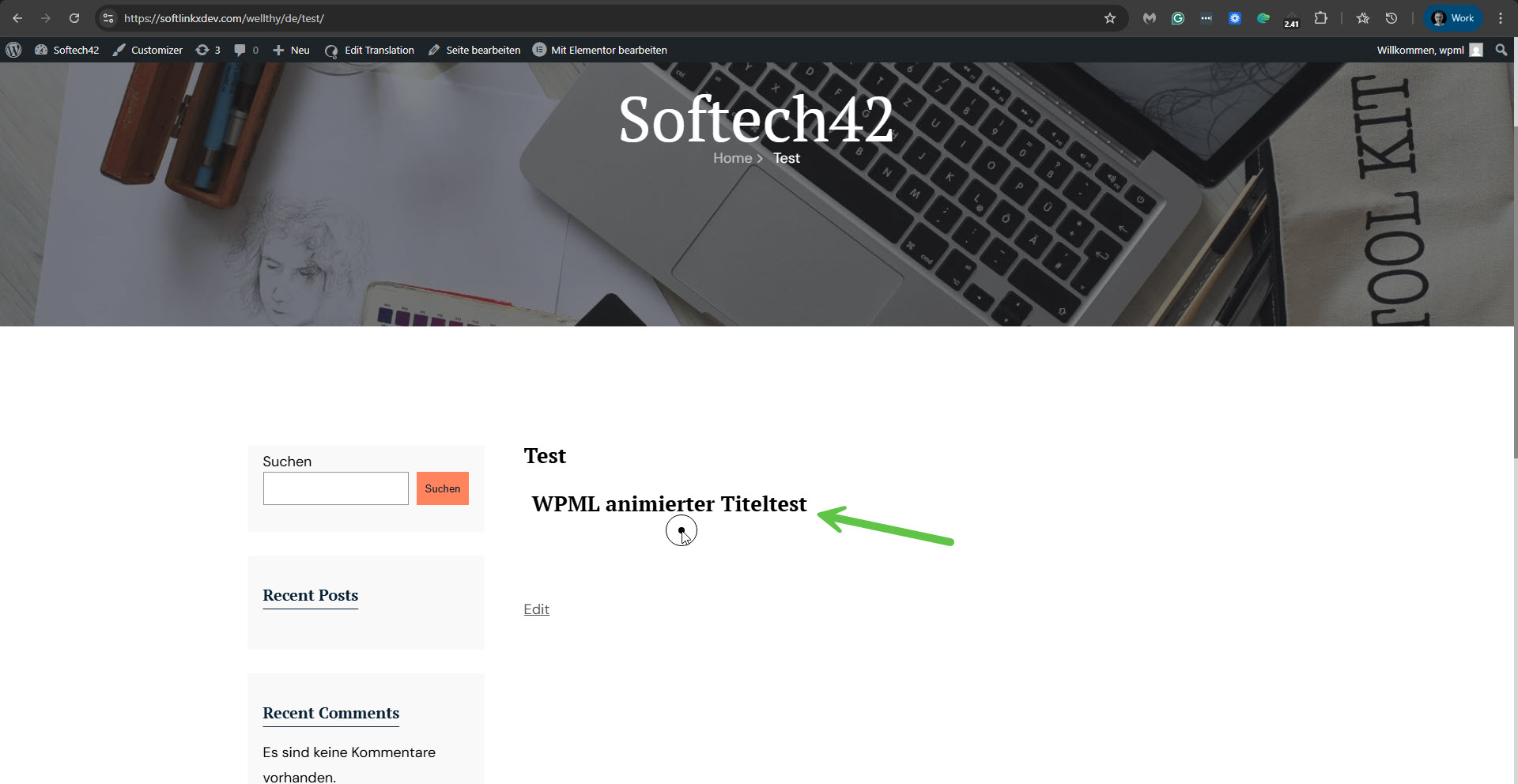 |
| December 5, 2025 at 10:18 am #17637581 | |
|
Harry Best |
HI, Yes the headings i think working and i found a trick, if you add new heading on main website hidden link after translate active then it reloads the element then shows the translation so i think we can setup things using this trick. But now i just tested and buttons aren't translating as well on both website hidden link Thanks |






