


문제 개요
Divi 테마를 사용할 때 WPML을 사용하여 아포스트로피가 포함된 버튼 텍스트를 번역하면 아포스트로피가 HTML 엔티티로 표시됩니다.
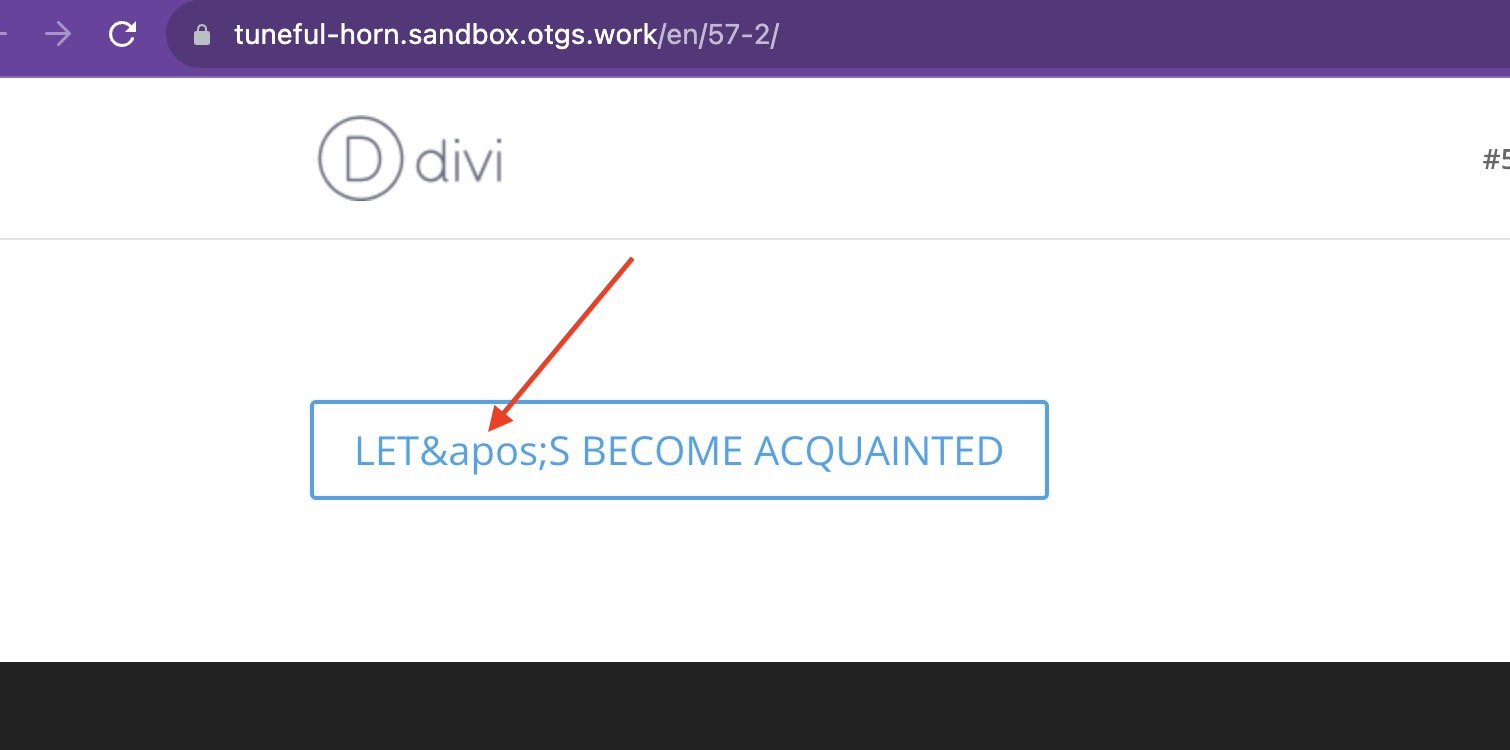
임시 해결 방법
이 문제는 해결되었습니다. 최신 버전으로 업데이트하면 사이트에서 이 문제가 해결되므로, 아직 업데이트할 수 없는 경우에만 이 임시 해결 방법이 필요합니다.
진행하기 전에 사이트의 전체 백업을 수행하세요.
- 테마의 functions.php 파일에 다음 코드를 추가하세요:
// WPML workaround for compsupp-7001
add_filter('do_shortcode_tag', 'wpml_compsupp7001_decode_et_pb_button_text', 10, 4);

function wpml_compsupp7001_decode_et_pb_button_text($output, $tag, $attr, $m) {
    if ( class_exists('Sitepress') && 'et_pb_button' === $tag && isset($attr['button_text'])) {
        // Decode both the ampersand and the apostrophe
        $output = html_entity_decode($output, ENT_QUOTES, 'UTF-8');
    }

    return $output;
}
참고로 슬라이더 버튼을 사용하는 경우 다음 줄을 사용해야 합니다:
if ( class_exists('Sitepress') && 'et_pb_slide' === $tag && isset($attr['button_text'])) {if ( class_exists('Sitepress') && 'et_pb_button' === $tag && isset($attr['button_text'])) {또한 아코디언 항목을 사용하는 경우 다음 줄을 사용해야 합니다:
if ( class_exists('Sitepress') && 'et_pb_accordion_item' === $tag && isset($attr['title'])) {if ( class_exists('Sitepress') && 'et_pb_button' === $tag && isset($attr['button_text'])) {