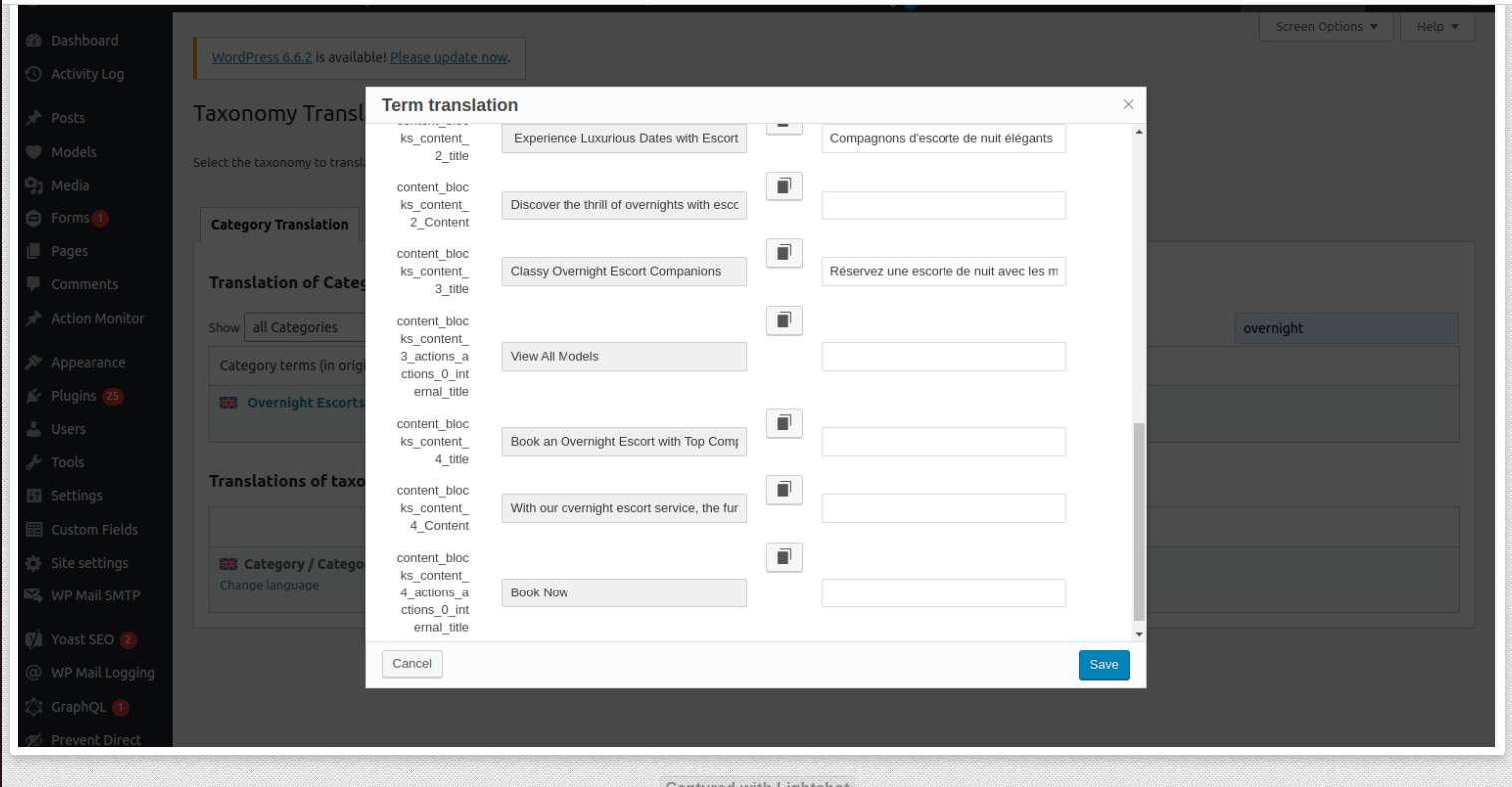
Background of the issue:
Blank Fields and content in Taxonomy Translations:
1. When translating taxonomies (like categories), certain fields, including custom fields and block content (e.g., callout content), appear blank in the WPML translation editor (even when I click the pen icon for translation).
2. I am forced to manually copy and paste the original content, which defeats the purpose of WPML automation. I want to resolve this and ensure WPML handles these translations automatically.
3. Some fields are not being picked up for translation. I have ensured they are set to "Translate" in WPML → Settings → Custom Fields Translation, but they still remain blank in the WPML translation editor.
Steps I've Taken:
I have enabled translation for custom fields in WPML → Settings → Custom Fields Translation.
I followed the guide in your documentation to translate SEO fields, but the issue persists with blank fields in the WPML translation editor.
I’ve tried resyncing the translations by making small updates to the original content, but the issue remains.
Symptoms:
When translating taxonomies, certain fields, including custom fields and block content, appear blank in the WPML translation editor. Some fields are not being picked up for translation despite being set to 'Translate' in WPML settings.
Questions:
Why are certain fields, including custom fields and block content, appearing blank in the WPML translation editor?
Why are some fields not being picked up for translation even though they are set to 'Translate' in WPML settings?
How can I ensure WPML handles these translations automatically without manual copying and pasting?
主题'[關閉] Blank Fields and Content in Taxonomy Translations Not Translating Automatically'已关闭,不接受新回复。