Background of the issue:
I am trying to translate my pages (using the CTE and process most of our translations through XLIFF files).
After translating (100% through the CTE), I need to make custom adjustments on the translated pages, such as removing a block. To do this, I navigate to the translated page and click on edit page.
Symptoms:
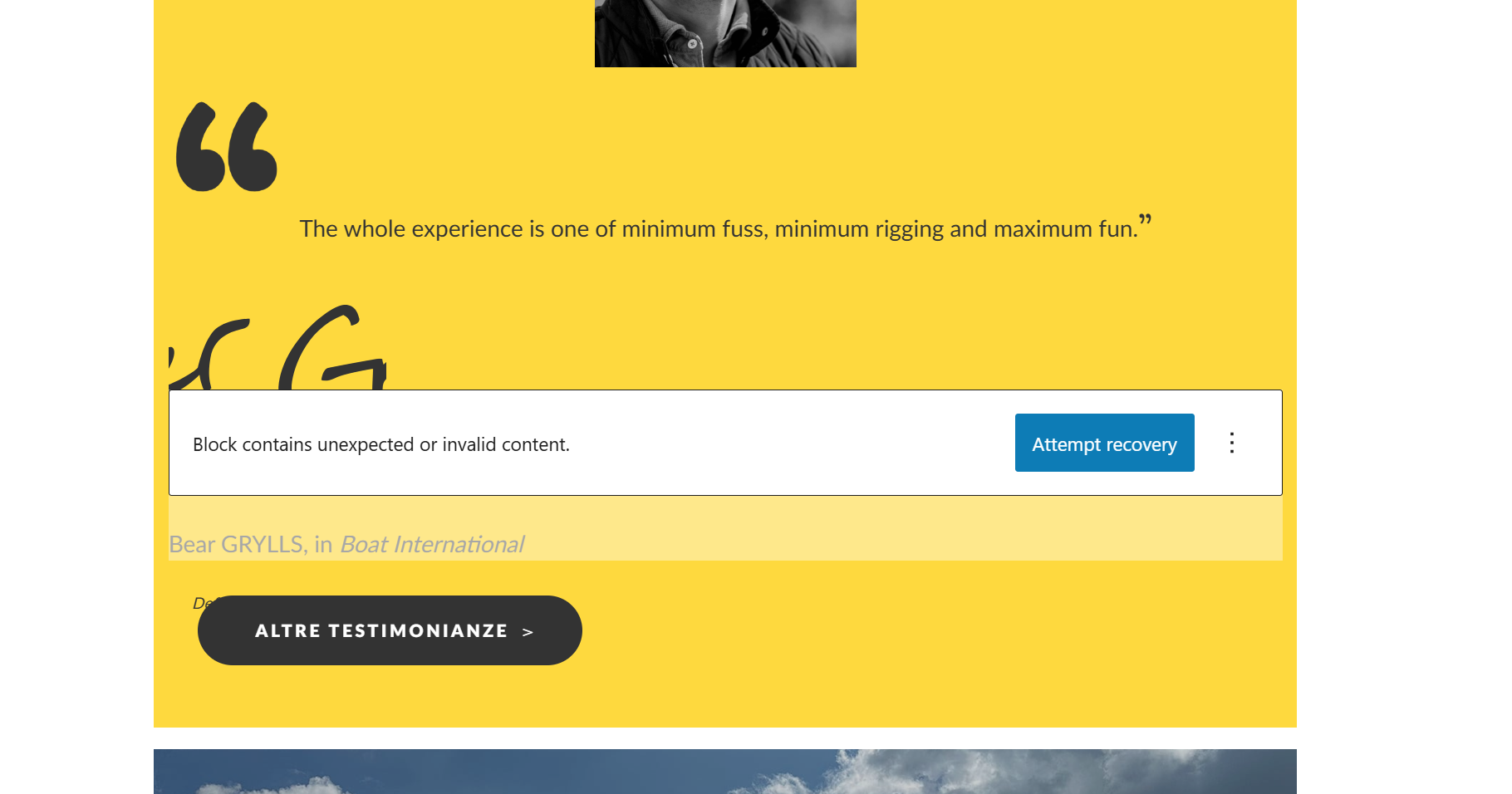
I see a couple of blocks with the 'attempt recovery' button displayed, indicating broken blocks.
Questions:
Why are my blocks broken after translation?
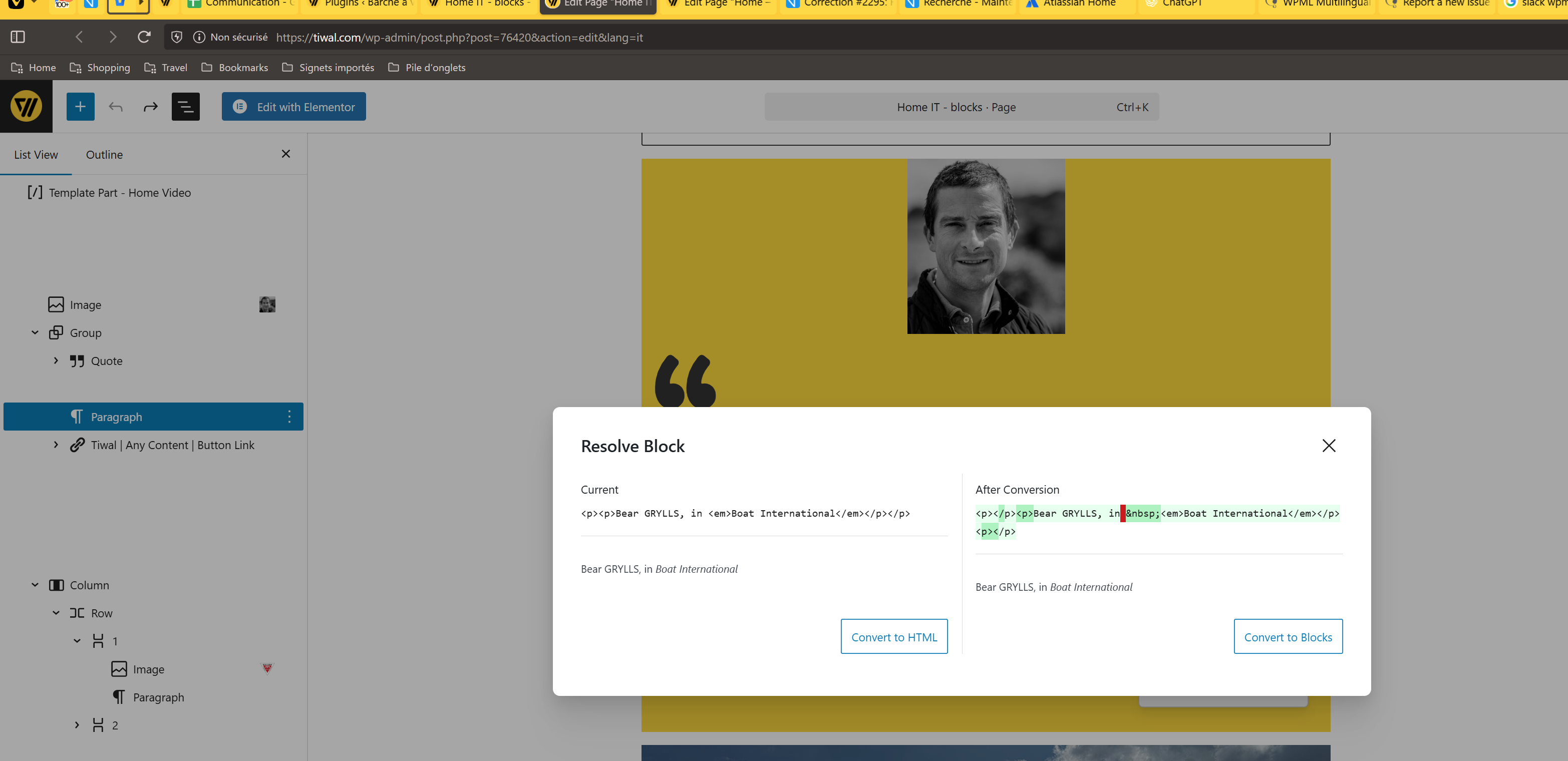
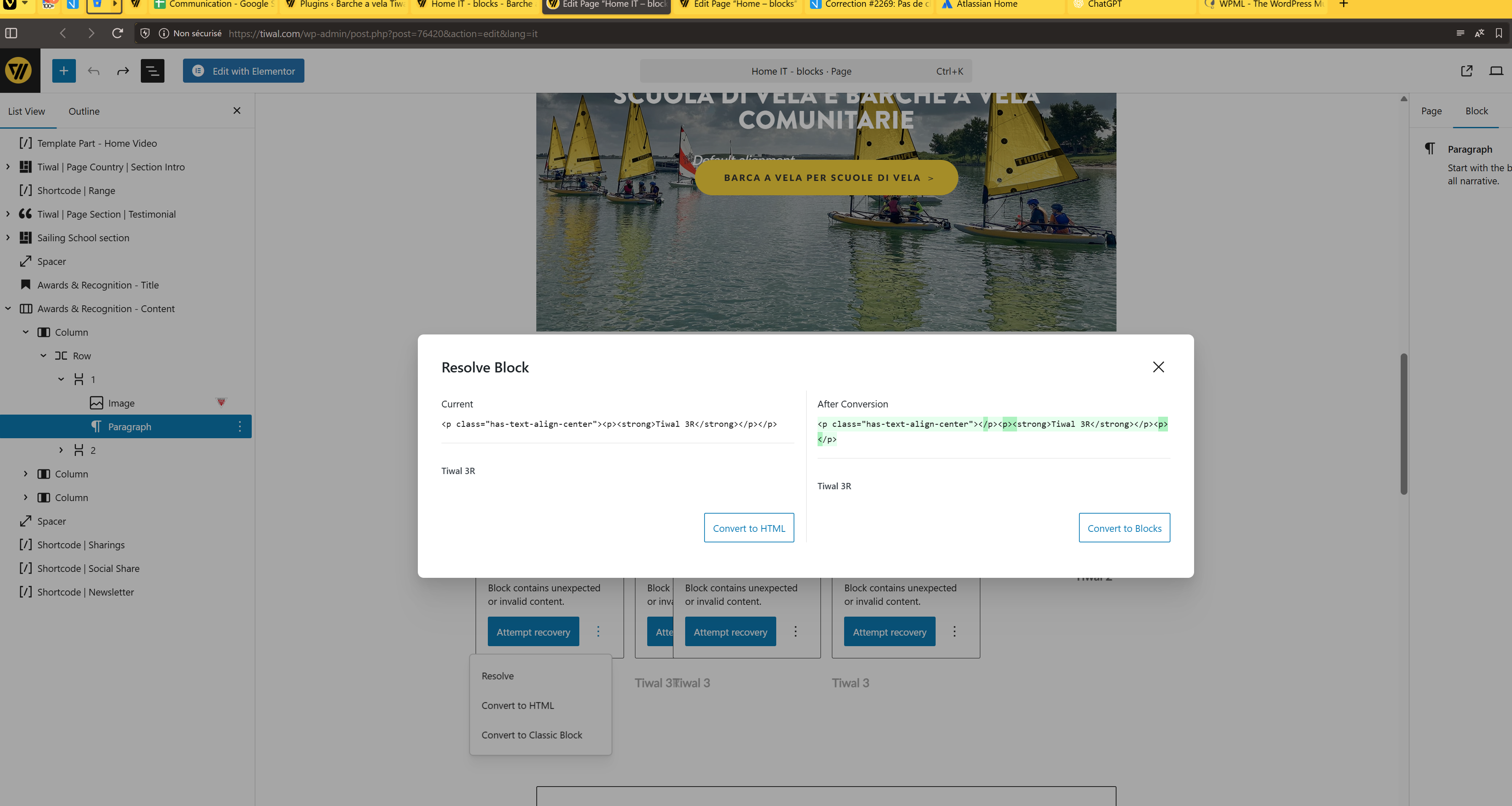
Where these multiple open / close paragraphs comes from, when these are properly implemented in the original version?
Where this non breakable spaces comes from, when it's not even provided in the original version?!
Thanks for checking the screenshots enclosed, andboth the original and translation code of the native blocks
Since I can't upload them...
Fine original native block code: link oculto
Broken translated native block code: link oculto