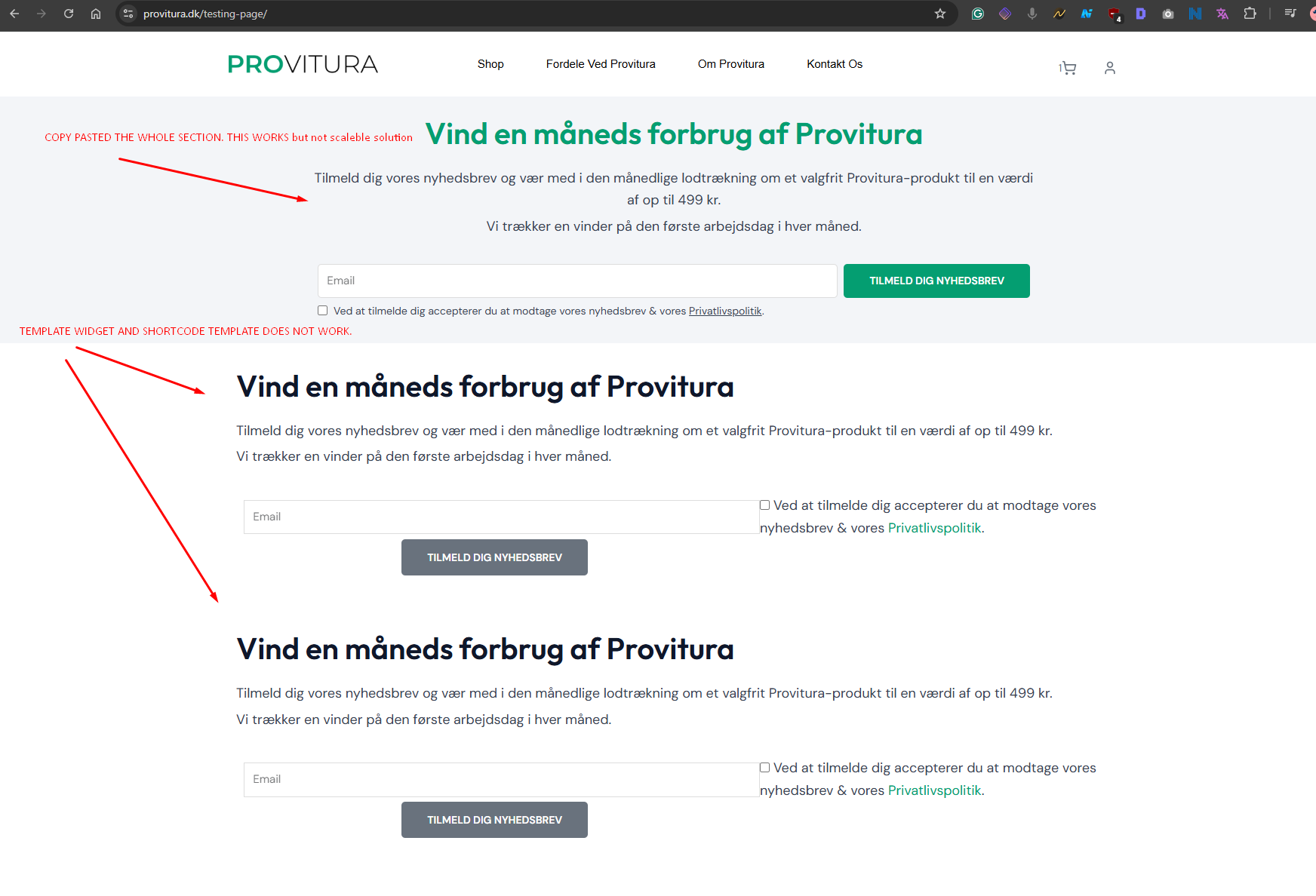
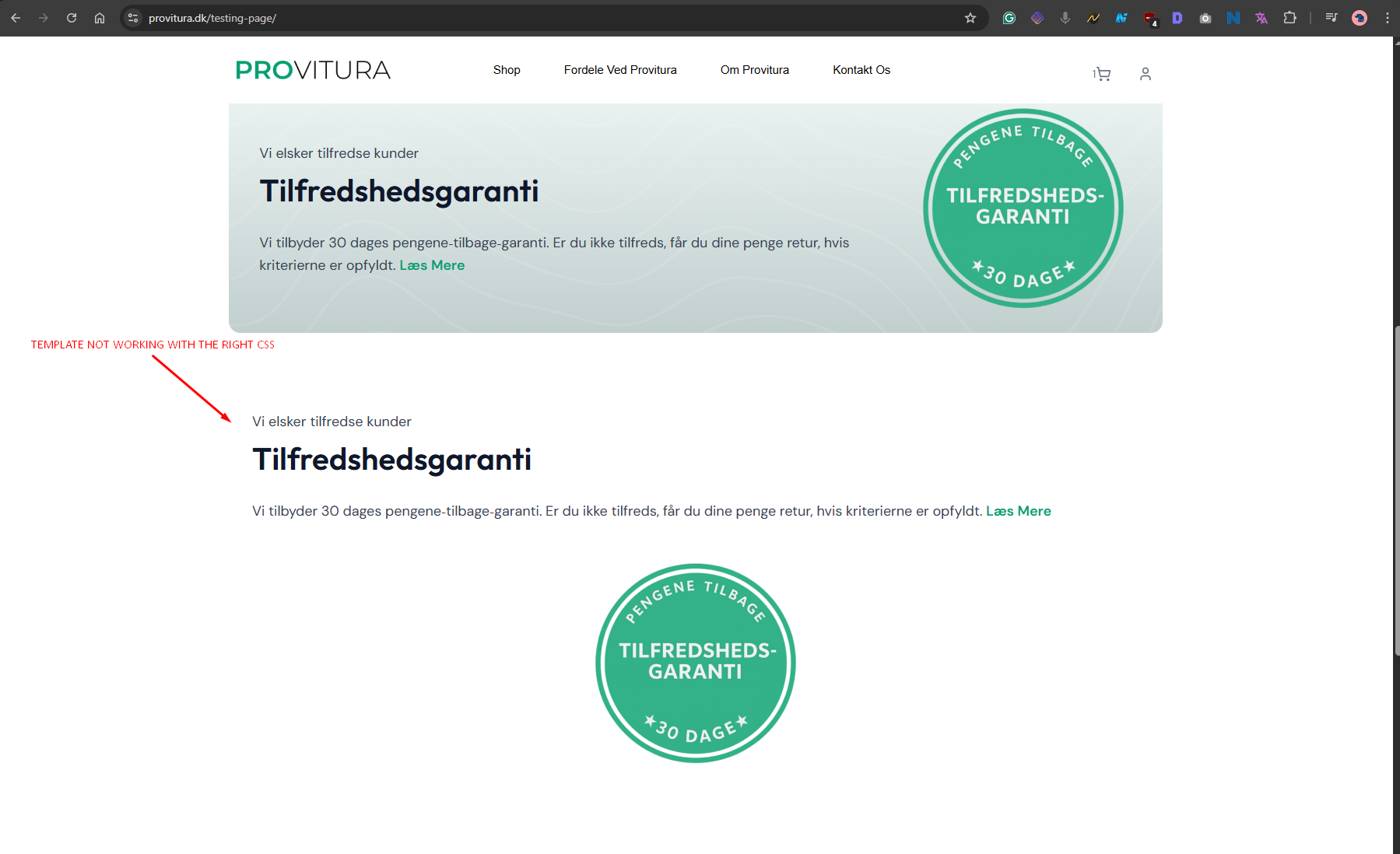
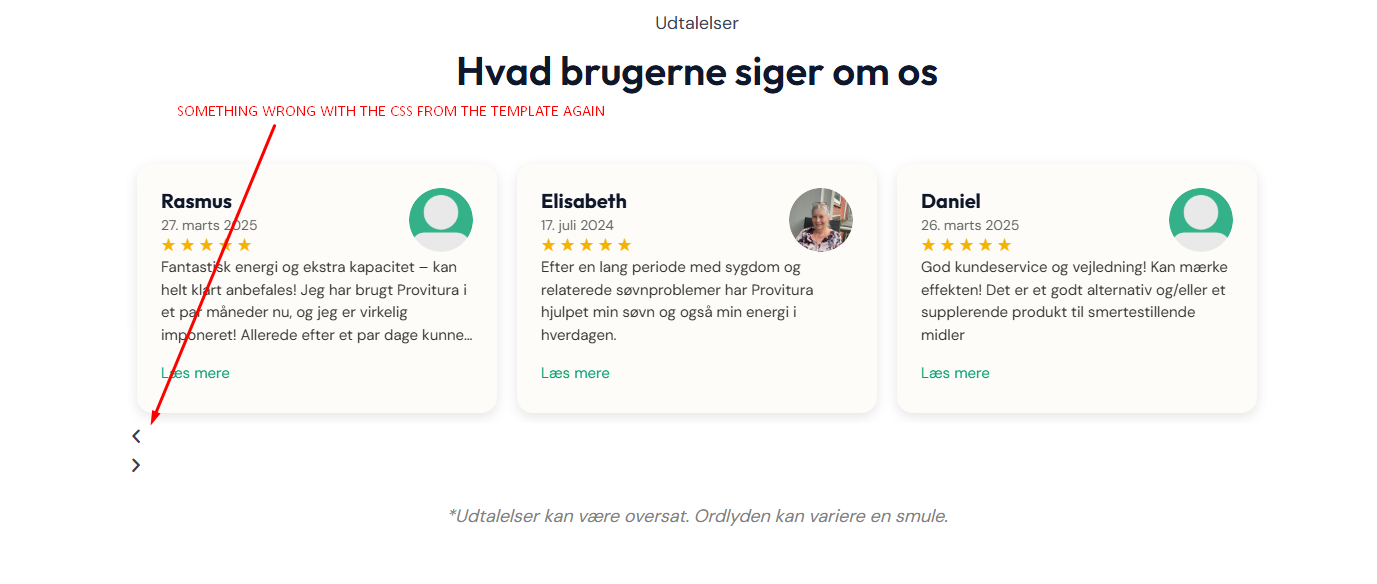
I’m having a recurring issue with Elementor templates (saved sections) that are inserted into translated pages via the Template widget or a shortcode. The content is properly translated using the Advanced Translation Editor (ATE), but on the front end, the styling/CSS for the template is missing on translated pages.
Site setup:
- WPML (ATE enabled)
- Elementor Pro
-WooCommerce
- Templates (e.g. testimonials slider, satisfaction guarantee section, newsletter opt-in) are fully translated using WPML ATE
- Templates are reused via Elementor Template Widget or shortcode
Problem:
- The templates display correctly on the default language site.
- But on translated pages (like /dk ), they show unstyled or broken layout (e.g. missing background, wrong text alignment, no carousel arrows).
- This affects WooCommerce product pages in particular, but sometimes other pages too.
- If I copy the section manually into the page instead of inserting via the widget, the styling works — but obviously that’s not scalable.
Attempts made:
- Set _elementor_css, _elementor_data, _elementor_page_assets, _elementor_page_settings to “Copy” in WPML custom fields
- Regenerated Elementor CSS and cleared all caches (including CDN)
- Elementor and WPML are fully up to date
Questions:
- Is WPML not triggering Elementor to generate CSS for translated templates?
- Can we force translated templates to regenerate CSS without access to edit them in Elementor?
I have made a page with the different templates. I have inserted sections manualy not as a template to show that works (but not really scaleable solution) then the sections as shortcode or template and here the css always goes wrong and I don't know why.
lien caché
if you switch form .com to .dk you can see what goes wrong.