Passer au contenu Passer à la barre latérale
Sun Mon Tue Wed Thu Fri Sat
- 12:00 – 16:00 10:00 – 14:00 10:00 – 14:00 9:00 – 13:00 9:00 – 13:00 -
- 17:00 – 21:00 15:00 – 19:00 15:00 – 19:00 14:00 – 18:00 14:00 – 18:00 -

Fuseau horaire du support : Europe/Bucharest (GMT+02:00)

Ce sujet contient 0 réponse, a 1 voix.

Dernière mise à jour par alexandreP-37 Il y a 10 mois et 2 semaines.

Assisté par: Mihai Apetrei.

Auteur Messages
janvier 21, 2025 à 4:13 pm #16619731

alexandreP-37

Background of the issue:
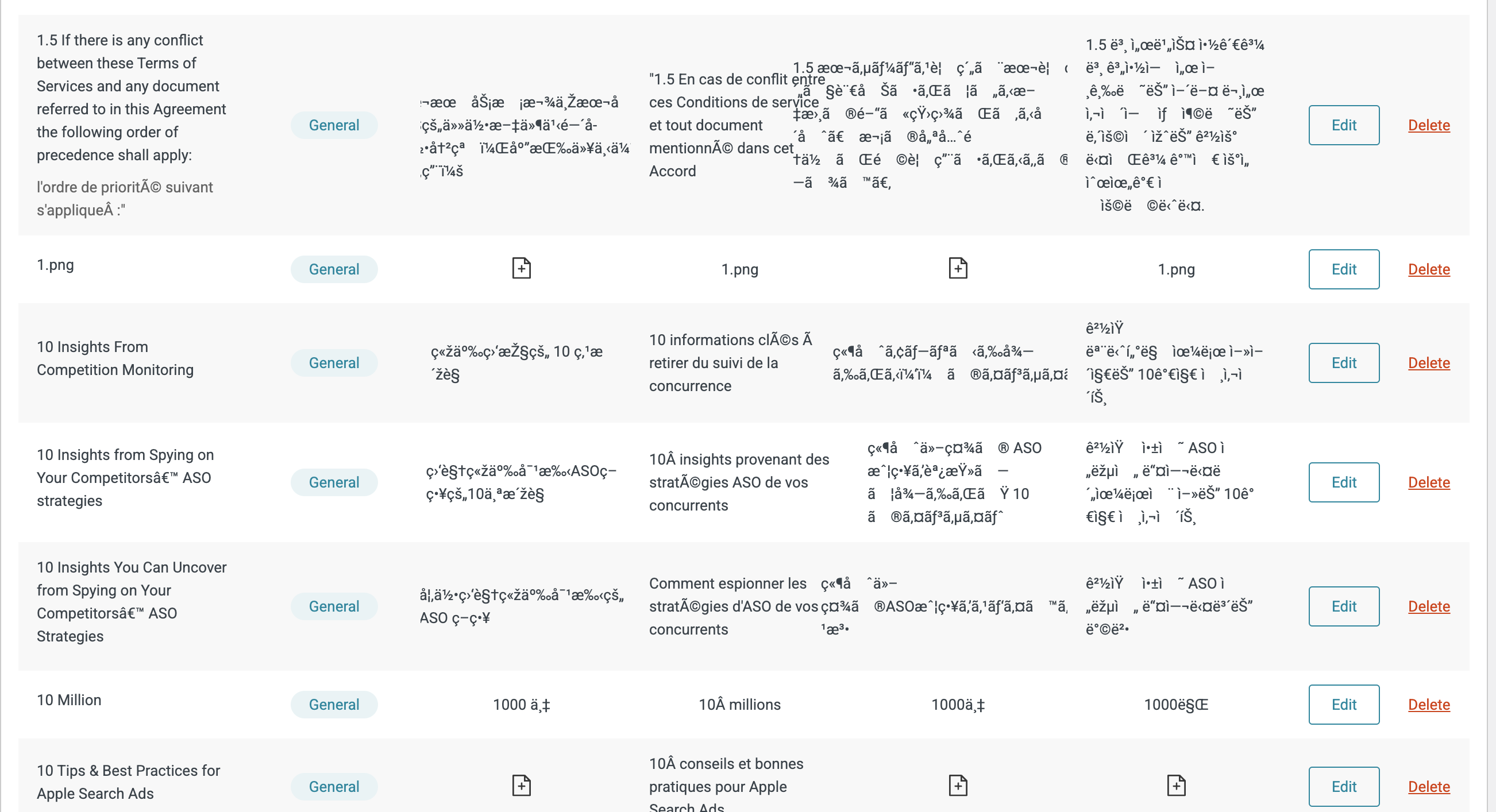
I am trying to import a glossary CSV file into WPML. The file is UTF8 and contains English, French, Japanese, Korean, and Chinese strings.

Symptoms:
When I import the data, it works correctly, except that the entries' special characters are wrongly converted. Instead of seeing the expected characters, I get broken characters like 'crédits' and 'サービス'.

Questions:
Why are the special characters in my CSV file being converted incorrectly during import?
How can I ensure that special characters are imported correctly in WPML?

Le sujet '[Fermé] Importing a glossary in CSV file (UTF8 encoded) results in broken characters' est fermé aux nouvelles réponses.