Dear WPML Support Team,
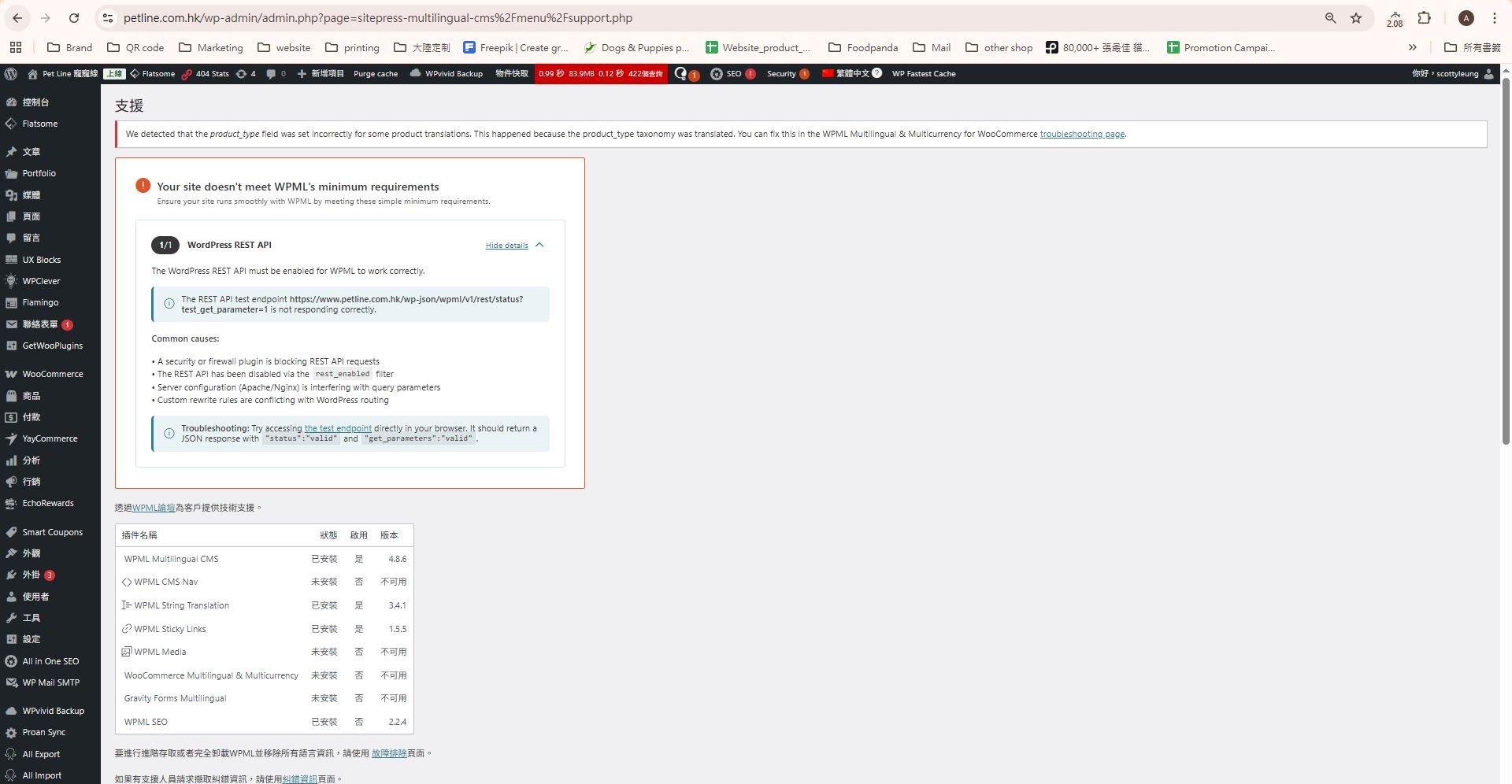
I am facing a critical issue with WPML on my site. The backend shows a red warning:
"Your site doesn't meet WPML's minimum requirements"
Specifically, it says the WordPress REST API test endpoint is not responding correctly: link nascosto
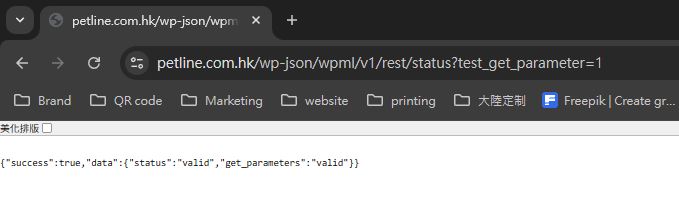
However, when I test this endpoint directly in my browser, it returns the correct JSON response:
{"success":true,"data":{"status":"valid","get_parameters":"valid"}}
The REST API is clearly working, but WPML still displays the warning and refuses to clear it even after clearing all caches (WP Fastest Cache, Cloudflare Purge Everything, browser cache, WPML Troubleshooting > Clear cache).
This is causing a serious performance problem: WPML is consuming extremely high CPU resources on my VPS (LayerStack Nano GPU plan), often exceeding 100% load, leading to site slowdowns and spikes.
My VPS provider has informed me that WPML is occupying too much CPU capacity. If this situation does not improve quickly, we may have to consider switching to a different multilingual plugin or solution.
Please help me fix this as soon as possible. I have already:
Confirmed the REST API endpoint returns valid JSON
Cleared all caches multiple times
Run WPML Troubleshooting tools (Clear cache, Synchronize WooCommerce taxonomies, etc.)
Re-logged in and refreshed the backend
Can you please advise:
Why the warning persists despite the endpoint working?
How to force WPML to re-validate the REST API and clear the warning?
Any known bugs or steps to resolve this immediately?
Thank you for your urgent assistance!
L'argomento '[Chiuso] Urgent: WPML “Site doesn’t meet minimum requirements” warning persists despite REST API test pass…' è chiuso a nuove risposte.