[Chiuso] Non riesco a configurare correttamente le lingue nel header e footer
Questo è il forum di assistenza tecnica di WPML, il plug-in multilingue di WordPress.
La sua lettura è permessa a tutti, ma la pubblicazione è riservata esclusivamente ai clienti di WPML. Il team di WPML risponde sul forum 6 giorni su 7, 22 ore su 24.
Contesto del problema:
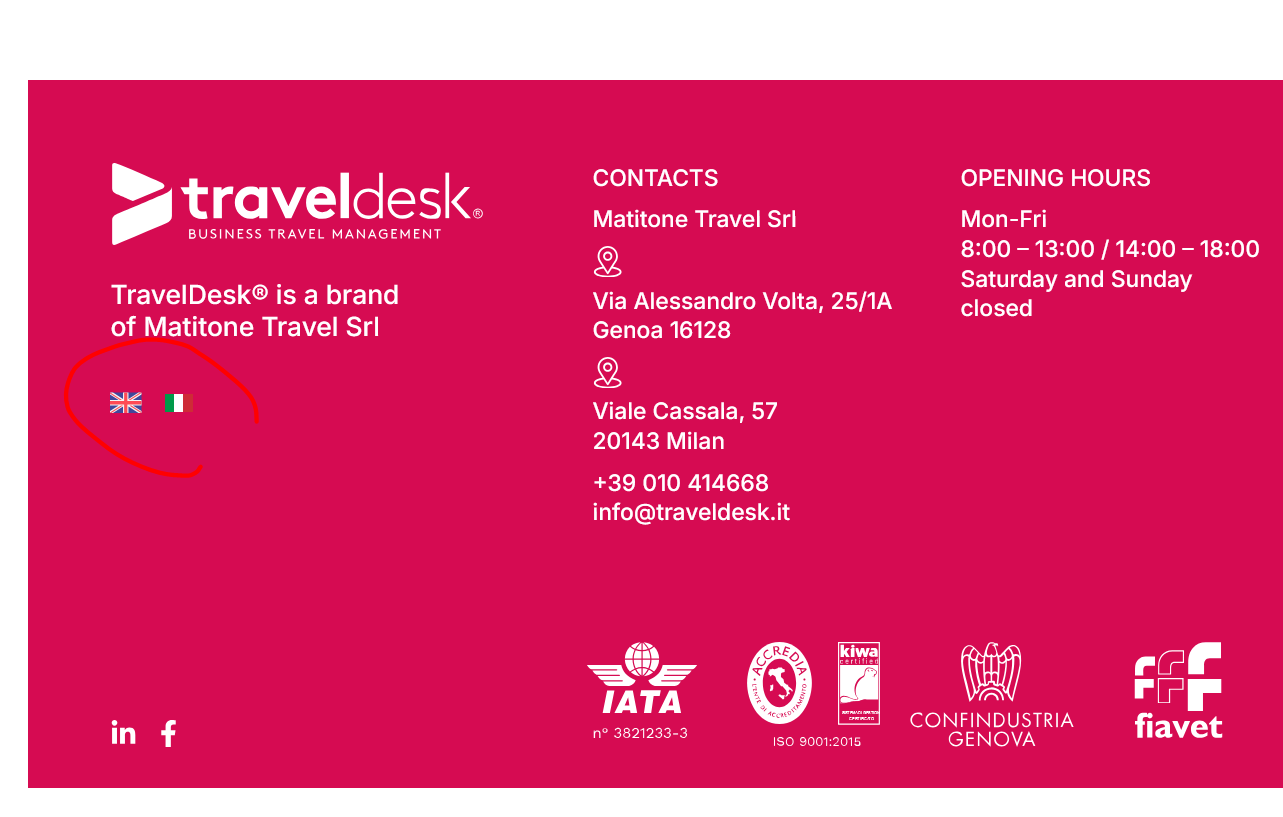
Sto cercando di configurare correttamente le lingue nel header e footer del mio sito link nascosto utilizzando WPML. In italiano, le bandierine e il link sul logo funzionano bene.
Sintomi:
Nella versione inglese, nel HEADER il logo punta al sito in italiano e le bandierine puntano entrambe all'inglese. Nel FOOTER, il logo punta alla versione giusta ma le bandierine puntano entrambe all'inglese.
Domande:
Come posso configurare correttamente le URL delle icone nella versione inglese del mio sito?
To reduce the waiting time, I took this ticket and responded in English. Please let me know if you're okay with it or if you want to continue the conversation in Italian language. I will check and forward this ticket to one of our Italian-speaking supporters to assist you in the Italian language.
I understand the issue you’re experiencing. After checking your site, I found that the logo in the header of the English version correctly points to the English version of the site. I didn't notice any issues with the logo — please see the attached screenshot for reference. Could you please clear the caches from both your site and browser and see if the issue persists?
Regarding the language switcher, I identified that the language information hasn't been added correctly, which is causing the problem. Please try the following steps and check if they helps in solving the issue:
- Please go to WPML > Support > Troubleshooting
- Click on the following buttons:
-- Disable cache for language switcher templates
-- Synchronize posts taxonomies [Select 'Pages' from the dropdwon and then click the button]
-- Clear the cache in WPML
-- Assign translation status to duplicated content
-- Set language information
-- Fix post type assignment for translations
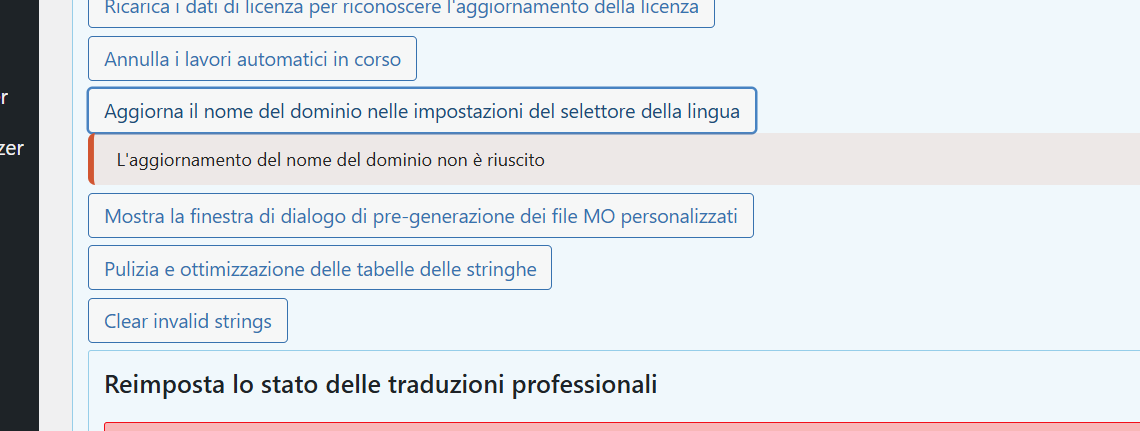
-- Update domain name in language switcher settings
Once done, please clear the caches from your site and browser, then check if the language switcher functions correctly in the secondary language. If possible, try accessing it in incognito or private mode in your browser.
Please try and let me know how itt goes. I'll be happy to help if you need further assistance in this matter.
Hey there,
thank you for your indications.
We have followed everything; only the domain name doesn't update (see 1.png)
And in the EN versione the flags continue to not working (2.png and 3.png).
Looking forward to hear from you.
Cheers
Riccardo
After a closer look, I noticed that the language switcher on your site was added using Elementor's Icon List widget rather than WPML’s built-in language switcher. Since you manually inserted the links in the Icon List, WPML automatically adjusts these links in the secondary language. As a result, the Italian link translation switches to English, and since the English language was initially set to default, it remains the same. This causes the flags to keep pointing to the English version when viewing the English site.
To resolve this issue, please use WPML's language switcher on your site. When you place the WPML language switcher, the links will automatically adjust based on the selected language. Refer to the guide below for instructions on adding the WPML language switcher.
If you want to customize the appearance of the Language switcher, you can do that from the "WPML > Languages > Custom Language Switcher" section. "Enable" the Custom Language Switcher first to see the options for customization.
I hope you can understand. Please try and let me know how it goes. if you need further assistance or clarification, let me know and I'll be happy to help.
Hi there,
thank you for your message.
Please do not close the conversation, we are trying to solve the problems.
I will keep you updated.
Have a nice day
No worries, I won’t close the conversation! Feel free to let me know if you need further assistance opr clarification regarding any steps. I'll be happy to help.
Best regards,
Prosenjit
L'argomento '[Chiuso] Non riesco a configurare correttamente le lingue nel header e footer' è chiuso a nuove risposte.