We need to remove the defined "base price" of a product, which used to be a simple product, but is now a product with variation.
Our template displays that base price as from price, which is now wrong, after some prices updates.
To do that... the simple product price is reachable, but if we move to simple product > edit the base price > Save, we loose the variations.
If we edit the base price, then move back to Variation product (not to lose the latters), the base price won’t save.
Therefore, we need to move to simple price, edit the base price, loose our variations, and create them again.
Now… when we try to re-create them, we can’t use the previous SKUs, and get the following message when attempting to save the new variations: “invalid or duplicated sku”.
WooCommerce > Status > Tools > Delete Orphan variations won’t solve anything.
The only solution seems to delete the attributes (to which the SKUs are obviously attached until the end of times…) and create the same attributes again, with the same options, the same SKUs, and translation again.
Now if I want to write down my attribute’s name and options, and translations before deleting it, I need to go on the current product, in every language to find its translation, since my attribute, created as an attribute, from the product attributes, is not visible in the WooCommerce > Attribute Screen (that screen is just empty...)
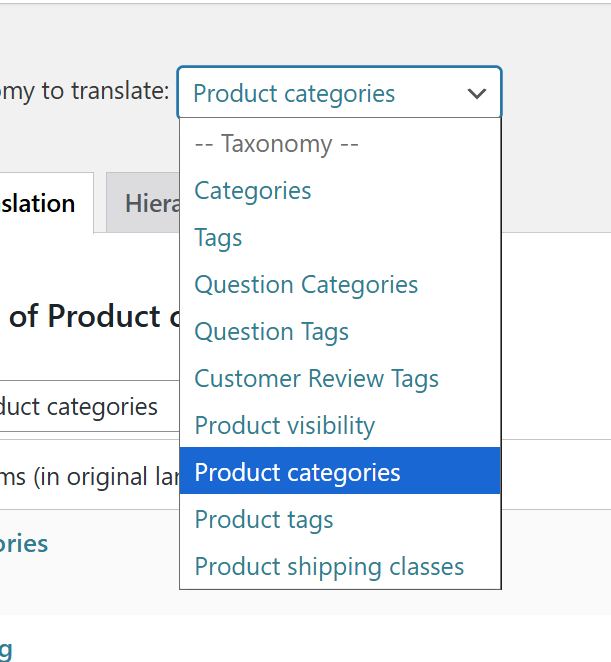
Finally, I can't find where I can translate the attribute anymore? It's not abailable in translation strings, neither in taxonomomy translation (not offered for translation, nor from the translation management screen).
Das Thema '[Geschlossen] How to edit variation product prices and attributes' ist für neue Antworten geschlossen.