Hi WPML Support,
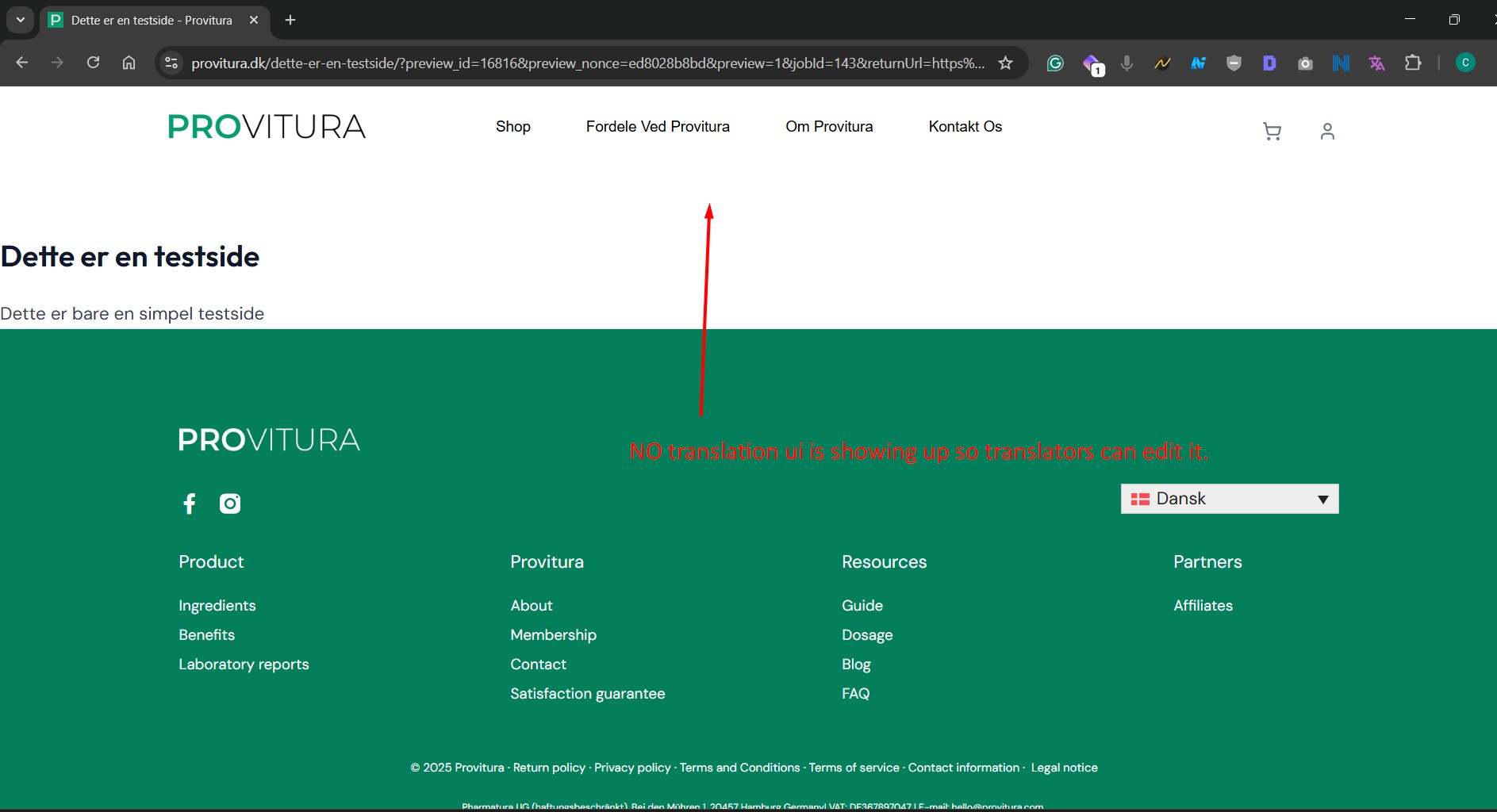
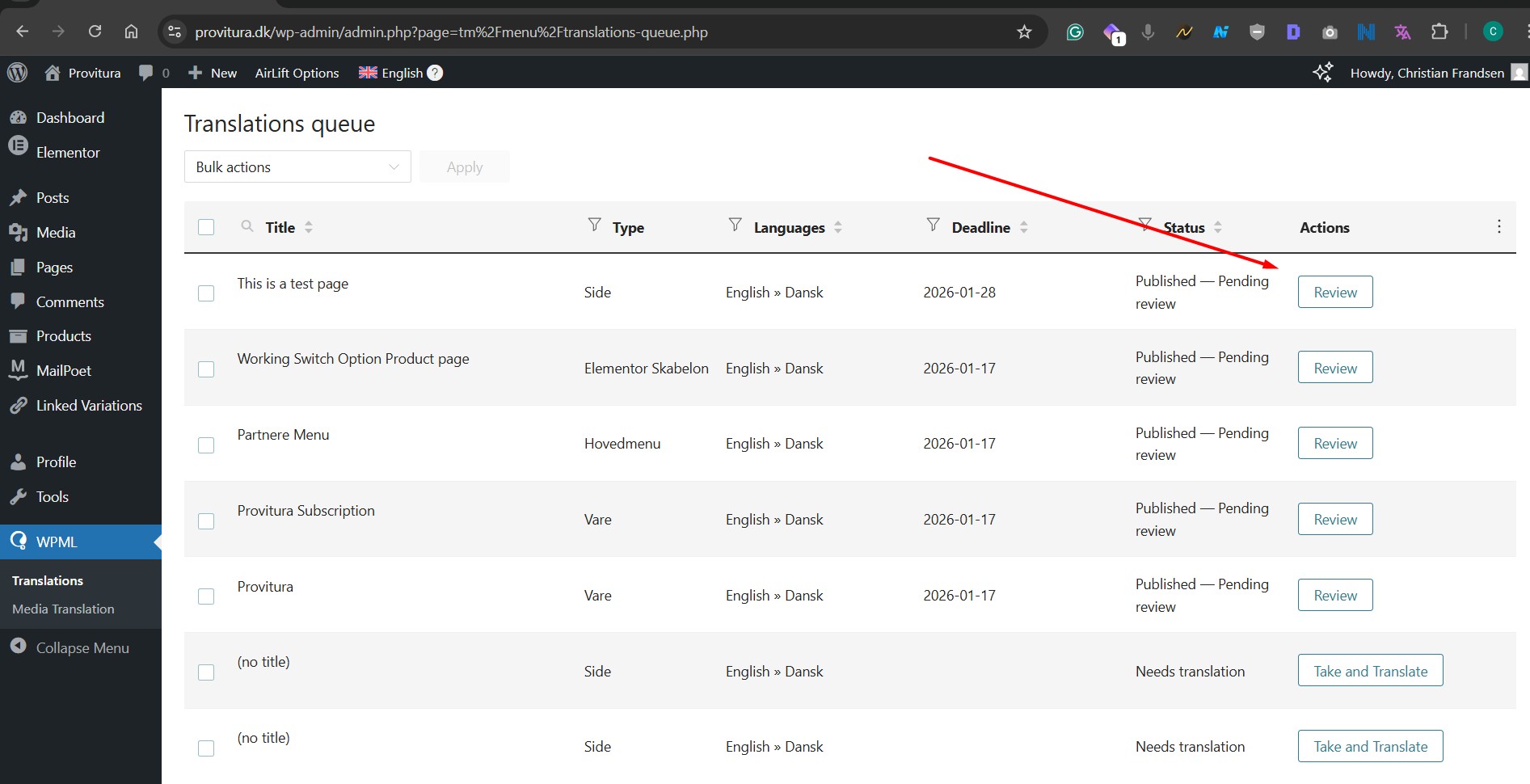
We use WPML Automatic Translation with Published — Pending review. The problem is that when a translator/reviewer clicks WPML → Translations → Review, the page opens but the WPML Review UI bar is missing (no “Edit translation” / “Publish this translation”). It only shows the normal Elementor front-end page, so they cannot proofread/correct the translation line-by-line in ATE.
We tested with an Administrator user and the Review UI is still missing, so it’s not a role issue.
Additionally, our translator accounts only see WPML → Translations and Media Translation (no Translation Management → Jobs), so they cannot open the translation jobs from there either.
We tried:
Enabling Display hidden languages in the user profile
Re-saving original content
WPML troubleshooting/cleanup tools
None fixed it.
We need a human/technical escalation to identify why the Review UI bar is not rendering and how we can reliably open ATE for proofreading “Pending review” translations (Elementor + Astra, different domains per language: provitura.com / provitura.dk).
(We will attach screenshots showing the missing Review UI and our translations queue.)
Das Thema '[Geschlossen] WPML “Pending review” cannot be proofread – Review UI missing' ist für neue Antworten geschlossen.