


With WPML and WPML Multilingual & Multicurrency for WooCommerce, one WooCommerce Memberships plan serves every language. Visitors see your restriction messages in their language, and members get their emails and discounts in their language and currency. Verified on WPML 5.4.0 with WooCommerce Multilingual 5.9.0 and WooCommerce Memberships 1.30.1, November 2026.
What You Build With WooCommerce Memberships
You set up the membership site in your default language, on three screens:
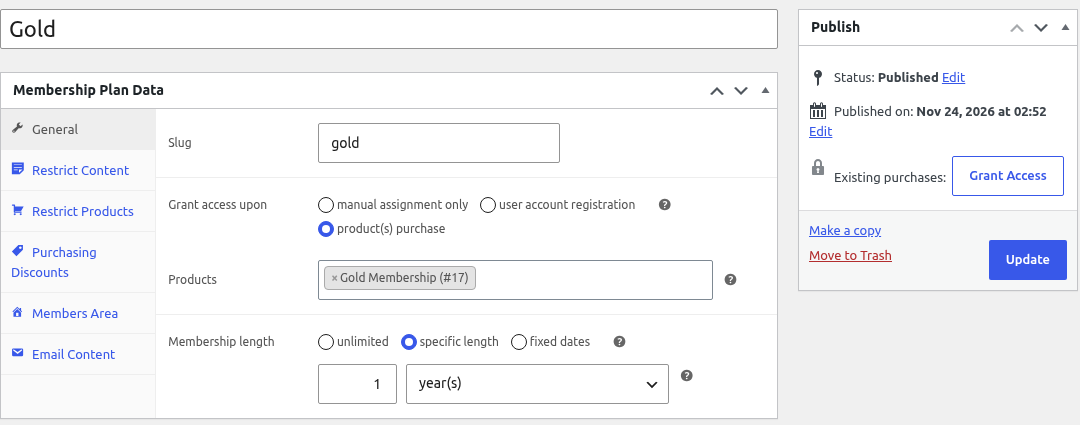
- WooCommerceMembershipsMembership Plans: the plan, with the tabs General (the products that grant access), Restrict Content, Restrict Products, Purchasing Discounts, Members Area and Email Content.
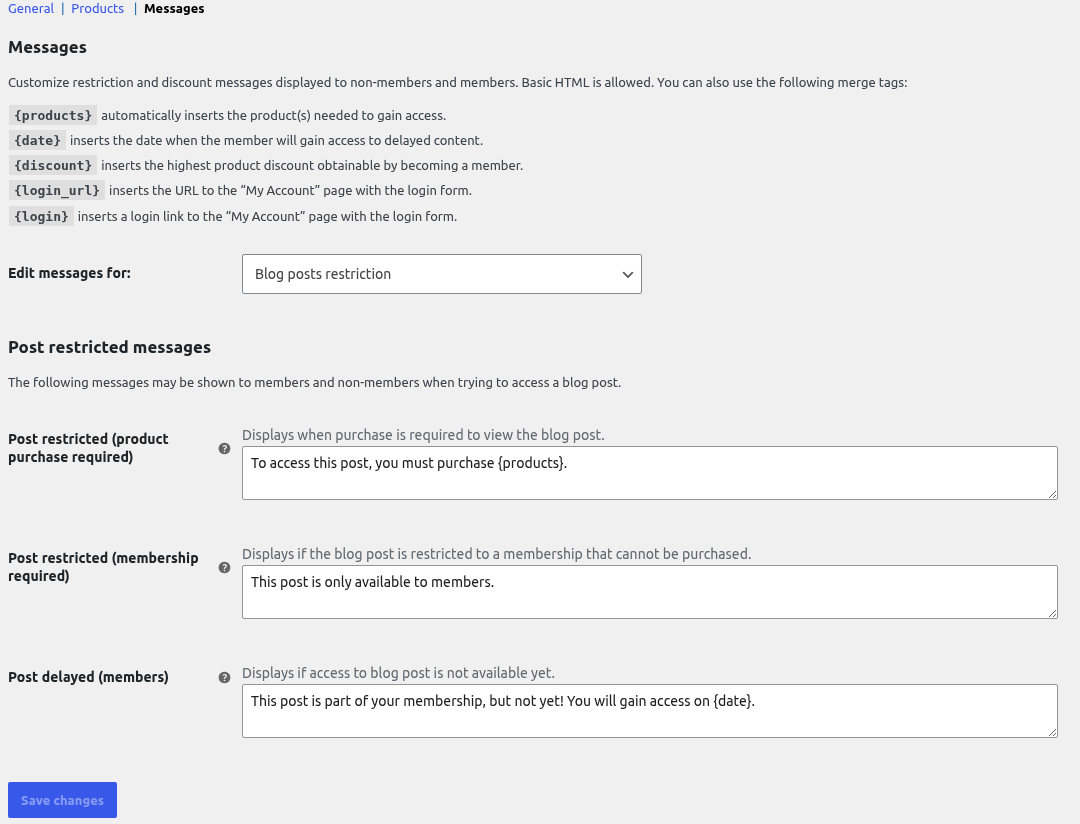
- WooCommerceSettingsMembershipsMessages: what visitors see on restricted content and discounts.
- WooCommerceSettingsEmails: the member emails, such as Membership ending soon and Membership ended.
What WPML Does With Your Membership Plan in Every Language
- One plan for all languages. The plan is not copied per language. Create it once, in your default language.
- The same membership from any language. A customer who buys the granting product in any language gets that one plan.
- Plan texts in the member's language. The plan name and the plan's email texts are translated with the rest of your site.
- Restriction messages in the visitor's language. Your saved messages show on restricted pages, posts, products, the cart and the checkout, and the products they name link to that language. A page's own restriction message is translated with the page.
- A members area on each language's My account page. It opens under the member's My account page, and the language switcher keeps the member in the members area. Its labels are in the member's language once you translate WooCommerce Memberships' own texts (below).
- Member emails in the member's language. Subject, heading, plan text and Additional content arrive in the language the member shopped in.
- Member discounts in every currency. A fixed member discount is converted into the member's currency, through checkout to the order. In our example, $5 off is 4,50 € off in euros.
To sell in more than one currency, see WooCommerce multi-currency.
Translate the WooCommerce Memberships Messages and Emails
WPML translates the texts that WooCommerce Memberships stores. Save them once, in your own words.
- Save the restriction messages. Go to WooCommerceSettingsMembershipsMessages. Choose each group under Edit messages for, adjust the texts, and write the Member discount login message under Purchasing discount. Click Save changes. The button turns active after your first change.
- Turn on and write the member emails. Go to WooCommerceSettingsEmails. Only Membership note is on when you install Memberships. Enable the emails you want and write their Subject, Email heading and Additional content.
- Save the plan's email texts. Open the plan, check its Email Content tab and click Update.
- Translate them. Go to WPMLTranslations. The Dashboard lists them under Membership Plans and Membership Messages.
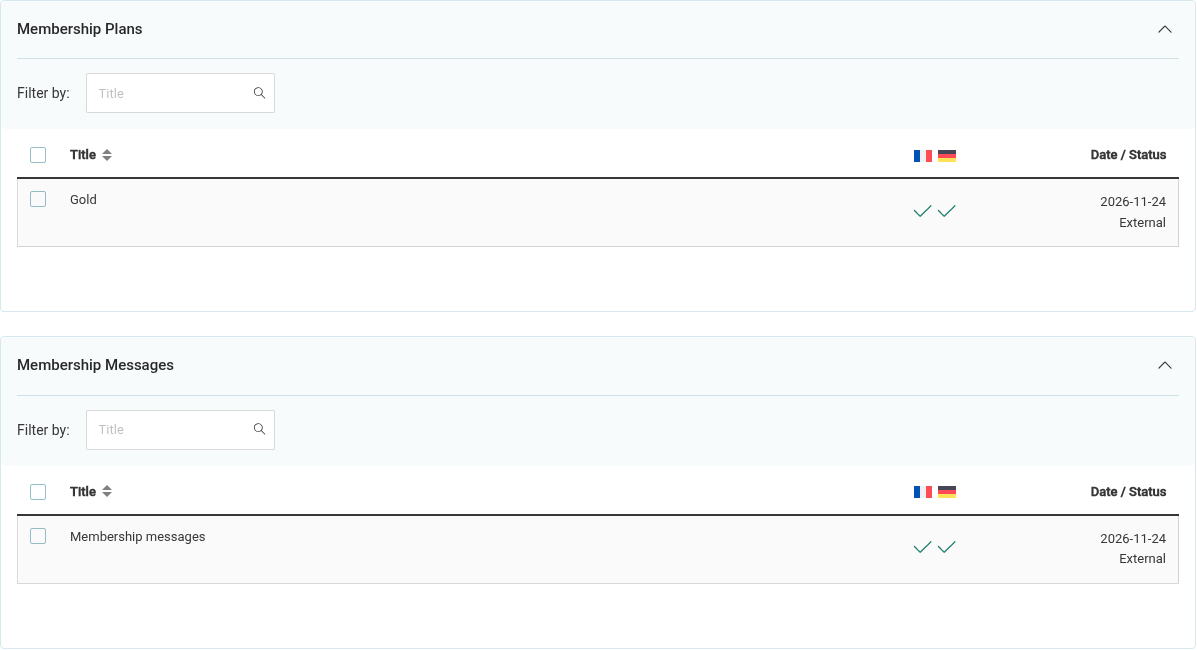
An email text that you write after your site is translated goes to WPMLTranslationsStrings. Open Strings, search for the text and translate it. More in translating strings.
Translate WooCommerce Memberships' Own Texts
WooCommerce Memberships also shows texts of its own: the members area labels such as My Membership, the message on a members-only product category, and the default email headings. You translate them as strings.
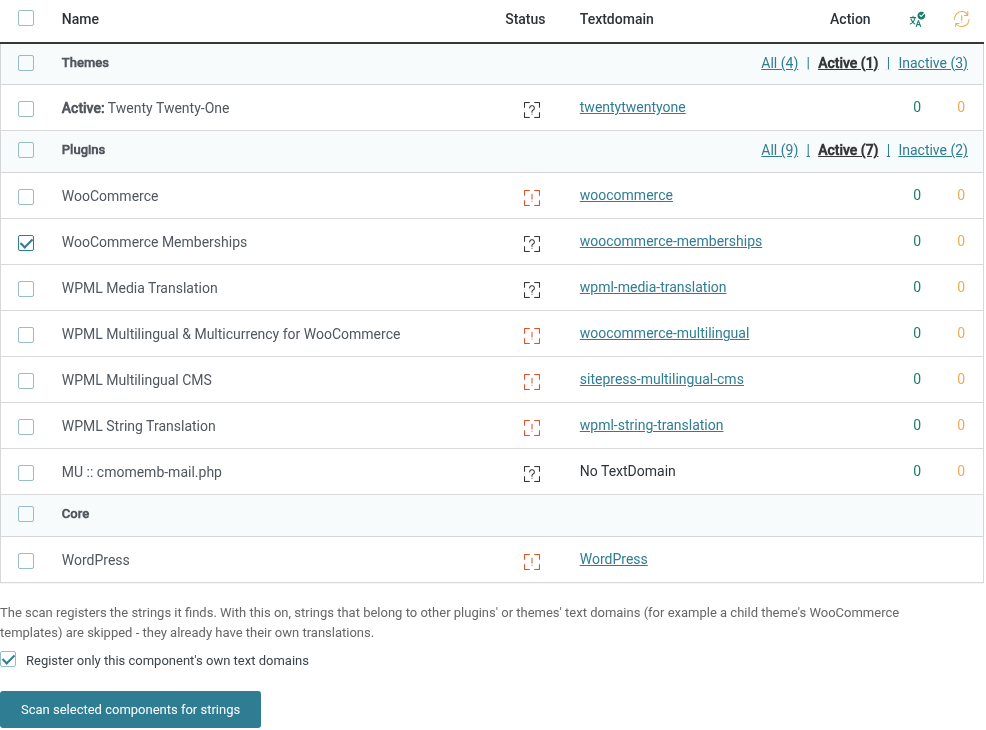
- Scan the plugin. Go to WPMLTranslationsStrings and click Scan themes and plugins. Under Not seeing an admin text you need?, select WooCommerce Memberships and click Scan selected components for strings.
- List its texts. Back on Strings, choose woocommerce-memberships in the All domains list and click Filter.
- Translate the texts your members see. Click the + under a language's flag, type the translation and press Enter.
- Or translate all of them automatically. Go to WPMLTranslationsDashboard and open Other texts (Strings). Set Source to Unknown and Domain to woocommerce-memberships, and select all the rows. Choose Translate automatically and click Translate content. This sends every text of the plugin, including texts your site never shows.
Translate Your Membership Site Automatically
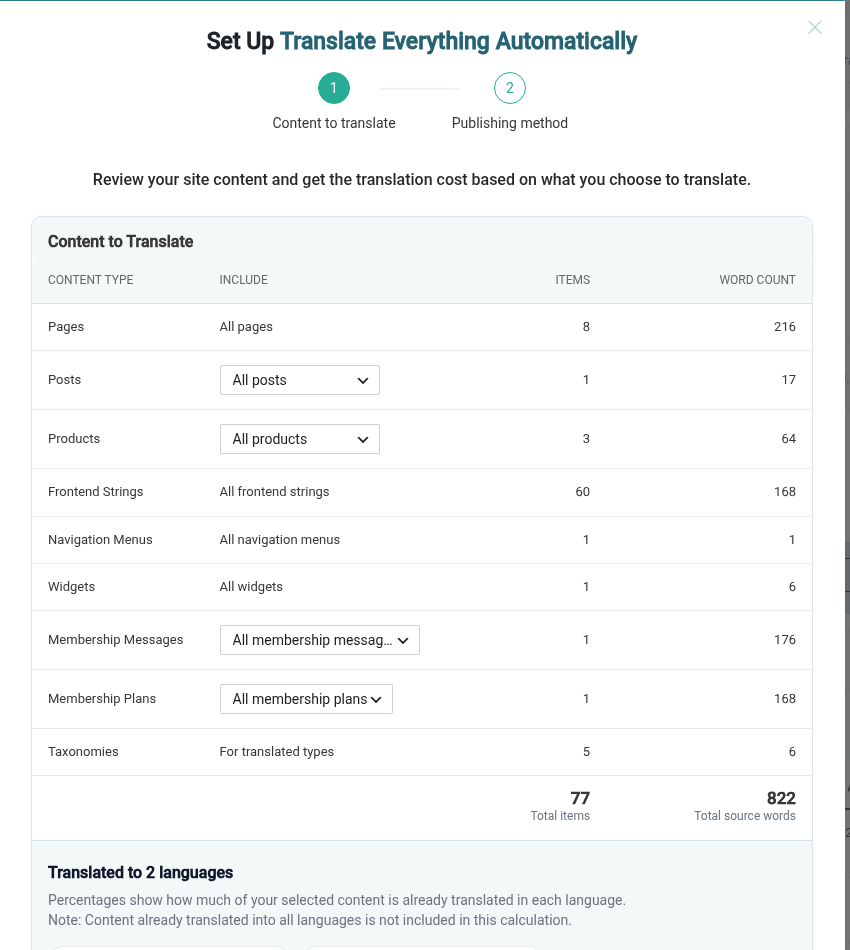
With Translate Everything, WPML translates the plan, the messages, the email texts and the restricted pages and products as you save them. When you set it up, the content step lists Membership Plans and Membership Messages next to your pages and products. Translations come from PTC (Private Translation Cloud) (opens in a new tab) and are published without review.
If a Membership Message or Email Is Still in the Default Language
- A message or email field is empty. An empty field shows the plugin's built-in text instead of yours. Write the text on the Messages tab or the email's screen and save it. WPML translates it.
- A label or message that you never wrote, such as My Membership or the category message, comes from WooCommerce Memberships itself. Translate it as in Translate WooCommerce Memberships' Own Texts.
- The email text was written after your site was translated. Translate it in WPMLTranslationsStrings, as in the step above.
For other WooCommerce extensions, see WooCommerce Subscriptions with WPML and how to translate WooCommerce. The compatibility record is on the WooCommerce Memberships plugin page.
For Developers
- Plans: post type
wc_membership_plan, one record, not translatable by design; name and email texts in the String Packagewc-membership-plan. - Messages: option
wc_memberships_messages, String Packagewc-memberships-messages;{products}resolves to the visitor's language. - Emails: admin texts of
woocommerce_WC_Memberships_User_Membership_*_Email_settings, declared in WPML'swpml-config.xmlfor Memberships. - Per-page messages:
_wc_memberships_*_messagefields, translated with the page. Members area: My account endpointmembers-area.
