Saltar al contenido Saltar a la barra lateral

Este tema contiene 0 respuesta, tiene 0 voces.

Última actualización por danielT-92 hace 11 meses, 1 semana.

Asistido por: Kor.

Autor Publicaciones
Abril 11, 2025 a las 10:47 #16922191

danielT-92

Background of the issue:
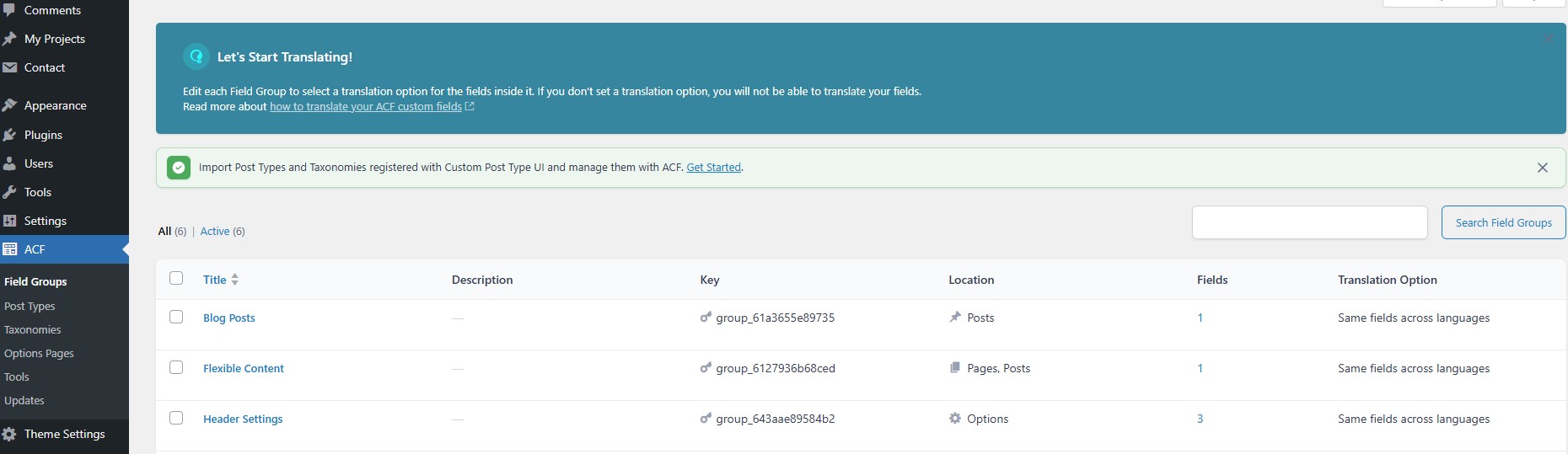
I just downloaded WPML to our WordPress website and activated the 2 recommended plugins along with the ACF one since our blocks are created using that. I went to 'Translation Management' under WPML in the WordPress admin. I have followed your setup processes and also this help article https://wpml.org/documentation/related-projects/translate-sites-built-with-acf/translating-acf-field-labels-with-wpml/. I have gone into ACF and set the translation method to the first option for the automatic translations and also set them to be visible with the Rest API. I have also followed this help document and done everything correct in that too: https://wpml.org/documentation/related-projects/translate-sites-built-with-acf/

Symptoms:
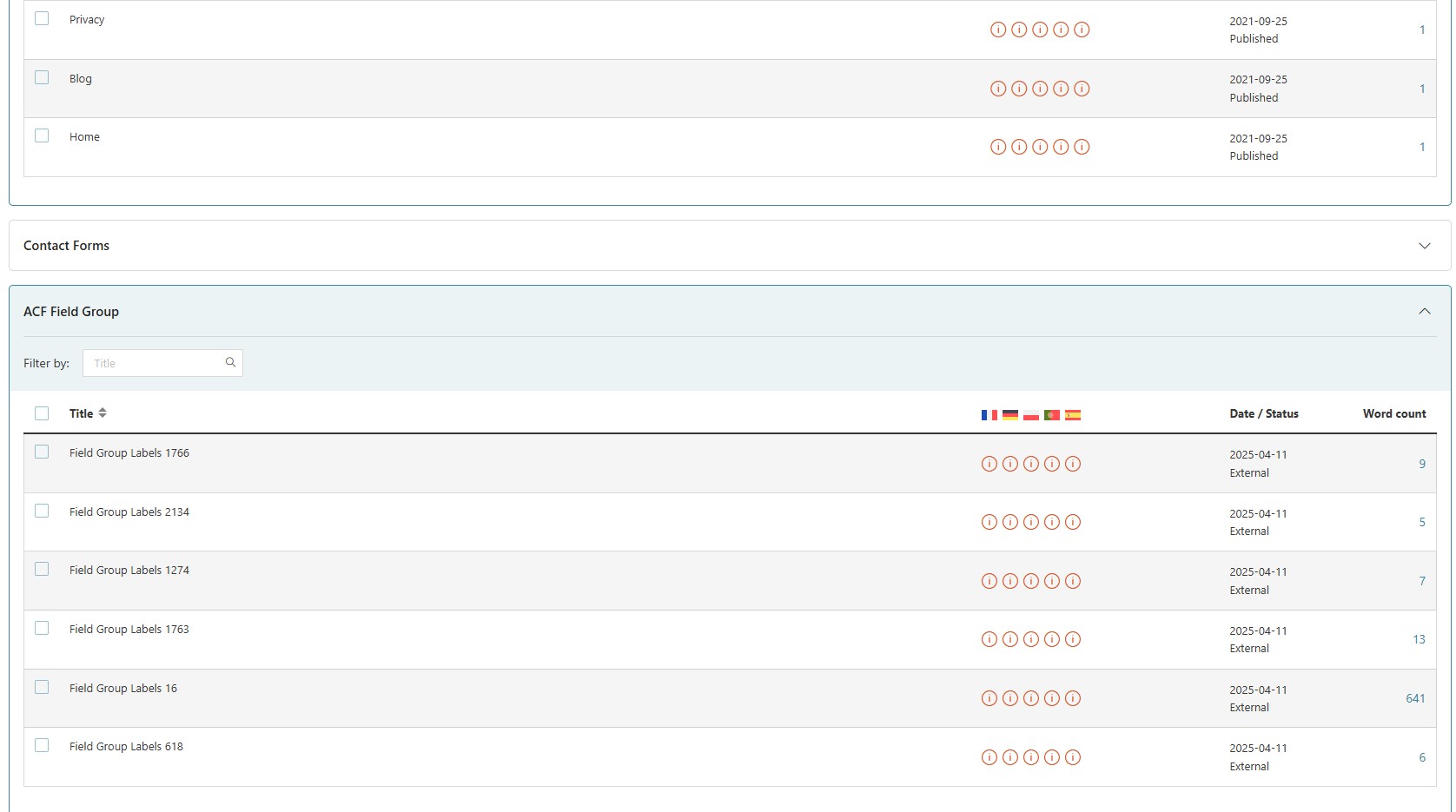
Under 'Pages' the word count for many of them just says 1. Further down under the ACF field group dropdown, it states 6 field labels, however the word counts for these are: 9, 5, 7, 13, 641, and 6. When I counted the words on the website before choosing WPML, the total (not including Blog Posts and the T&C etc) came to: 17,768. Contact forms and Blogs seem to be correct for their word counts, so it looks like a WPML and ACF connection issue. Does your system identify similar words and once translated doesnt count them again on other pages perhaps?

Questions:
Have I missed something as wordcount seems wrong