[Resuelto] No se traduce el contenido, solo el menú.
Este hilo está resuelto. Aquí tienes una descripción del problema y la solución.
Problema: Si estás experimentando que al cambiar de idioma en tu sitio web solo se traduce el menú del encabezado pero no el contenido de la página, y estás utilizando Elementor Pro y el tema Hello Elementor, el problema podría estar relacionado con la configuración de WPML o con plugins desactualizados. Solución: 1. **Actualiza tus plugins de WPML:** * Ve a **Plugins → Añadir nuevo → Pestaña Comercial** y haz clic en **Buscar actualizaciones**. 2. **Verifica el estado de la traducción de tus páginas:** * Ve a **Páginas → Todas las páginas**. * Observa la columna del idioma inglés (EN). Si ves un icono de **lápiz** junto a la página en español, significa que la traducción está enlazada. Si ves un icono de **más** (+), significa que aún no hay una traducción enlazada para esa página. 3. **Si las traducciones no están enlazadas (icono '+'):** * Haz clic en el icono de **más** (+) en la columna EN para abrir el **Editor de Traducción Avanzada** de WPML. * Copia y pega el contenido en inglés en el editor o utiliza la traducción automática si tienes créditos y luego revisa la traducción. * Haz clic en el botón **Completar** para guardar la traducción.
Si después de seguir estos pasos el problema persiste, es posible que la solución aquí presentada no sea relevante debido a que está desactualizada o no se aplica a tu caso. Te recomendamos revisar los problemas conocidos, verificar la versión del arreglo permanente y confirmar que tienes instaladas las últimas versiones de los temas y plugins. Si necesitas más ayuda, por favor, abre un nuevo ticket de soporte en nuestro foro de soporte.
Este es el foro de soporte técnico de WPML, el plugin multilingüe de WordPress.
Todas las personas pueden leerlo pero solo los clientes de WPML pueden ingresar comentarios. El equipo de WPML responde en los foros 6 días a la semana, 22 horas por día.
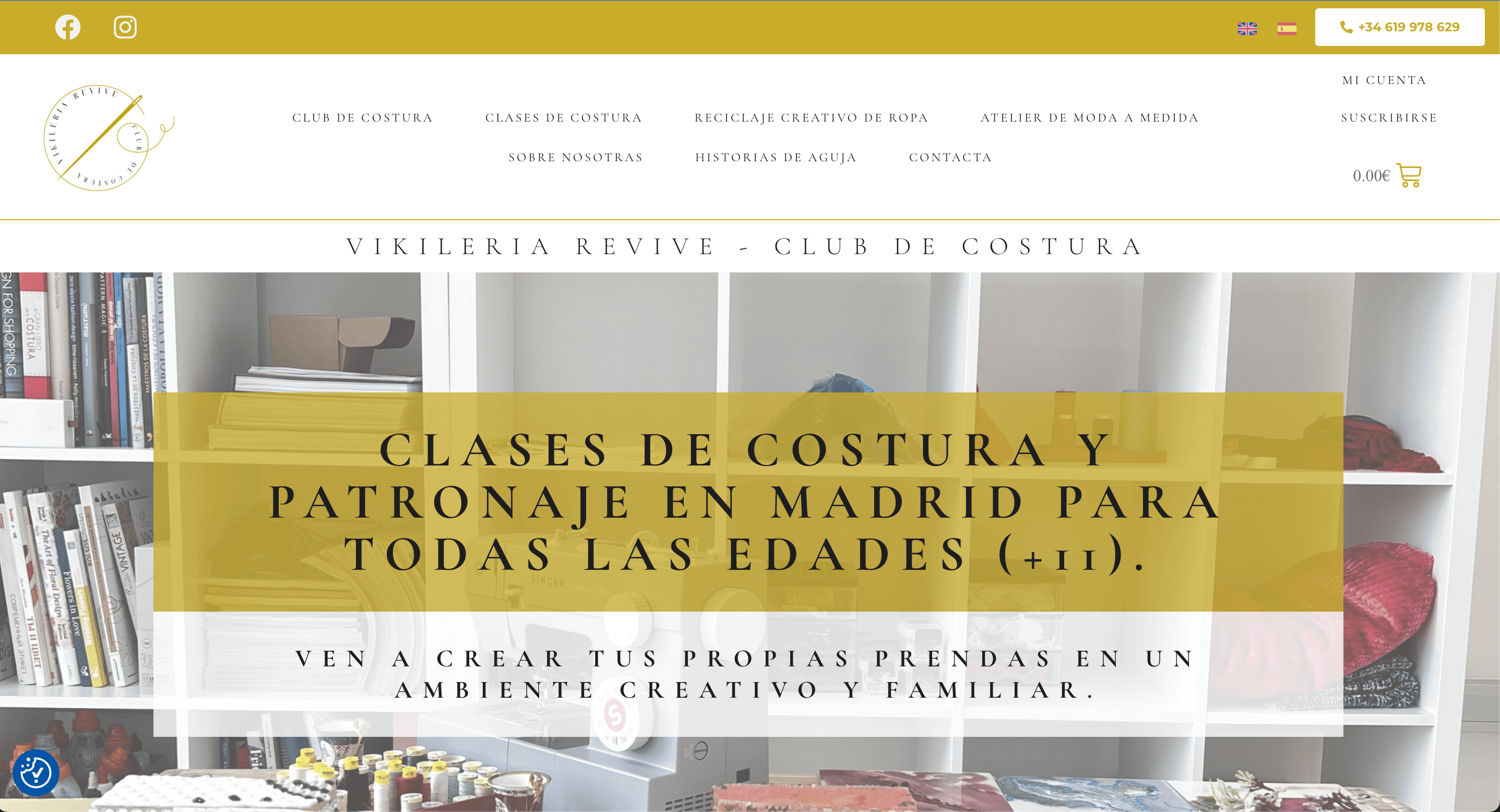
Hemos traducido manualmente de ES a EN cada página de esta web pero al hacer cambio de idioma desde las banderas solo se traduce el menú del Header, pero no se traduce el contenido de la página.
I'm Prosenjit from the WPML Development Team, and I'll be happy to help you with this issue. Before we proceed, I wanted to let you know that my Spanish-speaking colleagues are currently unavailable, which is why I've picked up your ticket and am responding in English. I hope that's okay with you. If you'd prefer support in Spanish, please let me know in your next response and we'll see what we can arrange.
I completely understand the issue you're experiencing. I've checked your site and can see that the homepage is created using mostly the default widgets of Elementor. The WPML Debug information you shared shows that everything appears to be configured correctly. I can also confirm that in our translation management system, the English translation is showing as complete and the status indicates "delivered." So technically, everything should be in place for the translation to display correctly.
Since the translation isn't appearing on the frontend, could you please confirm whether the WPML String Translation plugin was active on your site at the time you created the translations? In most cases, issues like this occur when:
- The String Translation plugin wasn't active during the initial translation
- The plugin was activated after the translations were already completed
Could you please try the following steps and see if this resolves the issue?
1. Clear all caches from your site and browser
2. Open the Spanish version of the homepage in the WordPress editor
3. Make a small change to the page title (add any character or letter) and save the changes
4. This should trigger a translation update — you should see a Translation Update icon for the English language
5. Click on that icon and complete the translation update
6. Once that's done, check the English version and see if the translation displays correctly
If the problem continues even after following these steps, I'll need to take a closer look to understand the root cause. In that case, I kindly request access to your site so I can investigate directly and help you find a solution.
I've enabled the private fields for you so you can securely share the access credentials. You should see these fields when you reply to this ticket.
Please try the suggested steps first and let me know how it goes. I'm here to help you every step of the way!
Thank you for the update! I'm glad to hear that the translation issue has been largely resolved and that your translations are now displaying correctly across all pages.
Regarding the redirect issue, I've investigated the redirects you mentioned:
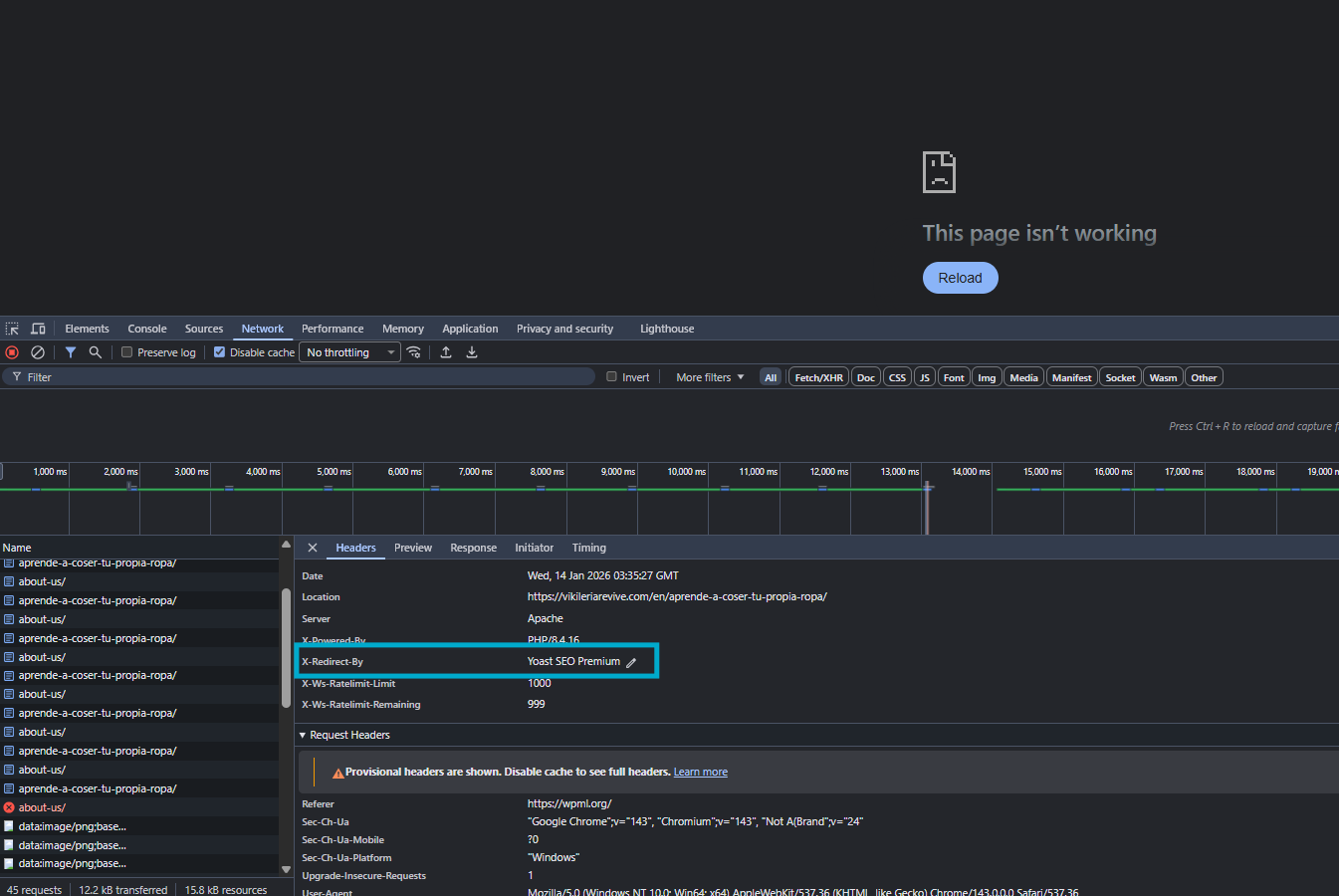
I can confirm that these redirects are being handled by Yoast SEO Premium, not by WPML. I've attached a screenshot showing where these redirects are configured.
To fix these redirects, please follow these steps:
1. Go to "Yoast SEO → Redirects" in your WordPress admin (this is the Yoast SEO Premium redirects manager)
2. Look for the redirects affecting these two URLs:
- `/en/aprende-a-coser-tu-propia-ropa/`
- `/en/aprender-a-coser-en-madrid/`
3. Either delete these redirects or update them to point to the correct translated pages
Once you've adjusted or removed these redirects in Yoast SEO, the pages should load correctly without redirecting to the wrong destinations.
Yoast SEO Premium automatically creates redirects when it detects that URLs have changed or when pages are moved. It's possible these redirects were created during the translation process or during previous site updates, and they're now pointing to incorrect destinations.
Please make these adjustments in Yoast SEO and let me know if the pages are now accessible correctly. If you encounter any issues or need further assistance, I'm here to help!
Since you've shared the access, I've found and removed the problematic redirects for you.
The issue you were experiencing was related to how URLs were being constructed. Let me explain:
When you tried to access a Spanish page by adding the English language directory before a Spanish slug (for example, `/en/aprende-a-coser-tu-propia-ropa`), you were essentially telling the system to look for a page called "aprende-a-coser-tu-propia-ropa" in English — which doesn't exist.
Normally, WPML's internal redirect function would handle this gracefully and redirect you to the appropriate page. However, the Yoast SEO redirects were interfering with this process and sending you to incorrect destinations instead.
When users are on the Spanish version of your site and use the language switcher to change to English, they'll automatically be directed to the correct English URL (like `/en/about-us`), not a mixed-language URL like `/en/aprende-a-coser-tu-propia-ropa`.
In a properly configured multilingual site, these mixed-language URLs (English directory + Spanish slug) shouldn't be accessible or linked anywhere. Users will always use the language switcher to navigate between languages, which ensures they're directed to the correct translated pages.
I've removed the conflicting redirects from Yoast SEO, so WPML can now handle language routing correctly. Your site should now work as expected when switching between languages.
Please test the language switcher and the pages you mentioned, and let me know if everything is working as expected. If you have any other questions or need further clarification, I'm here to help!