[Cerrado] No traduce placeholder en finalizar compra
Este es el foro de soporte técnico de WPML, el plugin multilingüe de WordPress.
Todas las personas pueden leerlo pero solo los clientes de WPML pueden ingresar comentarios. El equipo de WPML responde en los foros 6 días a la semana, 22 horas por día.
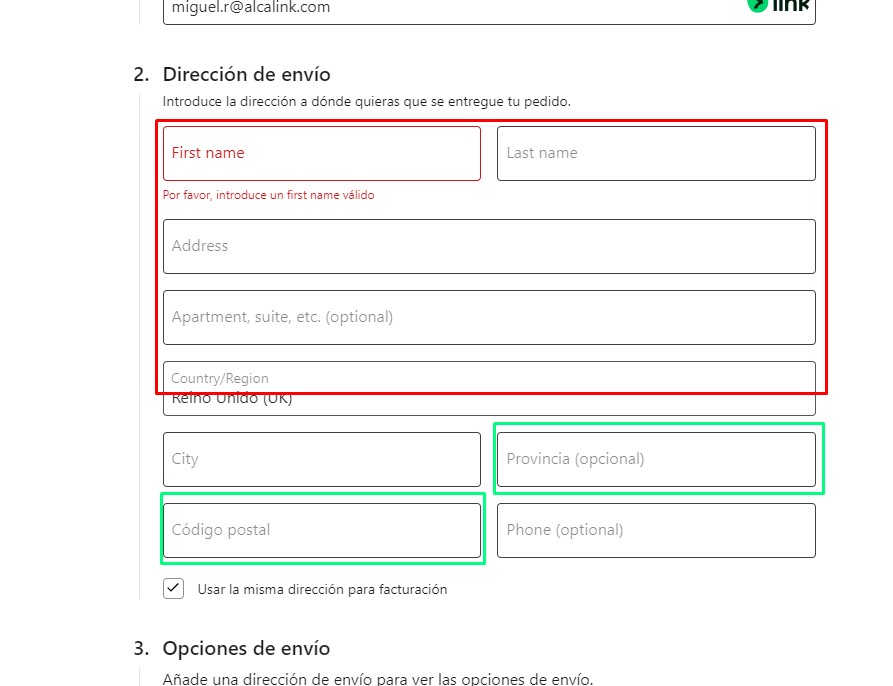
Tenemos dos idiomas en la web (español y francés) y en el finalizar compra, en la dirección los placeholder hay un par que se traducen pero todos los demás no, se quedan en inglés. Si desinstalamos el wpml string aparecen en español.
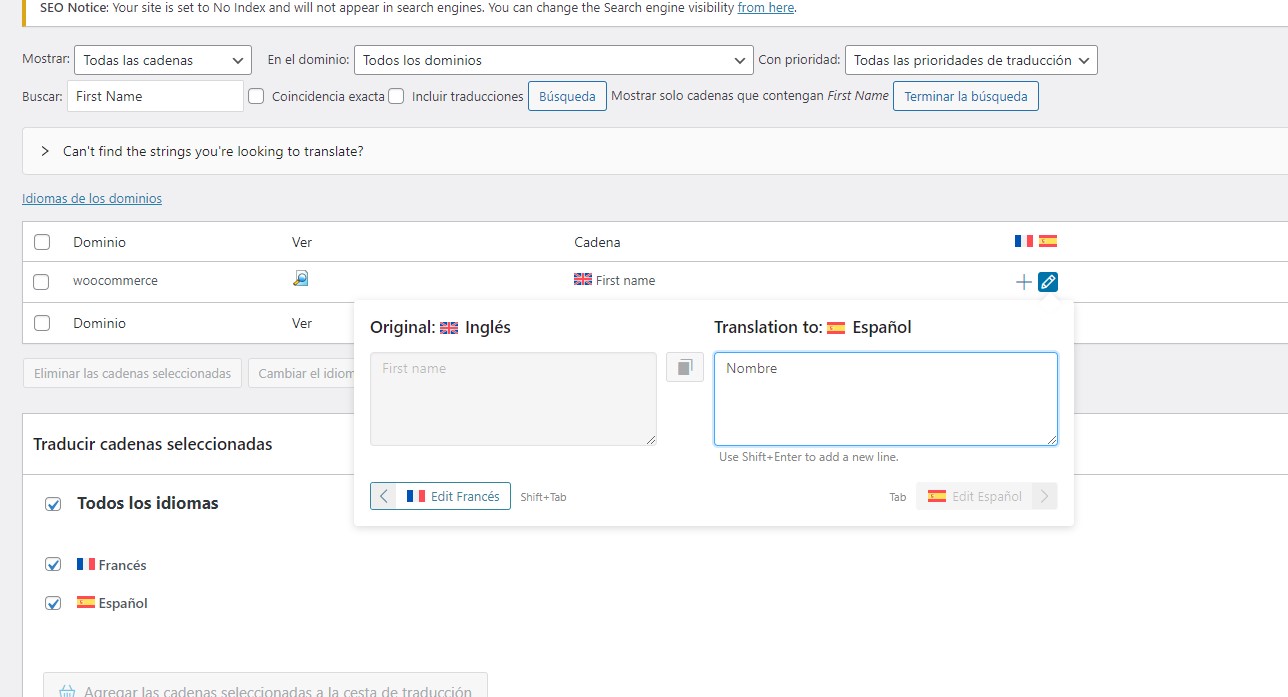
Hemos probado directamente a buscar la cadena de traducción, la traducimos, miramos que en el fichero de traducciones está, pero no se muestra en el front
To reduce the waiting time, I took this ticket and responded in English. Please let me know if you're okay with it or want to continue the conversation in Spanish language. I will check and forward the ticket to one of our Spanish supporters to assist you in the Spanish language.
I understand the issue you're experiencing. Translation support is available for most of the WooCommerce strings. Could please try the following steps to see if they helps in translating the placeholder text?
In that case, a closer inspection will be required to understand the root cause of the issue.
I would like to request temporary access (wp-admin and FTP) to your site to take a better look at the issue. It would be better to have a testing site where the issue is replicated.
You will find the needed fields below the comment area when you log in to leave your next reply. The information you will enter is private which means only you and I can see and have access to it.
Maybe I'll need to replicate your site locally. For this, I’ll need to temporarily install a plugin called “Duplicator” or "All in One WP Migration" on your site. This will allow me to create a copy of your site and your content. Once the problem is resolved I will delete the local site. Let me know if this is ok with you.
IMPORTANT
-Please backup site files and database before providing us access.
-If you do not see the wp-admin/FTP fields this means your post & website login details will be made PUBLIC. DO NOT post your website details unless you see the required wp-admin/FTP fields. If you do not, please ask me to enable the private box. The private box looks like this: enlace oculto
Hi There,
Thank you for sharing the access information.
I have checked and am happy to inform you that the issue has been fixed. The placeholders are now showing correctly translated. Please check this screenshot: enlace oculto
The issue was that the MO files of WooCommerce weren't generated, and the textdomain of WooCommerce wasn't configured to load automatically. By going to WPML > Theme and Plugins Localization, I enabled the option marked in enlace oculto">this screenshot and included the WooCommerce textdomain in the box below it. Then, I regenerated the MO files, which fixed the issue.
Please check and let me know if you need further assistance in this matter. I will be happy to help.
Now there are some fields that are translated but others are impossible to translate. I look for them in string translation but they don't appear and I can't translate them.
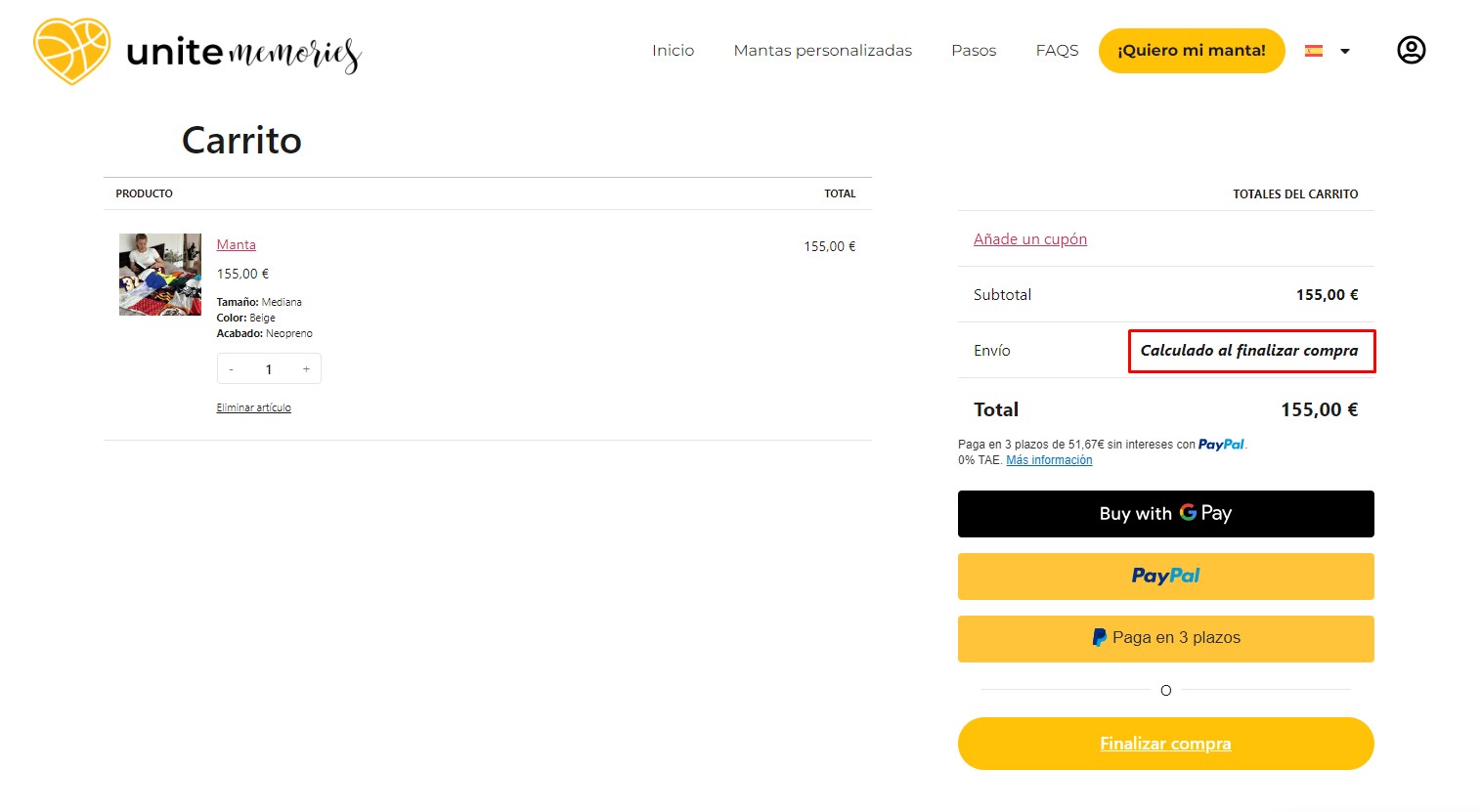
How could I translate the text I attached in the screenshot?
I have detected that the code is in JS but not in PHP
The text marked in the screenshot appears to be in Spanish language and is correctly displayed in the French version as well. Please check this screenshot: enlace oculto
Could you please specify which text is not showing as translated? If the text is within a JS file, ensure that translation support is added for the text within the JS file. Please check this guide to understand the process.
Let me know the update. I will be happy to help if you need further assistance in this matter.
Please go to WPML > String Translation and search for Calculated during checkout. If the text string appears in the results, you can add the Spanish translation as needed.
If you don't see the exact result, please let me know how to find the exact text. If there is anything in WooCommerce that needs to be adjusted, please let me know that too. I will check and let you know the next steps.
Thank you for the update. It may be necessary to register the text for translation so that it can be translated into Spanish from String translation. Could you please share the exact steps to see that message? If any specific configuration is required within WooCommerce to display that message, kindly include those details in your next response. I will try to replicate the issue and let you know the next steps.
Looking forward to your response.
Best regards,
Prosenjit
El tema '[Cerrado] No traduce placeholder en finalizar compra' está cerrado a nuevas respuestas.