Vai al contenuto Vai alla barra laterale

Questo thread è stato risolto. Ecco una descrizione del problema e della soluzione.

Problema:
Se stai riscontrando che le stringhe tradotte in WPML String Translation non vengono visualizzate nella lingua corretta sul tuo sito, potrebbe essere dovuto a stringhe codificate direttamente nel tema o aggiunte tramite le opzioni del tema.

Soluzione:
1. Se il testo è codificato direttamente nel tema, assicurati che il supporto alla traduzione sia implementato correttamente. Il testo dovrebbe essere racchiuso nella funzione gettext con il corretto text domain per abilitare la traduzione tramite l'interfaccia String Translation. Puoi fare riferimento alla guida seguente per capire come fare:
https://wpml.org/documentation/support/translating-the-theme-you-created/#using-gettext-functions-in-php

2. Se il testo è aggiunto tramite le opzioni del tema, potrebbe non essere ancora registrato per la traduzione. Controlla la schermata Admin sotto String Translation per vedere se il testo necessita di essere registrato. Se appare lì, registrarlo per la traduzione. Per istruzioni dettagliate, fai riferimento a:
https://wpml.org/documentation/getting-started-guide/string-translation/finding-strings-that-dont-appear-on-the-string-translation-page/#translate-admin-and-settings-strings

3. Segui le istruzioni menzionate in questa guida se non riesci a trovare la stringa che stai cercando di tradurre:
https://wpml.org/documentation/getting-started-guide/string-translation/finding-strings-that-dont-appear-on-the-string-translation-page/

Se dopo aver seguito questi passaggi hai ancora bisogno di assistenza, ti invitiamo a contattarci aprendo un nuovo ticket di supporto. Ti consigliamo vivamente di controllare i problemi noti correlati su https://wpml.org/known-issues/, verificare la versione della correzione permanente e confermare di aver installato le ultime versioni di temi e plugin.

Se la soluzione fornita non è applicabile al tuo caso, perché potrebbe essere obsoleta o non pertinente, ti preghiamo di aprire un nuovo ticket di supporto nel nostro forum: forum di supporto WPML.

Questo è il forum di assistenza tecnica di WPML, il plug-in multilingue di WordPress.

La sua lettura è permessa a tutti, ma la pubblicazione è riservata esclusivamente ai clienti di WPML. Il team di WPML risponde sul forum 6 giorni su 7, 22 ore su 24.

Etichettato: 

Questo ticket contiene 3 risposte, ha 2 voci.

Ultimo aggiornamento da Prosenjit Barman 1 anno, 11 mese fa.

Assistito da: Prosenjit Barman.

Autore Post
Maggio 3, 2024 alle 16:30 #15592146

francescoD-48

Ciao,

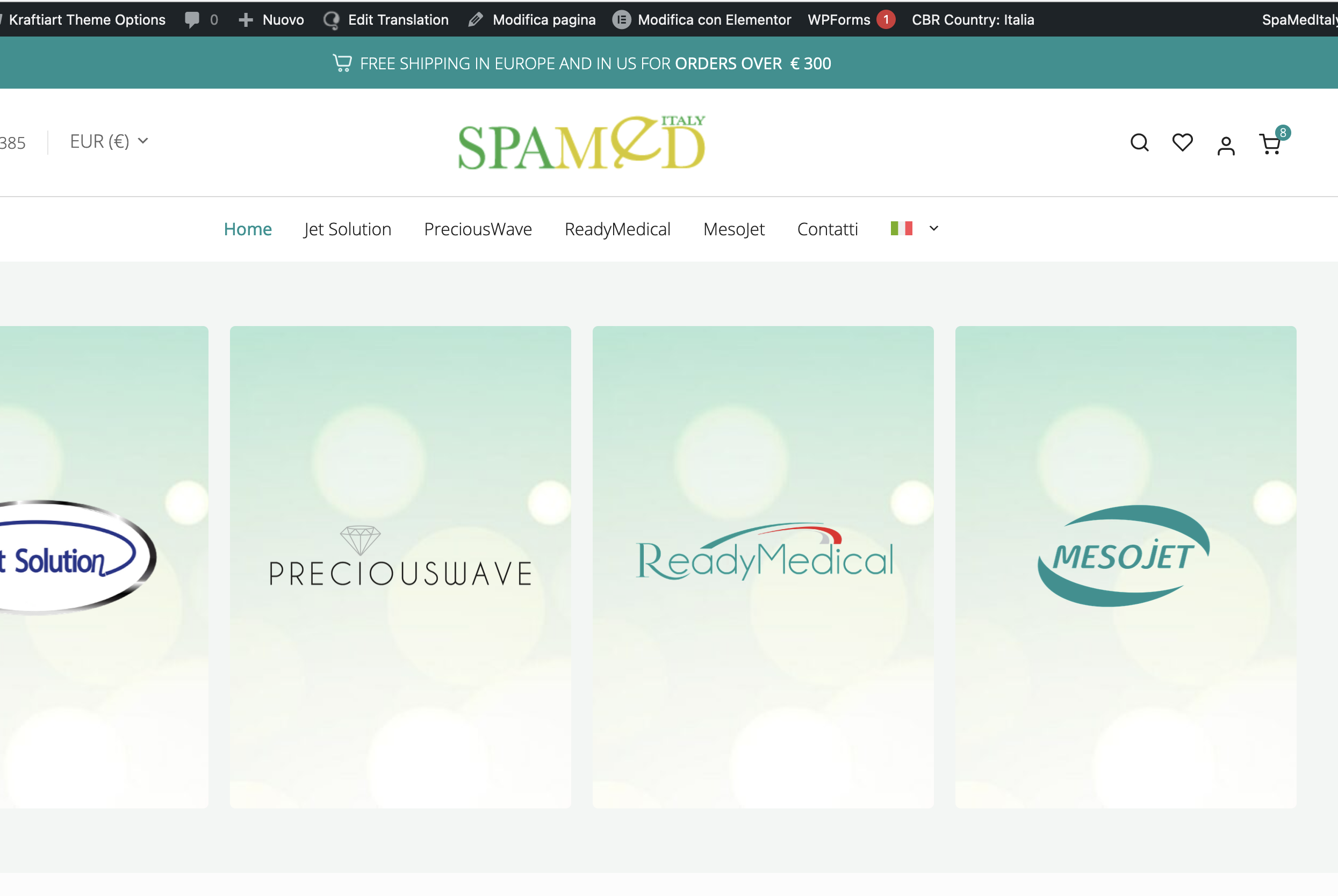
noto che in String Translation in realtà sono presenti stringhe già tradotte, ma online sul sito risultano sempre nella lingua default del sito ovvero inglese. Ad esempio in home page la scritta in alto FREE SHIPPING IN EUROPE AND IN US FOR ORDERS OVER € 300, è presente la traduzione in italiano (vedi allegato), ma online switchando la bandiera ITA, la stringa resta semrpe in inglese. Stesso discorso vale per la sezione Checkout e Cassa, dove le diverse stringhe di testo presenti in inglese, sono presenti tradotte anche in tutte le lingue, ma online sono visibili solo in inglese. Come mai?

Grazie mille

Screenshot 2024-05-03 alle 18.26.08.png
Screenshot 2024-05-03 alle 18.25.35.png
Maggio 6, 2024 alle 5:11 #15594997

Prosenjit Barman
Sostenitore di WPML dal 03/2023

Lingue: Inglese (English )

Fuso orario: Asia/Dhaka (GMT+06:00)

Hello There,
Thanks for contacting WPML Support. Sorry for the delay in responding due to the weekend.

To reduce the waiting time, I took this ticket and responded in English. Please let me know if you're okay with it or want to continue the conversation in Italian. I will check and forward this ticket to one of our Italian supporters to assist you further in the Italian language.

I understand the issue you're experiencing. Upon reviewing the homepage, it appears that the text you've mentioned does not seem to be associated with Elementor. Typically, Elementor adds specific class information to its text in the markup, but this is not added to the text.

It's possible that the text is hardcoded within the theme or added through the theme options. If it's hardcoded, could you please ensure that translation support is properly implemented? The text should be enclosed in the gettext function with the correct text domain to enable translation via the String Translation interface. You can refer to the guide below to understand how to do this:

- https://wpml.org/documentation/support/translating-the-theme-you-created/#using-gettext-functions-in-php

If the text is added through the theme options, it might not yet be registered for translation. Could you please check the Admin screen under String Translation to see if the text needs to be registered? If it appears there, register it for translation. For detailed instructions, please refer to:

- https://wpml.org/documentation/getting-started-guide/string-translation/finding-strings-that-dont-appear-on-the-string-translation-page/#translate-admin-and-settings-strings

You can alsoo follow the instructions mentiond in this guide(https://wpml.org/documentation/getting-started-guide/string-translation/finding-strings-that-dont-appear-on-the-string-translation-page/) in case if you're not finding the string that you're trying to translate.

Please let me know if that helps or if you need further assistance in this matter. I will be happy to help.

Best regards,
Prosenjit

Maggio 6, 2024 alle 7:55 #15595715

francescoD-48

Hi,
I really appreciate your help. Unfortunately my skills, not being a developer, are limited and I wouldn't know how to proceed. Therefore I would ask you if you can perform this operation for me. You can do it? For me it's fine to continue in English with your support, no problem.
Let me know

Francesco
thanks so much

Maggio 7, 2024 alle 4:05 #15599641

Prosenjit Barman
Sostenitore di WPML dal 03/2023

Lingue: Inglese (English )

Fuso orario: Asia/Dhaka (GMT+06:00)

Hello Francesco,
Thank you for the update.

I can certainly guide you, but please note that translating content falls outside the scope of our support. You can translate most static strings on your site via WPML > String Translation. However, if you're unable to locate the text you need, I'll be more than happy to assist you further.

I would like to request temporary access (wp-admin and FTP) to your site to take a better look at the issue. It would be better to have a testing site where the issue is replicated.

You will find the needed fields below the comment area when you log in to leave your next reply. The information you will enter is private which means only you and I can see and have access to it.

IMPORTANT
-Please backup site files and database before providing us access.
-If you do not see the wp-admin/FTP fields this means your post & website login details will be made PUBLIC. DO NOT post your website details unless you see the required wp-admin/FTP fields. If you do not, please ask me to enable the private box. The private box looks like this:
link nascosto

Looking forward to your response.

Best Regards,
Prosenjit