Dies ist das technische Support-Forum für WPML – das mehrsprachige WordPress-Plugin.
Mitlesen können alle, doch nur WPML-Kunden können hier Fragen veröffentlichen. Das WPML-Team antwortet im Forum an 6 Tagen pro Woche, 22 Stunden am Tag.
Hintergrund des Themas:
I am trying to embed shortcodes from CF7 on EN pages or posts. The issue can be seen on this page: versteckter Link. Up to now, CF7 shortcodes have been output without any problems.
Die Symptome:
Error: Contact form not found.
Fragen:
Why are CF7 shortcodes not working on EN pages?
How can I resolve the 'Contact form not found' error?
Thank you for contacting WPML Support. Could you please try to follow the below steps and let me know how it goes:
1. Take a backup of your site first for safety reasons.
2. Install/activate the Contact Form 7 Multilingual plugin on your site which is required, if the WPML is registered properly then you should be able to install it from Plugins >> Add New Plugin > Commercial tab page, or directly download it from here: https://wpml.org/download/contact-form-7-multilingual/
Hi Noman, we decided against translating the forms because we use the Classic Translation Editor and not the Advanced Translation Editor. So far, we have created the forms twice and then inserted the forms created for EN on the EN page using shortcode. This worked for several years, but now you only get an error message on the EN page. What can we do to make the previous solution work again?
Regards
Hello Noman, we have looked at the error again. We noticed that it only occurs when the shortcode is long and contains special characters.
Example: versteckter Link
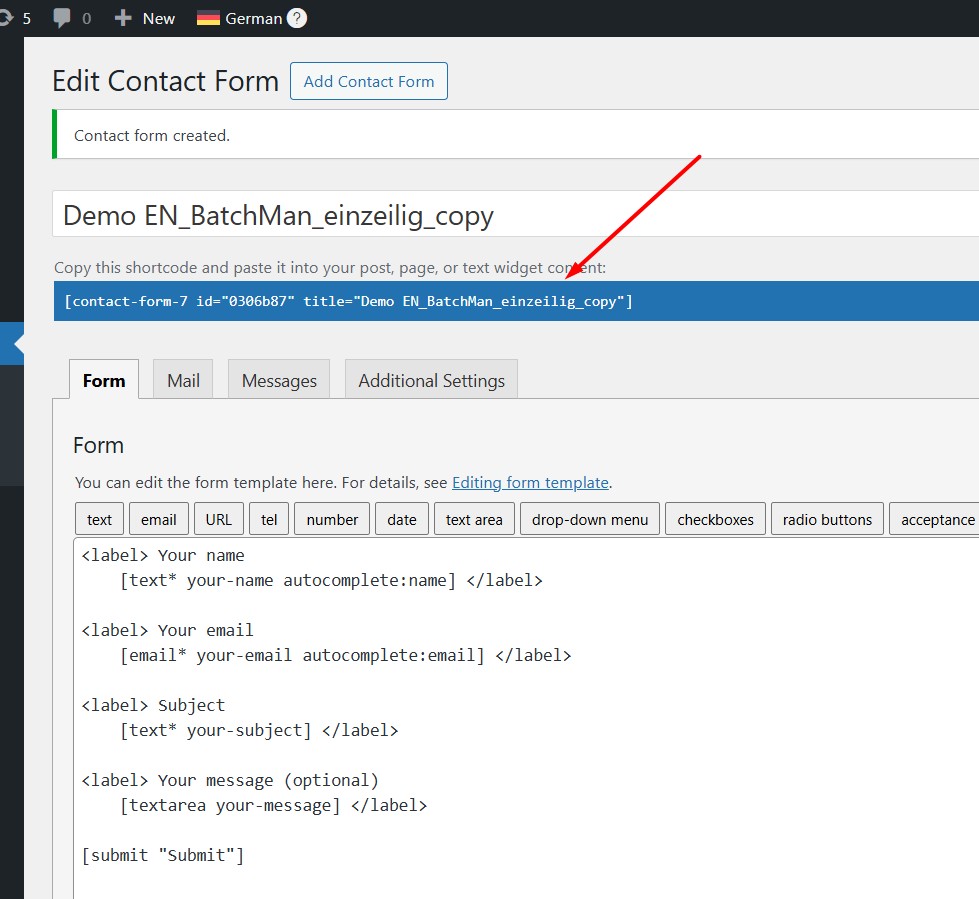
[contact-form-7 id="b0273d5" title="Demo EN_BatchMan_einzeilig_copy"]
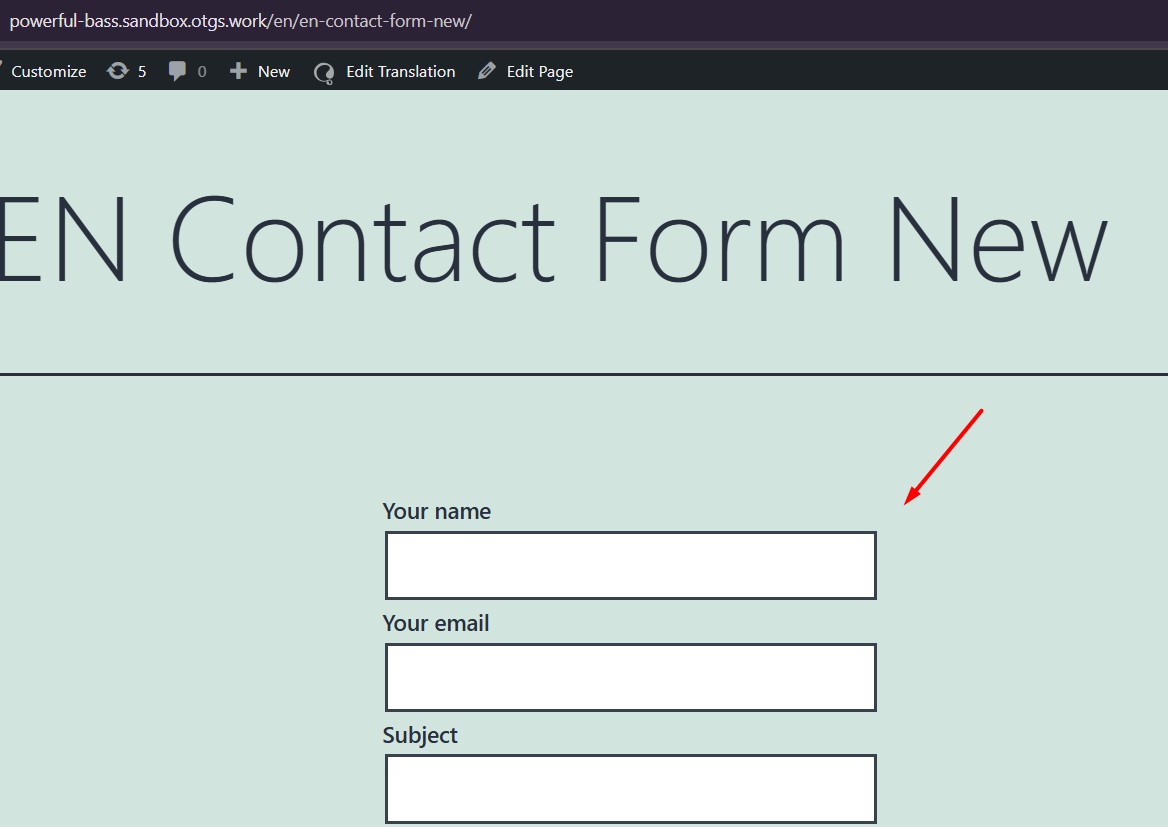
Error: Contact form not found
versteckter Link
[contact-form-7 id="3098" title="Contact form EN"]
There are no problems here, the form is displayed.
We will therefore rename everything via search/replace, but would first like to ask what exactly is causing problems with the naming. As I said, the error only occurs on the EN page. All shortcodes are displayed on the DE pages.
Thanks for the additional details. I tried to replicate the issue on a fresh WP site here: versteckter Link but it seems to work correctly there.
Could you please compare the settings on your site with this fresh site and let me know if I missed anything in setup, here is the auto-login URL: versteckter Link
Since it’s working fine on a clean setup, it seems to be a site-specific problem. Please try the following steps as well:
1. Take a backup of your site first for safety reasons.
2. Edit the problematic form and click the Save button again.
3. Go to WPML >> Support >> Troubleshooting page and press the below buttons:
- Clear the cache in WPML
- Synchronize posts taxonomies
- Remove ghost entries from the translation tables
- Assign translation status to duplicated content
- Fix post type assignment for translations
- Set language information
4. If the issue persists, try creating a new form and embed it to see if that resolves the issue.
Kindly let me know the results or if you notice any differences in settings.
Thank you
Sorry for the delay, I was off during the weekend (Friday-Saturday). Thanks for the additional details.
I tried to replicate the issue on a fresh WP site by following these steps:
1. Installed WPML Multilingual CSM, WPML String Translation, Contact form 7 v6.0.6 plugins.
2. Configured WPML by selecting German as default language and English as secondary language.
3. Created a form in default language.
4. Created a page in the default language and inserted the contact form 7 shortcode and translated that page into English language. versteckter Link
5. Directly inserted the shortcode in the English language page. versteckter Link
6. Update Contact form 7 plugin to the latest version and it still works correctly.
Could you please compare your Contact Form 7 settings and form content with this sandbox site and let me know if I missed anything?
Here is the auto-login URL of the fresh WP site: versteckter Link
If the issue persists, please provide temporary access (WP-Admin and FTP Login info) to your site (preferably staging site), so that I can look into your setup and debug the issue.
Your next answer will be private, meaning only you and I can access it.
=== Please backup your database and website ===
✙ I would additionally need your permission to deactivate and reactivate Plugins and the Theme and to change configurations on the site. This is also a reason the backup is essential.