[Gelöst] Website languages disappeared after updating WPML plugin
Dieses Thema ist gelöst. Hier finden Sie eine Beschreibung des Problems und der Lösung.
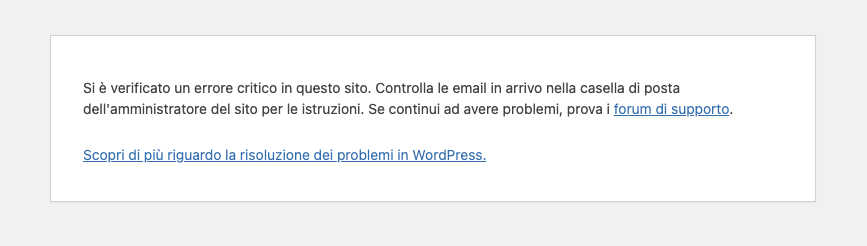
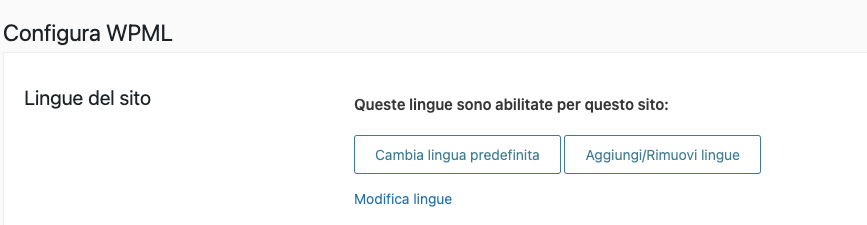
Problem: After updating the WPML plugin, you might encounter several issues: receiving a critical error when trying to access WPML from the WordPress side menu, noticing that no languages appear under WPML > Languages in the 'Website Languages' section, and the disappearance of the language selector in the header. Solution: The issue likely stems from broken language database tables. We recommend restoring these tables by following the instructions here: https://wpml.org/errata/missing-_icl_strings-_icl_string_translations-data-tables/. After restoring the tables, re-select your site languages to ensure that content without an assigned language is automatically reassigned.
If this solution does not resolve your issue or seems irrelevant due to being outdated or not applicable to your case, we highly recommend checking related known issues at https://wpml.org/known-issues/, verifying the version of the permanent fix, and confirming that you have installed the latest versions of themes and plugins. If problems persist, please open a new support ticket at WPML support forum for further assistance.
Dies ist das technische Support-Forum für WPML – das mehrsprachige WordPress-Plugin.
Mitlesen können alle, doch nur WPML-Kunden können hier Fragen veröffentlichen. Das WPML-Team antwortet im Forum an 6 Tagen pro Woche, 22 Stunden am Tag.
After updating the WPML plugin the following issues occured:
- when trying to open wpml from the wp sidemenu, I receive a critical error warning
- when navigating to WPML > Languages under 'Website Languages' I see no languages anymore
- the language selector in the header has disappeared
Thank you for contacting WPML Support. These issues usually happen if the update process was interrupted or didn’t complete properly. The safest approach is to:
1. Restore your site from the most recent backup.
2. Update the WPML plugins again.
3. Check if the languages and the language selector are back.
I would eventually also need to request temporary access (WP-Admin and FTP) to your site
– preferably to a test site where the problem has been replicated if possible –
in order to be of better help and check if some configurations might need to be changed
Your next answer will be private which means only you and I have access to it.
❌ Please backup your database and website ❌
✙ I would additionally need your permission to de-activate and re-activate Plugins and the Theme, and to change configurations on the site. This is also a reason the backup is really important.
✙ Please add the Links to the […] Edit Screen, the Page/Post where you insert the […] and the corresponding Front End Page/Screen
In this case, the errors will be saved to a debug.log log file inside the /wp-content/directory.
The wp-config.php is located in your WordPress root directory. It’s the same file where the database configuration settings are. You will have to access it by FTP or SFTP in order to edit it.
If you open wp-config.php and that define statement is not there, you can add it right before this line:
/* That's all, stop editing! Happy blogging. */
Please note that you’ll see everything, not only related to our Plugins.
This will most likely include messages from other plugins, your theme and sometimes even WordPress core. The messages appear all over the place.
Sometimes they appear right on top, but they can also appear in the middle of the page.