Questo thread è stato risolto. Ecco una descrizione del problema e della soluzione.
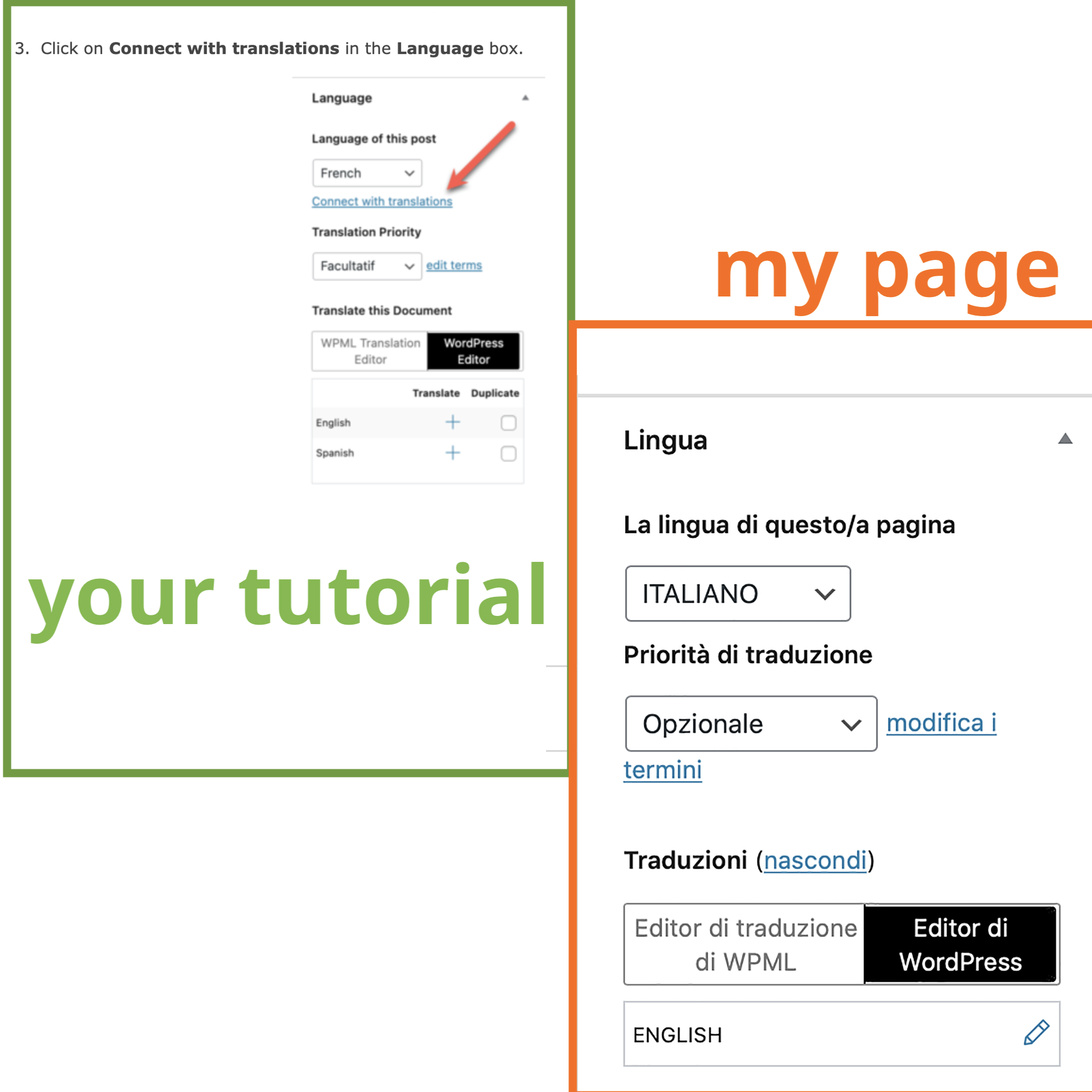
Problem: The client is trying to link a page in the primary language with an already existing page in the secondary language. The 'Connect with Translation' button is missing in the WPML sidebar because the page has already been translated.
If this solution does not apply to your situation, or if it seems outdated, we recommend opening a new support ticket. We also highly recommend checking related known issues at https://wpml.org/known-issues/, verifying the version of the permanent fix, and confirming that you have installed the latest versions of themes and plugins. For further assistance, please visit our support forum: https://wpml.org/forums/forum/english-support/.
Questo è il forum di assistenza tecnica di WPML, il plug-in multilingue di WordPress.
La sua lettura è permessa a tutti, ma la pubblicazione è riservata esclusivamente ai clienti di WPML. Il team di WPML risponde sul forum 6 giorni su 7, 22 ore su 24.
Hi,
I'm trying translate a page (primary language) with an already existing page in the secondary language. Usually I just click on + and the I create a new page, but in this case for several reason I need to match together two pages of the two languages.
So, before asking here in the support section, I try finding a solution. And in a certain way I found it: https://wpml.org/it/faq/how-to-link-already-translated-pages/
the problem that in this tutorial (please look also at attached screenshot, you show a text button (connect with translation) that is missing in my wpml sidebar.
Could you please explain how to solve the issue?
Thanks a lot
I understand what you're looking for. The "Connect with Translation" option will only be visible when a post or page hasn't been translated into other languages yet. Based on the screenshot you provided, it appears that the Italian page has already been translated into English, which explains why the option is not available in this case.
Hi,
many thanks for fast replying.
I've looked to the link you sent, but, sorry, I can't find information in that text about 'disconnect the existing translation' (could you please specify where in the test exactly I can get the information?. Pehaps because it seems the post is about automatic translation, feature that i don't use.
From the point of view of connecting, you're right I tried and it works fine.
So what I miss is just how to disconnect pages, so once they're disconnected I can connect to other ones as you explain.
Thanks
I hope this message finds you well. I'm very sorry for the oversight in my previous message. I just noticed that I shared incorrect documentation with you.
I'm sorry for any inconvenience this may have caused. If you have any further questions or require additional assistance, please do not hesitate to reach out. I will be happy to help.
Please Give it a try and hopefully, it will resolve the issue. If you need any further assistance, please don't hesitate to let me know. I'm here to help and would be happy to assist you.