


WPML 5.0 is the biggest update we’ve shipped in years. It rethinks how you navigate and configure WPML, makes automatic translation the default for new sites, and simplifies the translation engine to deliver the best possible quality. We’re releasing a beta first to catch any issues before the production release, and we’d love your help testing it.
What’s new in WPML 5.0 at a glance:
- A redesigned admin, with everything under a single WPML menu
- Automatic translation on by default for new sites
- Free re-translation of edited content, within the words you’ve already paid for
- One-step setup for regional language variants
- Translate Everything Automatically works without having admin open
- Taxonomy translation directly from the Translation Dashboard
- Consistent editing rights for local translators
- WCML realigned to the new WPML menu
A Redesigned Admin Experience
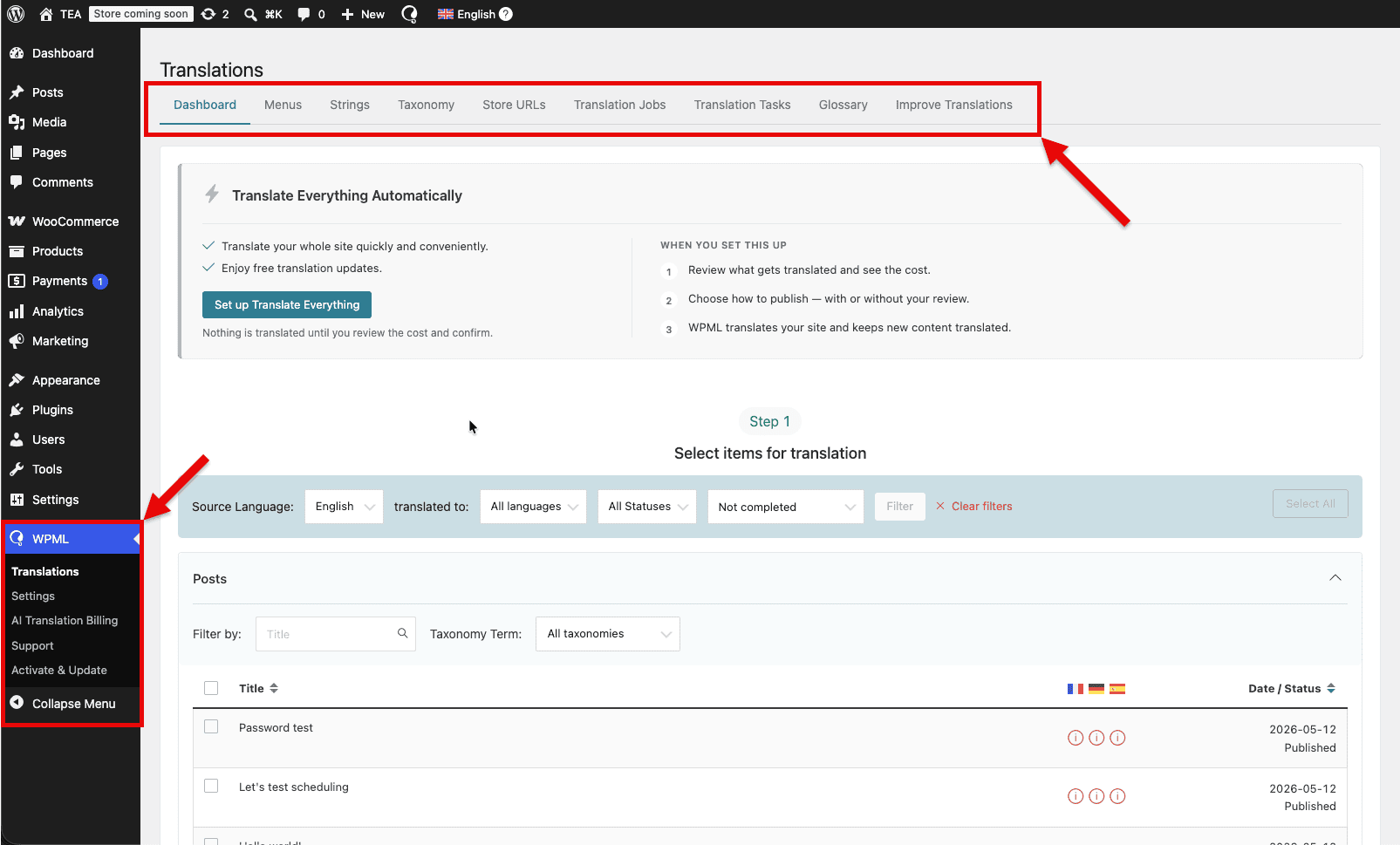
The WPML admin has been rebuilt from the ground up. Instead of scattered menu items across the WordPress sidebar, everything now lives under a single WPML menu with five clear sections: Translations, Settings, AI Translation Billing, Support, and Activate & Update.
The Translation Dashboard now has a tab menu at the top with quick links to all the areas you need most: Menus, Strings, Taxonomies, Translation Jobs, Glossary, and more.
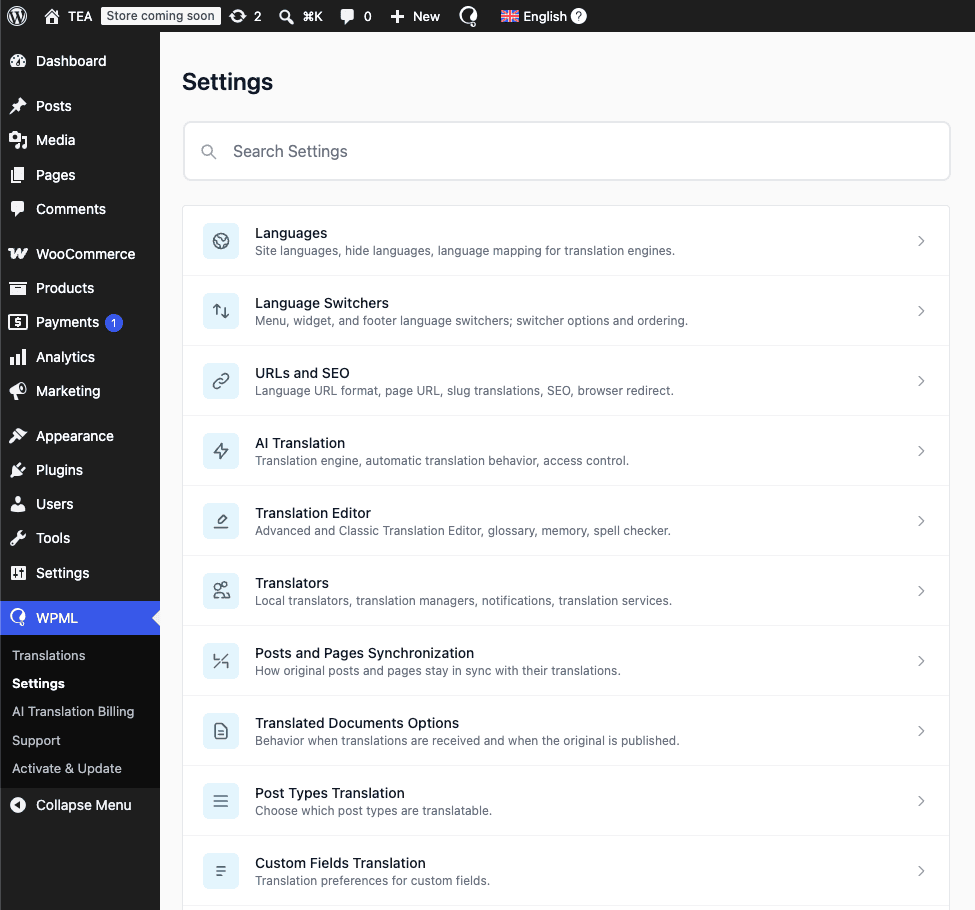
Reorganized Settings Section With Search
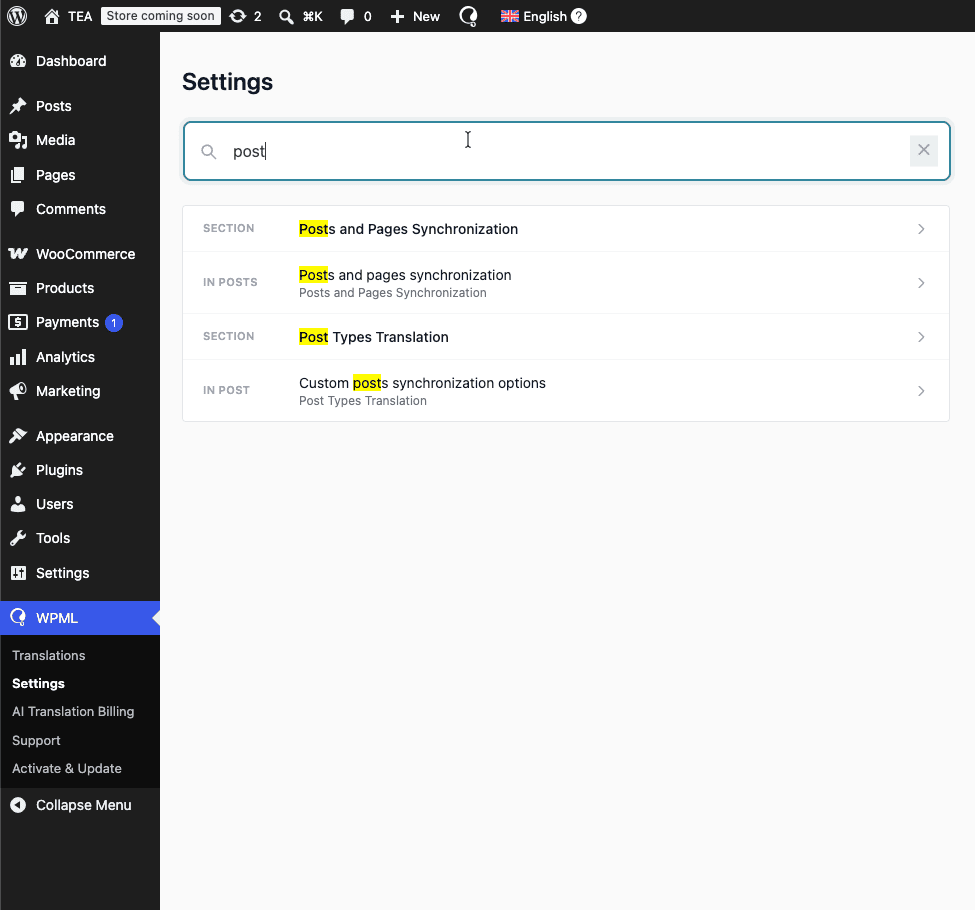
The Settings section now includes a search bar, so you can find any option without knowing exactly where it lives.
Translate Everything Automatically Is Now the Default
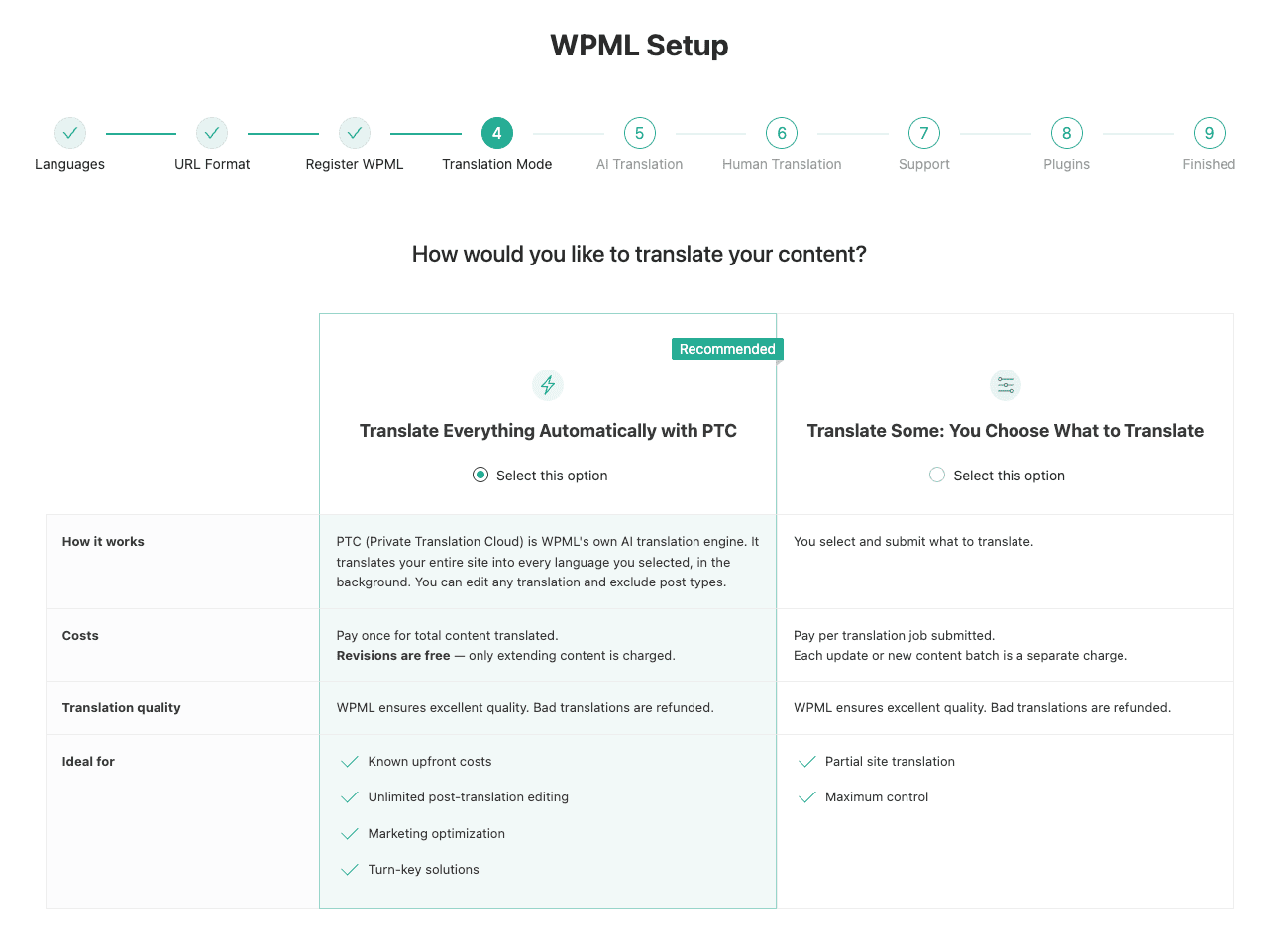
For new sites, Translate Everything Automatically (TEA) is now the default translation mode. When you set up WPML on a new site, TEA is what you get out of the box with no extra configuration needed to start translating your entire site automatically.
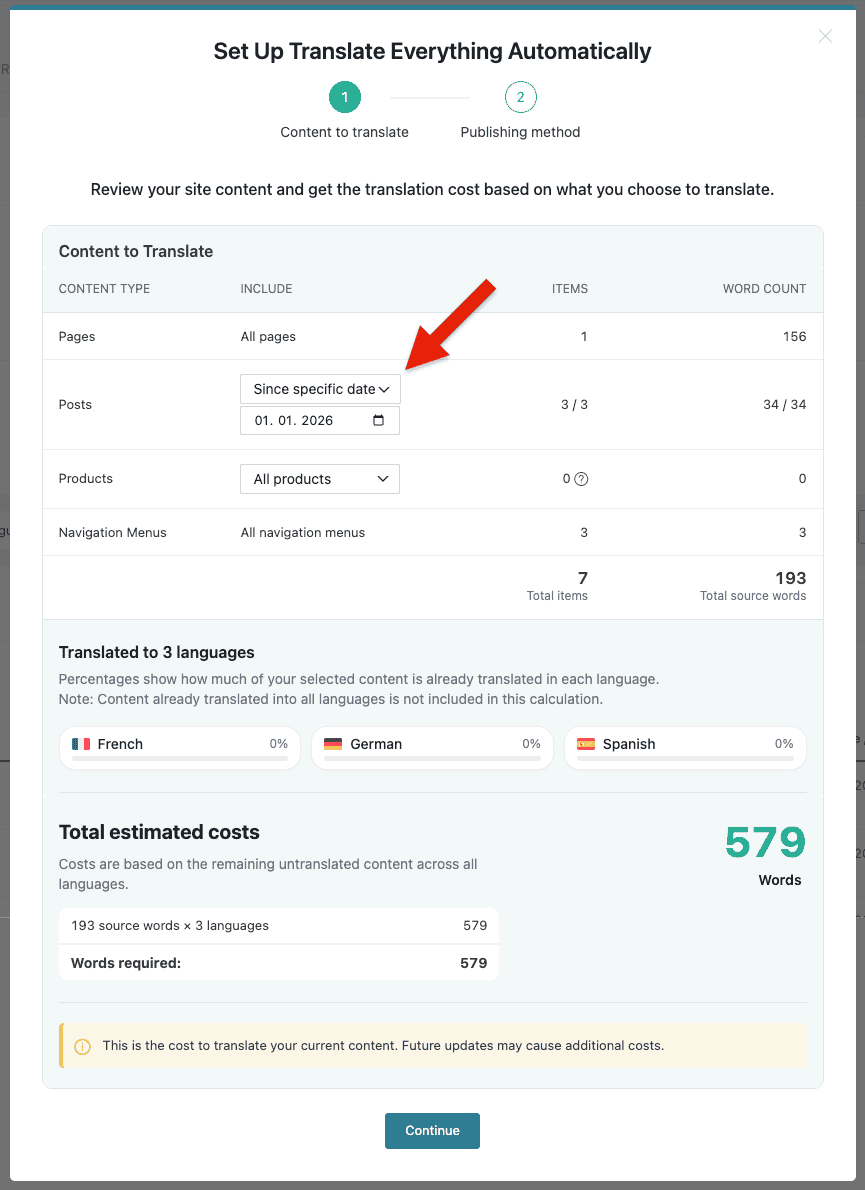
Cut-Off Date Setting per Post Type
If your site has years of content but you only want to translate recent posts, you can now tell TEA to automatically translate only content published after a certain date, and set different dates for different post types. Your pages might be translated in full while blog posts are limited to the last two years, for example.
TEA Now Translates From Any Language on Your Site
For example, if your default language is English but you publish a new post in Spanish first, TEA will now automatically translate it into English and all other languages on your site. Previously, only content published in the default language would trigger automatic translation.
PTC Is Now the Default Translation Engine With New Features
WPML’s AI-powered Private Translation Cloud (PTC) is now the default translation engine for all new sites. It also comes with new features that will save you money and improve your translations.
It’s the only engine that allows us to guarantee translation quality, learn from your existing translations, and keep building features that make automatic translation better and better over time.
DeepL, Google Translate, and Microsoft Translator are staying available but are now treated as legacy options.
Re-translating Edited Content Is Now Free
From now on, editing your original content no longer means paying to translate it all over again. For pages you’ve already translated with PTC, WPML remembers how many words you paid for. When you update the content and re-translate it, those words are free — you only pay if your edits push the page past its original word count, and then only for the difference.
Manual Translations Now Inform PTC Translations
When you send content for automatic translation that was previously translated manually using the WordPress editor or in the Classic Translation Editor, PTC now uses your existing translation as a starting point rather than replacing it. This means the tone, terminology, and style you established are preserved in the new translation.
Automatic Translation Improvements Based On Your Editing
When you edit translations done using PTC, you often make the same edits again and again.
WPML now watches for these repeating edits and works out the preference behind them. When it spots a pattern, it suggests the real fix instead of another one-off correction:
- Glossary terms: if PTC translates dashboard as tablero but you always change it to panel, WPML offers to add panel to your glossary.
- Links: if you keep repointing an English URL to its localized equivalent, WPML captures the mapping and applies it to existing and future pages.
- Regional variants: if you keep editing toward a regional variant (for example, Swiss German), WPML suggests switching the language pair to that variant.
- Formality: if you consistently change the register, WPML suggests updating the formality setting.
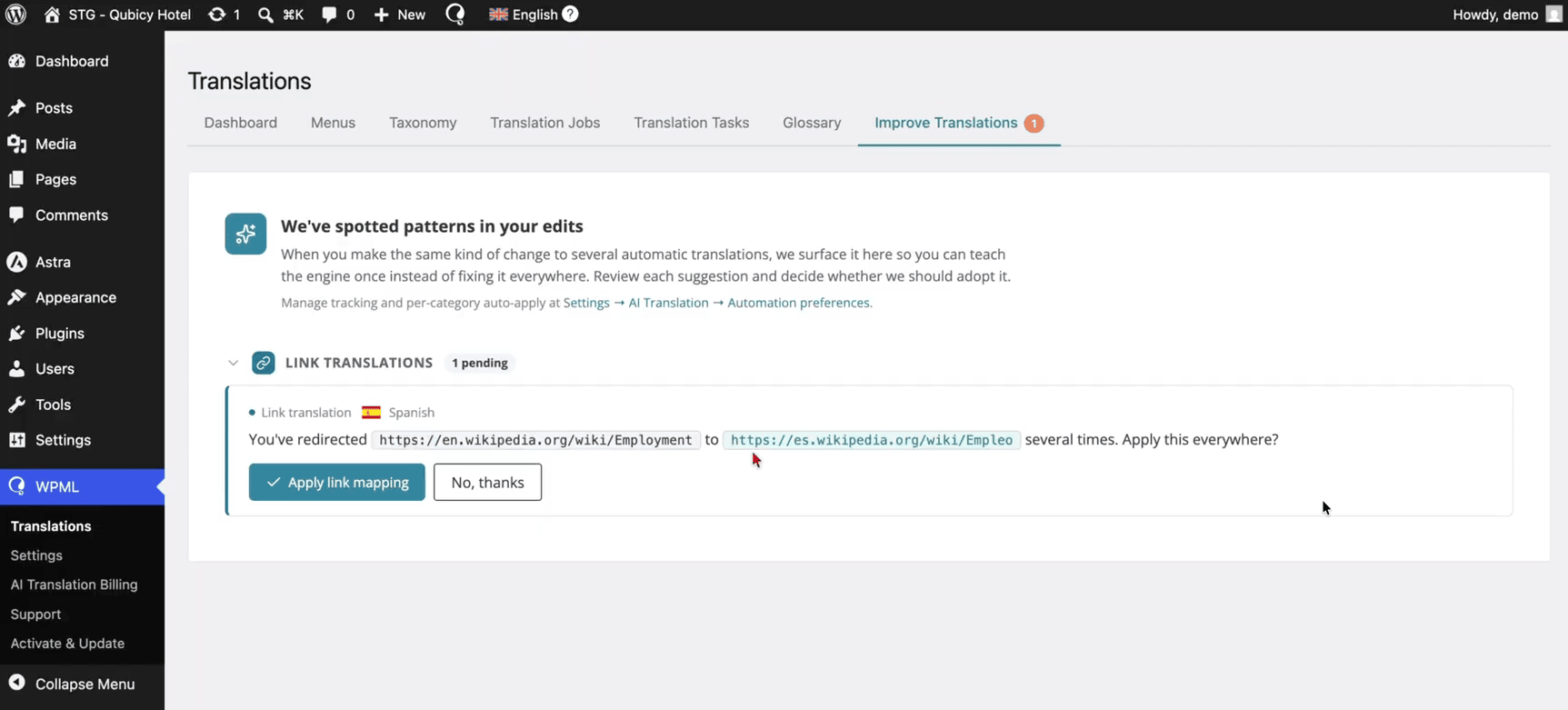
WPML applies accepted suggestions across all current and future translations and re-translates the affected content. This way, you don’t repeat the same edit dozens of times.
Suggestions reach you where you work: as a banner in the Advanced Translation Editor, on the WPMLTranslationsImprove Translations page, and as an email notification.
This feature works with WPML’s AI translation (PTC) only. Because it learns from the edits you make to AI translations and applies engine-level settings such as glossary, formality, and regional variants, it isn’t available for the legacy DeepL, Google Translate, and Microsoft engines.
Easily Select Language Variants
WPML 5.0 brings a single, unified way to set up your site’s languages in both the Setup Wizard and the WPMLLanguages page.
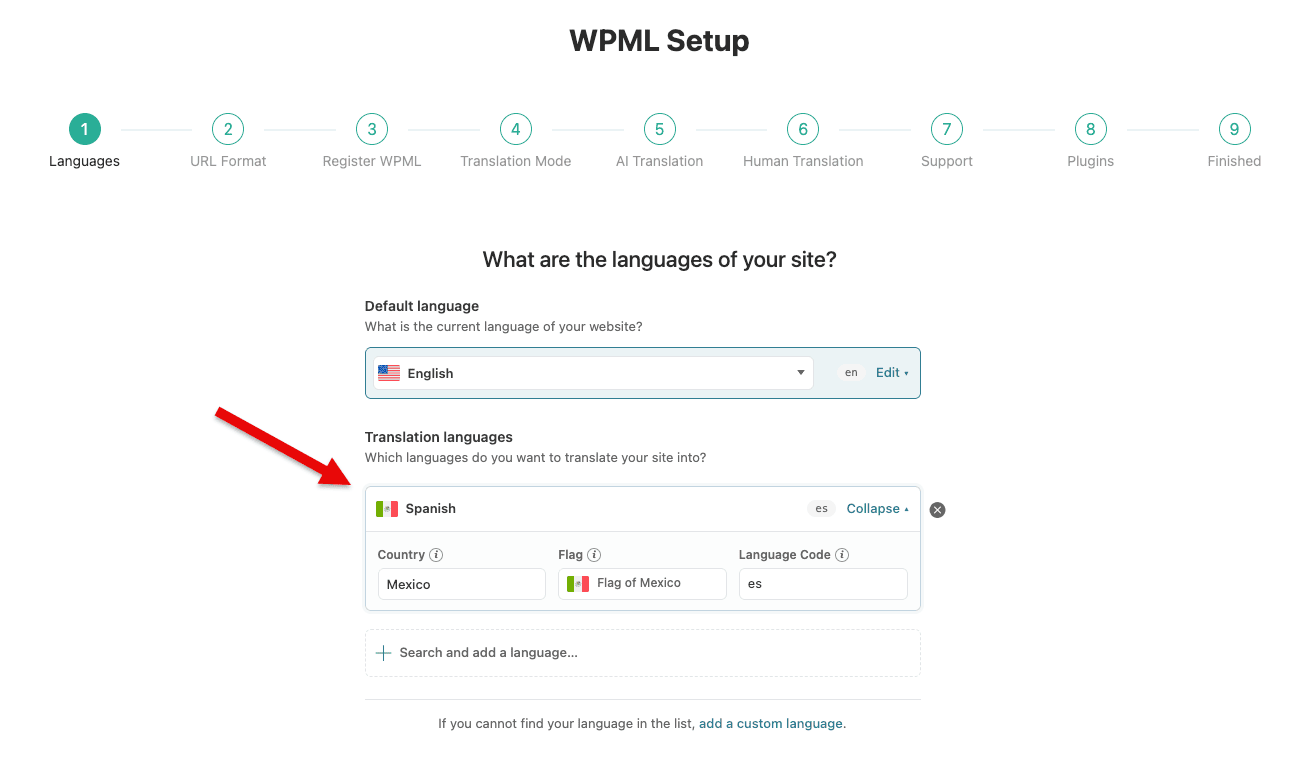
Now you can:
- Pick a language and its regional variant in one step. For example, Mexican Spanish or Argentinian Spanish instead of generic Spanish
- Choose the flag you want including uploading a custom flag, without workarounds
- Create custom languages and dialects more easily, using presets and clearer guidance to avoid mistakes
For existing sites, WPML now automatically detects when your site is using a regional variant of a language and reflects that in the new Languages configuration so you don’t have to reconfigure anything by hand.
No More Waiting in Admin for Translations to Complete
With WPML 5.0, you no longer need to keep a browser tab open in your site’s admin for automatic translations to run. Previously, translations that were in progress only continued while an admin page was open. If you closed the tab, the queue stalled until someone came back to it.
Now, WPML creates and delivers translation jobs on its own, server-to-server, with no open browser required.
There are a few cases where our service can’t reach your site, so the original open-tab behavior still applies: sites on a private network, staging, or VPN-only environment; sites protected by a restrictive security plugin, and similar configurations. In cases like this, WPML warns that your site can’t be reached.
Translate Taxonomies From the Translation Dashboard
WPML 5.0 adds a Taxonomies section to the Translation Dashboard, so you can translate categories, tags, and custom taxonomies right where you manage the rest of your content. Until now, bulk-translating categories automatically meant awkward workarounds, like assigning every category to a dummy post.
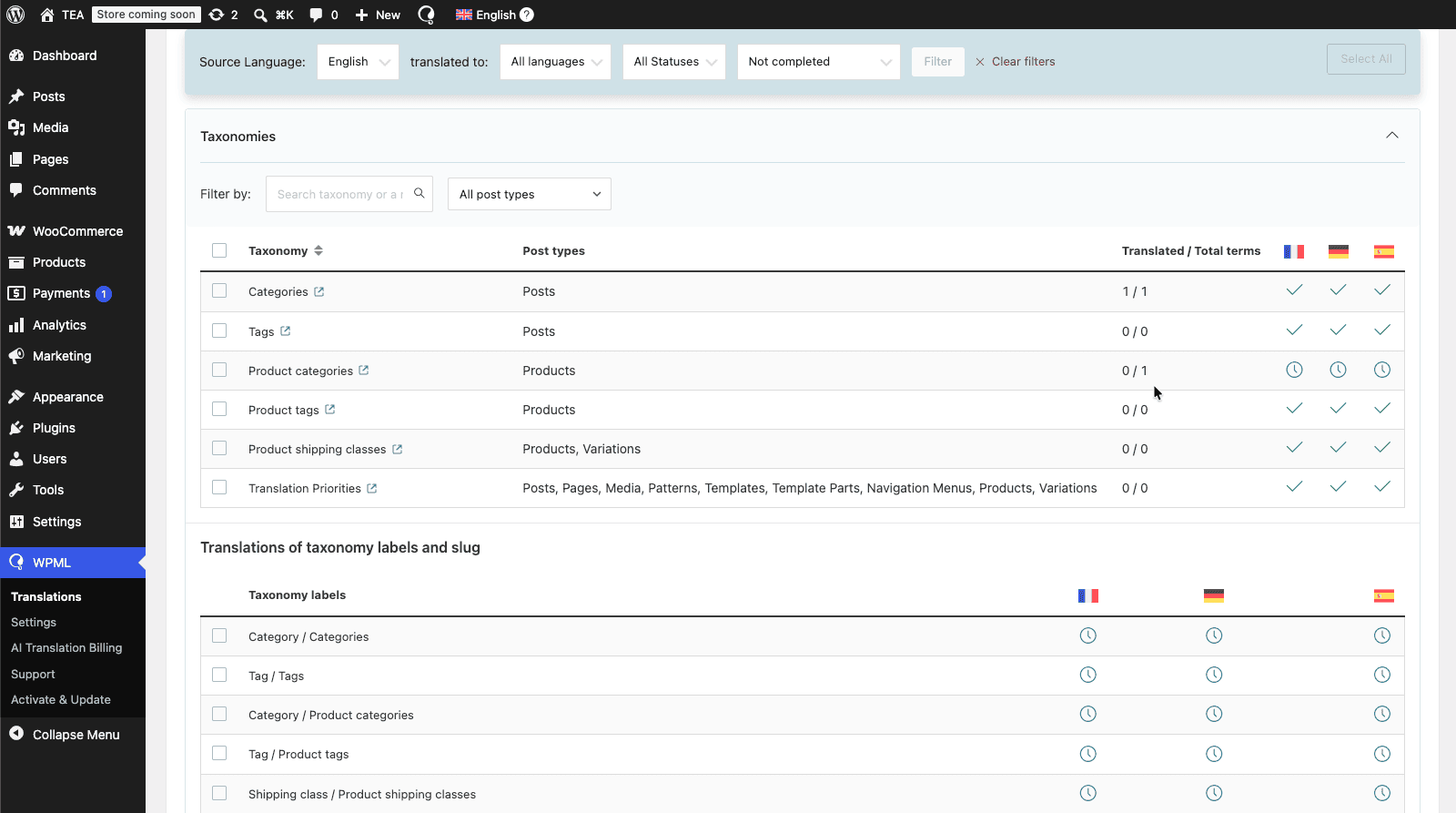
Now, you can send all untranslated terms of a taxonomy for translation in a couple of clicks. Automatic translation receives the right context, such as whether a term is a category or a tag, and which post type it belongs to. This makes sure the results are more accurate.
It also works smoothly with Translate Everything: if you switch a taxonomy from “Not translatable” to “Translatable” after automatic translation has already run, WPML quietly queues the existing terms for translation, with no extra prompts or manual steps.
Improved Workflow for Local Translators
WPML 5.0 makes editing rights consistent for translators. Previously, a translator could see the Edit translation button for content that was translated automatically, but not for content another translator had already translated.
Now, translators can edit any translation in their assigned language pairs, regardless of how, when, or by whom it was originally translated. The Edit translation button appears in the admin bar whenever a translation exists and the translator has the matching language pair.
To avoid two people overwriting each other’s work, WPML warns when someone else is actively translating the same content.
WCML Adjustments for WPML 5.0 Interface Changes
WPML Multilingual & Multicurrency for WooCommerce (WCML) 5.6.0 will be released alongside WPML 5.0 and adapts to the new navigation. The WCML beta is also available for testing right now.
WCML’s screens move out of WooCommerceWCML and into the WPML menu, so everything related to translation lives in one place:
- WCML Settings: WPMLSettingsWCML
- Multicurrency: WPMLSettingsMulticurrency
- Store URLs: WPMLTranslationsStore URLs
- Status and troubleshooting tools: WPMLSupport
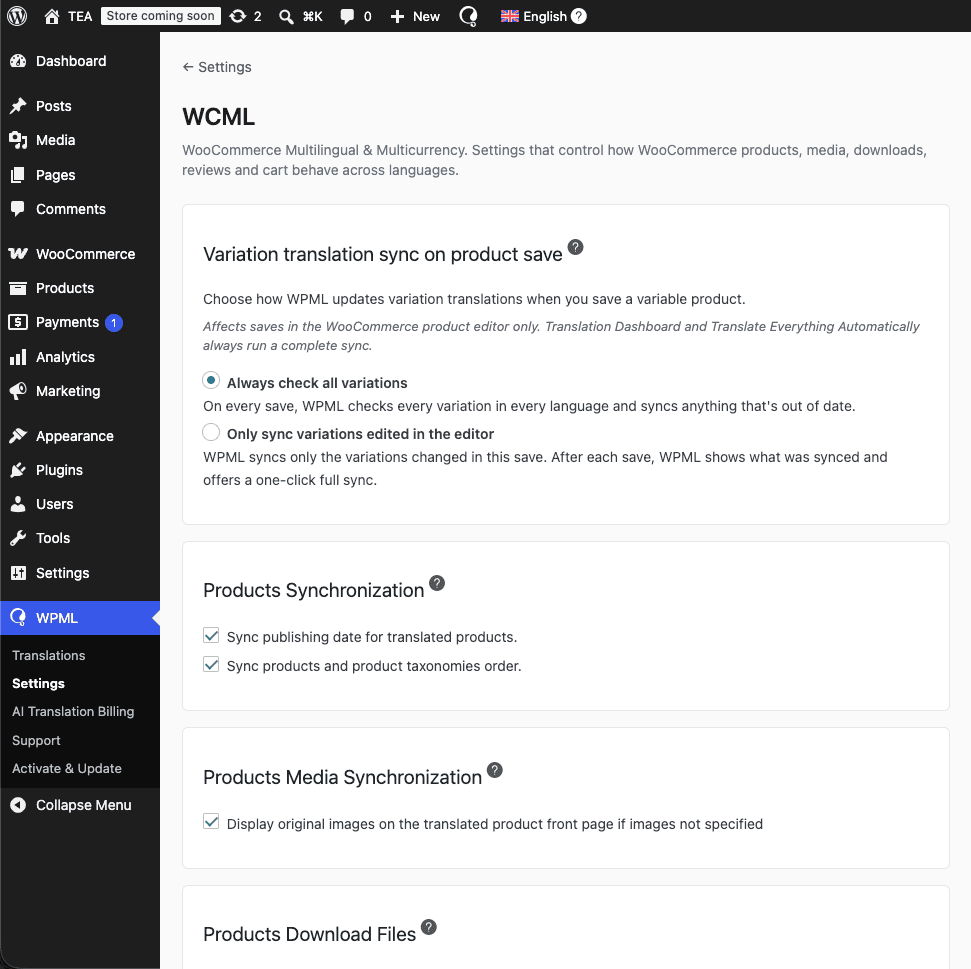
Don’t worry, the old WooCommerceWCML page points to these new locations so you can quickly navigate to the screen you need.
Other Fixes
Beyond the major features and improvements, WPML 5.0 Beta includes a large number of smaller fixes across the plugin. If you’ve been experiencing a minor issue in an earlier version, there’s a good chance it’s been resolved in this release.
For a full list of fixes, see the WPML 5.0 Beta changelog.
How to Install WPML 5.0 Beta and Test
Install this beta on a testing site only, not on a live site.
- Log in to your WordPress admin dashboard.
- Go to PluginsAdd Plugin and click the Commercial tab.
- Click the Check for updates button.
- Use the Updates channel dropdown and select Beta.
- In the list of plugins, select WPML, String Translation, and any other beta addon plugin you want to test and click the Download button.
Available beta plugins in this release and their changelogs:
- WPML Multilingual CMS 5.0
- WPML String Translation 5.0
- WPML Media Translation 5.0
- Advanced Custom Fields Multilingual (ACFML) 5.0.0
- WPML Multilingual & Multicurrency for WooCommerce (WCML) 5.6.0
- OTGS Installer 3.2.0
Update — version numbers
The ACFML and WCML entries above point at their final releases; the beta pages under the old numbers were retired. The final release uses one version number for all components: WPML 5.0.0, ACFML 5.0.0 and WCML 5.6.0.
Let Us Know How It Goes
If things work as expected, we’d love to hear about it in the comments below.
If you run into any issues, please open a ticket in our support forum and mention that you’re testing WPML 5.0 Beta. This helps us prioritize and respond faster.