WPML 5.2: Faster Saves, a Rebuilt Translation Dashboard, and 565 Fixes
Amir··9 minutes
Share:
WPML 5.2 is out. Saving a page no longer rewrites translations that did not change, the Translation Dashboard lists your content whatever the number of languages, automatic translation tells you when it is waiting for payment instead of stalling, and 565 fixes land across WPML and every add-on.
Four things matter most in this release:
Faster saves and faster pages. A save writes only what changed. On a 36-language site, a template save takes less than half the time it took. Your visitors' pages do less work on every request.
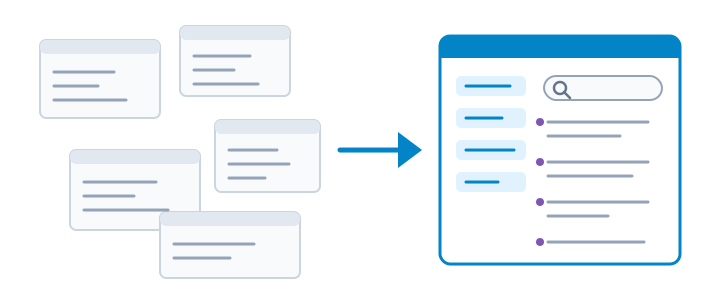
A rebuilt Translation Dashboard. Sites with 28 or more languages could not list their content at all. The new list works with any number of languages, shows every post once, and its filters follow the column you filter.
No more jobs stuck "in progress". When your account cannot pay for a translation, WPML says so and shows Go to billing. The parked jobs resume on their own once the block is lifted.
565 fixes, 115 of them reported by you. Every WPML add-on ships a 5.2 release alongside the core plugin, built from one source. The full list, with a link to each version page, is at the end of this post.
Saving a Page No Longer Rewrites Every Translation
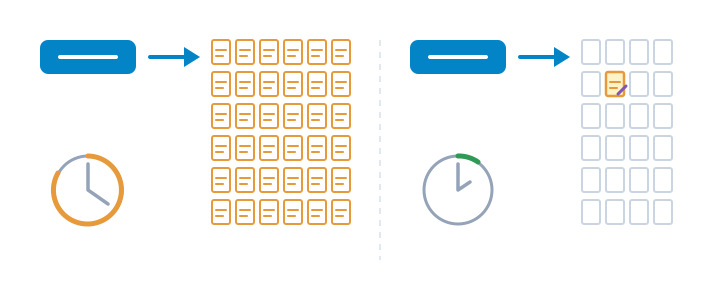
On sites with many languages, saving a page or a template used to rewrite every translation, even the ones that did not change. WPML 5.2 writes only what changed. On a 36-language site, saving an Elementor template takes less than half the time it took, with a fraction of the database queries.
The admin waits less elsewhere too:
Post edit screens open without waiting for the translation-engine lookup.
Editing on a site with many plugins no longer runs out of memory.
The Translation Dashboard no longer times out on sites with many translated terms, and WPML → Translations no longer exhausts memory on sites with a persistent object cache.
WP-CLI commands load far fewer files and use less memory on WooCommerce sites.
On a multisite network, switching between sites no longer runs cleanup queries on every switch.
A save used to rewrite every translation. In WPML 5.2 it writes only what changed.
Your Visitors Get Faster Pages
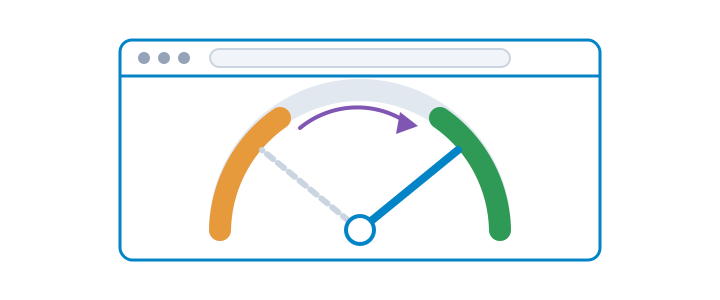
WPML 5.2 does less work on every page your visitors open:
URL rules are read once, not on every request, and a warm request no longer asks the database about WPML's tables.
Menus, widgets and product filters that list many terms translate them in one query.
Translated WooCommerce product pages and listings read their translations in one query, including products rendered by WooCommerce blocks.
String Translation reads the site's languages once per request instead of once per plugin, which saves about 300 ms on an uncached request.
The URL resolution cache no longer grows without bound. On affected sites a REST status check took 6 to 7 seconds.
Less work per request means faster pages for every visitor.
The Translation Dashboard Works With Any Number of Languages
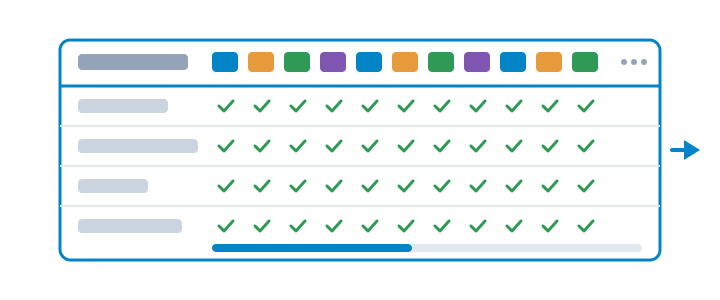
The content list in the Translation Dashboard is rebuilt. Until now a site with 28 or more languages could not list its content at all. The new list works with any number of languages, shows every post exactly once, and its status filters follow the column you filter.
Sending content for translation is more predictable:
A category or tag is charged once, not again in every post that uses it.
Product variations stay out of Translate Everything, and the zero-word variation jobs created earlier are retired.
Cancelling a job of an already translated item restores its previous state.
Every post appears once, whatever the number of languages.
Automatic Translation Tells You When It Is Waiting for Payment
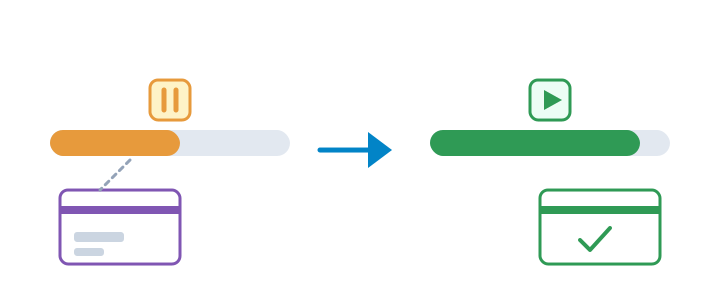
Until now, when your account could not pay for a translation, the jobs stayed "in progress" with no explanation. In WPML 5.2 the Translation Dashboard and the status bar pause and show Go to billing. An unpaid balance is named as an unpaid balance. Once the block is lifted, the parked jobs resume on their own.
Translation pauses with a reason and resumes on its own.
Changing a Custom Field's Translation Preference Updates Your Existing Content
When you change how a custom field is translated, WPML now updates the content you already have. The update runs as a background task you can follow. The settings also say what each preference does, so you know what "Copy", "Translate" and "Don't translate" mean before you choose.
WooCommerce Multilingual 5.7: Extensions Translate and Convert the Same Way
One mechanism translates the emails of WooCommerce extensions.
Extension amounts and thresholds convert through one multicurrency path.
The integrations for Product Bundles, Composite Products, Bookings, The Events Calendar and Gravity Forms that had silently stopped work again.
WooCommerce Analytics can be filtered by language.
The Orders list with multi-vendor plugins no longer queries per order.
Fixes shop owners asked for: composite products stay purchasable after a language switch, a variation price of 0 is kept, bundles are purchasable with multicurrency, bank-transfer account currencies work on WooCommerce 9.6 and later, category product counts and product sorting follow across languages, and paying a Subscriptions renewal works.
Also in WPML 5.2
WPML's screens follow your admin language everywhere, right-to-left languages included. Comment counts are per language, and post statuses stay in sync between an original and its translations.
English (Hong Kong) and Chinese (Hong Kong) are available for automatic translation.
Multisite: the subsite setup wizard handles the site key correctly, and subsites no longer show a site-key mismatch.
String Translation: the theme and plugin scan can ignore other text domains, incorrect encoding is handled, and a Troubleshooting action merges duplicate string packages.
WPML SEO supports Yoast SEO 27.1 Schema Aggregation and serves REST heads per language.
WPML Export and Import handles re-imports: the same file twice, two runs at once, malformed input and orphaned shared terms.
WPML works on Percona XtraDB in strict mode and on MariaDB 11.
On sites with Redis or Memcached, a translated menu is no longer replaced by the default-language one, and the "A new site key is required" notice no longer appears on a registered site.
Translation Priority is removed. If you used it, those labels are gone; your translations and jobs are untouched. WPML Reset is blocked while secondary languages exist.
One opt-in checkbox, in the setup wizard and in Settings, lets you share your site's content statistics and plugin list with us to improve WPML. It stays off until you tick it.
Every add-on is built from one source with WPML and ships in step with it, carrying the same shared library.
Security hardening in WPML, WooCommerce Multilingual, CMS Navigation and String Translation.
Fixes You Reported
WPML 5.2 closes 565 fix tickets, 115 of them reported by clients through support. Among the ones that hurt most:
Updating from 4.9.x shows no critical error when a management plugin writes during the update.
A draft or pending page with the same slug no longer takes over a published secondary-language page.
Completing a translation job never writes into, or moves, a post that is not the job's own translation.
Existing posts of a custom post type no longer disappear from the admin lists after a wpml-config change.
The setup wizard no longer shows an empty default language, and resumes correctly when only the default language is left.
The Classic Translation Editor no longer loads default-language content when the source is a secondary language.
Automatic translation: a reviewed translation of a scheduled post is not published early, and a discarded failed job stays discarded.
Page builders: WPBakery image links are kept on translations, Flatsome text between shortcodes is translated, Beaver Builder patterns are filtered by language, Avada form emails keep accents, and the Elementor editor opens in your language.
String Translation's generated translation files carry only the strings your site changed, so WordPress core plurals stay intact. Must-use plugins can be scanned, and the "WPML needs to update the database" notice no longer returns.
Sticky Links resolve links in translated Elementor headers and footers, in page-builder shortcode blocks and to archives in the page's language.
Media Translation: "Use a different file" works on Windows, and a translated block-editor page keeps its own image on Redis or Memcached sites.
Forms: conditional logic works in a secondary language in WPForms, Contact Form 7 and Gravity Forms, and translating a form no longer breaks fields with placeholders.
Go to Dashboard → Updates, or to WPML → Activate & Update, and update all your WPML plugins together. The Installer lists them for you.
The update reaches your WordPress admin within 24 hours of the release. To get it right away, open Plugins → Add New → Commercial and check for updates.
Your languages, URLs and settings carry over on their own. If something is not right after the update, you can ask a support question. To go back to the previous version, download its zip from the plugin's changelog page in your wpml.org account and install it over the current one (Plugins → Add New → Upload Plugin, then Replace current with uploaded).
We just released WPML 5.0. It gives you one place to run everything, translates your whole site while you do other things, and with PTC it bills each page once, so your later edits are free.