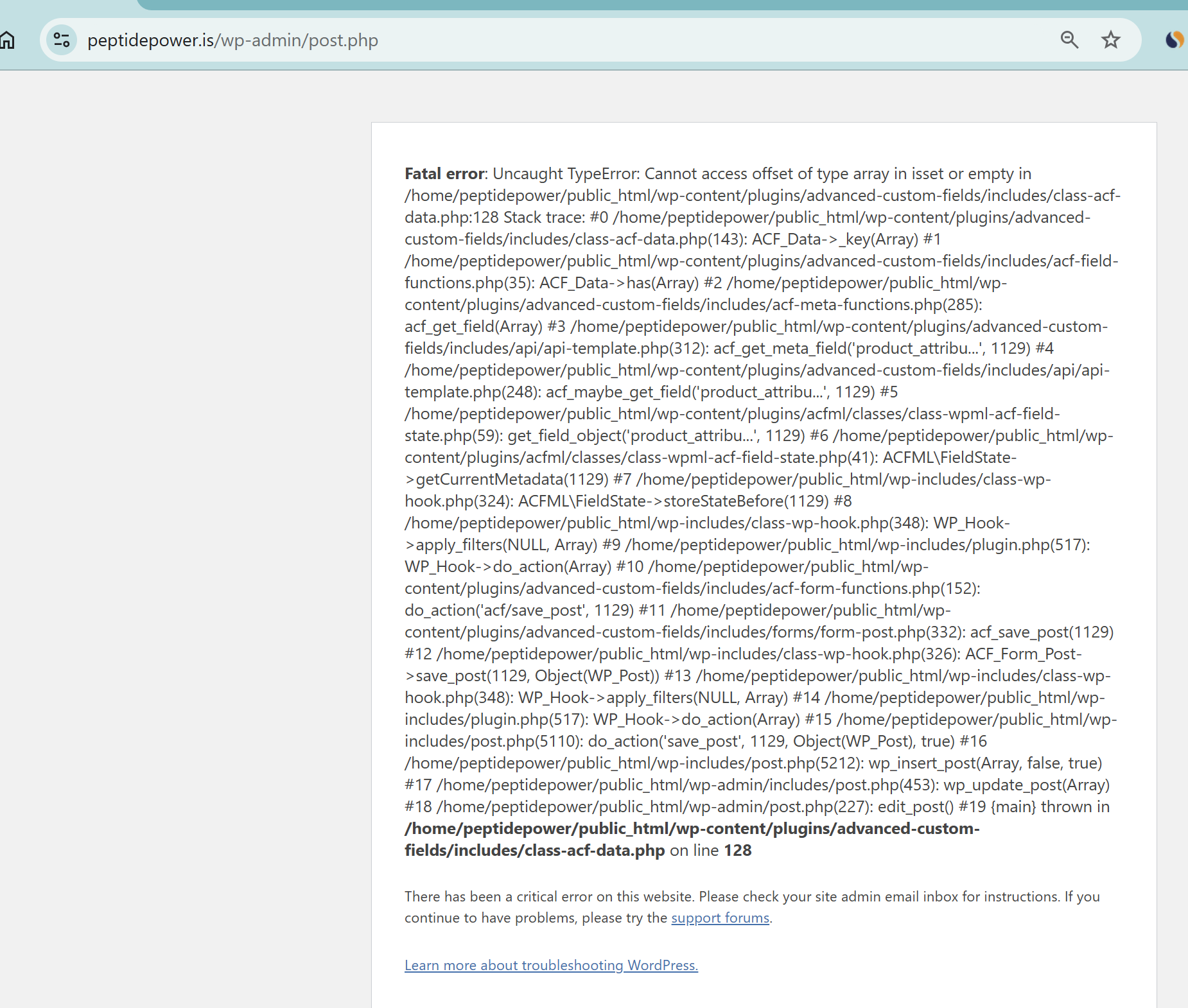
Background of the issue:
I am trying to update a product on my site hidden link. I changed the product to a Variable Product, added an Attribute with two variants '500 mg | 1000 mg', set SKU and Price in the Variants tab, and saved under variations. I then updated the product. I initially contacted ACF, but they directed me to contact WPML.
Symptoms:
I encounter a fatal error: 'Uncaught TypeError: Cannot access offset of type array in isset or empty' in the file /home/peptidepower/public_html/wp-content/plugins/advanced-custom-fields/includes/class-acf-data.php on line 128.
Questions:
Why am I getting a fatal error when saving a Variable Product?
How can I resolve the error related to the ACF plugin when updating a product?
Thanks for your reply. I will require temporary access (WP-Admin and FTP) to a test site where the problem has been replicated, if possible. This will enable me to provide better assistance and determine if any configurations need to be modified.
Please note that it is important to have a backup for security purposes and to prevent any potential data loss. You can use the UpdraftPlus plugin (https://wordpress.org/plugins/updraftplus/) to fulfill your backup requirements.
Your upcoming reply will be treated with confidentiality and will only be visible to you and me.
✙ To resolve the issue, I may need your consent to deactivate and reactivate plugins and the theme, as well as make configuration changes on the site if necessary. This emphasizes the significance of having a backup.
Thanks for your reply. My apologies for the delay in response. Could you please double check your credentials? I'm getting "ERROR: Incorrect username or password."
Thanks for your reply. I’m logged in, and your WPML configuration looks fine. Could you please share a screen recording showing how the issue occurs? You can use the free tool hidden link to record it. Once done, share the link here so I can check further.
Thanks for your reply. Ok, I'm able to see the issue now. Are you able to clone the site to another staging site? I'd like to disable plugins or switch themes to troubleshoot this further.
Thanks for your reply. Ok, I will have to escalate this further to our 2nd Tier Support for further investigation. I kindly ask for a snapshot of the site. Alternatively, with your permission, I can create one myself. For this purpose, I typically recommend using the free plugin "Duplicator." If you're already familiar with Duplicator (https://wordpress.org/plugins/duplicator/), please skip the following steps and simply send me the archive file you downloaded.
To guide you further, please adhere to these instructions:
1. View the Duplicator instructions video: hidden link
3. If the archive file exceeds 400MB, please use Duplicator's file filters to exclude cache, wp-uploads directory, media, and archive files.
Once you have the archive file ready, kindly share the link with us. You can utilize platforms like Google Drive, Dropbox, or similar for file sharing, as the snapshot file might be large.
Please note that your next reply will be private, visible only to you and me. You can paste the file link there. Rest assured that once the issue is resolved, I will delete the local site.
i figured out where is the error
and i am a new wp/woo dev, i can't understand how can a plugin like yours which is from so many years can have this little bugs
Thanks for your reply, and my apologies for the delay over the weekend. Could you please let me know where exactly the error occurs so I can escalate it directly to our 2nd Tier Support team?
The topic ‘[Closed] Error when saving Variable Product’ is closed to new replies.