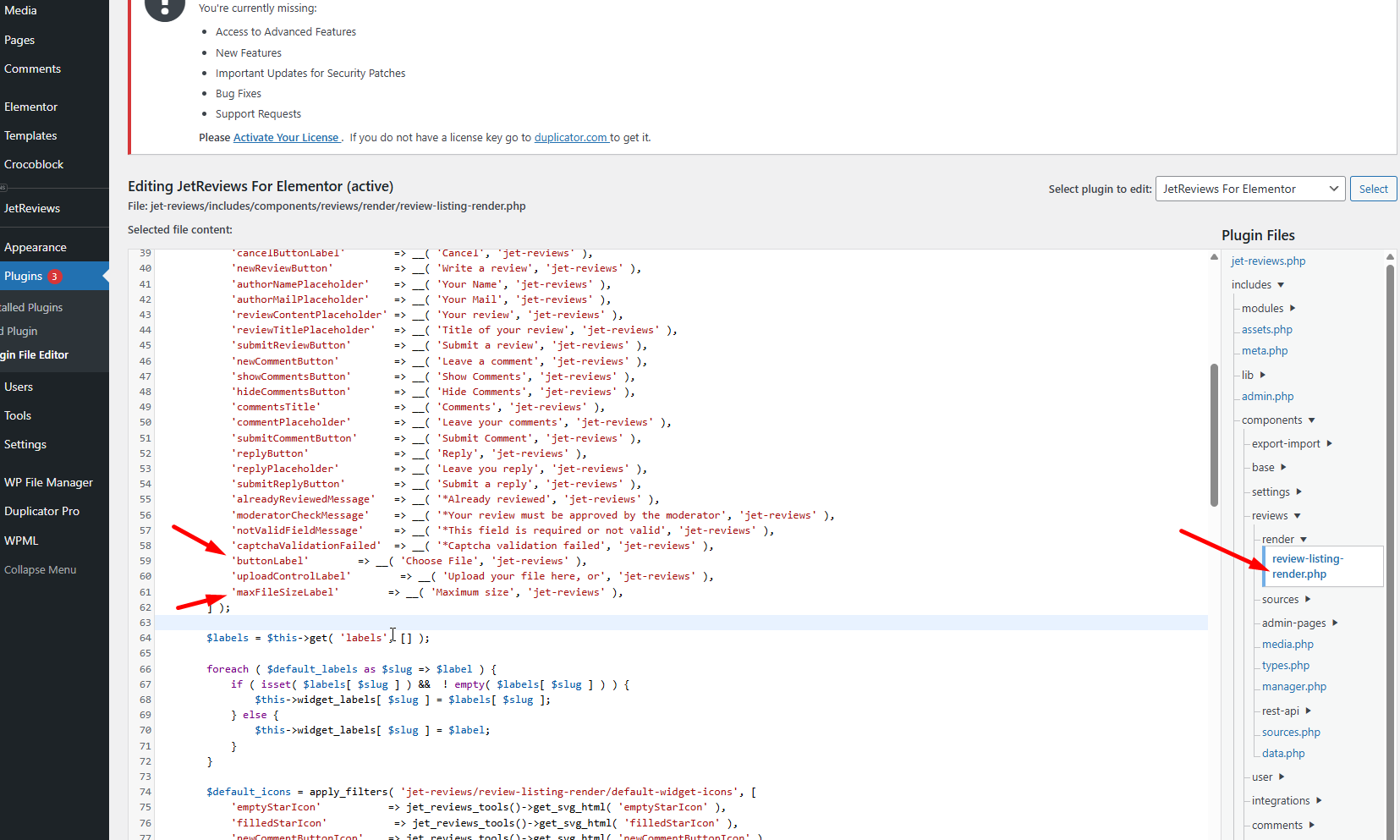
Rename 'uploadButtonLabel' with 'buttonLabel'
Rename 'uploadMaxSizeLabel' with 'maxFileSizeLabel'
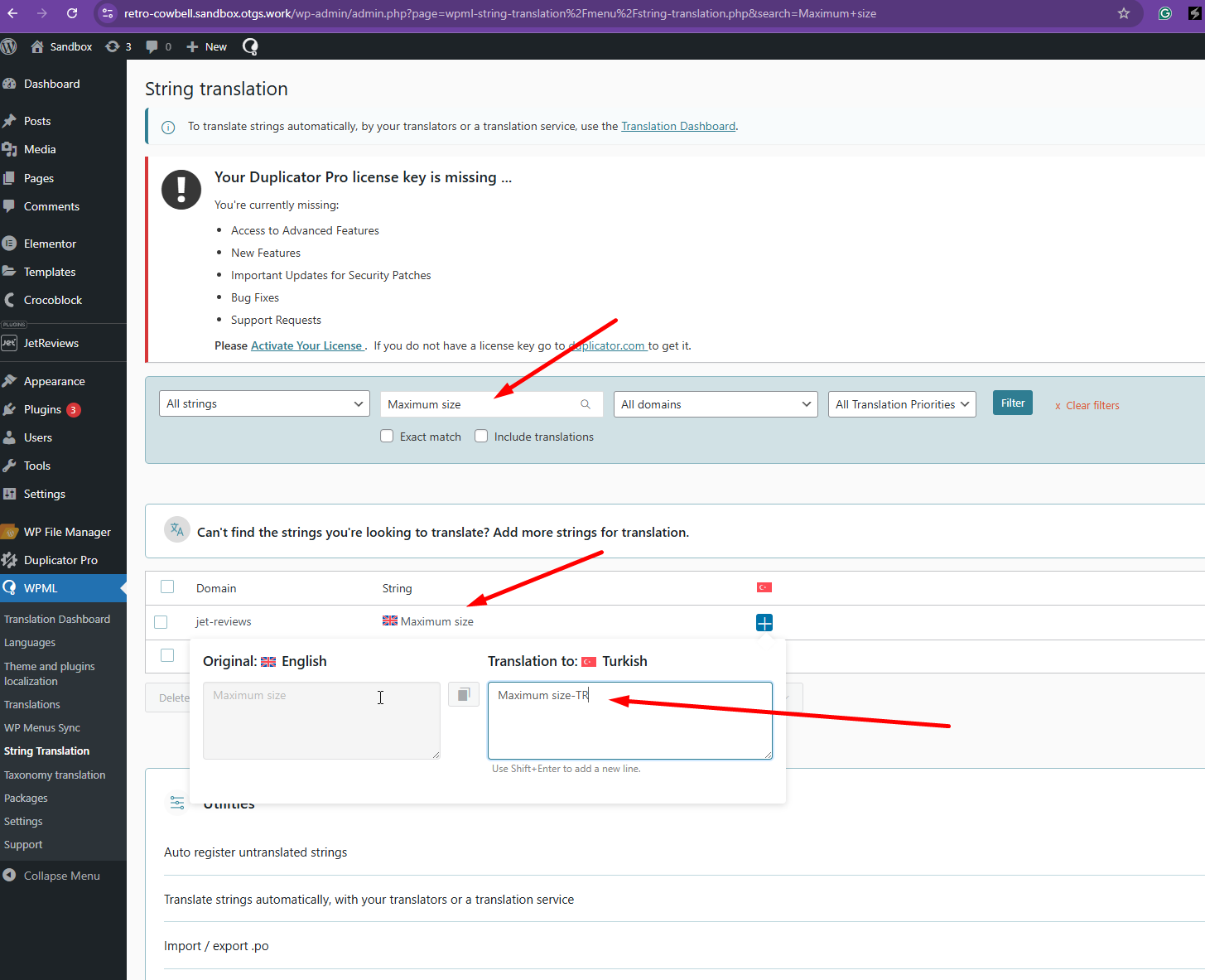
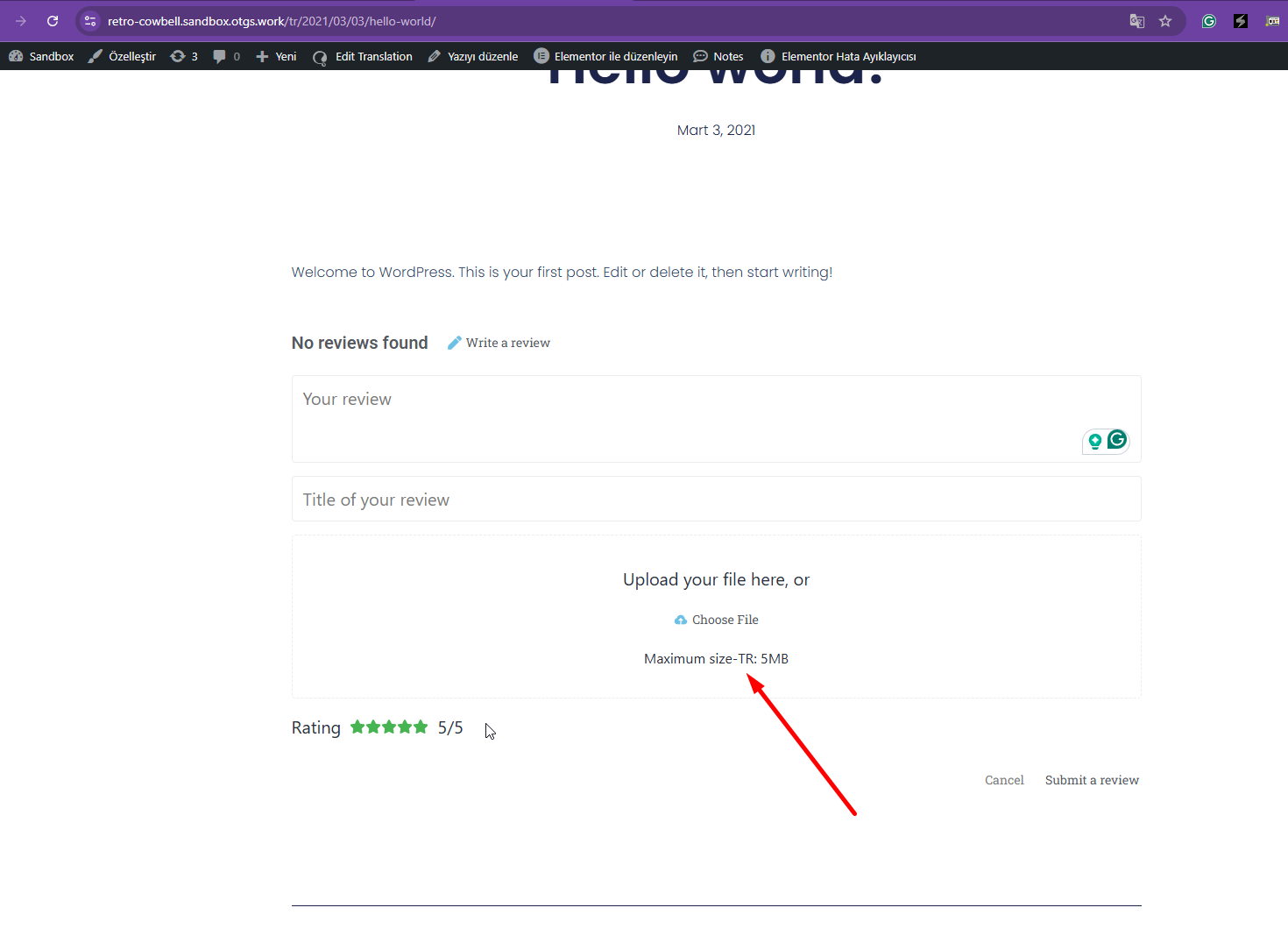
Once you've done that, you'll be able to translate the "Choose File" and "Maximum file" strings using the String Translation.
If these steps do not resolve the issue, or if the solution becomes outdated, we highly recommend checking related known issues at https://wpml.org/known-issues/, verifying the version of the permanent fix, and confirming that you have installed the latest versions of themes and plugins. If the problem persists, please open a new support ticket.
This is the technical support forum for WPML - the multilingual WordPress plugin.
Everyone can read, but only WPML clients can post here. WPML team is replying on the forum 6 days per week, 22 hours per day.
I found some information about my problem at https://wpml.org/forums/topic/displaying-the-translations-of-some-jetreviews-fields/ and applied it. It partially worked, and I was able to translate many fields. I added new fields to the XML file for the missing fields, but I didn't get the desired result. There are a few fields that I can't translate. How can I add these fields to the XML file?
Thanks for contacting us. Based on the screenshot you shared, it appears that text translation is not enabled for these strings, which is why they are not showing up in String Translation.
Could you install the plugin here on our sandbox site hidden link and replicate the issue over there so that I can check?
I installed the plugin as requested. However, since it wouldn't be very useful on its own, I installed Elementor and Elementyro Pro separately, just like on my website, and placed them all in a single post template.
I also included the XML file I mentioned in my first message.
First of all, I wish you a wonderful new year with your loved ones. May you have abundant wealth, health, peace, and happiness.
I was able to translate some fields by following the instructions. Thank you for the instructions and screenshots. However, I couldn't translate the "Rating" field. I translate this field in the String translation section, but the end-user can't see it.
Thanks for your reply. I've tried, and I'm getting the same issue. I'm checking this with our 2nd Tier Support and I will get back to you once I've feedback.
Thanks for your patience. I have some feedback, and it seems the string that you're trying to translate is not coded for translation. The author simply didn't use the gettext function.
I'm sorry, but I can't find the path you mentioned. I only have 1066 lines.
However, there has been an improvement. I found another bug in the plugin and reported it to the plugin authors. They confirmed the bug and suggested I revert to an older version as a temporary workaround. Could the reason I can't find the path you mentioned be because I'm currently using a different version (2.3.7) than the one you're working on?
Thanks for your reply. We are testing with the latest version. Could you share your version here using Dropbox or Google Drive so that I can try to locate the code that needs to be replaced for you?
Yes, I can do that, but it will only be a temporary solution. All the work and time we've dedicated is for the latest version of the plugin. Once the plugin authors release a new version fixing the bug, your solution will most likely work without needing to do anything extra. Wasting time with an old version is pointless. I'll wait a while. Can I reopen this thread if I encounter any problems?
I received a response from one of the plugin's authors. Reverting to the old version unfortunately leads to more problems that cannot be fixed. Therefore, I reverted to the latest version and followed their instructions. For all the areas I've seen so far, the translations are working.