
This is the technical support forum for WPML - the multilingual WordPress plugin.
Everyone can read, but only WPML clients can post here. WPML team is replying on the forum 6 days per week, 22 hours per day.
This topic contains 5 replies, has 0 voices.
Last updated by ahmedS-9 3 weeks ago.
Assisted by: Shekhar Bhandari.
| Author | Posts |
|---|---|
| November 29, 2025 at 12:43 pm #17619641 | |
 ahmedS-9 |
Background of the issue: Symptoms: Questions: |
| December 2, 2025 at 4:33 am #17624323 | |
 Shekhar Bhandari WPML Supporter since 03/2015 Languages: English (English ) Timezone: Asia/Kathmandu (GMT+05:45) |
Hi there! 🙂 I’m curious about your packages system. Can you tell me a bit more about it? - Is this a standard system or something you’ve made yourself? Further, To help you further on this issue, I would need further information, so could you please go to WPML > Support > Debug Information and give me the information in the next reply. You can read the detailed instruction here: http://wpml.org/faq/provide-debug-information-faster-support/ I’d love to hear your thoughts! Thanks |
| December 10, 2025 at 11:47 pm #17654073 | |
|
ahmedS-9 |
Dear Shekhar Unfortunately we are unable to provide debug info. now We have a question, why the product setting in "Post Type Translation" - "WPML - Settings Page" is locked? What configuration makes it locked? Isn't it better in our case to set it as "Translatable - use translation if available or fullback to default language" so that the product would appear in the carts of the different languages? Regards 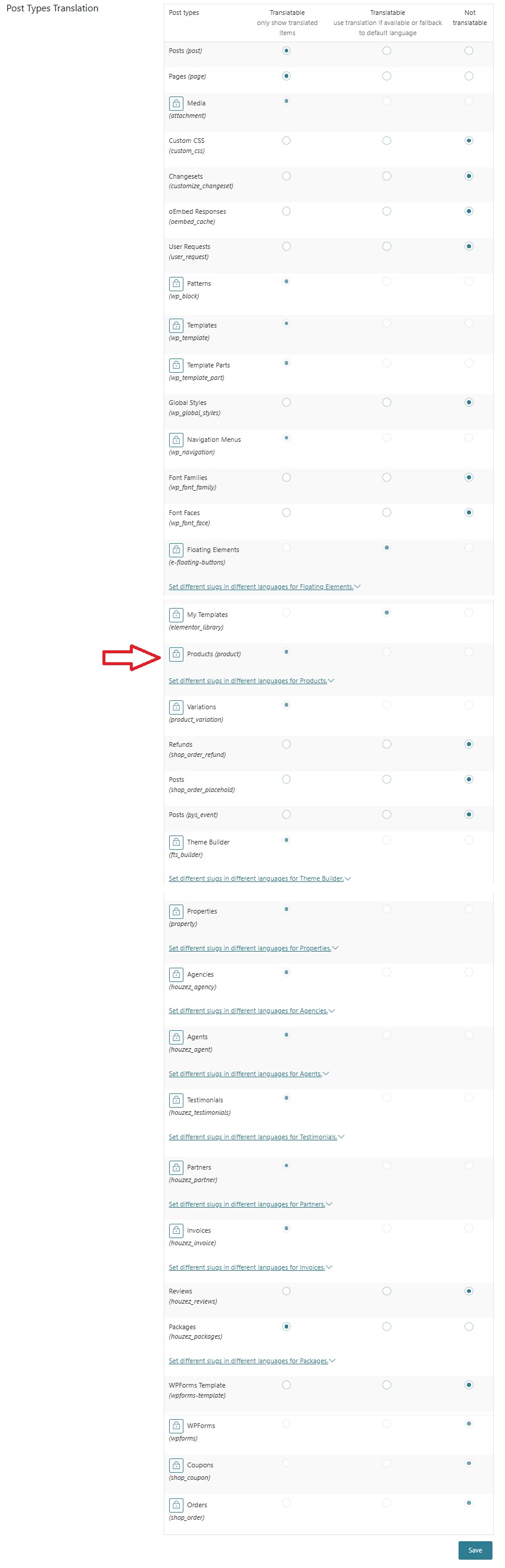 |
| December 11, 2025 at 4:46 am #17654191 | |
|
Shekhar Bhandari WPML Supporter since 03/2015 Languages: English (English ) Timezone: Asia/Kathmandu (GMT+05:45) |
Hi there, You can click on the lock icon and change the settings. Our plugin creates the lock because it’s the best setting. Changing these settings to non-translatable might create problems so we locked it. Thanks |
| December 11, 2025 at 8:15 am #17654655 | |
|
ahmedS-9 |
Dear Shekhar Thanks for your feedback Yes we understand that we can click on the lock icon and change the settings, that why we are contacting you as we don't want to face problems. Again, I think that setting "Product" as "Translatable - use translation if available or fullback to default language" seems more appropriate since it will show the product in the carts of the different languages. My questions: Regards |
| December 12, 2025 at 4:34 am #17657821 | |
|
Shekhar Bhandari WPML Supporter since 03/2015 Languages: English (English ) Timezone: Asia/Kathmandu (GMT+05:45) |
Hello, Yes, you can set it to Translatable – use translation if available or fall back to the default language. This should work without any additional customization. If your products have taxonomies attached, you can apply the same setting to them as well. Please note that this works based on the default language. Products created in secondary languages will not follow this setting, so make sure all products are always created in the default language. With this configuration, you should create only one product, not separate translations, when adding a new product. Let me know if this helps. Thanks |
| December 15, 2025 at 9:34 pm #17665793 | |
|
ahmedS-9 |
Thanks Shekhar for your support |





