Background of the issue:
I needed to restore a full server and database backup for my website because of failed plugin updates and migrations. The issue can be seen on this page: hidden link
Symptoms:
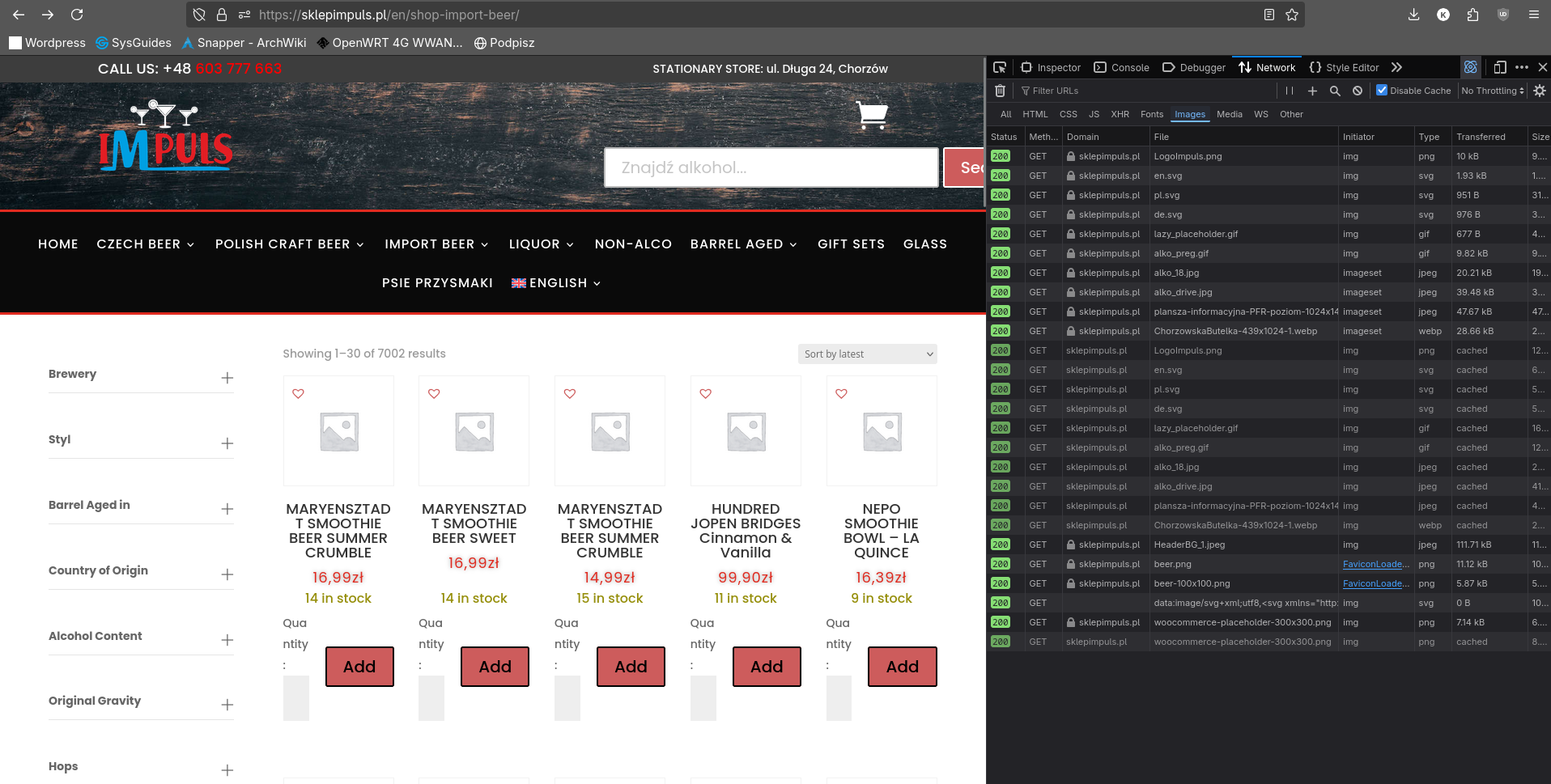
After restoring website files and database from a backup, product images do not show sometimes. Everything got restored properly, except that in foreign languages (English and German), product images disappeared from the frontend in the listing. The images do show correctly in suggested products and on the product listing in wp admin. I have already cleared all the relevant caches and went through all possible fix jobs from WooCommerce and WPML. It seems some links have been broken on the database level because in the network tab, the images don't even try to be loaded, instead, WooCommerce placeholders are requested.
Questions:
Why are product images not showing in foreign languages after a backup restore?
How can I fix broken image links at the database level?
My bad. The menu in foreign languages lost sync with product filters and it always displays the newly added products, 30 of which do not yet have a picture.