This thread is resolved. Here is a description of the problem and solution.
Problem:
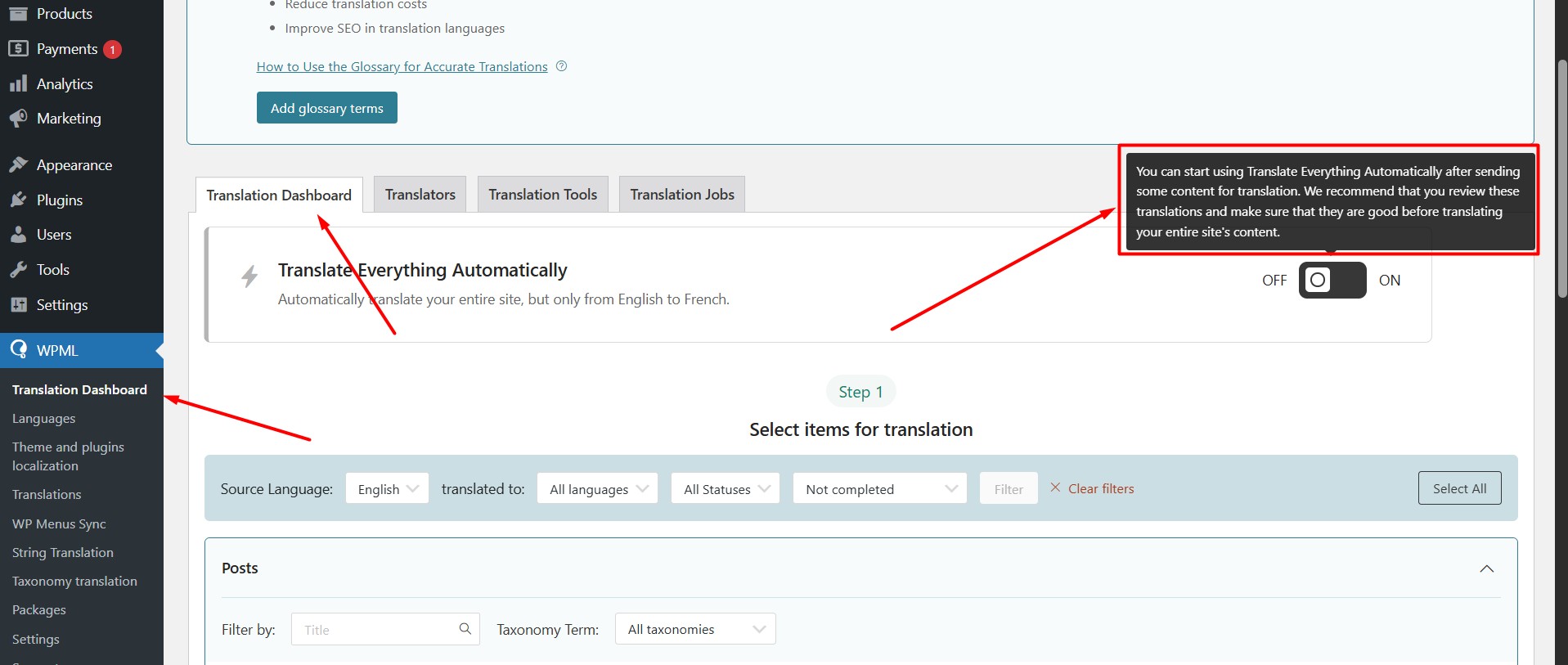
The client purchased credits and activated 'pay as you go' but was unable to activate automatic translation.
Solution:
If you're experiencing this issue, we recommend you try the following steps:
1. Navigate to WPML >> Translation Dashboard.
2. Select any page and send it for automatic translation.
3. Once the translation is complete, the 'Translate Everything Automatically' option should become available.
After the translation completes, please review it. If everything looks correct, you can enable 'Translate Everything Automatically'.
If this solution does not resolve your issue, or if it seems outdated or irrelevant to your case, we highly recommend checking related known issues at https://wpml.org/known-issues/, verifying the version of the permanent fix, and confirming that you have installed the latest versions of themes and plugins. Additionally, you can open a new support ticket for further assistance at WPML support forum.
This is the technical support forum for WPML - the multilingual WordPress plugin.
Everyone can read, but only WPML clients can post here. WPML team is replying on the forum 6 days per week, 22 hours per day.