Skip to content Skip to sidebar

This thread is resolved. Here is a description of the problem and solution.

Problem:
The client added a new header globally and encountered an issue where the language button did not translate correctly. The text 'English book now' should translate to 'réservez' in French, but changes made in one language were reflecting in both languages.
Solution:
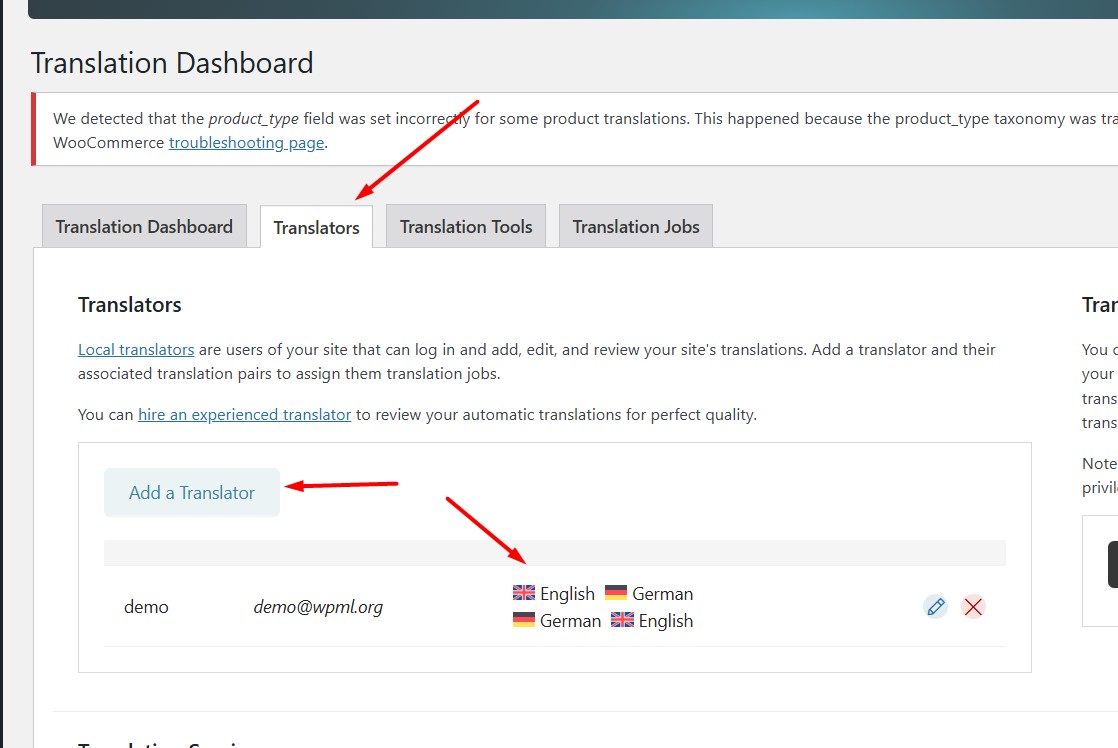
We recommended that the client add their current user as a translator with the correct language pairs (French to English) from WPML >> Translation Dashboard > Translators tab. This should allow them to translate the header template correctly. If the problem persists, we advised the client to provide temporary access (WP-Admin and FTP Login info) to their site, preferably a staging site, so we could further investigate and debug the issue. We also emphasized the importance of backing up the database and website before making any changes and asked for permission to deactivate/reactivate plugins and the theme, and to change configurations on the site.

Please note that this solution might be outdated or not applicable to your specific case. We highly recommend checking related known issues at https://wpml.org/known-issues/, verifying the version of the permanent fix, and confirming that you have installed the latest versions of themes and plugins. If the issue persists, please open a new support ticket at WPML support forum.

This is the technical support forum for WPML - the multilingual WordPress plugin.

Everyone can read, but only WPML clients can post here. WPML team is replying on the forum 6 days per week, 22 hours per day.

Tagged: 

This topic contains 8 replies, has 0 voices.

Last updated by Noman 3 months, 1 week ago.

Assisted by: Noman.

Author Posts
January 5, 2026 at 5:18 pm #17704880

Tunde Maria Kovacs

Hi, Our new header is ready, I added it to global and saw I had a language button issue that came back. English book now should translate to réservez. I make the change on the button selecting English language flag, I did also French with French text, whatever text I put will display on both page, I would need help, page: hidden link Thank you

January 5, 2026 at 5:47 pm #17705071

Noman

Hi,

Thank you for contacting WPML Support. Could you please try to follow the below steps and see if this resolves the issue:

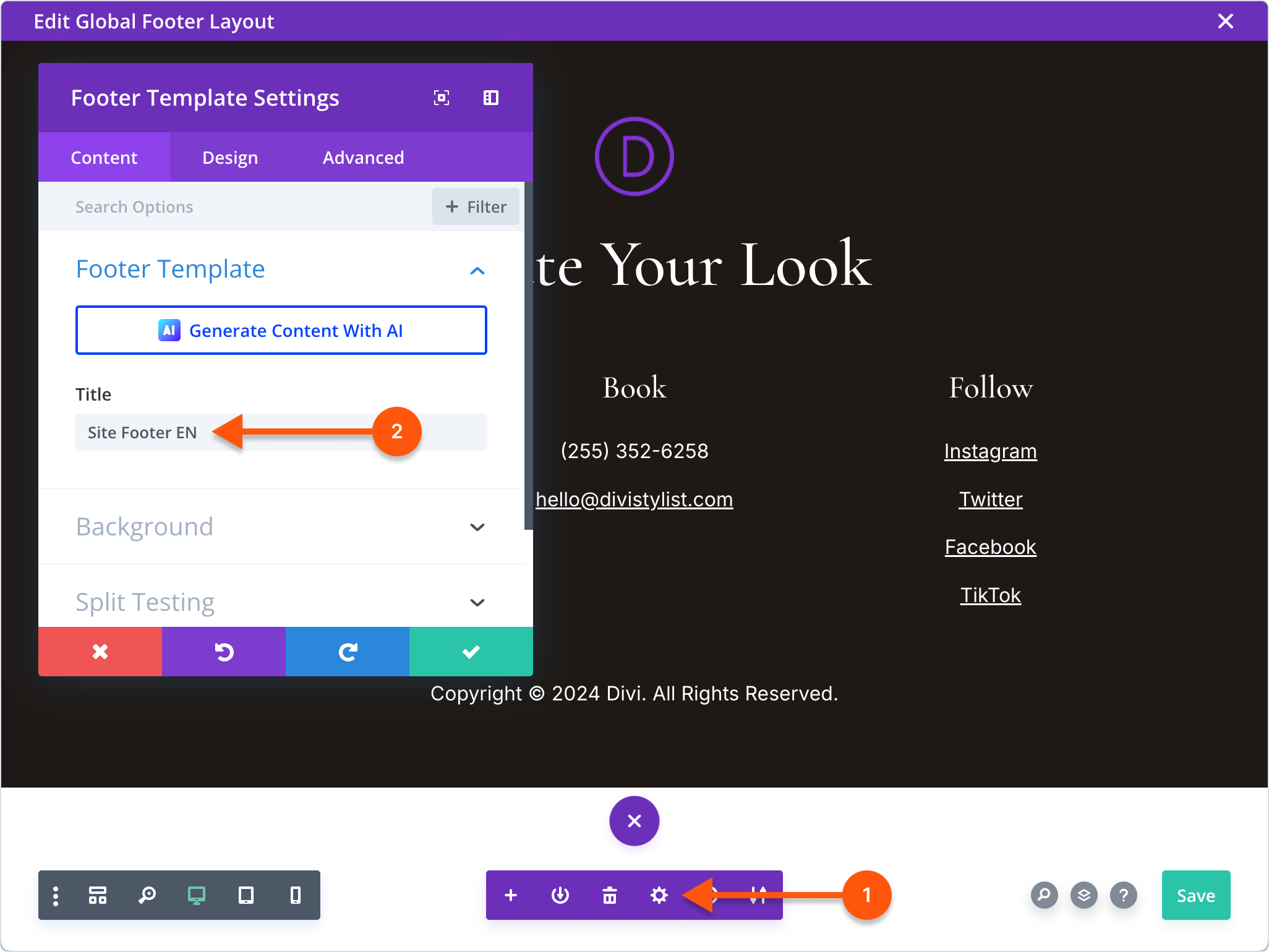
1. Please open the Divi header template in Divi builder, add the descriptive template name so that you can recognize the correct template, and save the changes as you can see in the attached screenshot.

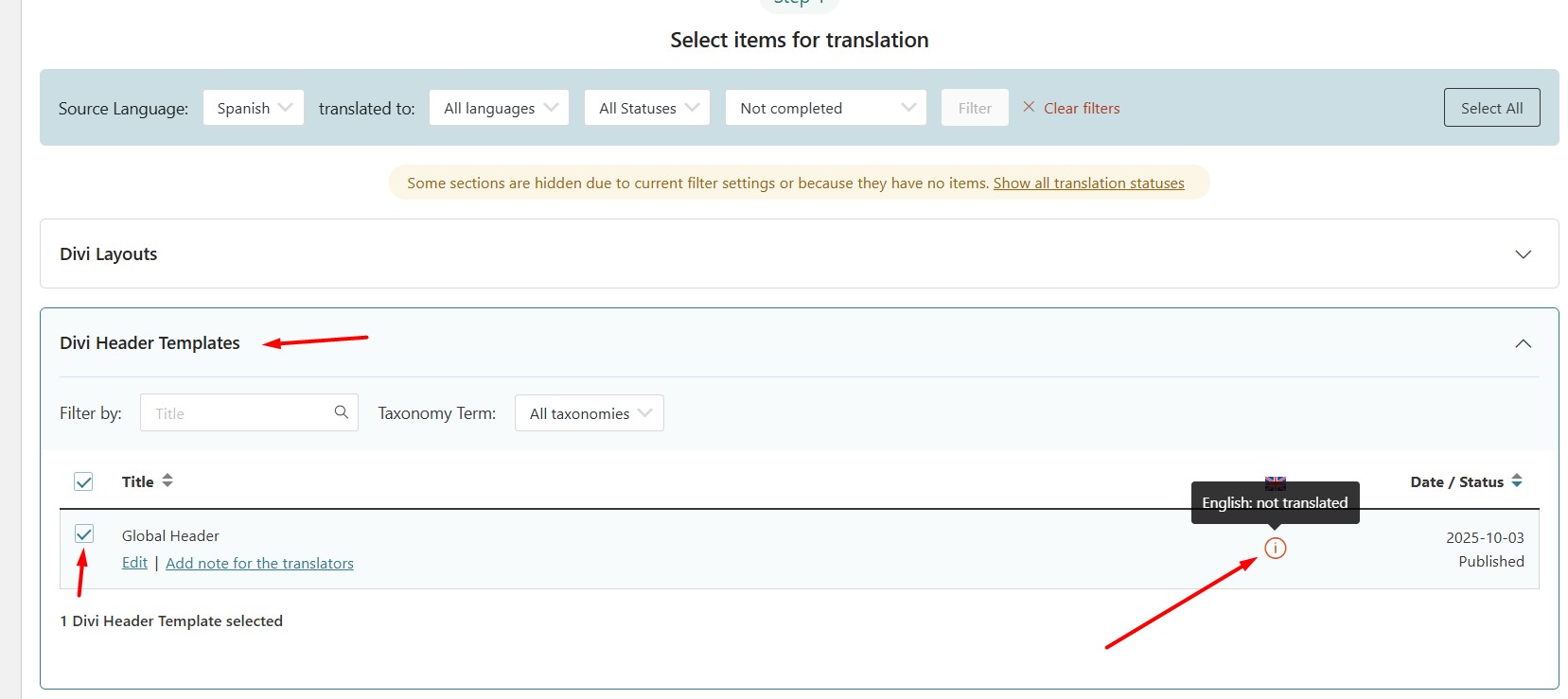
2. Go to WPML >> Translation Dashboard and send the correct Divi header template for translation and see if this resolves the issue.

Here is a doc for more details: hidden link

Kindly let me know the results,
Thank you

Divi template name.png
Divi header.jpg
January 5, 2026 at 7:34 pm #17705270

Tunde Maria Kovacs

Hi,

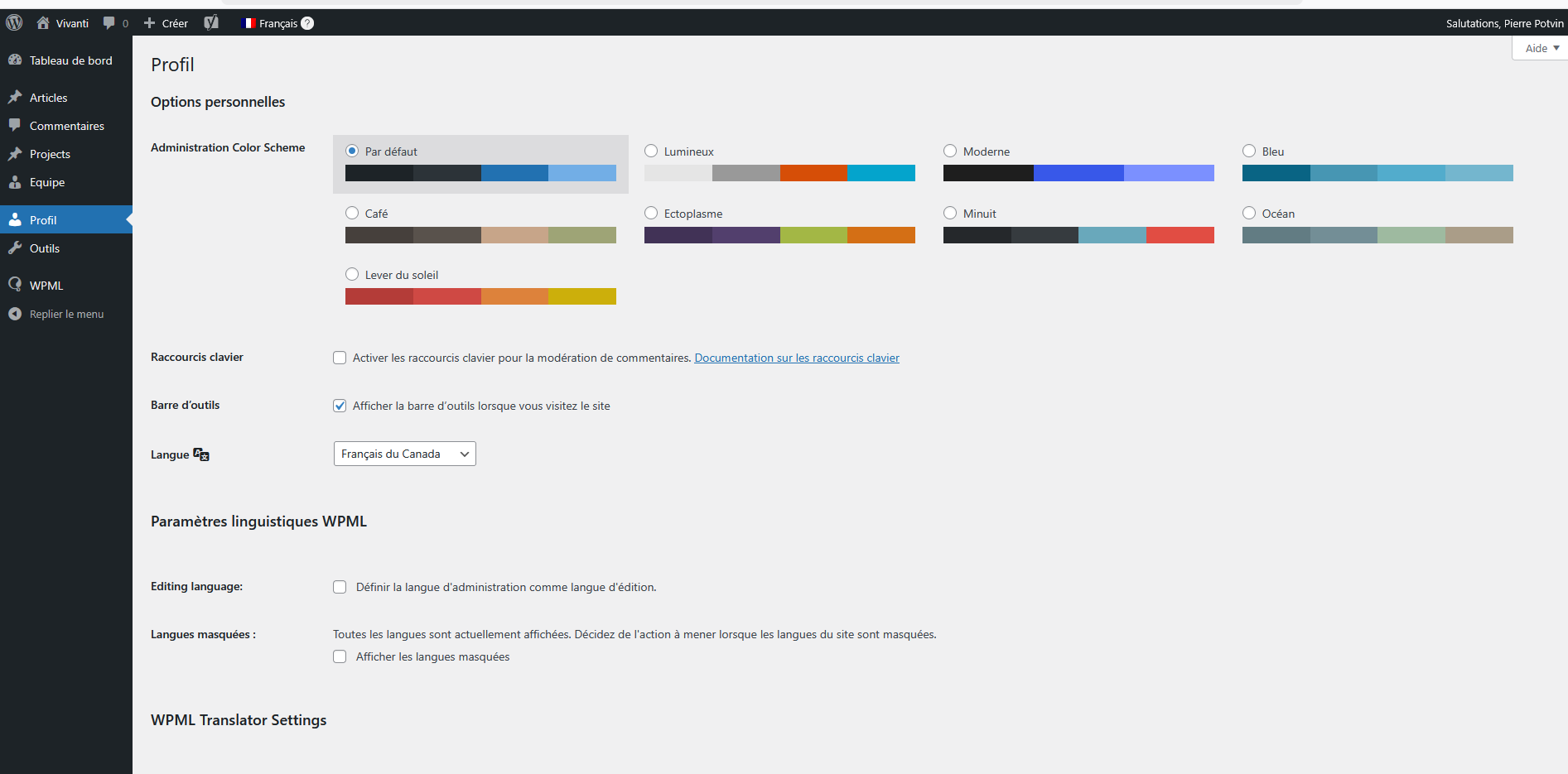
I did this, then when I went to translate by myself, I was ask to add a translator, I was not visible in the drop down menu, so I created a new one as a contributor only. Now I am sign out of my site, the contributor took over the admin and I cannot access 80% of my site

Reduced dashboard.png
January 5, 2026 at 7:37 pm #17705286

Tunde Maria Kovacs

As I followed this exactly: hidden link Also, in WPML, when I saved the theme, it was there, but after getting in and out, then it was not visible anymore in translation management.

January 5, 2026 at 7:41 pm #17705288

Tunde Maria Kovacs

We need access fast to our site, this new user contributor for translator must be removed for the regular user to recuperate his admin right to log in

January 5, 2026 at 8:08 pm #17705306

Tunde Maria Kovacs

We are back with the help of our hosting. Now this take over by the wpml user language contributor must be deleted or can remain. what a bug!!

January 5, 2026 at 8:17 pm #17705309

Tunde Maria Kovacs

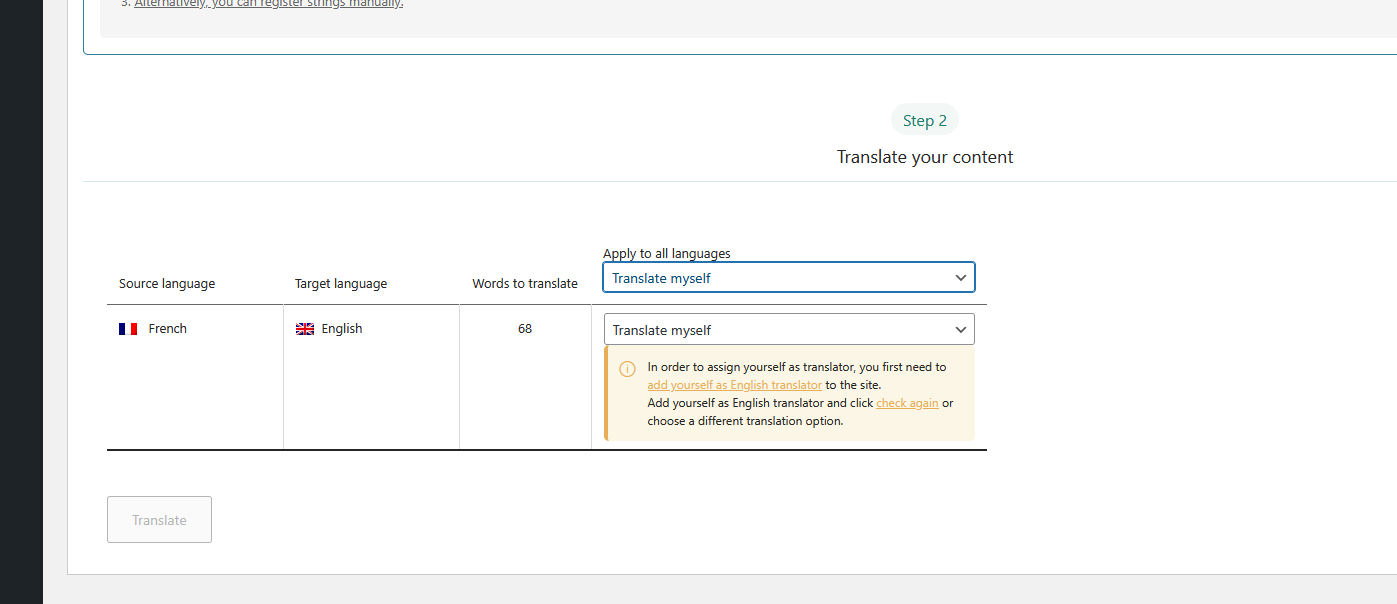
This is the issue in attachment. I put classic editor, my template came back, I select it to translate manually but get this message (Which created the whole issue with a new translator user contributor)

Translate myself.png
January 5, 2026 at 8:31 pm #17705361

Tunde Maria Kovacs

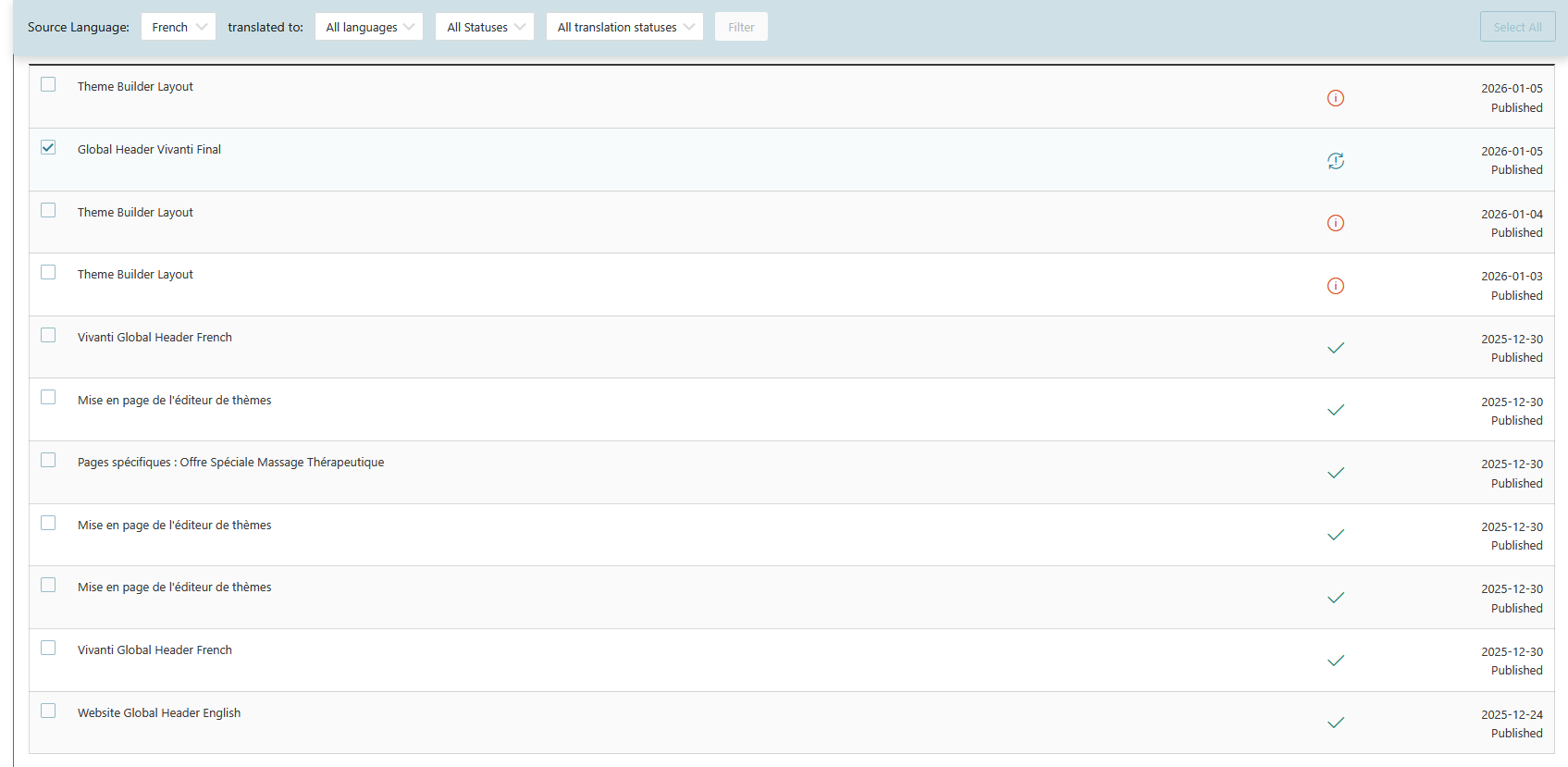
If this last screenshot can help, the one with the check mark is the latest. (Still don't get why all the other remains as a source of confusion)

Header templates WPML.png
January 6, 2026 at 9:06 am #17705994

Noman

Thanks for the additional details and screenshots. Could you please try to add your current user as translator with correct language pairs(French -> English) from WPML >> Translation Dashboard > Translators tab and then try to translate that header template and see if this resolves the issue.

If the issue persists, please provide temporary access (WP-Admin and FTP Login info) to your site (preferably staging site), so that I can look into your setup and debug the issue.

Your next answer will be private, meaning only you and I can access it.

=== Please backup your database and website ===

✙ I would need your permission to deactivate and reactivate Plugins and the Theme and to change configurations on the site. This is also a reason the backup is essential.

Thank you

translator with language pairs.jpg