
This is the technical support forum for WPML - the multilingual WordPress plugin.
Everyone can read, but only WPML clients can post here. WPML team is replying on the forum 6 days per week, 22 hours per day.
| Sun | Mon | Tue | Wed | Thu | Fri | Sat |
|---|---|---|---|---|---|---|
| - | - | 9:00 – 18:00 | 9:00 – 18:00 | 9:00 – 18:00 | 9:00 – 18:00 | 9:00 – 18:00 |
| - | - | - | - | - | - | - |
Supporter timezone: America/Lima (GMT-05:00)
Tagged: Exception
This topic contains 7 replies, has 0 voices.
Last updated by Andreas W. 1 week, 2 days ago.
Assisted by: Andreas W..
| Author | Posts |
|---|---|
| April 1, 2026 at 9:44 am #17942391 | |
 tommyJ-4 |
I have problems with internal links not being "translated". I just added a translation of a page into English and the links in the body segment (long description) are just copied, not translated. How am I supposed to get all internal links automatically "translated" into the corresponding link in the specific language (so that they lead to the corresponding English page in this case)? All I can find in the documentation is that this should happen automatically. 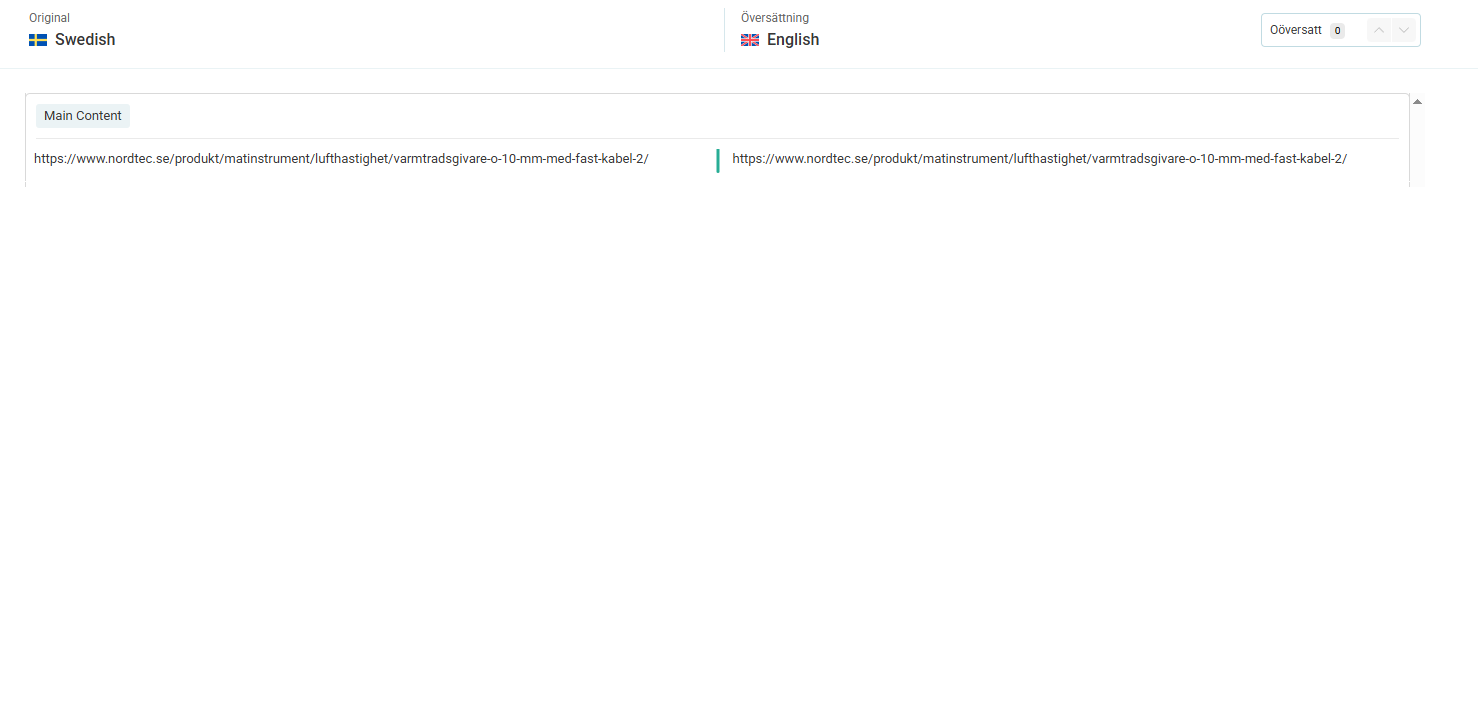  |
| April 5, 2026 at 11:02 am #17949985 | |
 Andreas W. WPML Supporter since 12/2018 Languages: English (English ) Spanish (Español ) German (Deutsch ) Timezone: America/Lima (GMT-05:00) |
Hello, Thank you for reaching out! I have tried to recreate this issue by linking a translated product from another product's product description and its short description, and I can not confirm the issue. The links do not need to be translated inside the Advanced Translation Editor. WPML will adjust them automatically if the linked product is translated and the translation is published. It would also be very helpful if you could send us the WPML troubleshooting information. Best regards |
| April 7, 2026 at 11:49 am #17953994 | |
|
tommyJ-4 |
Hello Swedish: hidden link In the translated page (English) there is still a link that leads to the Swedish page: I have tried to change a small text in the Swedish page, and then updated the Swedish page, then updated the translation, and finally clicked on the Finish button in the translation editor. After this and after clearing all cache, refreshing the page etc the link still leads to the Swedish page: hidden link There are about 150 English pages with internal links that only leads to the corresponding Swedish page. Please see the attached screen dumps. How can I fix this without manually going over each page and actually "translate" the links? Because WPML is not taking care of this automatically, even if there is a message that states that it will when looking at the links in the translation editor. Please note that theses examples refer to our stage site. Please notify me if you need access. Best regards 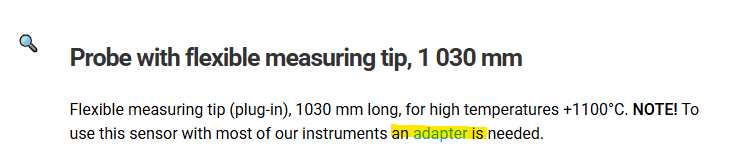 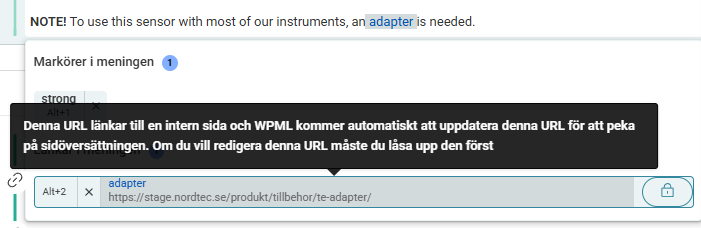 |
| April 7, 2026 at 12:03 pm #17954067 | |
|
tommyJ-4 |
Hello again And then I translated it using the normal translation editor. The resulting English page: So this problem is not isolated to previous translated pages, it also is true for new pages / translations Best regards   |
| April 7, 2026 at 3:18 pm #17954759 | |
|
Andreas W. WPML Supporter since 12/2018 Languages: English (English ) Spanish (Español ) German (Deutsch ) Timezone: America/Lima (GMT-05:00) |
I'd like to request temporary access (wp-admin and FTP) to the website to investigate the issue further. You'll find the necessary fields below the comment section if you log in to leave the next reply. The information you provide will be private, meaning only you and I will be able to see and access it. IMPORTANT If you don't see the "wp-admin / FTP" fields, your login credentials for the post and website will be set to "PUBLIC." Do NOT publish the information unless you see the required wp-admin / FTP fields. I may need to install a plugin called "All In One WP Migration" to create a copy of the website on which I can investigate the problem more thoroughly. I would also be very grateful if you could provide a staging site on your server for this purpose. If you have any questions about creating such a staging site, please contact your hosting provider. Please ensure that WPML is also registered on this staging site at https://wpml.org/de/account/websites/. If you are unable to provide such a copy of the website for testing, please let me know on this ticket. The private reply form looks like this: When replying again, click "I still need assistance". Video: Please note that we are required to request this information individually on each ticket. We are not permitted to access any login information that was not specifically provided in the private reply form for this ticket. |
| April 8, 2026 at 11:48 pm #17957739 | |
|
Andreas W. WPML Supporter since 12/2018 Languages: English (English ) Spanish (Español ) German (Deutsch ) Timezone: America/Lima (GMT-05:00) |
I realized that if I search for "adapter" on the original Swedish page, it will only show me English products to select as a link source. This is unexpected. The issue: 1) First, in Settings > Permalinks, I would use English by default for Product category base and Product tag base. Make sure that the Product Base is assigned to Swedish, as this is your site's default language. Example: /produkter/%product_cat%/ Translate the Product Base at WooCommerce > WCML > Store URLs. 2) You have set Product Categories in WPML > Settings > Taxonomies Translation to "Translatable use translation if available or fallback to default language". Please use "Translatable only show translated items" and make sure that all product categories are translated. Next, you translate Product Categories at WPML > Taxonomy Translation. Select "Product categories". In the bottom section, under "Translations of taxonomy Category labels and slug" update the translations. --- Now, if you link an internal product, the WordPress Editor will make sure to detect the link correctly in each language. Make sure that its category is translated. |
| April 9, 2026 at 10:56 am #17959102 | |
|
tommyJ-4 |
I am not sure I understand step one... And for English pages we need the whole slug to be in English: Do you mean to say that with this approach internal links will not point the corresponding translated page? I have discovered another thing. WPML seems to not handle redirects. Internal links that points to another page without being redirected, is handled correctly by WPML and such links points to the corresponding translated page! So the problem seems to be redirects.... I will be back in office on Tuesday, and will then test to change the links, so that they are not being redirected and then see if it works better. Looking forward to hear from you. |
| April 9, 2026 at 7:11 pm #17960466 | |
|
Andreas W. WPML Supporter since 12/2018 Languages: English (English ) Spanish (Español ) German (Deutsch ) Timezone: America/Lima (GMT-05:00) |
Indeed, my apologies, as I changed the Product base at Permalink > Settings to: There should be no issue with changing it to: I have adjusted this now. Then I resaved the translation for the product base at WooCommerce > WCML > Store URLs. Here is a Swedish product: Here its English translation: Here is the link for your translate test page, which also links now to the correct translated product: In case you have any further questions, please reach out again on Monday. |






