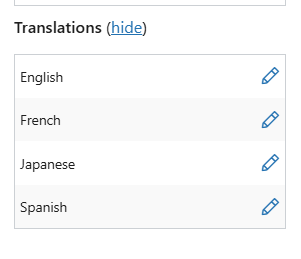
In WPML on dowjones.com, I can see everything is properly linked. But on dropdown, I'm not seeing the pages. Example: hidden link This is working correctly on QA (staging): hidden link . The only difference I can note is that Permalink structure is set to name and not dates. Can you advise?
It looks like this is a different issue from the missing ‘Connect with translation’ link. Could you please confirm if that part is now resolved? For the dropdown problem, please open a new live chat/ticket so we can handle it separately and keep each issue clear.
Great, thank you. If the ‘Connect with translation’ issue is resolved on your side, please mark this ticket as resolved. Otherwise, feel free to update me here before we close it.
Thanks for the update. Please try the steps below:
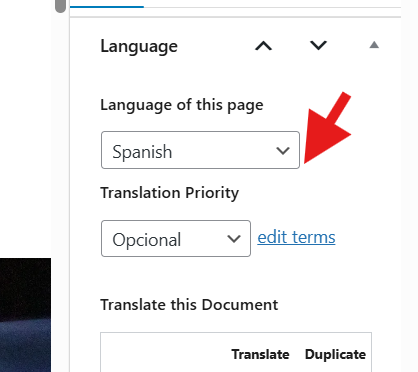
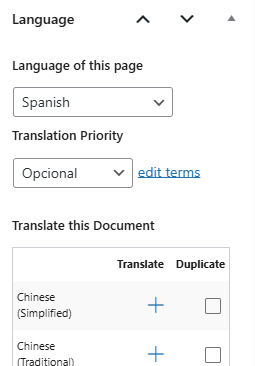
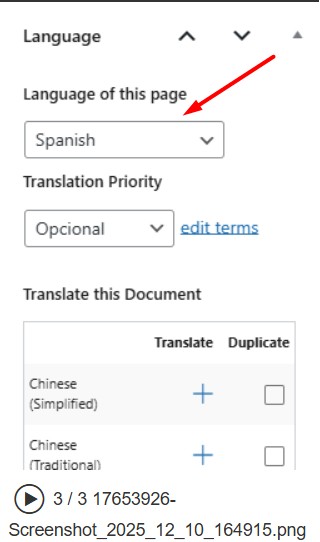
1. Switch the “Language of this page” dropdown to any other language, save the page, then switch back to Spanish and check if the “Connect with translations” link appears.
2. If not, please create a new Spanish page/post, copy the existing Spanish content into it, and see if the issue is resolved.
If the issue still persists, please provide temporary access (WP-Admin and FTP Login info) to your site (preferably staging site), so that I can look into your setup and debug the issue.
Your next answer will be private, meaning only you and I can access it.
=== Please backup your database and website ===
✙ I would need your permission to deactivate and reactivate Plugins and the Theme and to change configurations on the site. This is also a reason the backup is essential.
✙ Lastly, please send me the link to the Spanish page where you see the issue.
Yes these are safe to run but we recommend to wait for the Full site Backup first. Because these functions process some critical data in the database so its always best to have the backup first.
Thanks for your cooperation and understanding.
The topic ‘[Closed] Spanish Translation not connecting with other translations’ is closed to new replies.