We have already tried the workaround but its very difficult to find the synonyms to translate. Especially for external translators. If we're not able to translate the synonyms we will get found in all languages in the search engines no matter of which language they search in which will be negative for our SEO. Please make this a priority to show the synonyms in WPML Editor as soon as possible.
Yoast SEO stores synonyms as system fields in an array format, which is why WPML currently does not show them as normal strings in the Advanced Translation Editor.
We may submit this as a feature request to our development team. For that, we need to reproduce the behavior on a fresh WordPress site.
I’ve prepared a clean test site with WPML already installed. Could you please try the following steps:
1. Log in using this auto-login link: hidden link
2. Install the Yoast SEO Premium plugin.
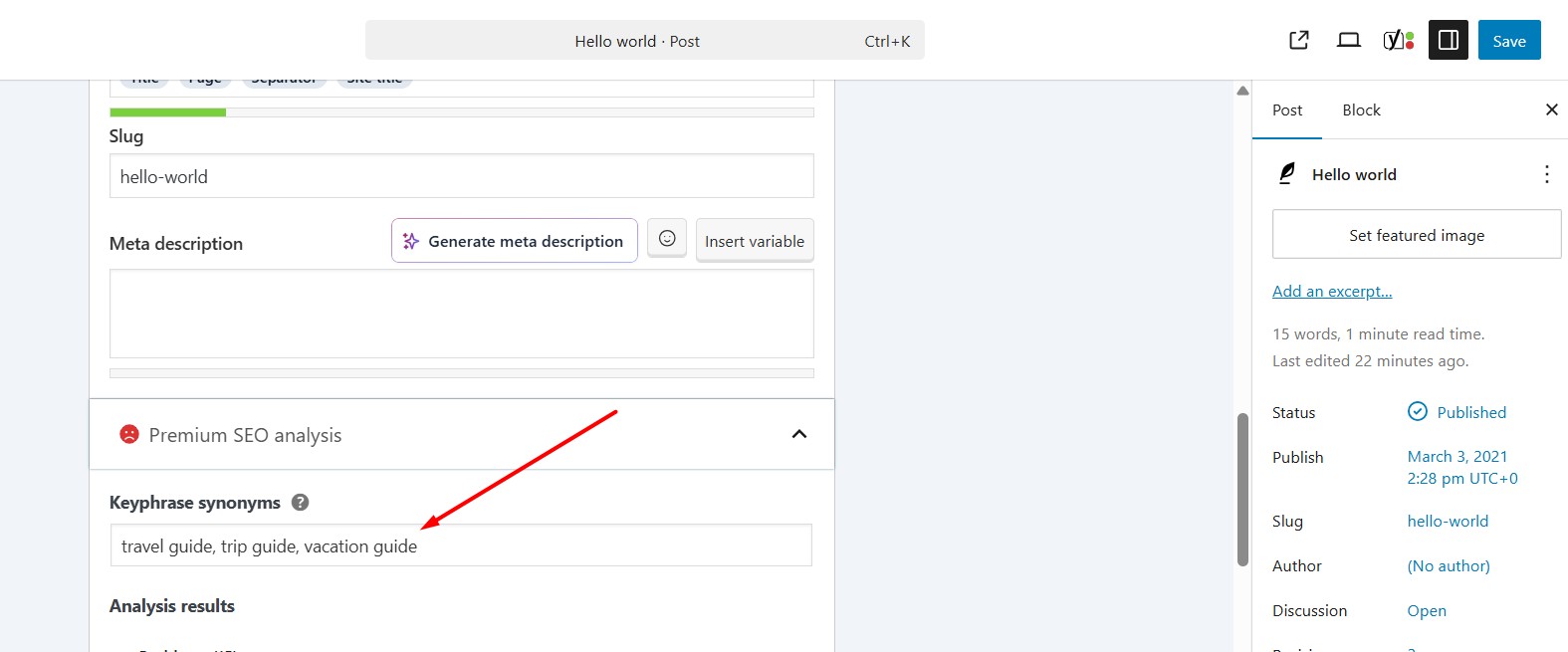
3. Create a post or page and add synonyms.
4. Try translating it using WPML.
No full setup or site cloning is needed, only the steps above.
Please let us know the exact steps you follow to reproduce the issue.
Thank you for your reply. However, we have already done exactly this in our previous support thread, see my first post. It was closed due to Christmas holiday.
We have a hard time finding the synonyms for translations and especially our external translators. SEO is crucial for our website and we need to find a solution as soon as possible.
We need to find a work around as we can not find the synonyms for some translations while we wait for the SEO fields to appear in WPML Advanced Translation.
Sorry for the delay, I was off during the weekend (Friday-Saturday). I tested this on our fresh WPML sandbox and confirmed a workaround to access the Yoast synonyms in the Advanced Translation Editor:
1. Installed/activated the Yoast SEO Premium plugin on the fresh WP site.
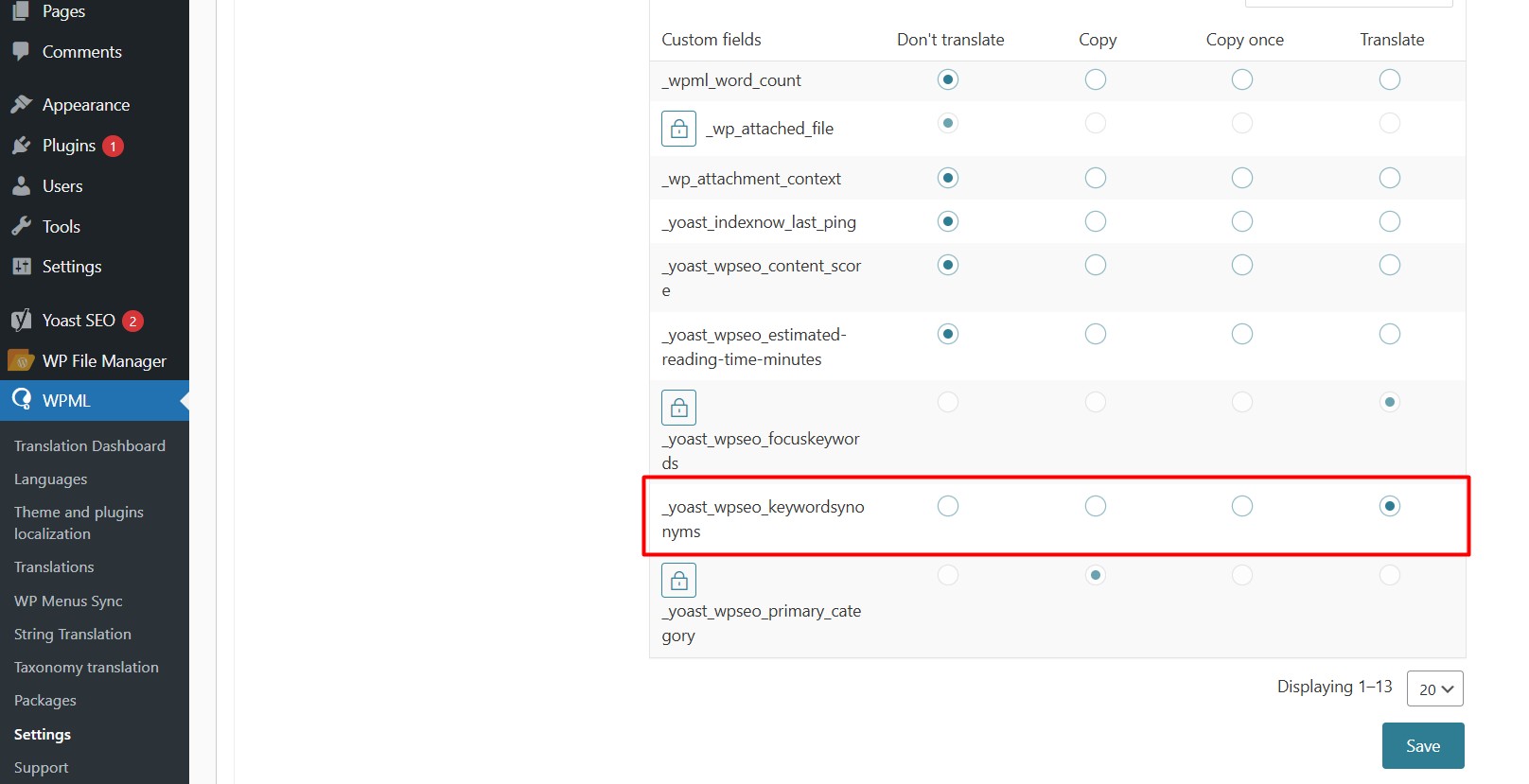
2. Went to WPML >> Settings > Custom Fields Translation, click on the “Show system fields” link.
3. Set the “_yoast_wpseo_keywordsynonyms” option to “Translate”.
4. Opened the post in WPML Advanced Translation Editor.
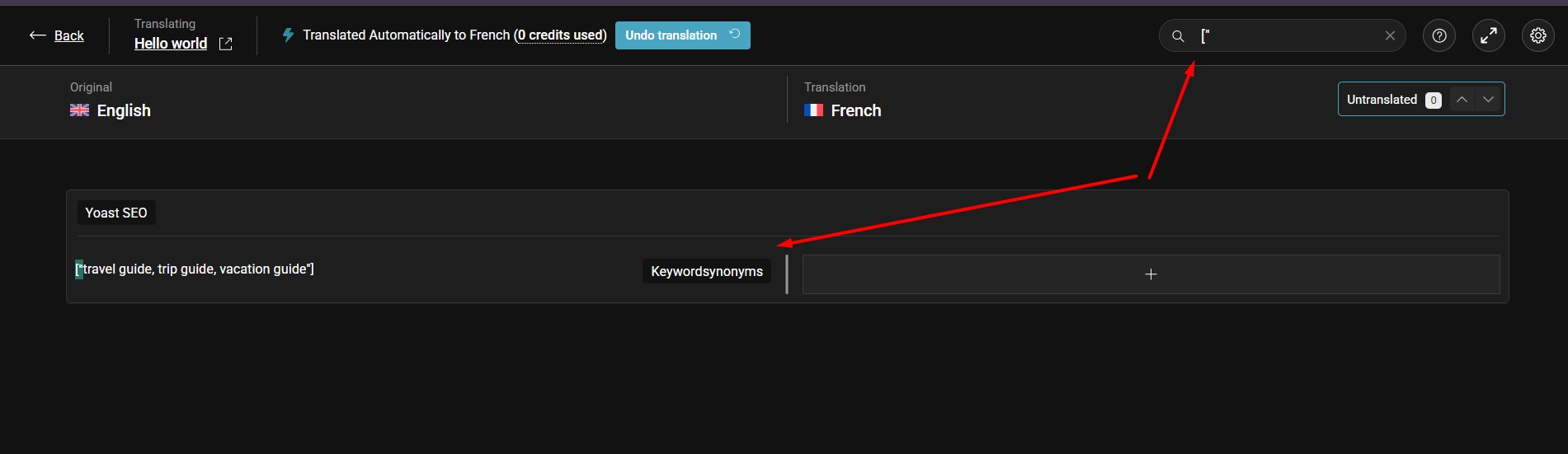
5. In the search box, type [" this will reveal the synonyms array so it can be translated as you can see in the attached screenshot.
Could you please try these steps on your site and let me know if you can locate and translate the synonyms this way?
Thank you for the support. We're able to find the synonyms using the search solution provided.
However, its hard for us to keep track of which pages and posts we have translated the synonyms as these are marked as translated automatically even though they are not translated.
We will use the workaround for now but expect a more permanent solution for this soon.
Thanks for the clarification. I understand the limitation this creates in your workflow. I will forward this to our 2nd tier team as a feature request so they can review how Yoast synonyms are handled in the Advanced Translation Editor. I will update you once I have feedback.
In the meantime, please continue using the search workaround to locate and translate the synonyms.
I have escalated your request to our second-tier support team for further review and consideration. I will keep you updated as soon as I receive feedback from their end.
We looked into how this works, and here’s the clarification:
The synonyms you enter in Yoast’s custom field are used internally by Yoast to calculate SEO scores and they aren’t shown on the site and don’t directly affect how search engines find your pages.
This means that translating these synonyms in WPML’s Advanced Translation Editor won’t impact your SEO. The translations would exist internally but wouldn’t change what search engines index.
For multilingual SEO, the best approach is to translate your actual content and main keyphrases for each language. The synonyms themselves don’t need separate translation for this.