Skip to content Skip to sidebar

This thread is resolved. Here is a description of the problem and solution.

Problem:
If you're experiencing issues after translating a page using ATE where the link in the custom HTML is broken, such as WPML adding extra characters or clearing content in the second Custom HTML block, you're not alone.
Solution:
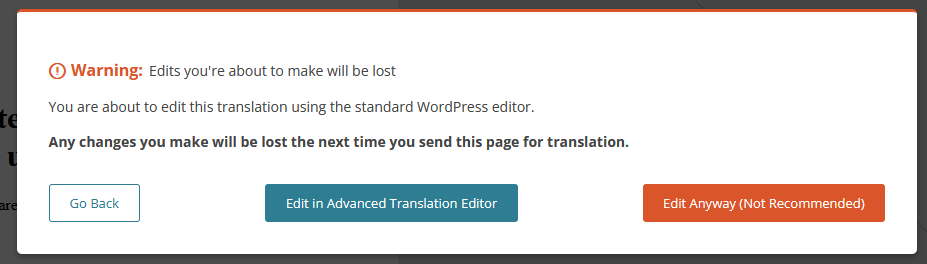
We have investigated this issue and found that it occurs due to HTML tags being split across different blocks. Currently, we recommend manually adjusting the translated page using the WordPress editor as a workaround. Although this solution might not be ideal and could lead to warnings about the translation method, it is the best approach at this time.

Please note that this solution might become outdated or may not apply to your specific case. We highly recommend checking related known issues at https://wpml.org/known-issues/, verifying the version of the permanent fix, and confirming that you have installed the latest versions of themes and plugins. If this does not resolve your issue, please open a new support ticket.

This is the technical support forum for WPML - the multilingual WordPress plugin.

Everyone can read, but only WPML clients can post here. WPML team is replying on the forum 6 days per week, 22 hours per day.

Tagged: 

This topic contains 2 replies, has 0 voices.

Last updated by justusR 1 month ago.

Assisted by: Dražen.

Author Posts
January 21, 2026 at 9:05 am #17749317

justusR

Provide a fix or workaround for the issue.

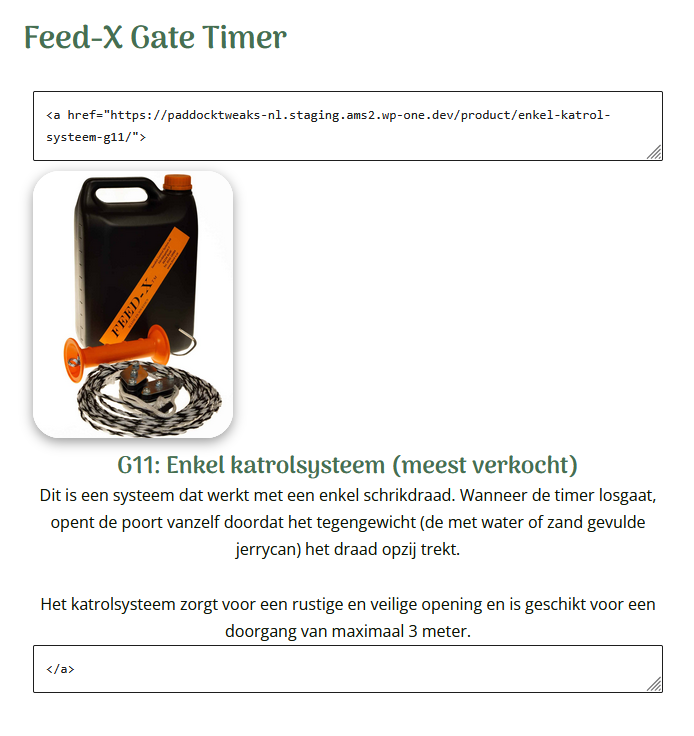
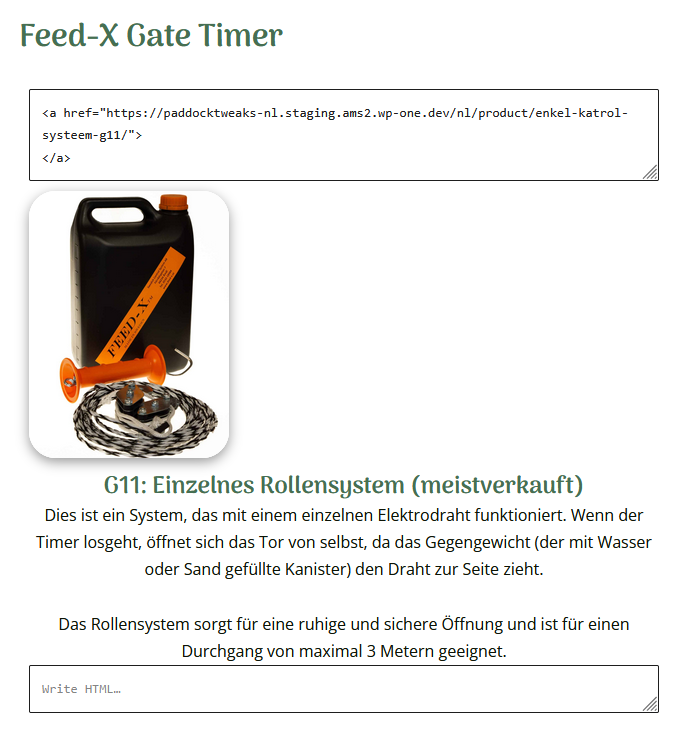
Screenshots show the problem: after translating page using ATE, the link in the custom HTML is broken: on the first Custom HTML block, WPML adds "", and it clears the 2nd Custom HTML block.

I can fix this using the wordpress editor, but then I will always get the big warning, and this will go wrong in the future (people forgetting that this specific page cannot be translated using ATE).

I made a minimal example page here: hidden link
The Dutch page (NL) is the original, the German the translated version which is broken.

January 21, 2026 at 9:23 am #17749498

Dražen
Supporter

Languages: English (English )

Timezone: Europe/Zagreb (GMT+01:00)

Hello,

Thank you for reporting this.

I’ve been able to reproduce the issue and have escalated it to our team for further investigation. We will review it and will get back to you with an update.

Please note that this may take a day or two.

Thank you for your patience.

Regards,
Drazen

January 26, 2026 at 12:58 pm #17762472

Dražen
Supporter

Languages: English (English )

Timezone: Europe/Zagreb (GMT+01:00)

Hello,

Thank you for your patience.

Our 2nd-tier team and developers have reviewed this case further and decided not to escalate it for an additional fix at this time. The reason is that this appears to be an edge-case scenario caused by the use of HTML tags, where an opening tag is placed in one block and the closing tag in another.

For now, we recommend using the previously mentioned workaround and adjusting the translated page manually.

If you have any further questions or doubts about this topic, feel free to let me know and I can check or consult with our team again.

Regards,
Drazen

January 26, 2026 at 4:19 pm #17763582

justusR

OK, that's a shame, but I understand. It's another addition to the long list of issues that have popped up since I started using WPML. I am generally happy with the support, but results matter, and this is the third workaround I've had to apply just to get a relatively simple FSE website working.

Every workaround adds another layer of risk, and implementing WPML feels like swapping a concrete foundation for a house of cards.