Skip to content Skip to sidebar

This thread is resolved. Here is a description of the problem and solution.

Problem:
The client was facing issues with WPML not translating wpforms and a widget called 'hotspots' on their main page.
Solution:
We resolved the issue with the 'hotspots' widget by adding custom XML configuration to the WPML settings. Here is the code we used:

<wpml-config><br />  <elementor-widgets><br />    <widget name="jet-hotspots"><br />      <fields-in-item items_of="hotspots"><br />        <field>hotspot_description</field><br />      </fields-in-item><br />    </widget><br />  <elementor-widgets><br /></wpml-config>

Please update the home page translations and check if the widget translates correctly.

If this solution does not apply to your case, or if it seems outdated, we recommend opening a new support ticket. We also highly recommend checking related known issues at https://wpml.org/known-issues/, verifying the version of the permanent fix, and confirming that you have installed the latest versions of themes and plugins. For further assistance, please visit our support forum at https://wpml.org/forums/forum/english-support/.

This is the technical support forum for WPML - the multilingual WordPress plugin.

Everyone can read, but only WPML clients can post here. WPML team is replying on the forum 6 days per week, 22 hours per day.

Tagged: 

This topic contains 2 replies, has 0 voices.

Last updated by Osama Mersal 1 year ago.

Assisted by: Osama Mersal.

Author Posts
February 21, 2025 at 6:40 pm #16734937

nicolasF-39

Background of the issue:
I automatically translated the whole page using WPML on my site hidden link.

Symptoms:
There are quite a few wpforms and a section with a widget called hotspots on the main page that are not translating.

Questions:
Why are certain wpforms not translating?
Why is the widget called hotspots not translating on the main page?

February 23, 2025 at 12:13 pm #16737836

Osama Mersal

Hi,

Thanks for contacting WPML forums support. I'll be glad to help you today.

First of all, sorry for the late reply; it was due to a higher workload.

1) Please check this guide and follow its steps to make sure that the WP Form is translated correctly.

2) For the untranslated widget, please go to WPML-> String Translation and search for the strings.

Best regards,
Osama

February 25, 2025 at 11:10 am #16745143

nicolasF-39

This guide does not help me... I clicked on translate everything on wpml. I do not have the option for the wpforms section. The forms are available and translated for Swedish but not for english. If i go to translations I only see one WPform although I have like 10.

And with String stranslation I do not know what do here exactly I do not find it...

February 25, 2025 at 11:13 am #16745167

Osama Mersal

Hi,

I would need to look closely at your site, so I would need to request temporary access (WP-Admin and FTP)
Preferably to a test site where the problem has been replicated.

Your answer will be private, meaning only you and I can access it.

❌ Please backup your database and website ❌

✙ I need your permission to deactivate and reactivate the plugins and themes and change site configurations. This is also why the backup is critical.

✙ I also need your permission to take a local copy of your site to debug the issue without affecting your live site.

Best regards,
Osama

February 25, 2025 at 12:00 pm #16745485

Osama Mersal

Hi,

Thanks for the access details. I was able to fix the HotSposts widget issue by adding the following code to WPML-> Settings-> Custom XML tab.

<wpml-config>
  <elementor-widgets>
    <widget name="jet-hotspots">
      <fields-in-item items_of="hotspots">
        <field>hotspot_description</field>
      </fields-in-item>
    </widget>
  </elementor-widgets>
</wpml-config>

Pleas update the home page translations and let me know if the widget is translated correctly.

Best regards,
Osama

February 25, 2025 at 12:04 pm #16745492

nicolasF-39

Hi,

thanks it works now. Did you find something out about Wpforms yet ?

regards

February 25, 2025 at 12:41 pm #16745729

Osama Mersal

Hi,

I checked the forms, and they are translated. Do you have a staging site where we can run the following test?

1- Deactivate all the plugins except WPML CMS.
2- Switch to a WordPress default theme like Twenty Twenty-one.

If the issue is gone, activate them one by one to see which one is causing an interaction issue.

❌ Please backup your database before the above test ❌

Best regards,
Osama

February 27, 2025 at 2:46 pm #16756772

nicolasF-39

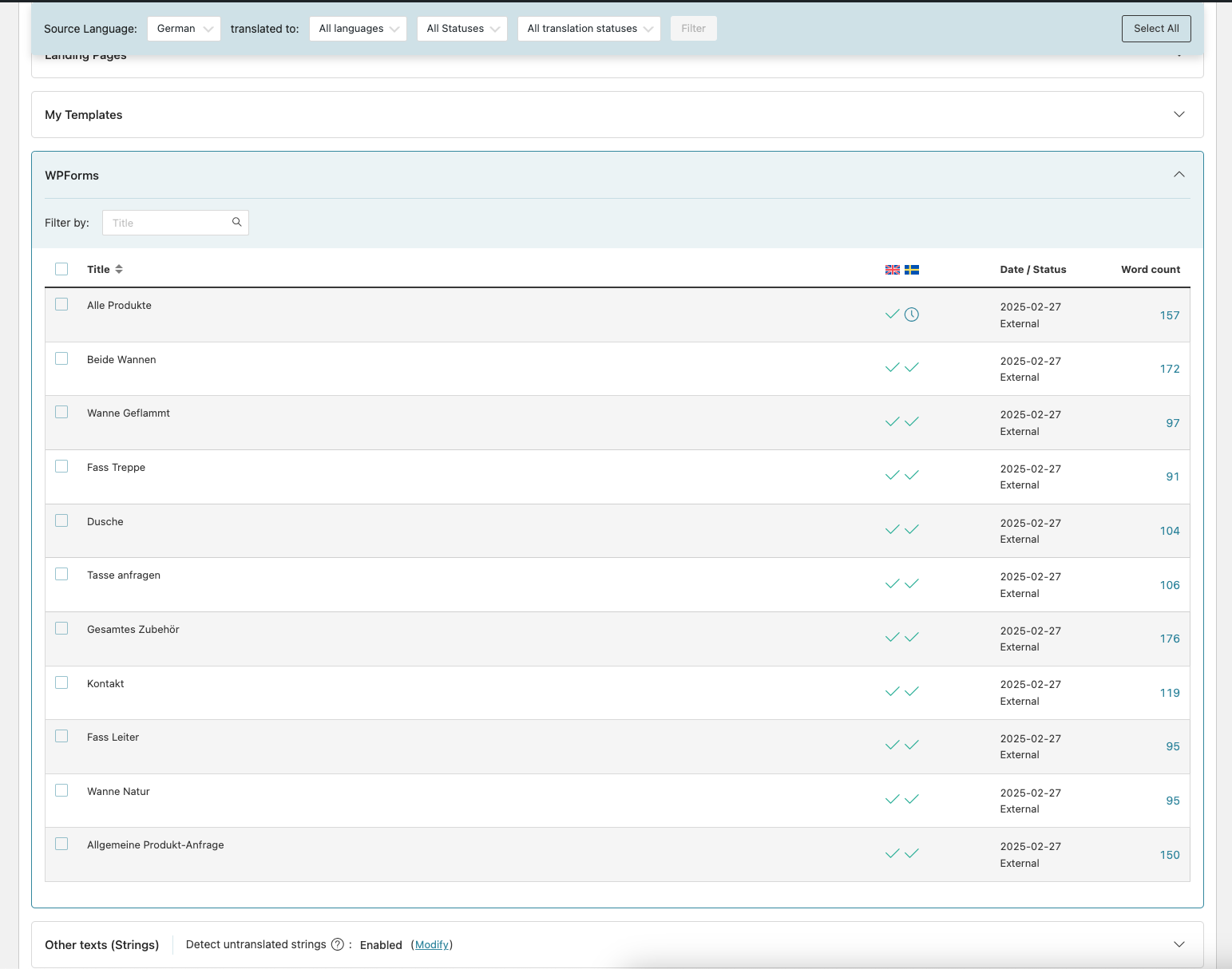
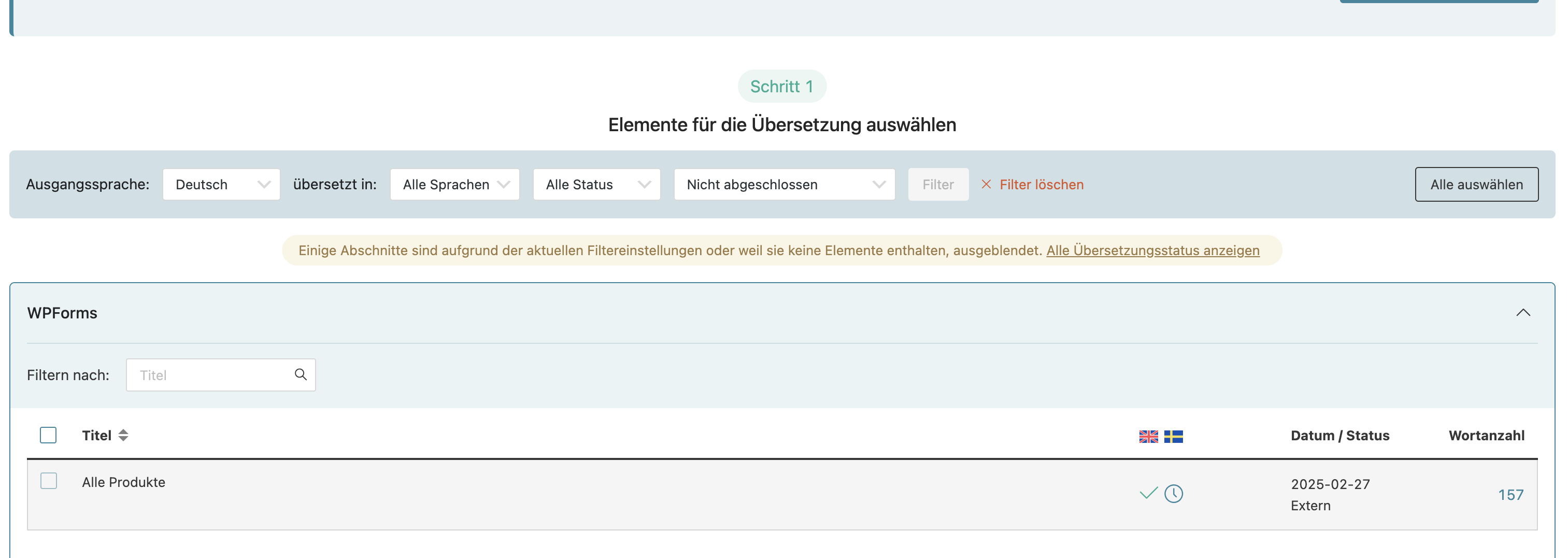
where do you see that they are translated tho. When I go to "Wpml" -> "translations" and then filter for "WpForms" it only shows one Form...

but yeah I will try it with the staging real quick

February 27, 2025 at 3:05 pm #16756817

Osama Mersal

Hi,

I checked them in WPML-> Translation Management.

Best regards,
Osama

2025-02-27_17-04-37.png
February 27, 2025 at 3:14 pm #16756913

nicolasF-39

in the Translation Management I see one ... See in the attached picture

Bildschirmfoto 2025-02-27 um 16.14.08.png
February 27, 2025 at 3:16 pm #16756928

Osama Mersal

Hi,

You need to change the filter to "All Translation Status" in order to see all the forms.

Best regards.
Osama

February 27, 2025 at 3:20 pm #16756947

nicolasF-39

ah ok thank you I see them now. They are indeed translated but in the front end it still shows the german version when i click on the form

February 27, 2025 at 3:22 pm #16756956

nicolasF-39

so on the staging i deactivated all plugins except Elementor Wpforms and the Wpml plugins and it still shows the german version

February 27, 2025 at 3:28 pm #16756960

Osama Mersal

Hi,

Please run the test mentioned on your staging site and let me know the result so we can further debug this issue.

Best regards,
Osama

February 27, 2025 at 3:42 pm #16757015

nicolasF-39

If i deactivate everything except these two plugins wpforms and wpml cms and activate twenty twenty one theme the translation does not even work.