
This is the technical support forum for WPML - the multilingual WordPress plugin.
Everyone can read, but only WPML clients can post here. WPML team is replying on the forum 6 days per week, 22 hours per day.
| Sun | Mon | Tue | Wed | Thu | Fri | Sat |
|---|---|---|---|---|---|---|
| 9:00 – 13:00 | 9:00 – 13:00 | 9:00 – 13:00 | 9:00 – 13:00 | 9:00 – 13:00 | - | - |
| 14:00 – 18:00 | 14:00 – 18:00 | 14:00 – 18:00 | 14:00 – 18:00 | 14:00 – 18:00 | - | - |
Supporter timezone: Asia/Yerevan (GMT+04:00)
Tagged: Compatibility
This topic contains 12 replies, has 0 voices.
Last updated by annikaN-2 18 hours, 48 minutes ago.
Assisted by: Christopher Amirian.
| Author | Posts |
|---|---|
| April 20, 2026 at 8:45 am | |
 annikaN-2 |
Hi  |
| April 20, 2026 at 9:44 am #17980165 | |
|
annikaN-2 |
NOTE! there is not links to all the islands (the once is on the attached screen print) because we haven't done all pages yet. Also the same issue is on this page hidden link 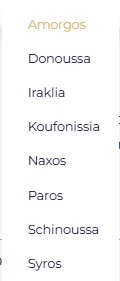 |
| April 20, 2026 at 11:06 am #17980510 | |
 Christopher Amirian WPML Supporter since 07/2020 Languages: English (English ) Timezone: Asia/Yerevan (GMT+04:00) |
Hello Annika, As discussed in the chat, I installed a WordPress installation with WPML and set it as Swedish for the default language and English for translation. And I installed Elementor and Elementor pro. To be able to report the compatibility issues, we need to replicate the issue on a clean installation. You can access the WordPress dashboard using the link below: Kindly follow the steps below: - Install the EAE plugin there. This will help us to report the probable issue to the compatibility team and solve the possible problem faster. Thanks. |
| April 21, 2026 at 7:04 am #17982664 | |
|
annikaN-2 |
Sorry that I didn't answer you but I had no internet and got your message just now so I will do the things you asked for and tell when it's done. All the best, |
| April 21, 2026 at 7:30 am #17982787 | |
|
annikaN-2 |
Hi again, I hope you can resolve this and thank you very much, |
| April 21, 2026 at 4:11 pm #17985045 | |
|
Christopher Amirian WPML Supporter since 07/2020 Languages: English (English ) Timezone: Asia/Yerevan (GMT+04:00) |
Hi Annika, Thank you for replicating the issue on a clean installation. I reported this to the compatibility team. This might take time, but I will get back to you as soon as I have news from them. Thanks. |
| April 22, 2026 at 5:02 am #17985794 | |
|
annikaN-2 |
Thank you for your answer and you know how long time? We are starting selling and it has been many issues during the way and we loosing time. All the best, |
| April 22, 2026 at 7:04 am #17986117 | |
|
Christopher Amirian WPML Supporter since 07/2020 Languages: English (English ) Timezone: Asia/Yerevan (GMT+04:00) |
Hi Annika, Our compatibility team provided a workaround for the time being: Make sure of having a full site backup of your site before proceeding. Add the following code to your theme’s functions.php file.
add_filter( 'elementor/frontend/before_render', 'wpml_compsupp8345_eael_wrapper_link');
function wpml_compsupp8345_eael_wrapper_link( $element ) {
    if ( 'container' !== $element->get_data( 'elType' ) ) {
        return;
    }

    $settings = $element->get_settings();

    if ( empty( $settings['eael_wrapper_link']['url'] ) ) {
        return;
    }

    $lang = apply_filters( 'wpml_current_language', null );
    $url  = apply_filters( 'wpml_permalink', $settings['eael_wrapper_link']['url'], $lang, true );

    $settings['eael_wrapper_link']['url'] = $url;
    $element->set_settings( 'eael_wrapper_link', $settings['eael_wrapper_link'] );
}
Please get back to us with the result. Thanks. |
| April 22, 2026 at 9:41 am #17986862 | |
|
annikaN-2 |
Hi, hidden link Thanks, |
| April 22, 2026 at 12:21 pm #17987519 | |
|
Christopher Amirian WPML Supporter since 07/2020 Languages: English (English ) Timezone: Asia/Yerevan (GMT+04:00) |
Hi Annika, The code is given to address the issue for this page: hidden link On the installation below: hidden link Did you use the exact same widget with the same settings on your website? If not, please create a widget on our installation that will reflect the exact thing you use. Also make sure you clear and purge any cache plugin that you might have. |
| April 23, 2026 at 6:11 am #17989071 | |
|
annikaN-2 |
Hi again, Thanks, |
| April 23, 2026 at 8:27 am #17989571 | |
|
Christopher Amirian WPML Supporter since 07/2020 Languages: English (English ) Timezone: Asia/Yerevan (GMT+04:00) |
Hello and thank you for the login information to the staging website. I recorded a video showing what to do to apply the fix: hidden link Summary The video provides a step-by-step tutorial on fixing internal link issues in a WordPress website using Elementor and WPML translation plugins. It explains how to replace static URLs with dynamic page links in Elementor to ensure correct language version navigation and how to update translations properly in WPML. The tutorial also covers troubleshooting steps and best practices for managing internal and external links in a multilingual website. Action items - Replace static URLs with Elementor's dynamic internal link feature to ensure correct multilingual navigation. Thanks. |
| April 23, 2026 at 3:39 pm #17990881 | |
|
annikaN-2 |
Thank you every so much, work perfect, |








