Background of the issue:
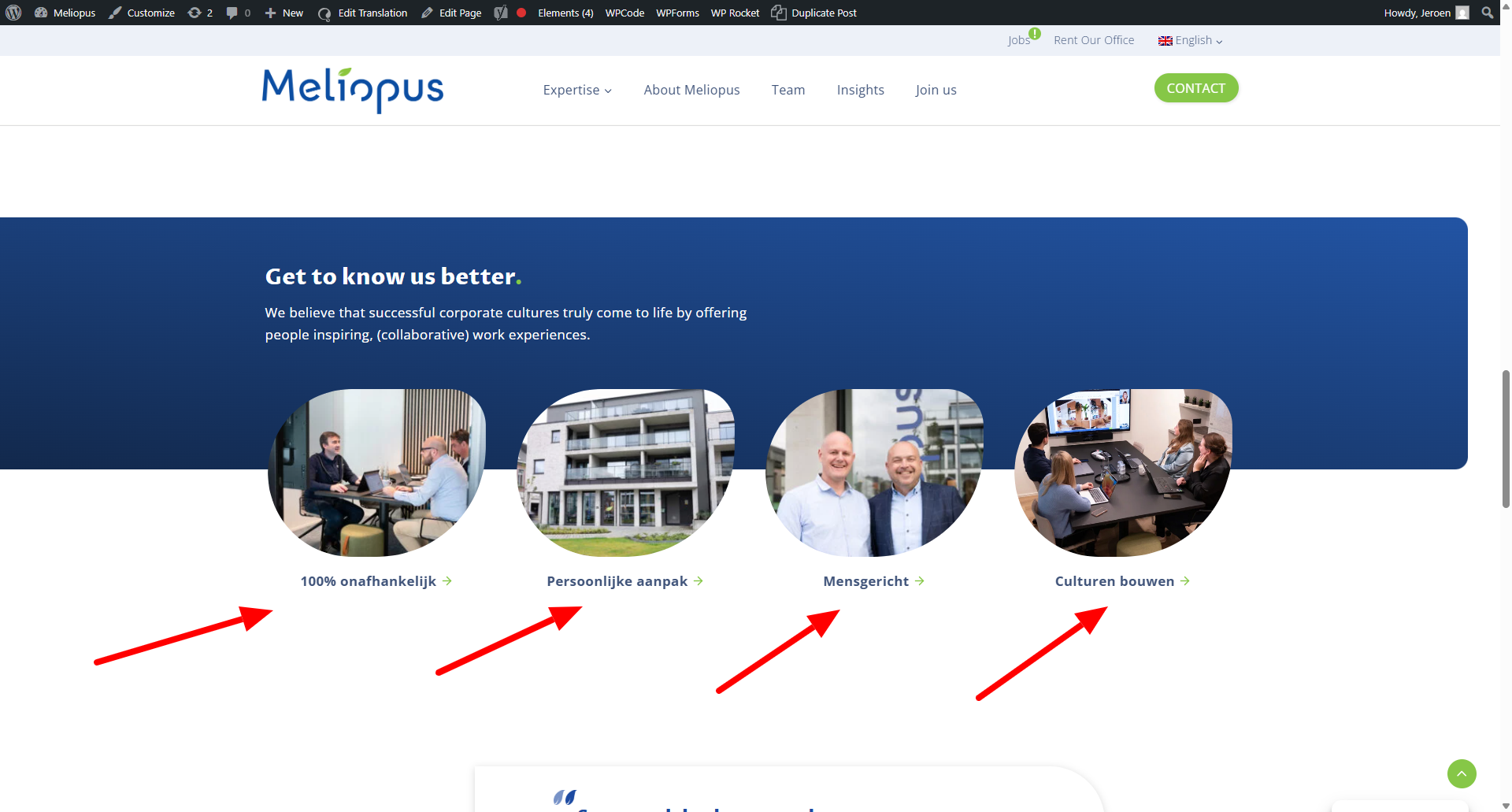
I'm working on a new homepage using the modern translation approach. However, I noticed that some parts are not appearing in the translation editor. See my screenshot for reference. The issue can be seen on this page: hidden link
Symptoms:
Some parts of the page are not available in the translation editor, preventing me from translating them.
Questions:
Why are some parts not appearing in the translation editor?
How can I ensure all parts of the page are available for translation?
I can see that your site is built with Kadence blocks, are these items coming from a Kadence block element?
When an item is not picked up by the Advanced Translation Editor, we will most likely need to register it using wpml-config.xml in order for the editor to pick it up.
While Kadence is compatible with WPML, there is a known issue regarding new blocks from Kadence that are not yet 100% compatible.
To further help, share with me the blocks you are using and share with me the page code.
Open the page you want to export in the WordPress editor.
Click the three dots icon in the top right corner of the block editor.
Select "Code Editor" from the dropdown menu.
Copy the entire HTML code: from the code editor.
Create a new page on your target site, open its code editor, and paste the copied code.
The topic ‘[Closed] Parts of page are not in tranlation’ is closed to new replies.