If this solution does not apply to your situation, or if it is outdated, we highly recommend checking the related known issues, verifying the version of the permanent fix, and confirming that you have installed the latest versions of themes and plugins. If the problem persists, please open a new support ticket with us.
This is the technical support forum for WPML - the multilingual WordPress plugin.
Everyone can read, but only WPML clients can post here. WPML team is replying on the forum 6 days per week, 22 hours per day.
I did increase the limit to 512M from the server site not adding any code to theme , still no change the problem still only with Products page in Woocommerce
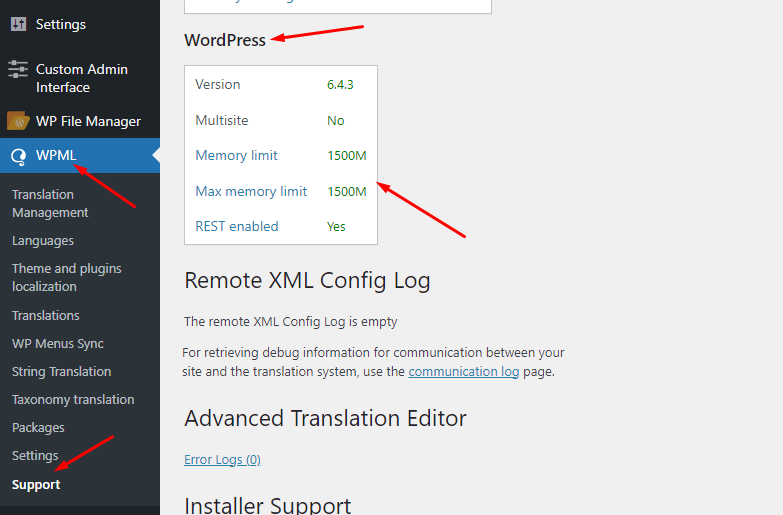
Okay, you can confirm the updated memory from WPML >> Support page as you can see in the attached screenshot.
Also, please make sure you have followed all the suggested steps as follows:
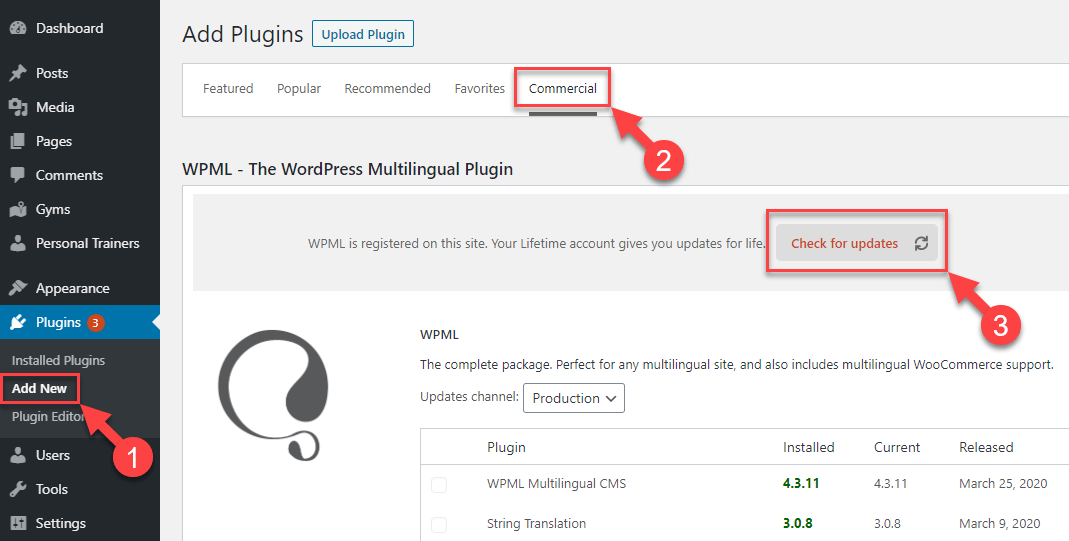
1. We have recently released WPML 4.6.10, could you please take a backup of your site and update it to the latest version and see if this resolves your issue.
2. Please make sure you are using the latest version of theme and other plugins including WooCommerce on your site.
3. Please try to activate the parent Blocksy theme and see if the issue persists or not.
4. Please clear all sorts of cache from your site/server and see if this solves the issue
5. Please tro check this issue in antoher browser and let me know how it goes.
If you have already followed all the above steps and the issue still persists, please provide temporary access (WP-Admin and FTP Login info) to your site (preferably staging site), so that I can look into your setup and debug the issue.
Your next answer will be private which means only you and I have access to it.
=== Please backup your database and website ===
✙ I would additionally need your permission to deactivate and reactivate Plugins and the Theme and to change configurations on the site. This is also a reason the backup is really important.
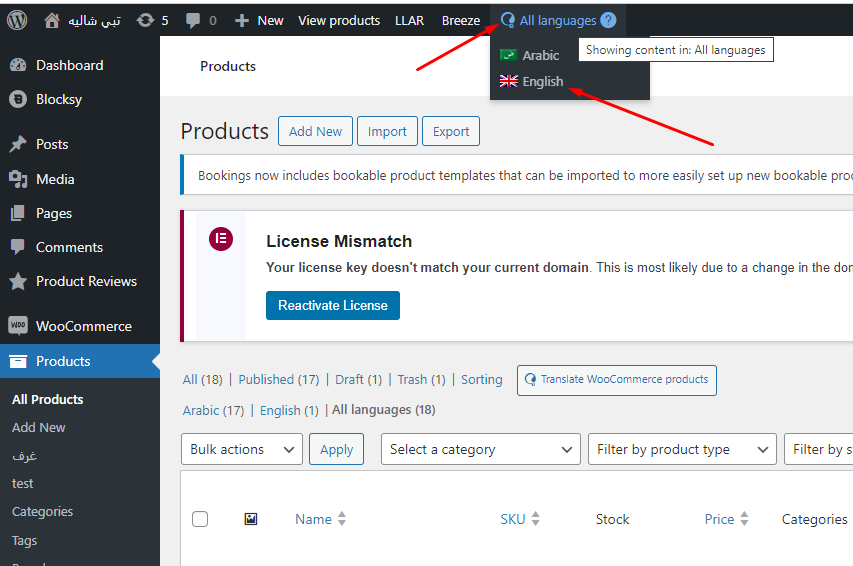
Sorry for the wait, it was my weekend (Friday-Saturday). I just checked the theme/plugin conflict and Yes, I can confirm that the issue is arises when “Blocksy Companion (Premium)” plugin is activated and we choose the Arabic language using admin language switcher from products page. It works correctly if we choose the English or All languages option from products page as you can see in the attached screenshot
I suspect it might be a compatibility conflict with Blocksy Companion (Premium) plugin and WPML Arabic language. When we spot compatibility conflict we need to reproduce it on fresh WP site in order to escalate it to our compatibility team, so, I’m going to reproduce this issue at fresh WP site with Blocksy theme, Blocksy Companion (Premium) plugin, and WPML and will let you know the results,
I just checked our internal ticket and found out that our 2nd tier support is actively working on resolving this issue and I’ll update you once I have any news.
Thanks for your feedback. In this specific case, you cannot directly override the translations-manager.php file in a child theme because it involves a core class file, not a template file. The best approach might be as follows:
1. Please keep a record of the changes and reapply them after each theme update, if needed.
2. Please ask the theme author to include these changes in the official release to avoid this issue in future updates.
Our compatibility team also contacting theme author about these changes so that they will include in theme files.