Skip to content Skip to sidebar

This thread is resolved. Here is a description of the problem and solution.

Problem:
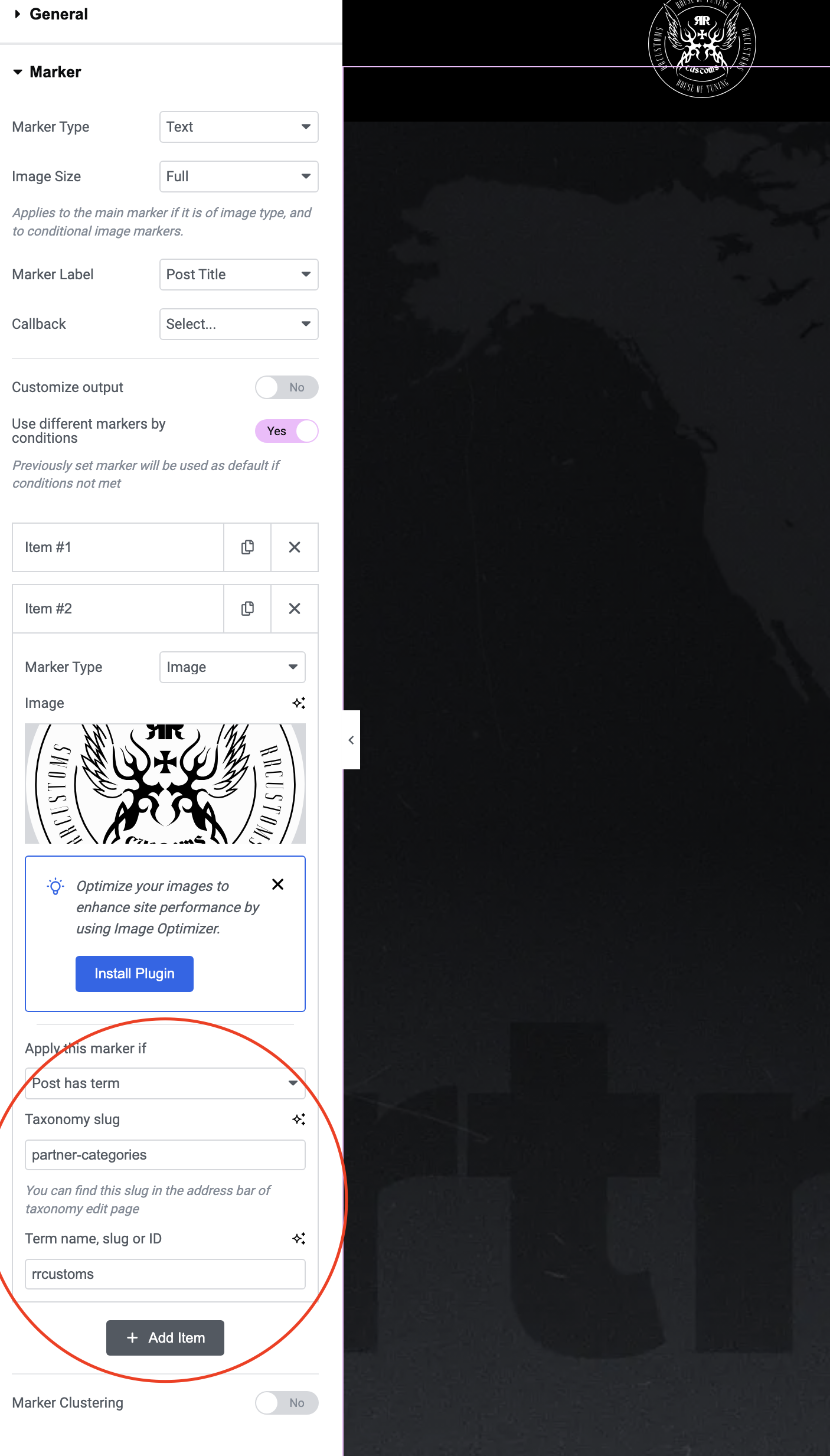
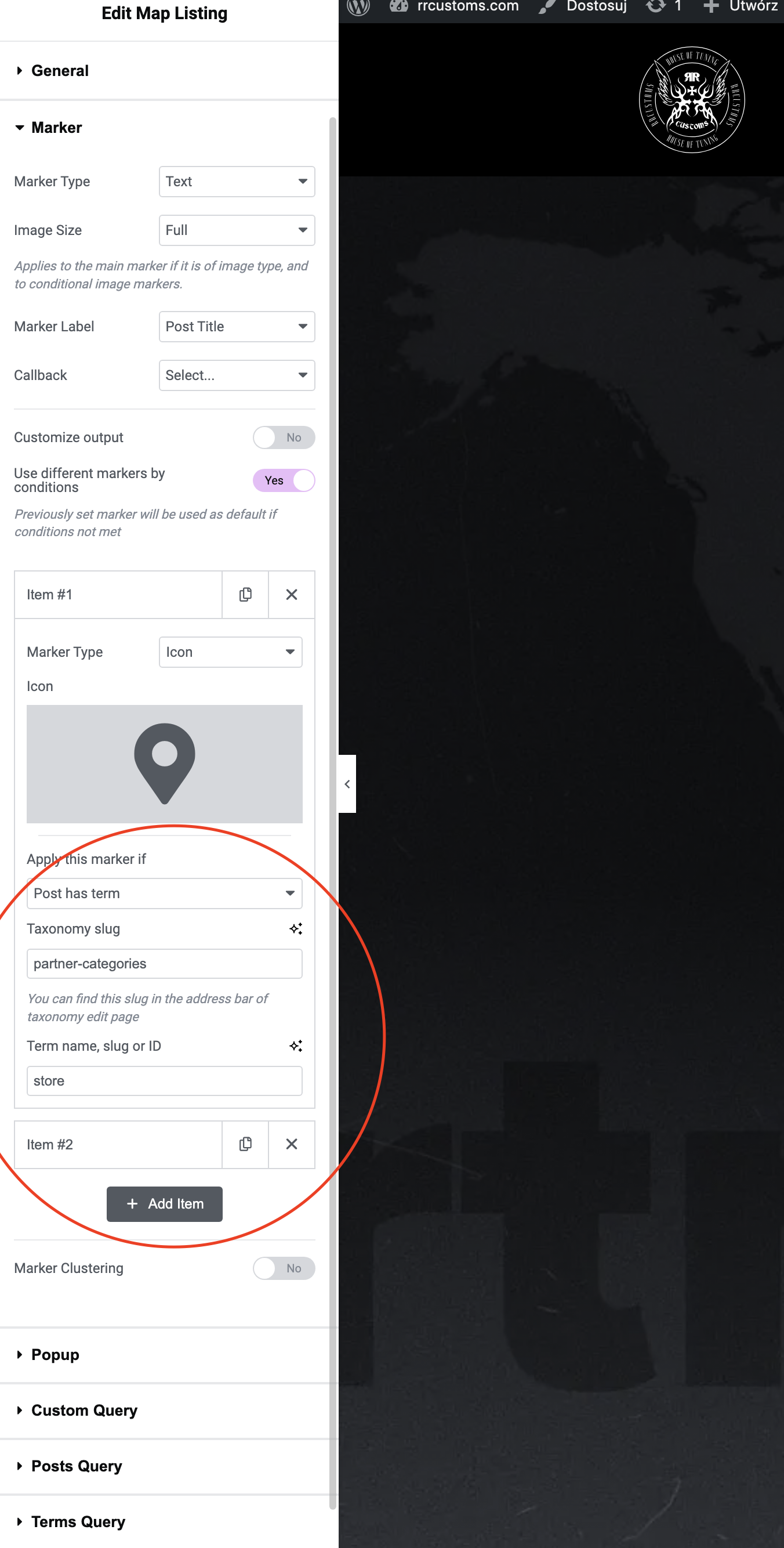
The client is trying to translate 'Partner categories' taxonomies using WPML from English to Polish. After translation, the 'Where to buy' subpage and the map stopped displaying correctly due to the addition of '-pl' to the slugs, changing them to 'rrcustoms-pl' and 'store-pl'. Disabling the translation option did not resolve the issue.
Solution:
We recommend editing the Polish terms' slugs for 'Partner categories' to remove the language code. You can do this by using the Quick Edit option to change 'rrcustoms-pl' to 'rrcustoms' and 'store-pl' to 'store'. After modifying the slugs, clear all types of caches to check if the issue persists. Additionally, ensure that the Elementor templates are translated into the secondary languages. For more details, refer to our errata page: https://wpml.org/errata/translated-term-slug-identical-to-the-original-term-slug/.

If this solution does not apply to your case, or if it seems outdated, we highly recommend checking related known issues at https://wpml.org/known-issues/, verifying the version of the permanent fix, and confirming that you have installed the latest versions of themes and plugins. Should you need further assistance, please open a new support ticket at our support forum.

This is the technical support forum for WPML - the multilingual WordPress plugin.

Everyone can read, but only WPML clients can post here. WPML team is replying on the forum 6 days per week, 22 hours per day.

Tagged: 

This topic contains 1 reply, has 0 voices.

Last updated by Bigul 1 year ago.

Assisted by: Bigul.

Author Posts
November 15, 2024 at 3:50 am #16405596

Zbigniew

Background of the issue:
I am trying to translate my own 'Partner categories' taxonomies using WPML for my site hidden link. I enabled the translation option in WPML settings and started translating from English to Polish. The categories I translated were 'Main distributor' and 'Reseler'.

Symptoms:
After translating, the 'Where to buy' subpage stopped displaying items in Polish, and the map below it also stopped working correctly. WPML added '-pl' to my slugs, changing them to 'rrcustoms-pl' and 'store-pl'. Disabling the translation option did not restore the display in Polish.

Questions:
Is it possible to use these translated categories and how can I do it?
If not possible, how can I restore the correct operation of the site?
Is there a way for the slug to be dynamically inserted into the widget for each language?

November 18, 2024 at 8:18 am #16413217

Bigul

Hello,

Welcome to the WPML support forum. I will do my best to help you to resolve the issue.

In WordPress slugs should be unique, that is why the language code is automatically added to the translated term. As a workaround, we have to Quick Edit the category term to remove the language slug. Refer to the following errata for more details.

https://wpml.org/errata/translated-term-slug-identical-to-the-original-term-slug/

So please Quick Edit the *Partner categories* Polish terms slug to *rrcustoms* from *rrcustoms-pl* and *store* from *store-pl*. Then clear all types of caches and make sure the bug exists or not. We hope you have translated the Elementor templates to the secondary languages.

--
Thanks!

Bigul