[Resolved] Buddyboss job related jobs shon in second language same job
This thread is resolved. Here is a description of the problem and solution.
Problem: You are experiencing an issue where the same job appears in the related jobs section when viewed in a translated language on a site using WPML, BuddyBoss, and WP Jobmanager. Solution: We recommend updating your BuddyBoss theme to Version 2.8.00. This update should resolve the issue of job duplication in the related jobs section across different language versions.
If this solution does not apply to your case, or if it seems outdated, please check the related known issues and confirm that you have installed the latest versions of themes and plugins. If the problem persists, we highly recommend opening a new support ticket with us for further assistance. You can do so at our support forum.
This is the technical support forum for WPML - the multilingual WordPress plugin.
Everyone can read, but only WPML clients can post here. WPML team is replying on the forum 6 days per week, 22 hours per day.
Background of the issue:
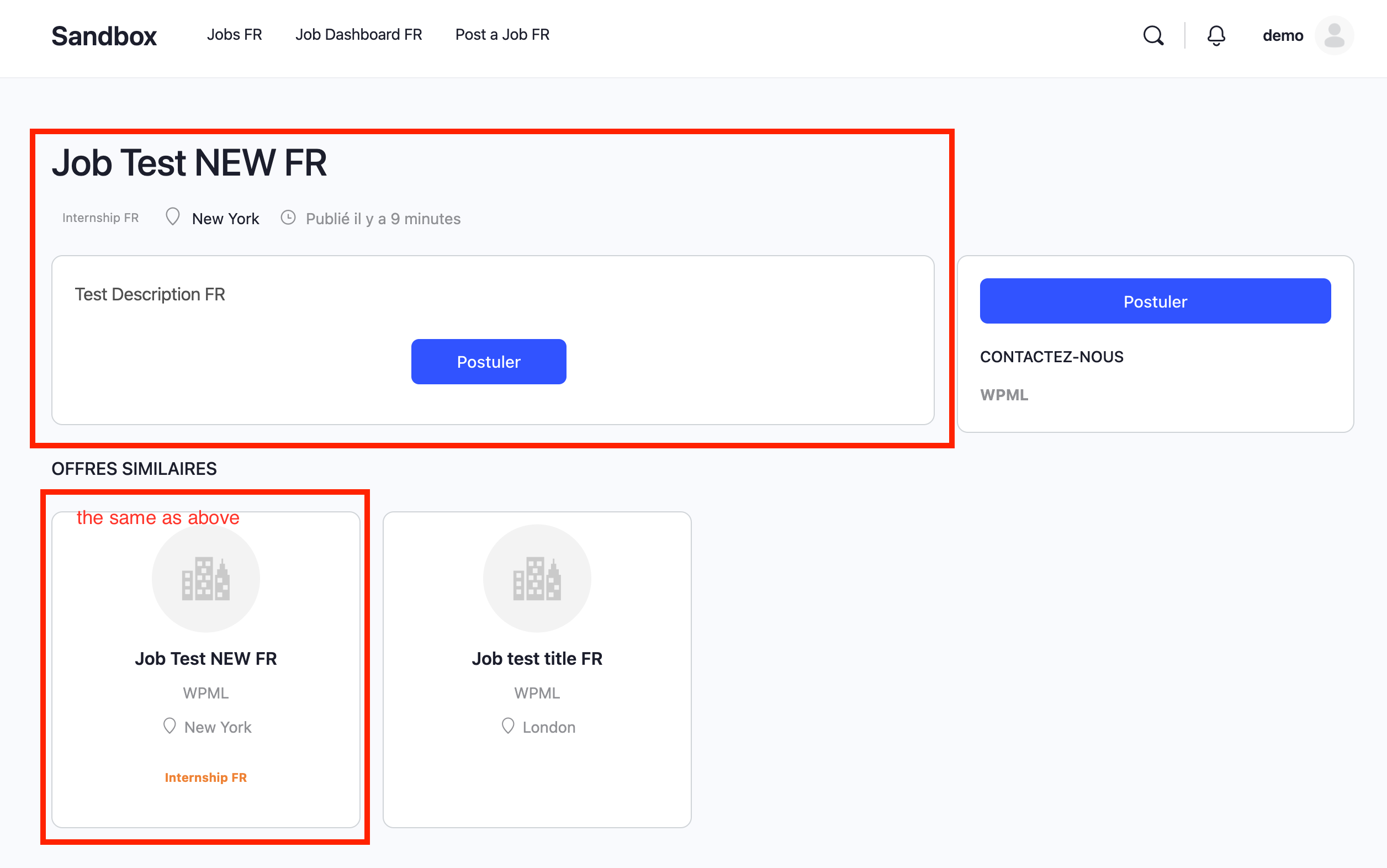
I am working on a site under development using WPML and Buddyboss and WP Jobmanager. I want to ensure that when a job is shown in a translated/duplicated language version, the related job area should not display the same job again.
Symptoms:
When I switch to a translated language version of a job, the same job is shown in the related jobs section, which should not happen.
Questions:
Why is the same job appearing in the related jobs section when viewed in a translated language?
How can I prevent jobs from appearing in the related jobs section in translated languages?
Thanks for contacting WPML forums support. I'll be glad to help you today.
1) Please log in to this hidden link site and install the WP Job Manager plugin.
After that, please try to replicate the issue. If the issue is replicable, please let me know how to reproduce it so I can check it and consult our compatibility team.
2) Could you please share your Debug information with me?
You can read a detailed explanation about it here. (http://wpml.org/faq/provide-debug-information-faster-support)
The debug info will give me much information about how your site is configured.
Hi,
Yes, the link hidden link shows now not the same job at the related jobs sections. Good!
What did you do and how I can take this over in my site?
Thanks, kind regards
Eric
Thanks for your confirmation. Please check the following steps:
1- Edit the /buddyboss theme/template-parts/related-jobs.php
2- Add the following code after line 12
// Get the current post ID
        $current_post_id = get_queried_object_id();

		// Initialize exclusion array with the current post ID
        $exclude_ids = array( $current_post_id );

        // Get the translated version of the current post in all languages
        if ( function_exists( 'wpml_object_id_filter' ) ) {
            global $sitepress;
            $languages = $sitepress->get_active_languages();
            foreach ( $languages as $lang_code => $lang_info ) {
                $translated_id = wpml_object_id_filter( $current_post_id, 'post', true, $lang_code );
                if ( $translated_id && ! in_array( $translated_id, $exclude_ids ) ) {
                    $exclude_ids[] = $translated_id;
                }
            }
        }

        // Remove excluded IDs from the posts array
        $posts_array = array_diff( $posts_array, $exclude_ids );
Hi,
Thanks, I added the code and unfortunately have this result:
1) before in EN = no related jobs
2) before in DE = the same job below as related
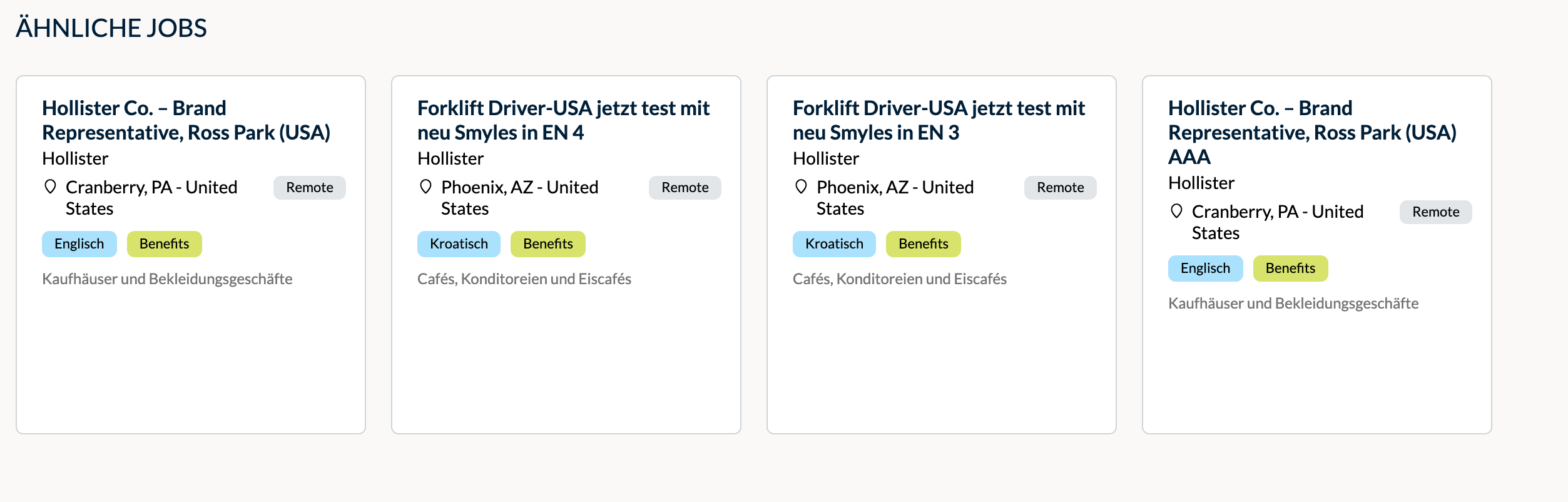
3) after the new code = all test jobs shown at related
3) all different category jobs are shown here at related, but they are not related
Can you please check this? Could be that now the filter doesn't work anymore, so that not only "related jobs" are shown. I made a test and added a job with totally other text and category etc. and all the other jobs are shown below. So I think, now the related filter is not working anymore.
Thanks for your update. I would need to look closely at your site, so I would need to request temporary access (WP-Admin and FTP) Preferably to a test site where the problem has been replicated.
Your answer will be private, meaning only you and I can access it.
❌ Please backup your database and website ❌
✙ I need your permission to deactivate and reactivate the plugins and themes and change site configurations. This is also why the backup is critical.
✙ I also need your permission to take a local copy of your site to debug the issue without affecting your live site.
Hi,
Please check, I did what you suggested, the same result as before. Due to the other template please use now for login the wp-admin.
Thanks, kind regards
Eric
Hi, Thank you, but I just tested the page and noticed that there's no footer under the jobs anymore. I can’t switch to other languages at all. I’ve already enabled BuddyBoss and Elementor, but I’m currently unable to activate the footer. I’m sorry, but I can’t make progress like this. Could you please tell me what I need to do and how I can test it afterward?
Kind regards
Eric
Hi,
Good question, I could show into the code but if you are talking with Buddyboss, could you please address this to their support?
If you need, I can search for the logic, please let me know.
Thanks, kind regards
Eric