Skip to content Skip to sidebar

This topic contains 0 reply, has 1 voice.

Last updated by marcU-6 8 months, 2 weeks ago.

Assisted by: Shekhar Bhandari.

Author Posts
August 26, 2025 at 7:57 am #17346820

marcU-6

Background of the issue:
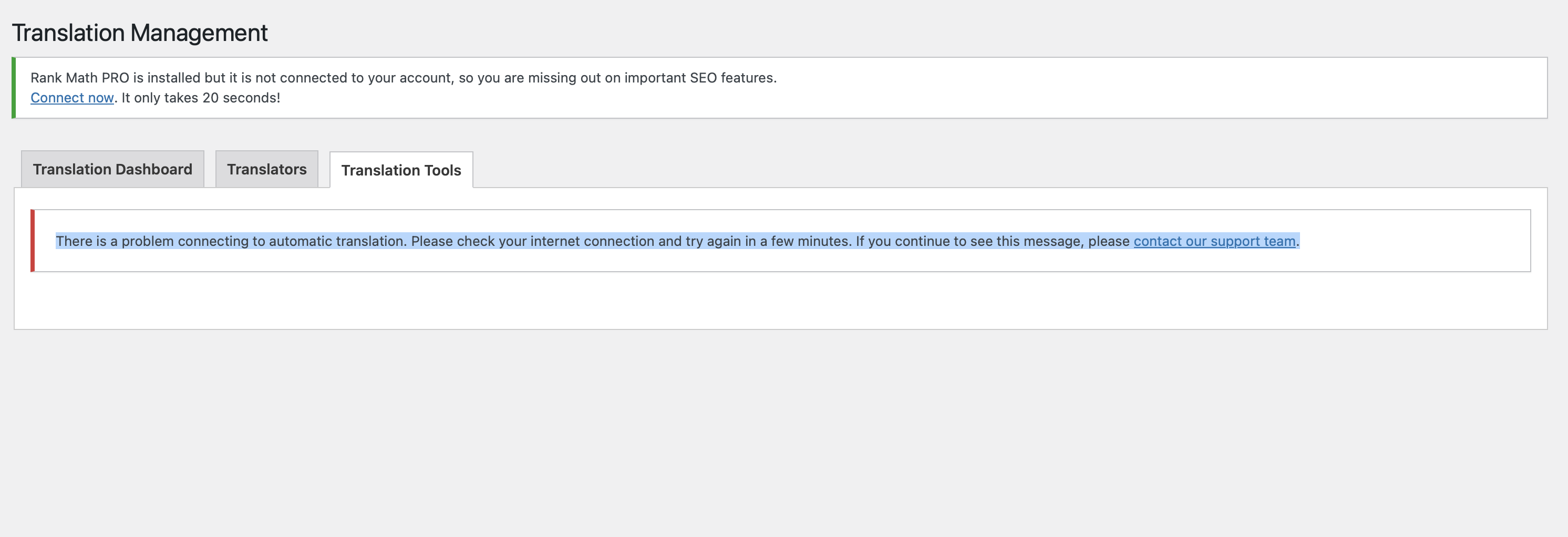
I am trying to access the Glossary in translation tools under WPML -> Translation Management -> Translation Tools. The issue can be seen at the following link: hidden link.

Symptoms:
I expected to see the translation tool page including the glossary, but instead, I got the error message: "There is a problem connecting to automatic translation. Please check your internet connection and try again in a few minutes. If you continue to see this message, please contact our support team."

Questions:
Why can't I access the Glossary in translation tools?
How can I resolve the connection issue with automatic translation?

The topic ‘[Closed] Cant load translation tools’ is closed to new replies.