This thread is resolved. Here is a description of the problem and solution.
Problem: You are trying to set up different regions on your site using WPML, each represented by a language. You want the URL language code for the USA to be /us/ instead of the default /en-us/. However, when attempting to create a custom language for the US, you encounter errors indicating that 'The default locale already exists.' and 'The hreflang already exists.' Solution: The issue arises because the values when adding a custom language need to be unique and cannot be reused across multiple languages. Here’s how you can resolve this: 1. Navigate to WPML -> Languages -> Add languages and add the English language. 2. Go to Edit languages. 3. Change the default locale and hreflang to something unique and save the changes. 4. Now, add your custom language and assign it en_US and en-us. You can see a setup example here: WPML->Languages->Edit languages.
If this solution does not apply to your case, or if it seems outdated, we recommend checking the related known issues, verifying the version of the permanent fix, and confirming that you have installed the latest versions of themes and plugins. Should you need further assistance, please open a new support ticket.
This is the technical support forum for WPML - the multilingual WordPress plugin.
Everyone can read, but only WPML clients can post here. WPML team is replying on the forum 6 days per week, 22 hours per day.
Background of the issue:
I am trying to set up 4 regions on our site using WPML, each represented by a language: Global (UK), USA, APAC, and Middle East. I have set Global English UK as the default language and added APAC and MENA as custom languages. I want the URL language code for USA to be /us/ instead of the default /en-us/. I understand I need to create a custom language for this, but I am encountering issues.
Symptoms:
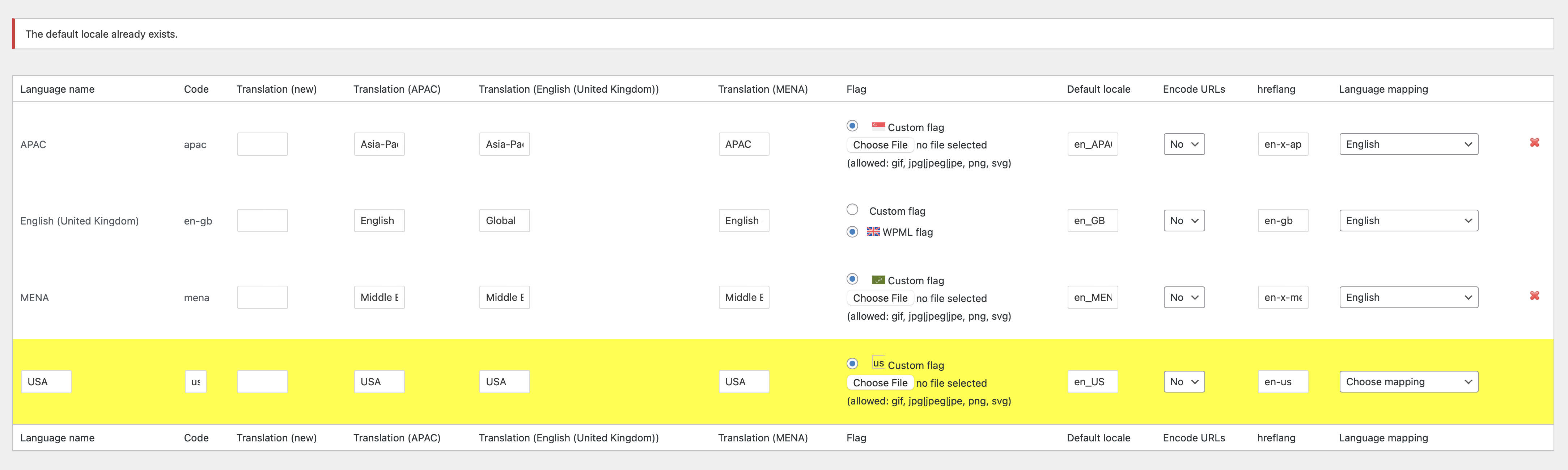
When I try to create a custom language for US, I receive errors saying 'The default locale already exists.' and 'The hreflang already exists.'
Questions:
How can I set the URL language code for USA to /us/ instead of /en-us/?
How do I create a custom US language without encountering locale and hreflang errors?
This error is happening because the values when you add a custom language need to be individual and cannot be used on more than one language.
en_US and en-us are already used by the default English language added by WPML, therefore they cannot be used again.
One way to go around this is to do the following:
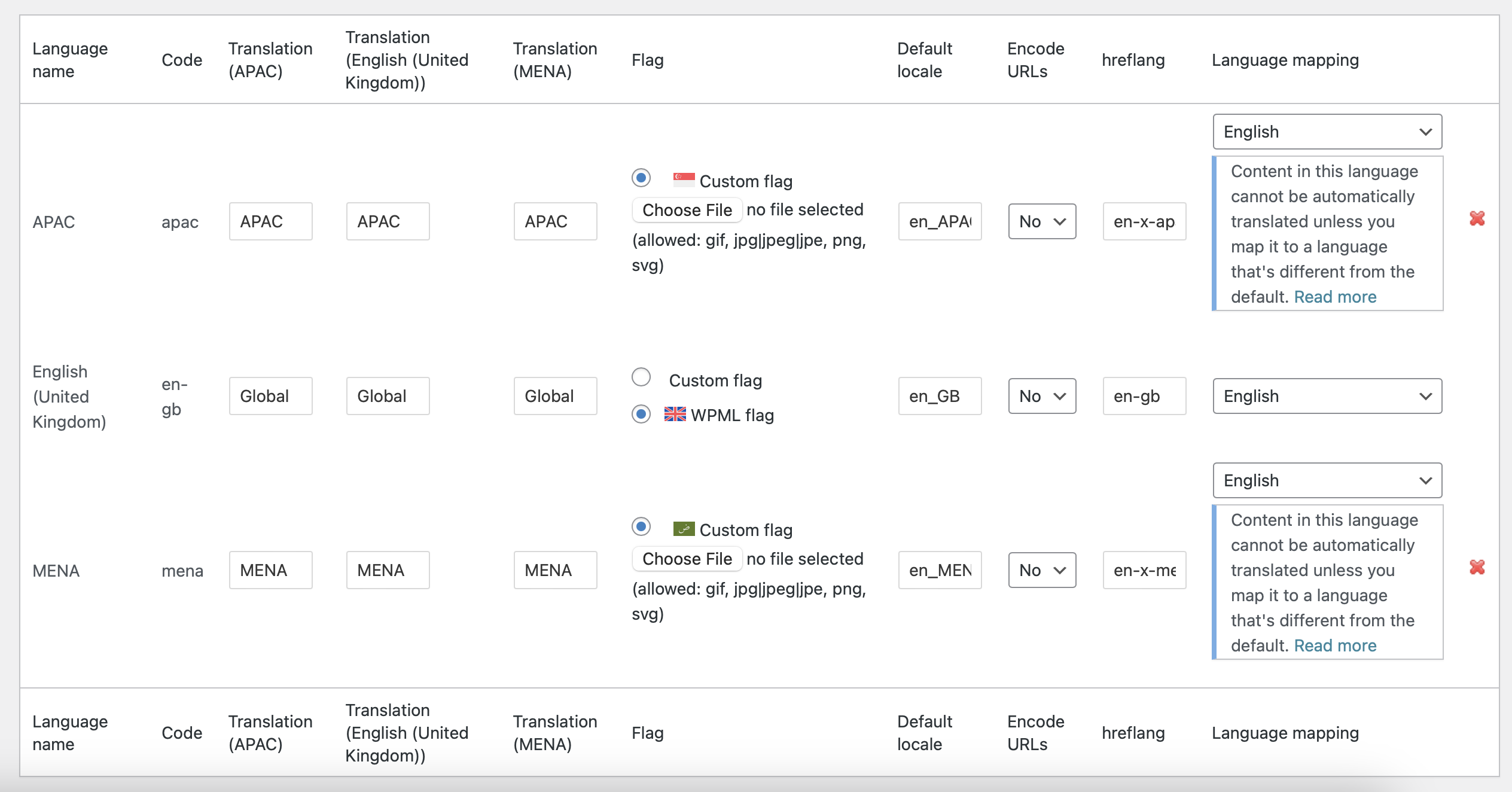
1. WPML -> Languages -> Add languages -> add the English language
2. Edit the languages
3. Change the default locale and hreflang to something else and save it
4. Now add your custom language and assign to it en_US and en-us
You can visit this sandbox and go to WPML->Languages->Edit languages to see how I've set it up. hidden link
Sorry for the delay, we replied to the email but didn't realise it was a noreply address
Yes, we followed this process before but it’s still not allowing us to create a custom language with en-us/en_US values – the default language has already been changed to en-gb/en_GB, so en-us should no longer exist? See screenshot attached
Is there anything else I should be changing or looking at?
I would like to request temporary access (wp-admin and FTP) to your site to take a better look at the issue.
It would be better to a testing site where the issue is replicated.
The information you will enter is private which means only you and I can see and have access to it.
Maybe I'll need to replicate your site locally. For this, I'll need to temporarily install a plugin called “Duplicator” or "All in One WP Migration" on your site.
This will allow me to create a copy of your site and your content.
Once the problem is resolved I will delete the local site.
**IMPORTANT**
- Please make a backup of site files and database before providing us access.
- If you do not see the wp-admin/FTP fields this means your post & website login details will be made PUBLIC. DO NOT post your website details unless you see the required wp-admin/FTP fields.
It looks like the language was added before, and some content remained.
I deleted it. When there is content from a removed language, it appears as an option.
Then, in WPML -> Languages -> Add language, the USA language appears, which has the locale en_US.
I suggest changing the locale for that language, and then you'll be able to add the new one. After changing the locale, you can remove the language again.