Skip to content Skip to sidebar

This thread is resolved. Here is a description of the problem and solution.

Problem:
The client is experiencing issues with the appearance of their home page after translating it using WPML. The translated page's appearance is broken compared to the original.
Solution:
We recommended that the client translates the homepage again and then, using the page builder (possibly Elementor) used in the default language, checks the translated page's settings in the backend. Specifically, they should look for an option to hide the page title on the translated page. Additionally, we suggested checking if there is any active caching that might be affecting the appearance and offered to examine the issue further by requesting temporary access to the site. For security, we advised the client to back up their site before providing access.

If this solution does not resolve your issue, or if it seems outdated or irrelevant to your case, please visit our known issues page and confirm that you have the latest versions of themes and plugins installed. If the problem persists, we highly recommend opening a new support ticket here.

This is the technical support forum for WPML - the multilingual WordPress plugin.

Everyone can read, but only WPML clients can post here. WPML team is replying on the forum 6 days per week, 22 hours per day.

Tagged: 

This topic contains 3 replies, has 2 voices.

Last updated by Mihai Apetrei 1 year, 8 months ago.

Assisted by: Mihai Apetrei.

Author Posts
June 17, 2024 at 1:02 pm #15745575

muharremO

Background of the issue:
I tried to translate my home page using WPML. The site I need help with is hidden link.

Symptoms:
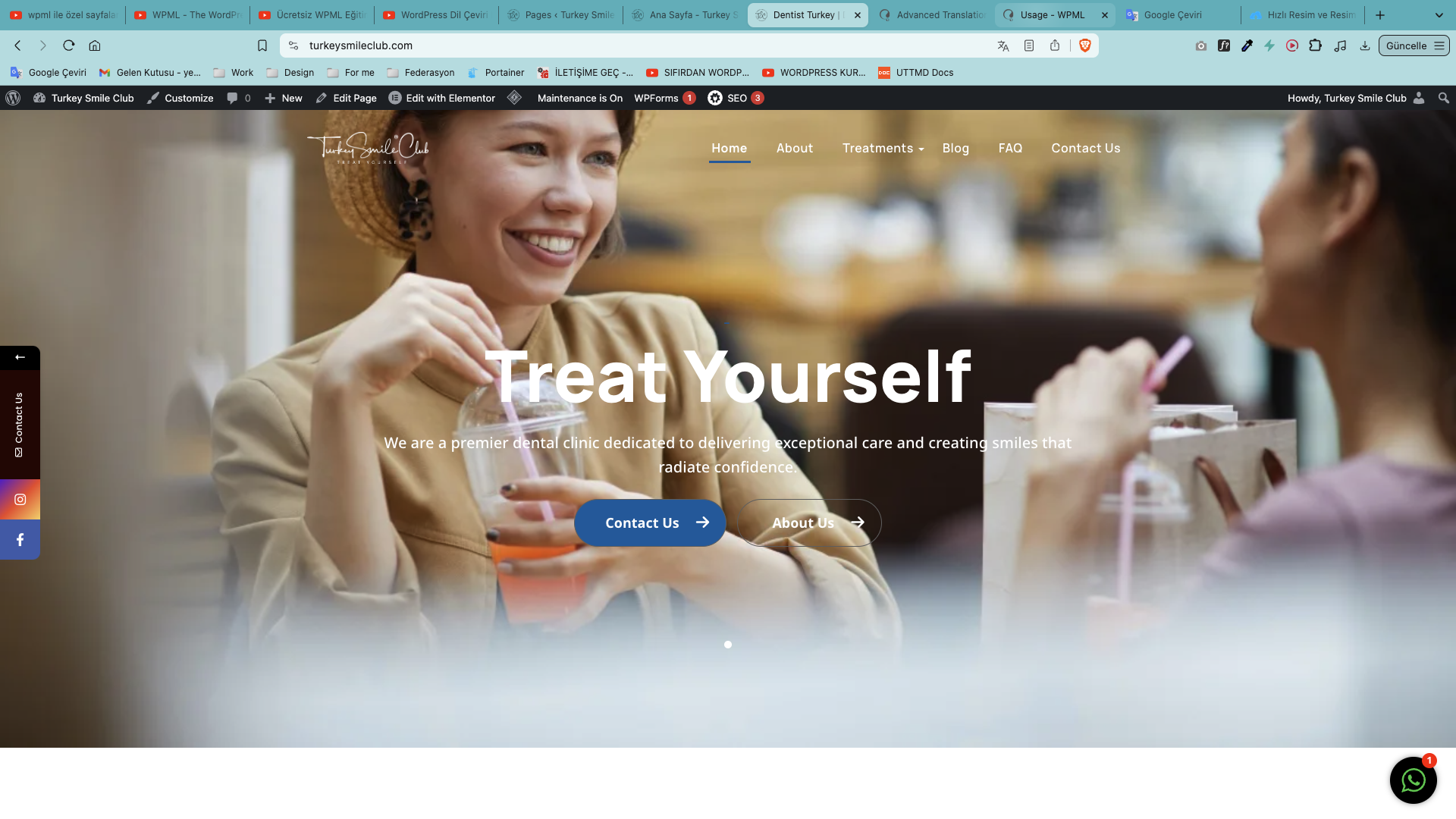
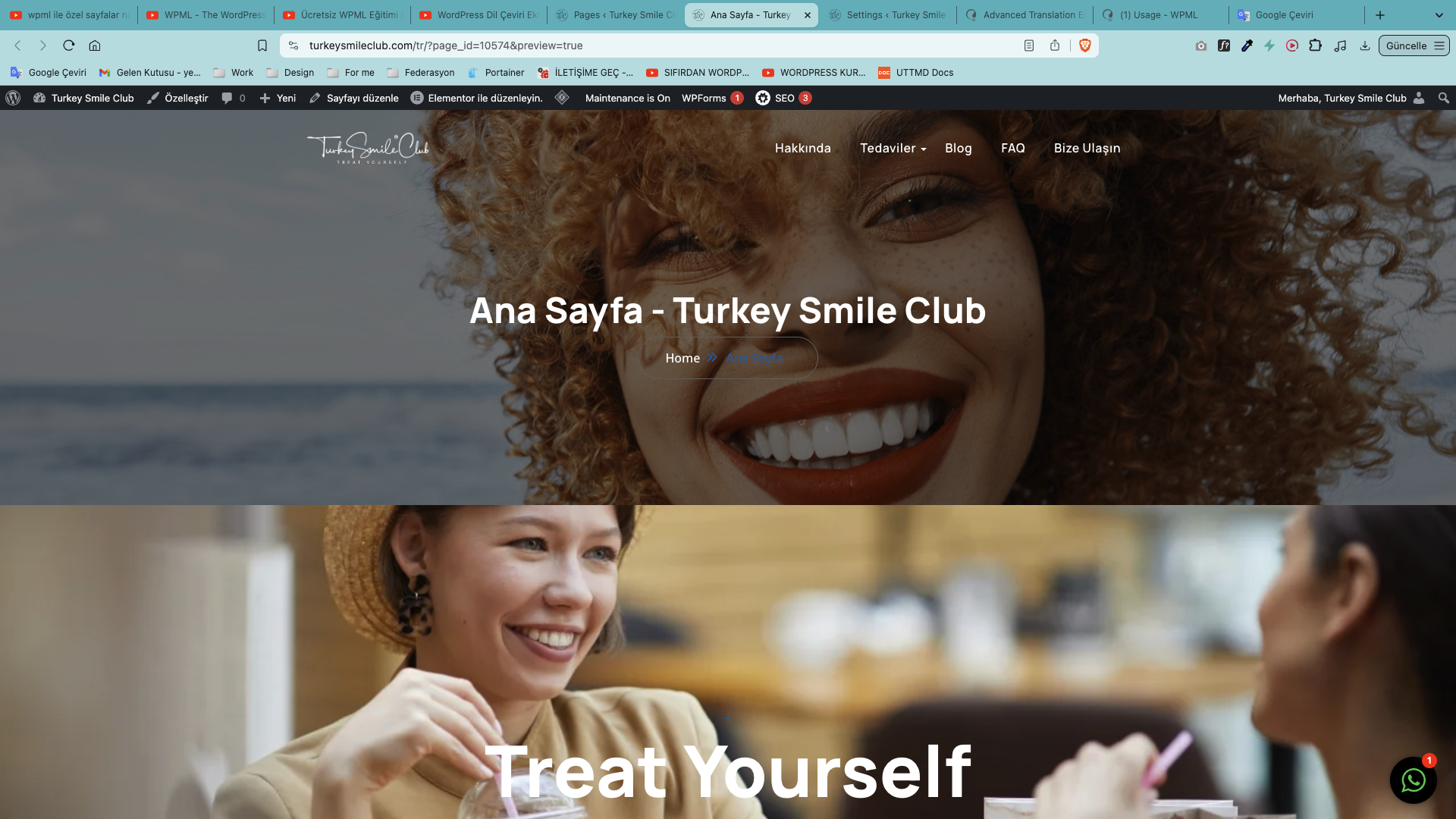
When I translate the page, the appearance is broken. I have added screenshots of the normal page and the translated page.

Questions:
Why is the appearance of my translated home page broken?

June 17, 2024 at 1:52 pm #15745983

Mihai Apetrei
WPML Supporter since 03/2018

Languages: English (English )

Timezone: Europe/Bucharest (GMT+02:00)

Hi there.

It looks like the title section + the breadcrumbs are showing up in the translated version.

Let's try this: please translate the homepage into another language as it looks right now. Then, while in the backend, please go to the "Pages" tab on the left sidebar, switch the language at the top bar to the secondary language in which you translated the content, hover the mouse over that page translation, then edit that translation with the page builder that you used in the default language (I think it might be "Elementor"), and see if you have a section anywhere on that page to hide the page title for that page.

Please let me know how that goes.

Mihai Apetrei

June 17, 2024 at 5:43 pm #15746663

muharremO

Hi,
It didn't change

resize_Ekran Resmi 2024-06-17 20.40.51.png
resize_Ekran Resmi 2024-06-17 20.42.41.png
June 17, 2024 at 5:48 pm #15746698

Mihai Apetrei
WPML Supporter since 03/2018

Languages: English (English )

Timezone: Europe/Bucharest (GMT+02:00)

Thank you for the update.

Maybe there is some caching active?

I would like to request temporary access (wp-admin and FTP) to your site so I can better examine the issue. The needed fields are below the comment area. When you log in to leave your next reply, the information you enter is private, meaning only you and I can see and access it.

Our Debugging Procedures

I will check various settings in the backend to see if the issue can be resolved. Although I won't be making changes that affect the live site, it is still good practice to back up the site before providing us access. In the event that we do need to debug the site further, I will duplicate it and work in a separate, local development environment to avoid affecting the live site.

Privacy and Security Policy

We have strict policies regarding privacy and access to your information. Please see:
https://wpml.org/purchase/support-policy/privacy-and-security-when-providing-debug-information-for-support/

**IMPORTANT**

- Please back up the site files and database before providing us access.

If you do not see the wp-admin/FTP fields, your post and website login details will be made PUBLIC. DO NOT post your website details unless you see the required wp-admin/FTP fields. If you do not, please ask me to enable the private box.

The private box looks like this: hidden link

I will be waiting for your response.