Skip to content Skip to sidebar

This thread is resolved. Here is a description of the problem and solution.

Problem:
The client receives a warning that the default language must be mapped to a supported language for automatic translation. When attempting to map English to itself, a critical error occurs, but it is not blocking. Additionally, after changing the site's URL, WPML detects a change and requires confirmation. There is also a PHP fatal error related to an undefined method call.
Solution:
1. Temporarily deactivate or delete the current version of the “WPML Multilingual CMS” plugin.
2. Download and install “WPML Multilingual CMS v4.7.0” from the changelog page: https://wpml.org/download/wpml-multilingual-cms/?section=changelog.
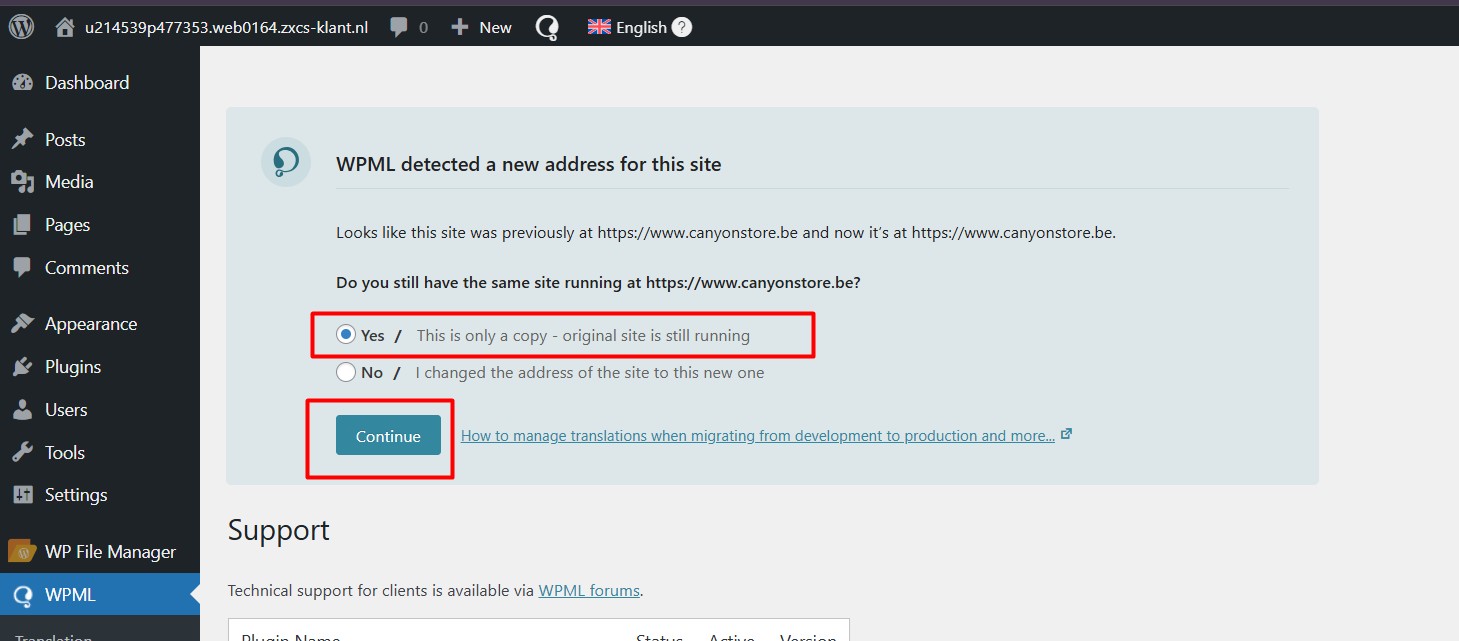
3. Navigate to “WPML >> Support” and select the “Yes” option for the message “WPML detected a new address for this site”.
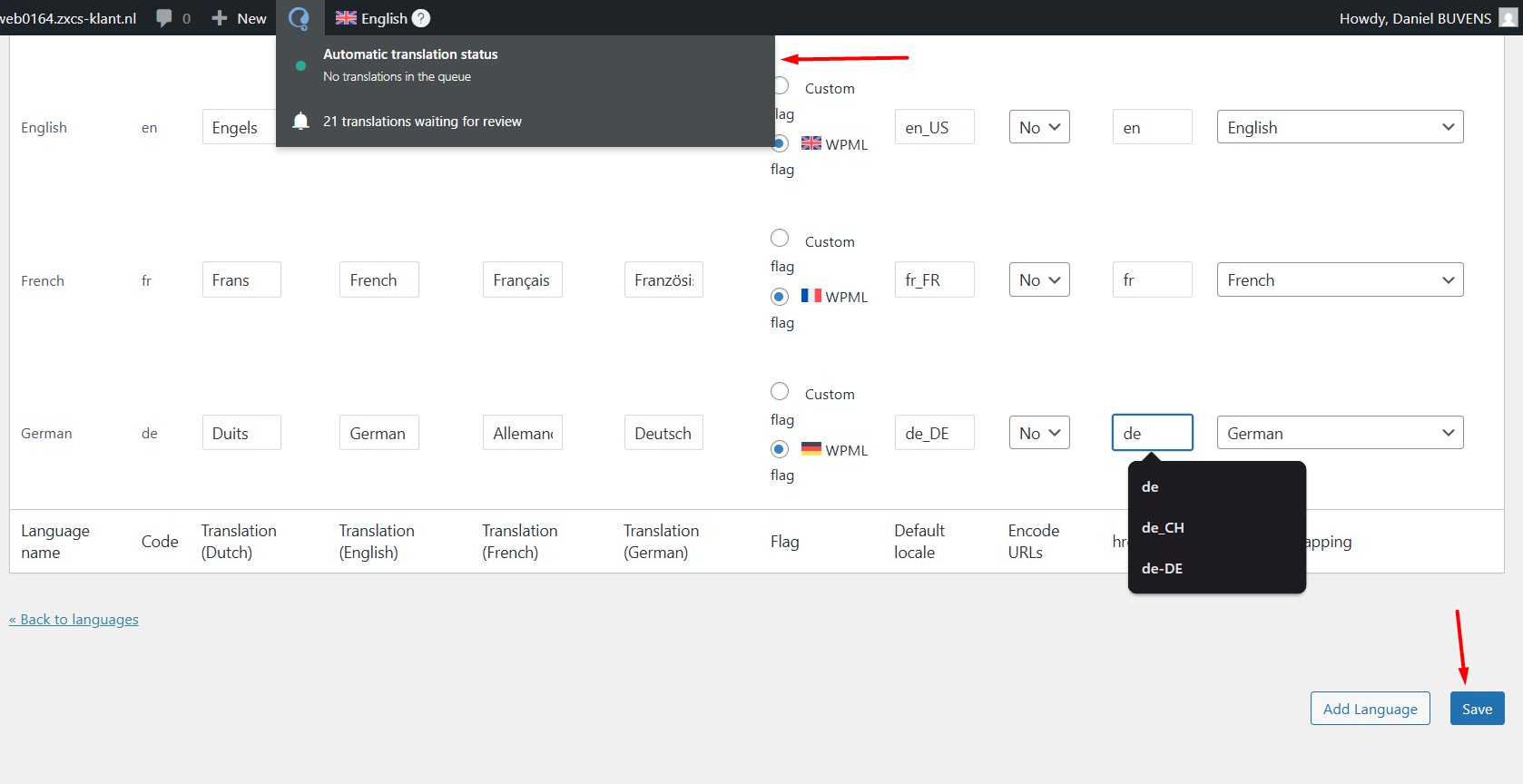
4. Go to “WPML >> Languages > Edit languages” and re-save the settings.
Please ensure to take a full site backup before attempting these steps.

If this solution does not resolve your issue or seems irrelevant due to being outdated or not applicable to your case, we recommend opening a new support ticket. Additionally, we highly recommend checking related known issues at https://wpml.org/known-issues/, verifying the version of the permanent fix, and confirming that you have installed the latest versions of themes and plugins. For further assistance, please visit our support forum at https://wpml.org/forums/forum/english-support/.

This is the technical support forum for WPML - the multilingual WordPress plugin.

Everyone can read, but only WPML clients can post here. WPML team is replying on the forum 6 days per week, 22 hours per day.

Tagged: 

This topic contains 22 replies, has 0 voices.

Last updated by Noman 2 months, 4 weeks ago.

Assisted by: Noman.

Author Posts
January 7, 2026 at 7:30 am #17708292

Noman

Of course, I’m here to help. To continue the investigation, we need either a staging copy of the site on the same server or cooperation from the hosting provider to review the server environment. This will allow us to isolate the cause of the issue and move forward. Please let me know which option you can proceed with, and I’ll be happy to assist.

Looking forward,
Thank you for your cooperation

January 19, 2026 at 12:18 am #17740727

Daniel Buvens

Clone stage is ready for examination

Scherm­afbeelding 2026-01-19 om 01.18.06.png
January 19, 2026 at 11:10 am #17742113

Noman

I was able to resolve this issue by following the steps below:

1. Temporarily deactivate/delete the current version of the “WPML Multilingual CMS” plugin.
2. Downloaded and installed “WPML Multilingual CMS v4.7.0” from the changelog page: https://wpml.org/download/wpml-multilingual-cms/?section=changelog.
3. Went to the “WPML >> Support” page and chose the “Yes” option from the “WPML detected a new address for this site” message.
4. Then went to “WPML >> Languages > Edit languages” and re-save the settings and the issue was gone.

Please take a full site backup before trying this and let me know if it resolves the issue for you.

Thank you

edit languages page 1.jpg
this is only a copy.jpg
January 19, 2026 at 3:31 pm #17743186

Daniel Buvens

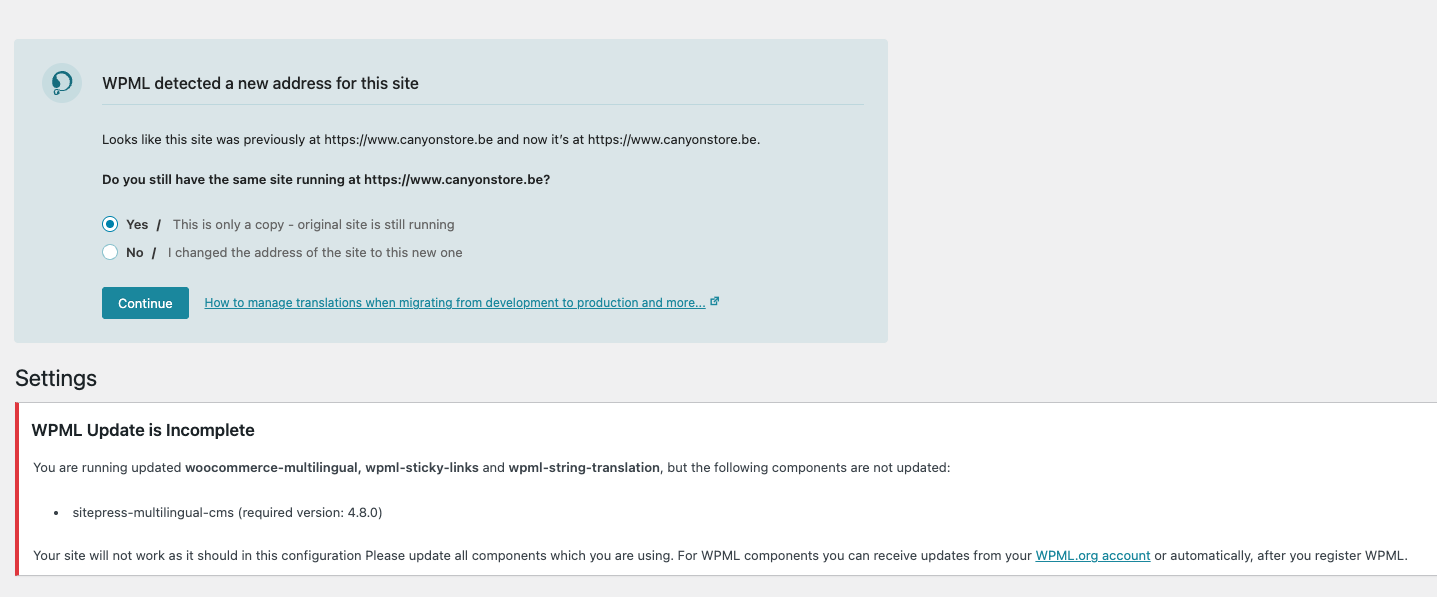
WPML detected a new address for this site
Looks like this site was previously at hidden link and now it’s at hidden link.

Do you still have the same site running at hidden link?

Yes/This is only a copy - original site is still running

No/I changed the address of the site to this new one

--> YES or NO ??

January 19, 2026 at 3:33 pm #17743201

Daniel Buvens

Not sure what to select. It's a change from hidden link and now it’s at hidden link -- which is 2x the same ?

Scherm­afbeelding 2026-01-19 om 16.32.11.png
January 19, 2026 at 3:49 pm #17743292

Daniel Buvens

Now I am stuck at the migration code.
I don't see a migration code. If I click the link in "Follow this link to access the migration code (you can't get it by visiting hidden link manually)" it just pops open the exact same page in a new tab.

hidden link

January 19, 2026 at 4:11 pm #17743393

Daniel Buvens

OK, never mind. I have set up a new pay-as-you-go and now the issue is solved. The translations work again, English is once again recognized as an official language.

Can I now update to the latest version or should I stay at 4.7.0 ?

January 19, 2026 at 4:18 pm #17743431

Noman

Glad to hear that issue is solved 🙂

Yes, please take a backup of your site first for safety reasons and update WPML plugin to the latest version.

Thank you for your cooperation and patience