Skip to content Skip to sidebar

This topic contains 0 reply, has 1 voice.

Last updated by jessieY 1 year, 10 months ago.

Assisted by: Waqas Bin Hasan.

Author Posts
June 7, 2024 at 10:15 am #15714749

jessieY

Background of the issue:
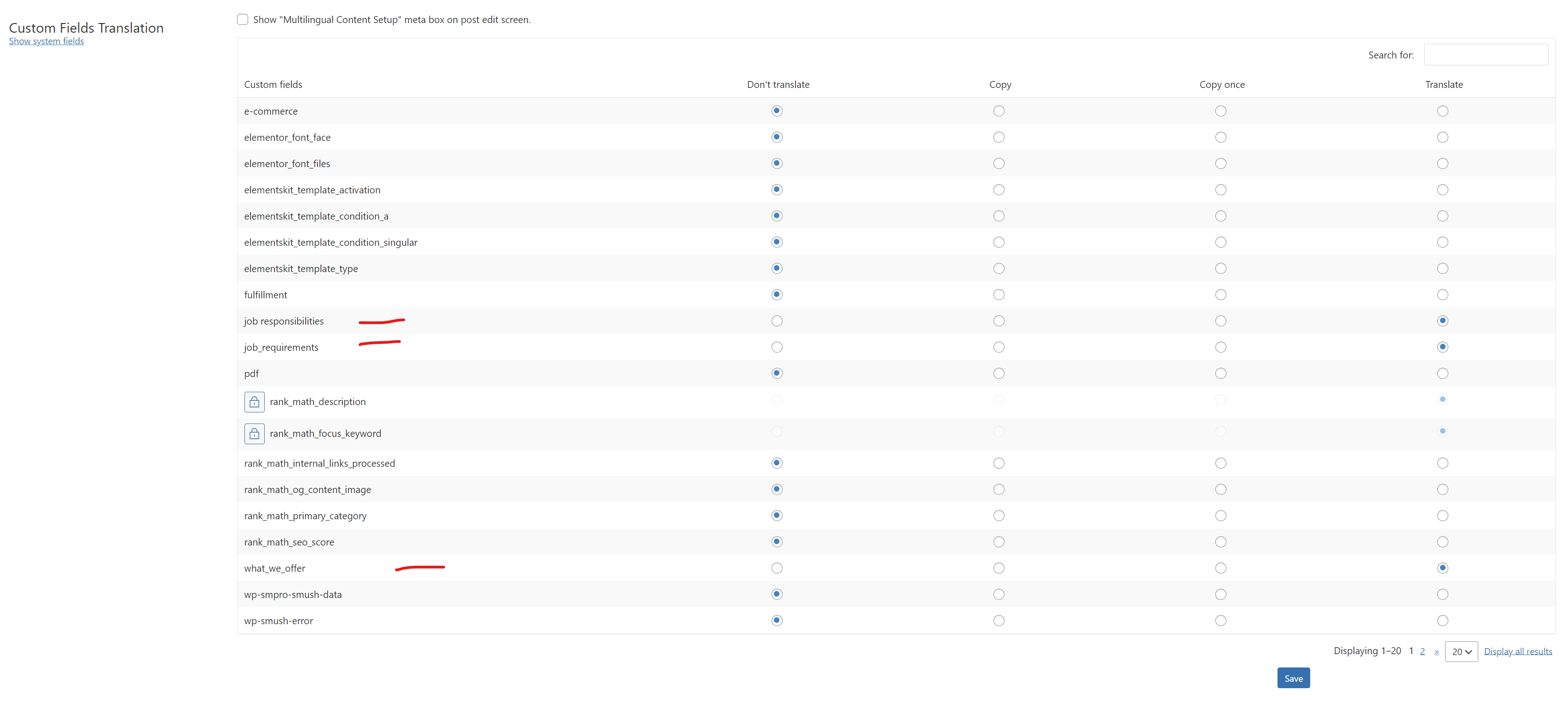
I need to set up the settings in 'custom fields translation' to ensure that the filds will work the same in the other languages using 'pay-as-you-go' on my site hidden link. In a previous case of mine I faced an issue that the names of the custom fields get translated an I needed to go to the other languages and change manually which field I wanted to featch. Other than that, I want some clarification for the filters as well (I'm using 'jet smart fielters'). In the filters, I'm using tags and categories, which I translate them manually in order to avoid problems.

Symptoms:
No specific issue or error message mentioned.

Questions:
How do I set up the settings in 'custom fields translation' to ensure that the filters will work in other languages using 'pay-as-you-go'?...

The topic ‘[Closed] filters in automatic translation’ is closed to new replies.