Background of the issue:
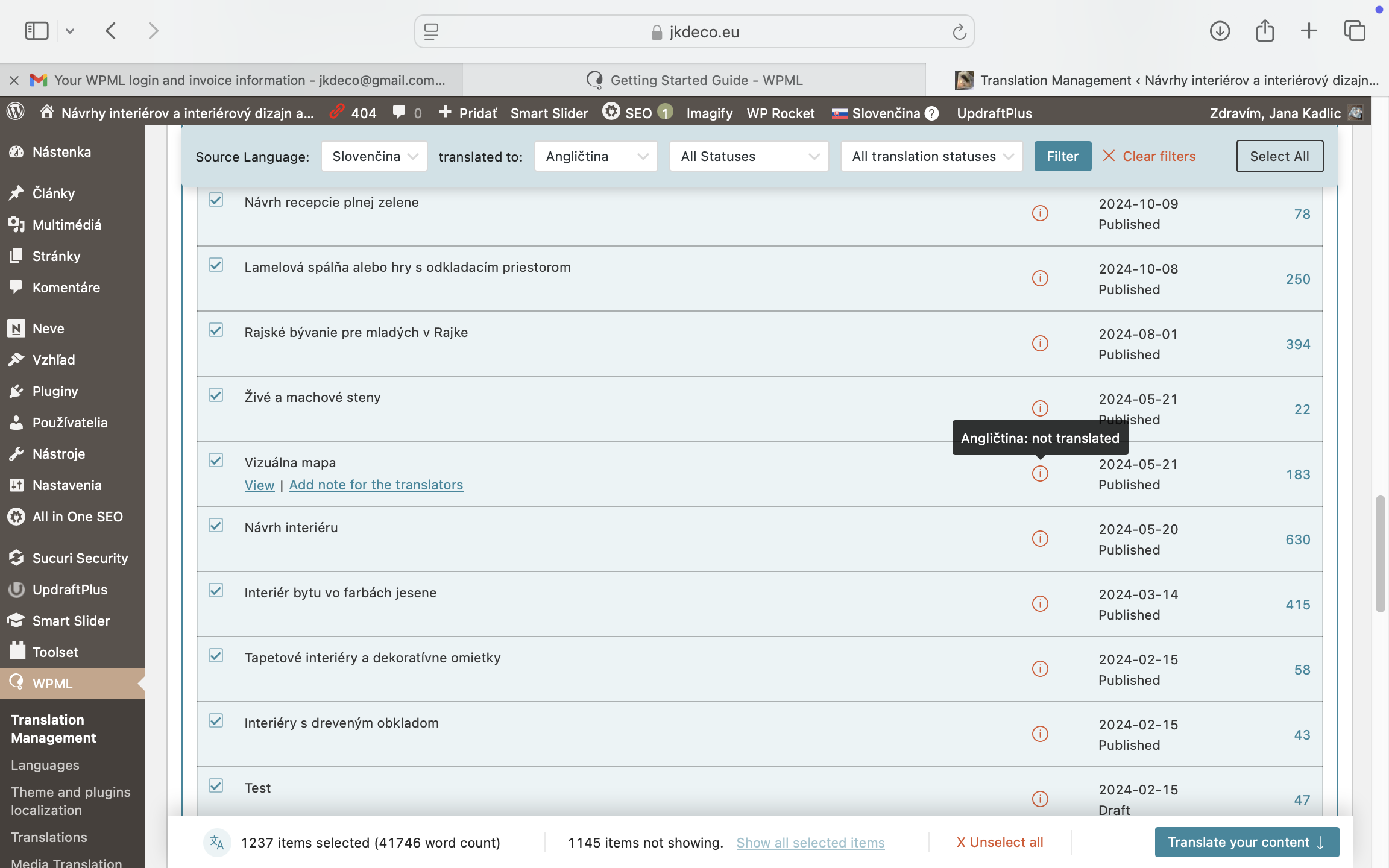
I need to automatically translate my site hidden link using WPML. I am trying to proceed with 'easy' automated translation.
Symptoms:
The system tells me that it has not been translated on one hand, however I cannot switch 'translate' button because it says 'it has already been translated' on another hand. In Plugins area, it indicates that I need to install WP All Import free or pro, and WP Multilingual CMS, which I already have.
Questions:
What should I do to run automated translation?
Why does the system say it has not been translated but also indicates it has already been translated?
Do I need to install WP All Import for automated translation?
The warning you are receiving is because the plugin WPML All Import is installed and activated.
As you don't need this plugin, please go to Plugins-> deactivate and delete WPML All Import -- this is only needed if you are using WP All Import which looks like you are not.
Regarding the page translations.
For the translations please try this:
Go to pages and edit one of the pages.
Do you see on the sidebar to the right that a tranlsaton is needed?
It would show a + icon if the translation is missing , an "eye" icon if the tranlsation is done but needs to be reviewed, or an "updating circle" if it exists and needs updating.
Hello Bobby, thank you. Yes, I had uninstall and delete WP All import plugin. I went on the Pages, however there is nowhere "some" icon on the page itself I can use to translate. I wanted to add an screenshot, but it says that it exceeds your limit (however it is still the pure screenshots always used for troubleshooting).
Hi there, excuse me, I went to single page before. Now I' m on Pages. There are everywhere + icons. As I click on one page to translate, it has already been translated, so now there is an updating circle on this 1 page.
I am not sure if you have ever used a screencast product like Loom but it tends to be very helpful for sharing screencasts of what you are experiencing and it bypasses that size limit 🙂
If there are + icons that means that the translation is not started or existing yet.
When you click on it, look at the top bar there should be a notice about this page being automatically translated and how many credits you used to do that (it does it automatically which is why it shows translated -- you can undo or turn the feature off if not wanting to use that method)
Once it's translated click on publish/save and it should now show in the front end.
Circle/updating icon means that an update is required and that happens when a change to the default language was made.
The topic ‘[Closed] I need to automatic translate my site, no success until now.’ is closed to new replies.