Skip to content Skip to sidebar

This thread is resolved. Here is a description of the problem and solution.

Problem:
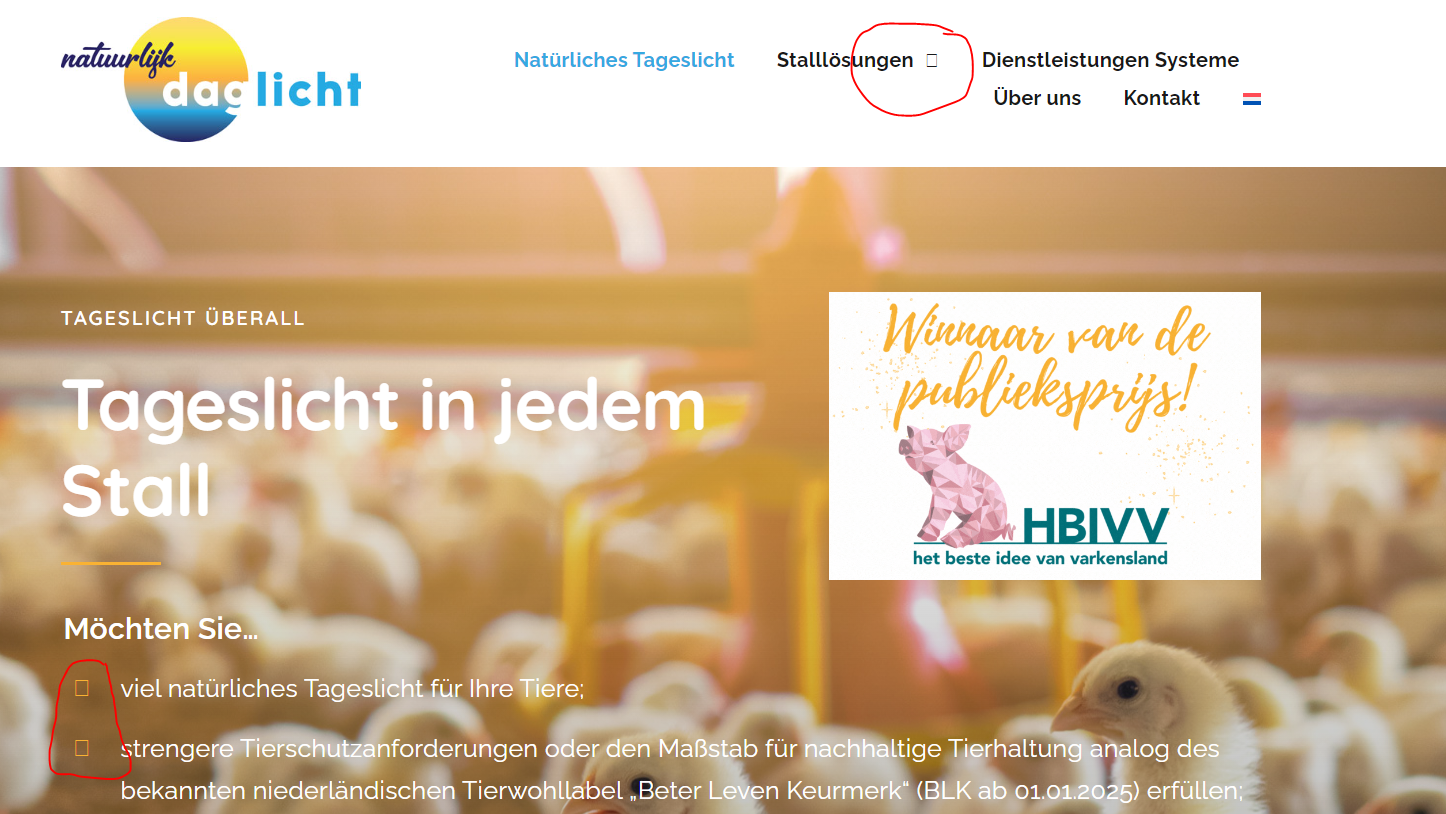
The client reported that icons on their website's German translation pages were displaying as squares instead of the intended icons.
Solution:
We identified that the issue might be related to the Cross-Origin Resource Sharing (CORS) Policy, as the client uses different domains per language. We suggested checking the browser console for any CORS-related error messages and sharing these with their hosting support to allow access to font/icon files across domains. Additionally, we recommended a potential fix involving setting the 'Access-Control-Allow-Origin' header, which can be found in detail here: WPML documentation on CORS and custom fonts.

If this solution does not resolve your issue, or if it seems outdated or irrelevant to your case, we highly recommend checking related known issues at https://wpml.org/known-issues/, verifying the version of the permanent fix, and confirming that you have installed the latest versions of themes and plugins. Should you need further assistance, please open a new support ticket at WPML support forum.

This is the technical support forum for WPML - the multilingual WordPress plugin.

Everyone can read, but only WPML clients can post here. WPML team is replying on the forum 6 days per week, 22 hours per day.

Tagged: 

This topic contains 1 reply, has 2 voices.

Last updated by Noman 1 year, 8 months ago.

Assisted by: Noman.

Author Posts
August 13, 2024 at 12:51 pm #16066484

petraW-5

Background of the issue:
I made a German translation for my site hidden link.

Symptoms:
The icons are not showing on the translated pages; they have become squares.

Questions:
Why are the icons not showing on the translated pages?
How can I fix the issue of icons becoming squares in the German translation?

August 13, 2024 at 3:43 pm #16067346

Noman

Hi,

Thank you for contacting WPML Support. I’ve tried to visit your site and it seems your site is in coming soon mode as you can see in the attached screenshot.

I’ve checked the debug info of your site and found out that you are using the Different domains per language URL format on your site. This issue usually arises due to a Cross-Origin Resource Sharing(CORS) Policy when we use different domains per language.

You can confirm it by checking the browser console on that page and showing the error message to your hosting support so that they will allow you to access the font/icon files from one domain to another.

One of our customers also suggested the fix for this issue, you may give it a try after taking a backup: https://wpml.org/errata/elementor-custom-fonts-cause-cors-policy-issue-with-different-domains-per-language/#:~:text=issue%20very%20easily%3A-,Header%20set%20Access%2DControl%2DAllow%2DOrigin,-You%20could%20either

Please let me know if this resolves the issue or if you need further assistance with this issue.

Thank you

coming soon mode.png