This thread is resolved. Here is a description of the problem and solution.
Problem: You are trying to translate products on your site using WPML, but the products seem to be stuck in a queue and are not being translated. Solution: First, ensure that there are no security modules on your website that might be blocking requests. Then, we recommend you whitelist the following domains with your hosting provider:
If this solution does not resolve your issue or seems irrelevant due to being outdated or not applicable to your case, we highly recommend checking related known issues at https://wpml.org/known-issues/, verifying the version of the permanent fix, and confirming that you have installed the latest versions of themes and plugins. If you still need assistance, please open a new support ticket at WPML support forum.
This is the technical support forum for WPML - the multilingual WordPress plugin.
Everyone can read, but only WPML clients can post here. WPML team is replying on the forum 6 days per week, 22 hours per day.
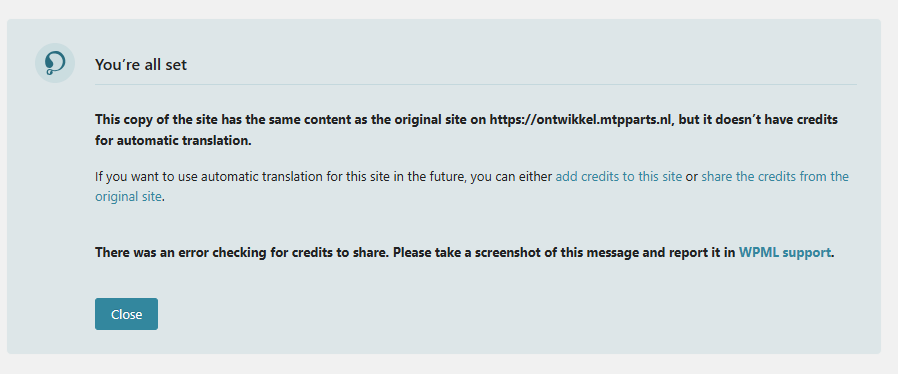
I wanted to duplicate the db of the live site to our own staging site on ontwikkel.mtpparts.nl but I get the next screen. I get in a loop with these warnings.
I'm setting up a staging site now and will send instructions as soon as it is ready. In the meantime, in those notifications, mark the site as a copy and do not share credits. I'll be in touch with next steps soon.
I ran some additional tests on the staging site that I set up and when i deactivate all other plugins except WPML and WooCommerce, I am able to send a page to transaltion and use the automatic translation. I know you ran the troubleshooting steps, but did you run them in minimal settings on your staging site? If not, try that now. Then, with minimal settings still, try the following exact steps:
1. Go to WPML -> Translation Management -> Translation Jobs and cancel the in progress job. If there is no in progress job, continue to the next steps.
2. Edit the default page. Make any small change and update the page.
3. Go to WPML -> Translation Management and send this page to the translation basket. Tick the checkbox, scroll down and click translate, then you will see the translation basket tab.
4. Click the translation basket and send the page to yourself as a translator.
5. Go to WPML -> Translations and take and translate the page. Save the translation 100% and then let's see if the correct content shows.
Then, let me know the results. If it still does not work on your staging site, try activating plugins/theme one at a time on the staging I set up at hidden link. Then see if you can reproduce it by activating plugins one or a few at time and note which ones were just activated before the issue returns.
Hello,
I tried the staging site with our template (The7) and all plugins activated and the translations still works. I think the problem is server related.
Could it be that our server has to whitelist the IP's from WPML. Could you please give me the IP's your company is using so that can whitelist these?
First, ensure that there are no security modules on your website that might be blocking requests. Then, please whitelist the following domains with your hosting provider: