Skip to content Skip to sidebar

This topic contains 0 reply, has 1 voice.

Last updated by andersI-5 5 months, 1 week ago.

Assisted by: Maiya AI Support.

Author Posts
October 29, 2025 at 4:12 pm #17530251

andersI-5

Background of the issue:
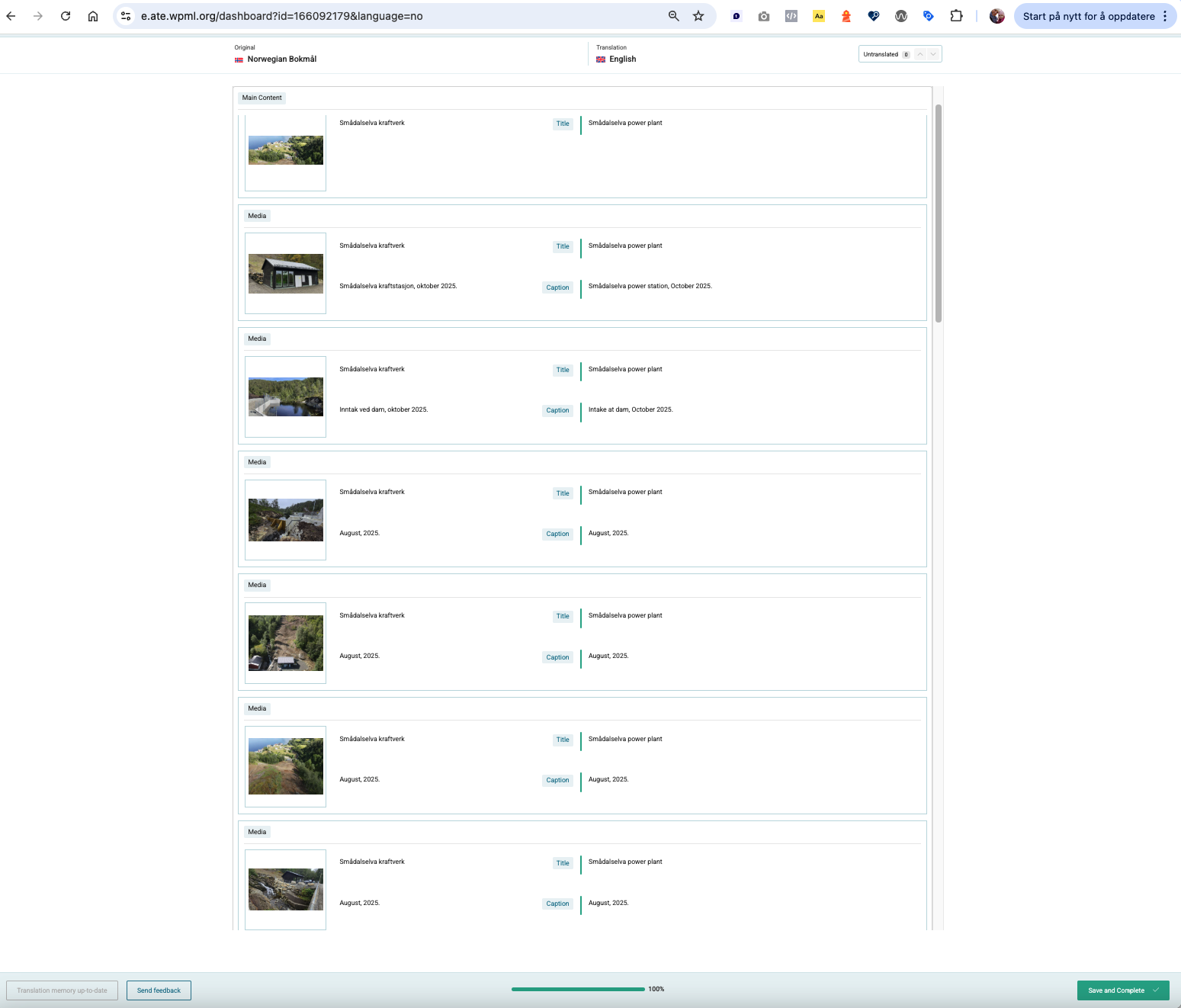
I am trying to translate a post with custom meta fields (gallery) using WPML. The gallery is set to copy, so the images should not appear in the Advanced Translation Editor (ATE). This setup works for new posts. Here is the link to the page where the issue can be seen: hidden link

Symptoms:
When I make changes to an older post and update the translations, I see a lot of images in the ATE that are not present in the original language post. I have tried deleting cache under Troubleshooting.

Questions:
How can I remove the ghost images appearing in the ATE for older posts?

The topic ‘[Closed] Removing ghost images in ATE’ is closed to new replies.